
1:50
Explore
00:00:00 / 01:27:13
- Length
- 1:27
- Scenes
- 36 · 2.4 s avg
- Product on screen
- 0:36
- Features shown
- 1
- Call to action
- 1:20 · 92%
- Voiceover
- Yes
- Views
- 150 on YouTube
as of November 23, 2026
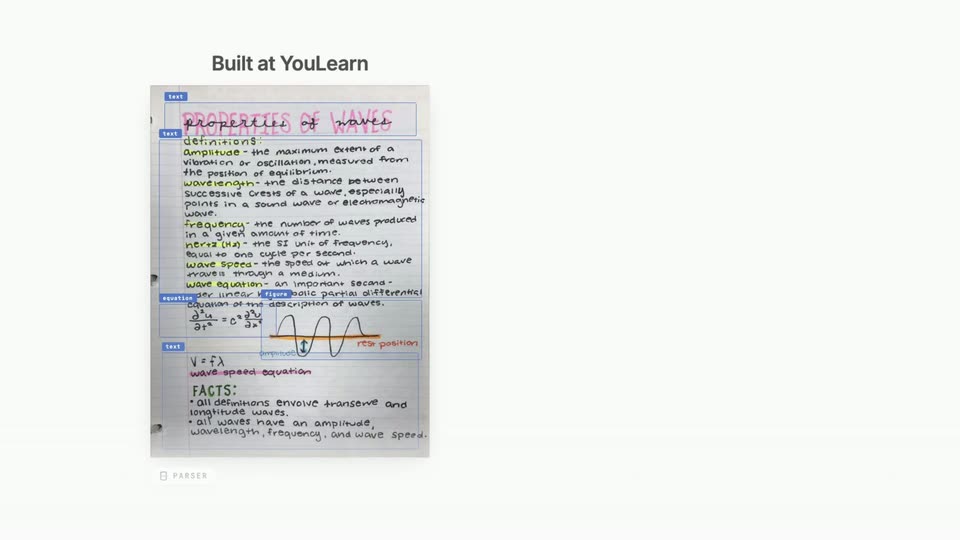
YouLearn’s 1:27 launch film runs 36 scenes, about 2.4 s each. The product shows up at 0:36 and 1 feature is revealed, with social proof. The call to action lands at 1:20 (92% in), over a voiceover. Founder talking-head shots alternate with flat white motion-graphics cards where every stat counts up or a bar fills before the number lands. Signature moves are the side-by-side comparison cards, the tabbed metric cards, and the 3D fan-out of document sheets.
Footage neededEstimated needs: 5 capture groups — your screens or recordings · 1 official logo — reused across the film · 7 filmed passages — shoot, supply or replace · 6 graphic passages — draw or supply · 1 3D passage — build or supply
Is this your launch? to your site or press kit.
More like this

1:43

1:29
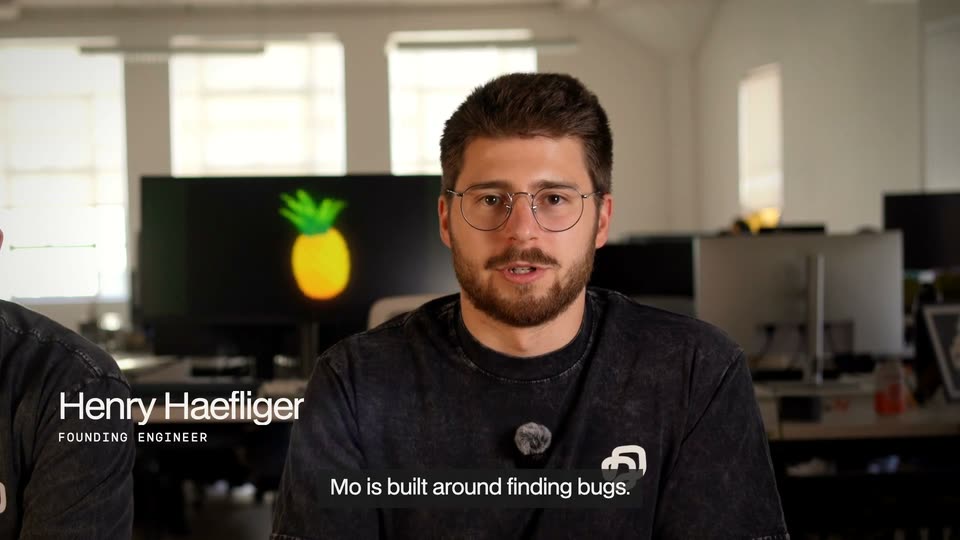

wei-wei - Introducing Mo, the world's first AI QA engineer Point it at your ap
Momentic AI · B2B · Sep 2026
Similar soundtrack
Films whose music sounds like this one, voice left out
1:27
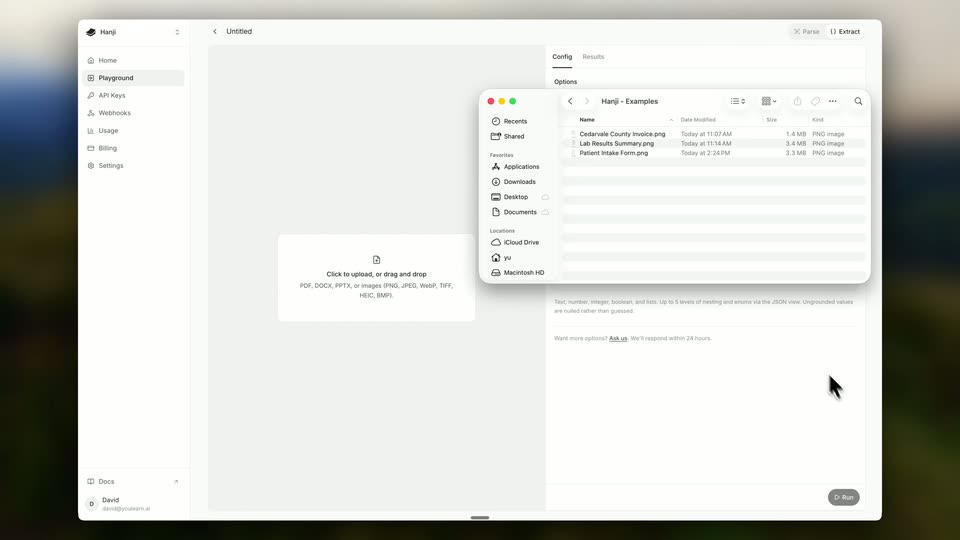
David Yu - Introducing Hanji. Turn your scanned, faxed, and handwritten documen
Hanji · Modern electronic, corporate tech
1:10

HeyGen Avatar 6: Show Up as Your Best Self, Every Time
HeyGen · Electronic dance
1:17
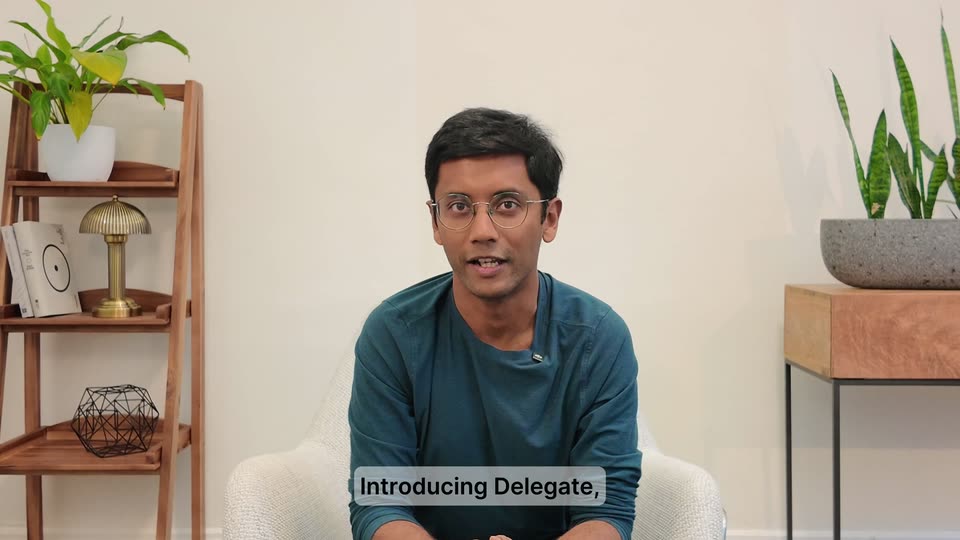

Abhishek Das - We're excited to launch Delegate. An agent you delegate work to and m
Yutori · Modern electronic
Introducing Hanji, turn your hardest documents into reliable data, scene by scene
· 36 scenes as text
01 · Hook · 0:00–0:06
A man in a dark sweater sits in a bright office lounge, speaking to camera. Large white figures, 70M pages and 2.5M users, fade in on either side of him, followed by a name caption at the bottom left.
On-screen text: “70M”, “pages”, “2.5M”, “users”, “David Yu”, “Co-founder & CEO”
Camera: Push in
02 · Hook · 0:06–0:08
A large gray number counts up from 494 to 500 at the center of a flat lay of scattered scientific textbook pages, with the caption page textbooks below it.
On-screen text: “500”, “page textbooks”
Techniques: Kinetic type
Camera: Static
03 · Hook · 0:08–0:09
Handwritten note sheets rearrange on a white background: the PROPERTIES OF WAVES sheet, red title and small orange wave sketch, slides to the center front as equation-covered sheets fade in behind it. A large 500 and the caption page textbooks stay locked on screen.
On-screen text: “500”, “page textbooks”
Camera: Static
04 · Hook · 0:09–0:12
Handwritten and printed documents fan out on a white background. The central red-and-blue wave notes rotate upright while a physics sheet and a regression table spread behind it in 3D perspective.
Techniques: 3D mockup
Camera: Static
05 · Feature reveal · 0:12–0:14
Scattered handwritten notes and a printed table snap together into one parsed document card on the left, a gray heading fading in above it. A second card then slides in from the right, presenting the API launch.
On-screen text: “Built at YouLearn”, “Launched as an API”
Techniques: Split screen
Camera: Push in
06 · Feature reveal · 0:14–0:16
A light two-panel layout: a scanned handwritten notes page with blue tags on the left, a white API response card on the right under the heading 'Launched as an API'. A connector line with a moving blue marker joins them as the JSON fills in.
On-screen text: “Built at YouLearn”, “Launched as an API”
Techniques: Split screen
Camera: Static
07 · Problem · 0:16–0:21
A man in a dark sweatshirt sits in a blurred modern office, speaking to camera. White line icons with labels appear in sequence: a cross for Healthcare left, a columned building for Government center, a shield for Insurance right. Locked-off shot.
On-screen text: “Healthcare”, “Government”, “Insurance”
Camera: Static
08 · Problem · 0:21–0:25
A man in a dark sweatshirt sits at a marble counter in a bright lounge, speaking to camera. As he talks, white words pop in: italic “still” at left, then “looking for a” and a large “solution” across the bottom.
On-screen text: “still”, “looking for a”, “solution”
Techniques: Kinetic type
Camera: Static
09 · Problem · 0:25–0:26
A white rounded card sits centered on a pale gray field. The title In-House and label Open fixes hold above a large counter that ticks from 0 to 3, then three icon bullets, new formats, pipeline failures and edge cases, fade in across the lower row.
On-screen text: “In-House”, “Open fixes”, “0”, “3”, “new formats”, “pipeline failures”, “edge cases”
Techniques: Kinetic type
Camera: Static
10 · Problem · 0:26–0:28
A white dashboard card sits flat on a pale gray field. Under the In-House title, the Open fixes counter rolls up from 3 to 23 while rows of small fix chips with pink bars and labels like regression, new format and timeout pop in beneath three category icons.
Techniques: Kinetic type
Camera: Static
11 · Problem · 0:28–0:30
A white card titled In-House with a large 24 and a list of fix labels sits centered on a light gray field. It slides left as a second empty card labeled Existing Providers enters from the right, leaving the two cards side by side.
On-screen text: “In-House”, “maintenance never stops”, “Existing Providers”
Camera: Static
12 · Problem · 0:30–0:32
Two white comparison cards sit side by side on a light gray background. The left card, titled In-House, shows a large 24 under Open fixes, three icon labels, and a grid of pink pill chips with the caption maintenance never stops. The right card, titled Existing Providers, reveals three slider rows for Accuracy, Cost, and Speed one after another, each ending in a lock icon.
On-screen text: “In-House”, “Open fixes”, “24”, “new formats”, “pipeline failures”, “edge cases”, “failed retry”, “timeout”, “regression”, “new format maintenance never stops”
Camera: Static
13 · Problem · 0:32–0:36
Two white cards sit side by side on a pale gray field. The left card lists In-House open fixes with a grid of red-dotted items; the right card shows three provider sliders. The Accuracy, Cost and Speed tracks fill with red left to right in turn, then the frame fades to white.
On-screen text: “In-House”, “Open fixes”, “24”, “new formats”, “pipeline failures”, “edge cases”, “failed retry”, “timeout”, “regression”, “new format maintenance never stops”
Techniques: Split screen
Camera: Static
14 · Product intro · 0:36–0:37
On a plain off-white frame, the gray Hanji lockup fades in at center: a two-part angular mark above the bold wordmark. The frame stays locked-off and the logo holds static for the rest of the beat.
Camera: Static
15 · Product intro · 0:37–0:38
A black Hanji logo and wordmark hold center on a near-white background, then shift right as the headline “Send us your documents.” appears on the left, the word “your” set in light gray.
On-screen text: “Send us your documents.”
Camera: Static
16 · Product intro · 0:38–0:42
On a white background, a centered black tagline reads “Send us your documents.” with “documents.” in blue. It swaps to “Tuned to your workflow.” with “workflow.” in blue, then “Accuracy,” enters as the previous line blurs and slides right.
On-screen text: “Send us your documents.”, “Tuned to your workflow.”, “Accuracy,”
Techniques: Kinetic type
Camera: Static
17 · Social proof · 0:42–0:45
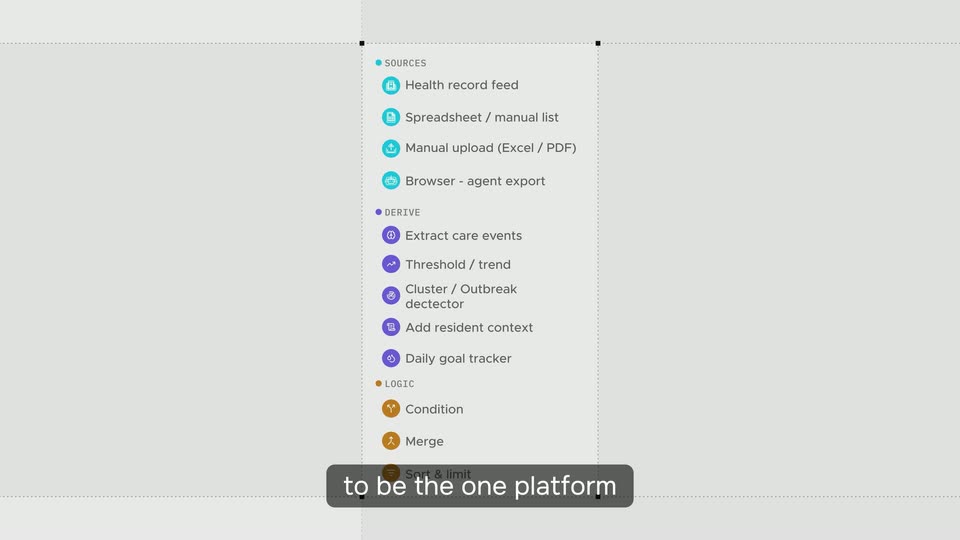
A black tagline builds word by word on a white field, the last two words in blue, then the frame cuts to a flat benchmark card. The card fades in showing a title, a five-row provider table with empty bars, and a row of four metric figures below.
On-screen text: “Accuracy, cost, and speed you need.”
Techniques: Kinetic type
Camera: Static
18 · Social proof · 0:45–0:48
A white benchmark card on a light gray field. The horizontal bars fill from a striped loading state to solid, the percentages count up, then thin whiskers pop in at each bar's end. The two-tone headline and the four summary stats stay static throughout.
On-screen text: “Document parsing accuracy benchmark”, “400 pages from public datasets and documents, human-verified region by region and run through 5 providers across seven document types.”, “Tested on forms & invoices, image-heavy, multi-column, multilingual, presentations, scanned & degraded, tables & financial”, “Text accuracy 78.1% +3.5 vs next best”, “Word-overlap F1 90.1% +13.8 vs next best”, “Grounded accuracy 85.1% +0.2 vs next best”, “Layout IoU 73.1% -7.7 vs best”
Camera: Static
19 · Demo · 0:48–0:50
A macOS app window with a left sidebar and an empty upload drop zone sits behind an open file picker. A cursor clicks the Patient Intake Form.png row, highlighting it blue, then the scanned form fills the drop zone as the picker window slides right and fades.
Techniques: Cursor demo
Camera: Static
20 · Demo · 0:50–0:52
A product interface displays a scanned handwritten patient intake form on the left. On the right, the panel switches from a Config tab to a Results tab, revealing a list of extracted patient details such as name, address and phone. A cursor rests at the bottom right.
Camera: Push in
21 · Demo · 0:52–0:53
A document viewer splits the screen: a scanned handwritten intake form on the left, a structured field list on the right. Two hand cursors hover over the extracted values as the list of patient details fills in.
Techniques: Cursor demo
Camera: Push in
22 · Demo · 0:53–0:53
A two-pane interface shows a scanned handwritten patient intake form on the left and a parsed results list on the right, with a hand cursor resting on the sex field. The top bar holds Config and Results tabs plus a Formatted or JSON toggle.
Camera: Static
23 · Demo · 0:53–0:56
A light dashboard shows a scanned county invoice on the left and a column of extracted fields on the right. The field labels fade from ghosted to solid as a hand cursor hovers down the list, highlighting one row in gray.
Techniques: Cursor demo
Camera: Static
24 · Demo · 0:56–1:00
A split interface shows a dense lab report PDF on the left and a parsed data table on the right. A cursor clicks a cholesterol value, highlighting the matching cell in both panes, then the whole window tilts into 3D against a dark backdrop.
Techniques: Cursor demo, 3D mockup
Camera: Pull out
25 · Social proof · 1:00–1:03
A young man in a dark sweatshirt sits at a marble counter in a modern office lounge, speaking to the camera and gesturing with his hands. A potted plant sits on the counter, and wooden slats with couches fill the background.
Camera: Static
26 · Social proof · 1:03–1:04
A man in a dark brown sweatshirt sits at a marble table, speaking to camera. A small potted plant sits on the table's left edge. Behind him, a bright office lounge with sofas and wood paneling stays softly out of focus.
Camera: Static
27 · Social proof · 1:04–1:05
A washed-out shot of a man at a table fades to white, revealing a white card titled TEXT ACCURACY with a large 71% and four rows: two green Verified, two red Misread. Tabs Accuracy, Speed, Cost sit above; the Hanji mark and tagline sit below.
On-screen text: “Accuracy”, “Speed”, “Cost”, “TEXT ACCURACY”, “71%”, “Patient DOB”, “Misread”, “Member ID”, “Verified”, “Test value Verified DX code Misread”
Techniques: Masking
Camera: Static
28 · Social proof · 1:05–1:08
A white card on a light background holds an active Accuracy tab, a large 71% figure, and four rows with colored bars marked Misread or Verified. The 71% figure fades from gray to black. A Hanji logo and tagline sit below.
On-screen text: “tuned to your workflow”
Camera: Static
29 · Social proof · 1:08–1:11
A white accuracy card sits on a light background. The large figure counts up from 71% to 96.5% as two red misread rows turn green and verified, and a green delta caption fades in. The card then lifts and fades out. Tabs and a brand lockup frame it.
On-screen text: “tuned to your workflow”
Camera: Static
30 · Social proof · 1:11–1:12
A white metrics card on light gray shows an END-TO-END LATENCY label, a large 90s figure, and a four-segment bar (Intake, Parse, Extract, Verify). Top tabs read Accuracy, Speed, Cost with Speed active. The card content settles from a soft shadowed gray to solid dark gray. A Hanji tagline sits below.
On-screen text: “tuned to your workflow”
Camera: Static
31 · Social proof · 1:12–1:16
A white metrics card sits centered on a light gray field under three tabs, Speed active. The large latency figure shifts from a gray 90s to black, then swaps to < 1 min as the bar segments fill green and a small caption line fades in beneath.
Camera: Static
32 · Social proof · 1:16–1:20
The Cost tab activates above a white stat card. The large percentage counts down from 100% to 25%, the bar shrinks to a quarter and turns green, a green -75% delta appears, and the caption swaps to 'relevant forms parsed, everything else skipped.'
On-screen text: “tuned to your workflow”
Techniques: Kinetic type
Camera: Static
33 · Social proof · 1:20–1:20
A static white stat card sits on a pale gray field under three tabs, with Cost underlined. The card shows a small PROCESSING COST label, a large 25% beside a green -75%, a green progress bar, and a gray caption, while a small Hanji mark and tagline sit below.
On-screen text: “tuned to your workflow”
Camera: Static
34 · CTA · 1:20–1:22
A man in a dark brown long-sleeve shirt sits at a marble table in a modern lounge, facing the camera and speaking. A small potted plant rests on the table to his left. Static medium shot with a softly blurred background of sofas and wooden panels.
Camera: Static
35 · CTA · 1:22–1:26
A young man in a dark long-sleeve shirt sits centered in a bright office lounge, talking to camera with small hand gestures. A marble table with a potted cactus sits left; sofas and wood tables fill the background. The static medium shot fades to a pale wash at the end.
Camera: Static
36 · Outro · 1:26–1:27
A black stacked logo and Hanji wordmark sit centered on a white field as the prior shot of a seated person fades out to white, leaving the lockup and URL static.
On-screen text: “hanji.dev”
Camera: Static