0:47
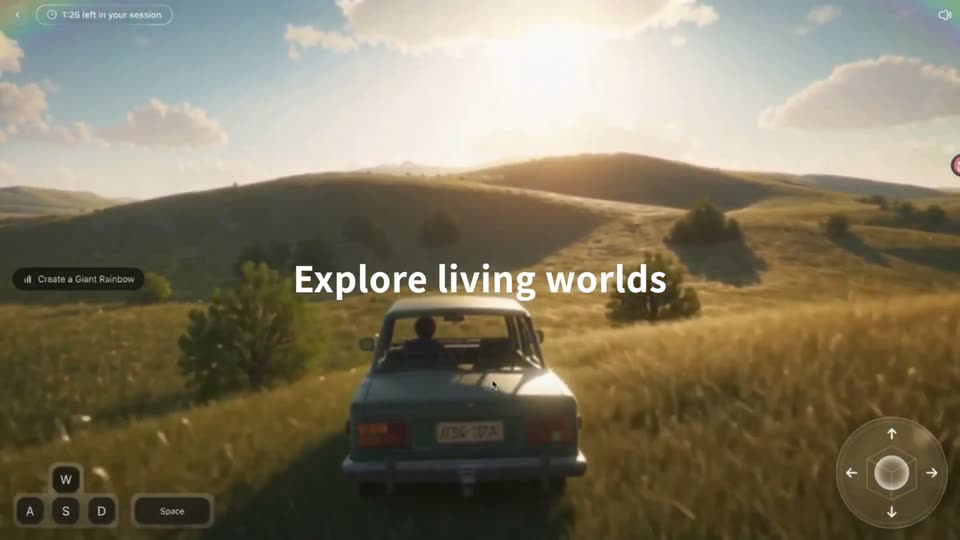
PixVerse - Meet PixVerse R2, our new real-time world model. Explore living world
PixVerse R2 · Sep 2026
Webflow’s 1:26 launch film runs 38 scenes, about 2.3 s each. The product is on screen from the first frame and 6 features are revealed. There is no explicit call to action. The video is a chain of six 'Build + verb' feature blocks, each opened by a blur-to-sharp headline inside a thin frame and followed by a typed prompt that resolves into a 3D or UI demo, bookended by a product intro and a closing logo card. Its signature moves are the blur-to-focus type reveals, the blue text-selection highlight, and the recurring white prompt box that morphs into product screens against a near-black stage.
Is this your launch? to your site or press kit.
PixVerse R2 · Sep 2026
Rive · Design · Oct 2024
Films whose music sounds like this one, voice left out
Telamont · Lo-fi hip-hop, chillwave
Robbyant · Electronic, deep house, lo-fi hip-hop, ambient
Microsoft · Lo-fi hip-hop, chillhop, and modern electronic
A blue Webflow W logo fades in at center, then moves to the top and turns white. The headline “Introducing Webflow MCP 2.0” sharpens into focus in the middle, then blurs out as the large word “Build” fades in inside a thin rectangular frame.
On-screen text: “Introducing Webflow MCP 2.0”, “Build”
Techniques: Kinetic type
Camera: Static
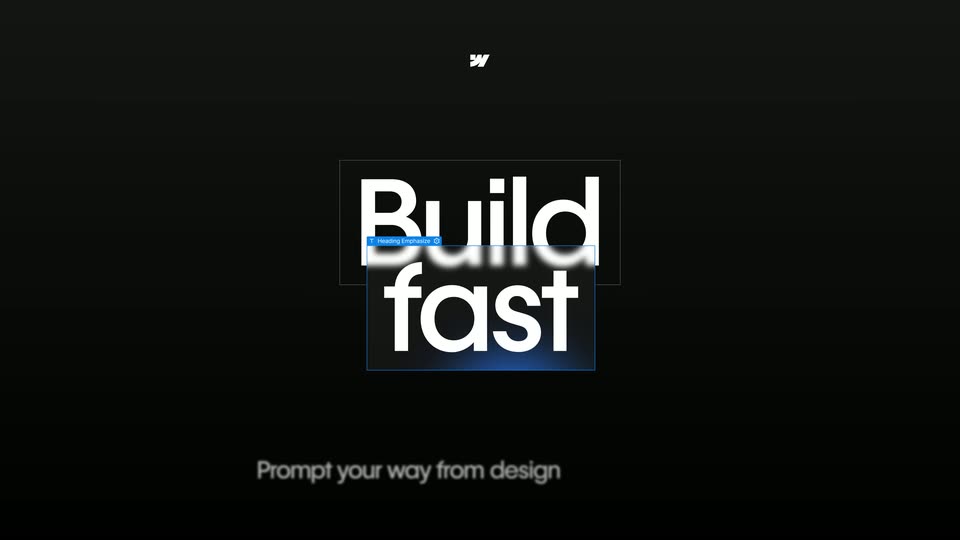
On a black background, the word Build scales in at center inside a thin outline box, with a brief blue text-selection highlight flashing over it, while fast sits below. A small white W mark holds the top and a gray tagline fades in at the bottom.
On-screen text: “Build”, “fast”, “Prompt your way from design to production”
Techniques: Kinetic type
Camera: Static
On a black background, the huge white headline Build fast scales and dissolves as a tilted 3D card rotates forward, first showing a starry image with a file chip, then a chat input bar. The tagline Prompt your way from design to production stays fixed at the bottom.
On-screen text: “Build fast”, “Prompt your way from design to production”
Techniques: Kinetic type, 3D mockup
Camera: Static
A white rounded prompt box sits centered on a dark stage while a dim “Build fast” poster and laptop mockup drift behind it. A caret types “Take this Figma file and build it in Webflow.” into the field, the send icon turns orange, then the composition scales down.
On-screen text: “Prompt your way from design to production”
Techniques: Cursor demo, Parallax
Camera: Static
A dark design-tool interface sits locked on screen, the left icon rail and top menu framing an empty canvas while the right properties panel lists style, spacing and position controls. The frame holds still with no camera move or element animation.
On-screen text: “Prompt your way from design to production”, “Opus 4.8 Low”, “Take this Figma file and build it in Webflow.”
Camera: Static
A design tool canvas shows a starry sky over dark rocky terrain. The camera zooms into the canvas as the right style panel holds 'Heading Jumbo' highlighted in blue.
Techniques: UI zoom
Camera: Push in
A web design tool sits in 3D perspective over a starry, rocky space canvas. The page scrolls down, and selection boxes highlight a heading, a paragraph, and an email signup form in turn.
Techniques: 3D mockup
Camera: Pull out
A design tool canvas displays a dark, starry space page with a black credit card mockup centered, a bold white headline at left, and an email signup form below. The right properties panel switches its highlighted selection from the signup form to the credit card while the canvas gently zooms.
Techniques: UI zoom
Camera: Push in
A dark rocky lunar surface under a starry sky holds a floating dark gray credit card mockup in 3D perspective on the right. A white headline and an email capture form sit on the left. The view opens from a design tool frame to full bleed.
Techniques: 3D mockup
Camera: Push in
A dark 3D lunar landscape with rocky outcrops under a starry sky. A gray Numero card floats in 3D perspective on the right, while a white headline and an email form sit on the left.
Techniques: 3D mockup
Camera: Static
On a black field, the word Build snaps from blur to sharp white and scales, then on-brand appears beneath it inside a thin blue selection box. A small chat-widget mockup fades in behind the type while a two-line caption fades up at the bottom. The Warp logo holds at top center.
On-screen text: “Build”, “on-brand”, “Work with full control over styles, elements, components, and CMS data”
Techniques: Kinetic type
Camera: Static
A dark frame holds a faded gray “Build on brand” headline behind a white chat box. The box types a prompt about creating a CMS collection, then a small PDF thumbnail slides in at its top. A white two-line caption stays fixed at the bottom.
On-screen text: “Work with full control over styles, elements, components, and CMS data”
Techniques: Kinetic type
Camera: Static
A white prompt card holding a PDF attachment and a typed prompt slides up and scales down, revealing the full dark editor with left icon toolbar and right style panel. The white caption stays fixed at the bottom of the frame.
On-screen text: “Work with full control over styles, elements, components, and CMS data”
Techniques: UI zoom
Camera: Static
A tilted 3D view of a dark design tool shows a selected heading block. The camera pushes into a flat content-editing modal, where a paragraph types itself and the form scrolls to image fields, then pulls back to the angled app view.
Techniques: 3D mockup, UI zoom
Camera: Push in
Inside a design tool, a dark website page shows the white headline inside a blue selection box, with a gray 3D rock at the bottom. The whole window slowly scales up, reframing onto the rock and the properties panel.
Techniques: UI zoom
Camera: Push in
A 3D grey rock rolls in the foreground on a black stage, partially hiding a floating transactions card. Above it, the white headline and grey subline sit static beneath the Numero nav bar.
On-screen text: “Categorization that learns and takes over”
Techniques: 3D mockup
Camera: Static
On a black background, the white headline 'Build with control' resolves from a soft blur into sharp type inside thin selection boxes, a blue highlight box sitting behind 'control'. A small blue tag slides in and the caption 'Manage who builds what, and when' types out below.
On-screen text: “Build with control”, “Manage who builds what, and when”
Techniques: Kinetic type
Camera: Static
A white rounded prompt card scales up from the center of a black frame, growing opaque in front of a large white headline reading Build with control. A small white logo sits at top and a smaller white subline sits below; both dim as the card covers them.
On-screen text: “Build with”, “control”, “Manage who builds what, and when”
Camera: Static
A white prompt box floats over large gray “Build with control” lettering on a black field. A placeholder line scales out as a typed query fills the box, while a white caption holds steady at the bottom.
On-screen text: “Manage who builds what, and when”
Camera: Static
A white chat prompt box floats in a 3D desert landscape, with two brand logos above and faint oversized words behind it. The camera tilts down, shrinking the box and revealing two angled pricing cards below as the backdrop text shifts.
On-screen text: “Manage who builds what, and when”
Techniques: 3D mockup, Parallax
Camera: Pull out
A blurred dark pricing page with two plan cards sits behind a white chat box holding the prompt about this week's changes. Checkmarked summary lines appear one by one above the box, each pushing the earlier lines up, while the background drifts slowly.
Techniques: Kinetic type, Parallax
Camera: Pull out
Black background. A large white headline 'Build for visibility' sharpens from a blur and scales in, as a flat browser mockup with two heading rows slides down beneath it. A white caption 'Manage meta titles and descriptions for AEO' appears at the bottom.
On-screen text: “Build for visibility”, “Manage meta titles and descriptions for AEO”
Techniques: Kinetic type
Camera: Static
A white prompt box floats over a dark background as the typed request fills in word by word. Behind it, a large gray “Build for visibility” headline scales in over a thin grid, while a white caption sits at the bottom.
On-screen text: “Build for visibility”, “Manage meta titles and descriptions for AEO”
Techniques: Kinetic type
Camera: Static
A 3D rendered dark boulder rests on a flat gray floor under a black sky. A white chat input box with a prompt floats in front of it. The camera pulls back, shrinking the rock and the box while a white caption stays fixed at the bottom.
On-screen text: “Manage meta titles and descriptions for AEO”
Techniques: 3D mockup
Camera: Pull out
Four dark Numero website screens sit in a 2x2 grid on black, each under a gray tab reading Home, Pricing, Features or Join Numero. The panels nudge into alignment and the doubled tab labels fade out as the layout settles.
Camera: Pull out
A dark interface shows two overlapping browser windows side by side, the right one holding an SEO Settings dialog that scales up to reveal a search result preview card and two input fields. The frame stays locked off while the panel grows.
Techniques: Split screen
Camera: Static
The Webflow logo sits top center over a dark SEO settings panel. The white headline 'Build together' scales up and sharpens in front of the panel while a blue banner and a reply card settle behind it. A gray caption fades in along the bottom edge.
On-screen text: “Build”, “together”, “Bring Webflow into the tools where your team already”
Techniques: Kinetic type, Parallax
Camera: Static
A white comment box with a formatting toolbar floats over a dark document reading “Build together.” A caret types a request about unread comments into the box, with a green send button at the right. Webflow and Slack logos sit above, and a white caption fades in below.
On-screen text: “Bring Webflow into the tools where your team already works”
Techniques: Cursor demo
Camera: Static
Hands hold a smartphone and a printed receipt while a Slack message composer card floats over the phone screen. The shot fades in from black and eases slightly wider, with two small logos at the top and a caption along the bottom.
On-screen text: “Bring Webflow into the tools where your team already works”
Camera: Pull out
A close-up of a hand holding a receipt beside a phone zooms out to reveal a dark webpage. A white comment box with a formatting toolbar pops in over the photo, then clears. A white bottom caption and Webflow plus Slack logos at top frame the shot.
On-screen text: “Bring Webflow into the tools where your team already works”
Techniques: UI zoom
Camera: Pull out
A sharp comment thread floats over a blurred dark webpage. Comments from Sophia Carter and Sam Lee about showing the UI appear in sequence, the thread scrolls up, a Webflow bot replies, and 'Yes! That's it.' lands in the fixed reply box.
Techniques: Parallax
Camera: Static
On a black field, the white headline Build to convert sharpens from a blur, framed by thin outline boxes. A small browser window with a blue gradient and a dark circle scales in behind the type, then the caption Get quick updates on site performance fades in below.
On-screen text: “Build to convert”, “Get quick updates on site performance”
Techniques: Kinetic type
Camera: Static
On a black background, a white rounded chat card hovers over a dimmed gray headline inside a framed webpage layout. A question types out inside the card from left to right, ending with a blinking caret, while a white tagline sits below.
On-screen text: “Get quick updates on site performance”
Techniques: Kinetic type
Camera: Static
A white chat prompt card with a typed question sits over a dark analytics dashboard. The card fades and shrinks away as the dashboard fills in: session numbers count up and two side panels slide in from the right, while the bottom tagline fades out.
On-screen text: “Get quick updates on site performance”
Camera: Pull out
A dark analytics dashboard with an area chart and stat cards sits flat on black. A white rounded insight card slides up from the bottom edge, revealing a sentence about the week's sharper recovery, while the chart numbers shift slightly behind it.
Camera: Static
A white rounded chat card sits in front of a blurred analytics dashboard, its message swapping between three AI summaries while two circular brand logos hover at the top. A large blurred word Build fades in behind the card at the end.
Techniques: Kinetic type
Camera: Static
On a black background, three lines of white text build up: 'Build for', 'what's', 'next', each word sliding or scaling into focus from a blur while thin outline boxes frame the lines. A blue selection box with a small corner handle fades in behind 'next'.
On-screen text: “Build for what's next”
Techniques: Kinetic type
Camera: Static
On black, a small blue stylized W mark grows at center, then the wordmark Webflow fades in to its right in white, holds steady, and fades out to black.
On-screen text: “Webflow”
Camera: Static