1:10
FLUX 3 Action: A 7B World Action Model for Robot Control
FLUX · Sep 2026
FLUX’s 1:10 launch film runs 31 scenes, about 2.3 s each. The product is on screen from the first frame and 2 features are revealed. There is no explicit call to action. The video opens and closes on the same drifting mosaic of demo clips around the product name, with the middle built as a run of labeled proof sections: in-distribution robot tasks, an out-of-distribution grid, and a 'Control any environment' montage of games and 3D scenes. Pacing is steady at about 108 bpm with hard cuts between live-action, game and render footage, using split screens, multi-camera grids and monospace captions to present raw evidence.
Is this your launch? to your site or press kit.
FLUX · Sep 2026
Resin Technologies · B2B · Oct 2026
DJI · Hardware · Jan 2014
Films whose music sounds like this one, voice left out
Warp · Instrumental hip-hop and funk
Meta · Electronic dance music with funk and disco influences
Lovable · Pop-rock and electronic dance music fusion
On a black field, the white title FLUX 3 Action sits centered while two rows of small video clips, robot arms and driving sims, drift slowly above and below it, joined by thin lines and tiny data readouts. The Black Forest Labs logo rests in the lower left corner.
On-screen text: “FLUX 3 Action”
Techniques: Parallax
Camera: Static
Split screen shows a white robot arm reaching over a table with red bowls and a green cup on the left, and its gripper's first-person view of a banana and blocks on the right. The Black Forest Labs logo sits in the lower left corner while the camera stays locked.
On-screen text: “Black”, “FLUX 3 Action”
Techniques: Split screen
Camera: Static
A split screen shows two robot demos side by side. Left: a white arm sets a fork on a red plate. Right: a first-person gripper lifts a yellow block and drops it into a blue cup. Static white captions under each panel state the task prompts, with the Black Forest Labs logo bottom left.
On-screen text: “Prompt: put the fork on the plate”, “Prompt: put the yellow block in the blue cup”, “Black Forest Labs”
Techniques: Split screen
Camera: Static
Two side-by-side clips show a robot following text prompts. On the left, a white arm lowers a fork onto a red plate; on the right, a black gripper lifts a yellow cube toward a blue cup. Each panel carries a caption below it.
On-screen text: “Prompt: put the fork on the plate”, “Prompt: put the yellow block in the blue cup”
Techniques: Split screen
Camera: Static
A two-row split screen shows a white robot arm at work, each row giving LEFT, WRIST and RIGHT camera angles over a tabletop. The top row tracks a gripper reaching for an object while the bottom row follows a second task, both with a static prompt caption beneath each row.
On-screen text: “Prompt: put the fork on the plate”, “Prompt: put the yellow block in the blue cup”, “Forest Labs”
Techniques: Split screen
Camera: Static
A 2x3 grid of robot camera feeds, labeled left, wrist and right, runs two tasks: the top row shows a gripper lifting a yellow sponge, the bottom a gripper holding a black marker. White prompt captions sit under each row; the Black Forest Labs logo marks the lower left.
On-screen text: “Prompt: put the sponge in the bowl”, “Prompt: put the marker in the bowl”, “Black Forest Labs”
Techniques: Split screen
Camera: Static
A 2x3 grid of six live-action views, labeled left, wrist, right, shows a white robotic arm on a white table. Top row: the gripper lifts a yellow sponge into a red bowl. Bottom row: it lifts a black marker into a red bowl. Static.
On-screen text: “Prompt: put the sponge in the bowl”, “Prompt: put the marker in the bowl”, “Black Forest Labs”
Techniques: Split screen
Camera: Static
A two-by-three grid of live camera feeds shows white robotic arms at a table with red bowls. The top row lowers a yellow sponge into a bowl; the bottom row moves a marker. Static captions label each task below its row.
On-screen text: “Prompt: put the sponge in the bowl”, “Prompt: put the marker in the bowl”
Techniques: Split screen
Camera: Static
A white robot arm on a cork mat lifts the blue block, then the white and grey ones, dropping each into a grey tray. A dark bar at the bottom updates the instruction, with a line below reading “In training distribution”.
On-screen text: “put the blue box into the container”, “In training distribution”, “put the white box into the container”, “put the grey box into the container”
Camera: Pull out
A letterboxed clip shows a white robotic arm over a tan mat, lowering its gripper to grasp a small black box while a gray tray with blocks sits in the background. A caption bar and a bottom label frame the demo.
On-screen text: “In training distribution”
Camera: Static
A white robot arm works at a table with a tray of blocks, captioned with a task instruction. The view cuts to a slide showing two grids of demo clips under the headings Object adjustments and Camera adjustments.
On-screen text: “put the blue box into the container”, “In training distribution”
Camera: Pull out
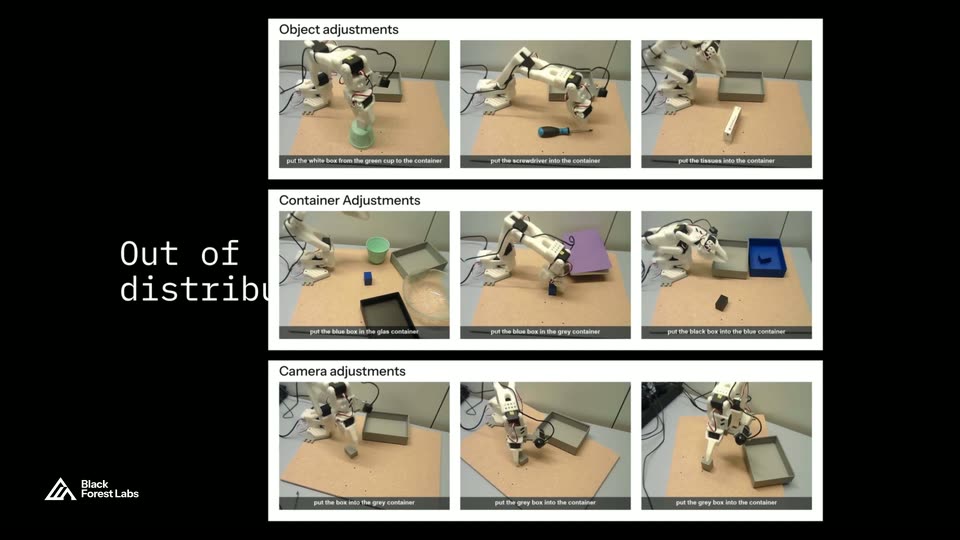
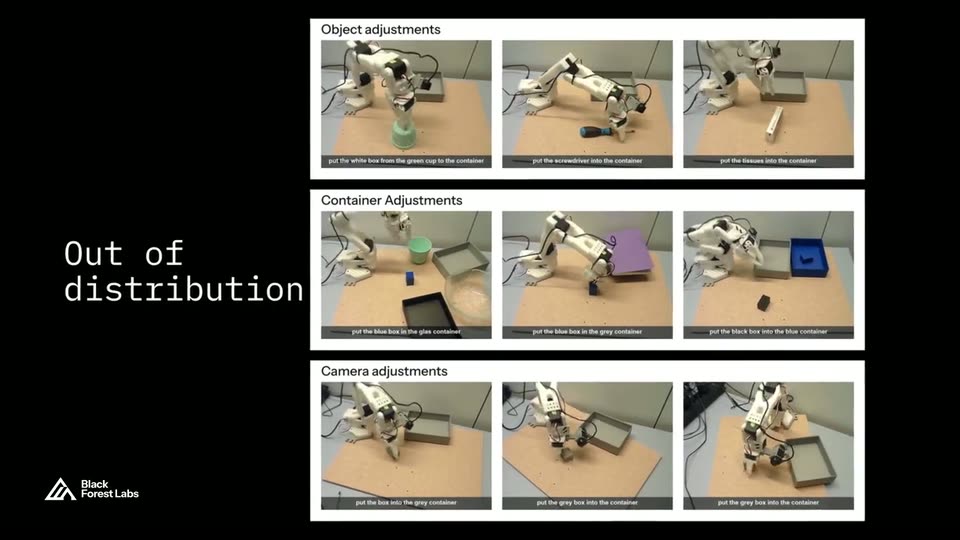
A 3x3 grid of short robot-arm demo clips on a white panel slides right, revealing the white words Out of distribution on the left. The grid is grouped under the headers Object adjustments, Container Adjustments and Camera adjustments, each cell captioned with a task.
On-screen text: “Object adjustments”, “put the white box from the green cup to the container”, “put the screwdriver into the container”, “put the file into the container”, “Container Adjustments”, “put the blue box into the gray container”, “put the blue box in the gray container”, “put the black box into the blue container”, “Camera adjustments”, “put the box into the gray container”
Camera: Static
A 3x3 grid of short robot-arm clips plays on the right, grouped under the headings Object adjustments, Container Adjustments and Camera adjustments, while the white headline 'Out of distribution' scrambles into place on the black left panel. The frame then zooms into the grid and dims toward the end.
On-screen text: “Out of distribution”, “Object adjustments”, “Container Adjustments”, “Camera adjustments”
Techniques: Kinetic type, UI zoom
Camera: Push in
A white robotic arm on a cork table lifts a white box from beside an upside-down green cup and drops it into a gray tray. A caption bar slides in at the bottom; the Black Forest Labs logo sits in the lower left corner.
On-screen text: “put the white box from the green cup to the container”
Camera: Push in
A white robotic arm on a cork mat performs pick-and-place tasks: it first moves a white box beside a green cup, then the shot cuts to it dropping a blue-handled screwdriver into a metal tray. Instruction captions slide along the bottom edge.
On-screen text: “put the white box from the green cup to the container”, “put the screwdriver into the container”
Camera: Pan
A white robotic arm on a cork workbench grips a blue and black screwdriver, lifts it, swings it over a gray metal tray and drops it inside. Static high-angle shot. A caption bar at the bottom states the instruction.
On-screen text: “put the screwdriver into the container”
Camera: Static
The clip opens on a split view of two robot tasks, then settles on a white two-armed robot on a wooden bench. A hand repositions a green cup and a black tray, then the robot arm reaches down for the blue box. A caption at the bottom states the task.
On-screen text: “put the screwdriver into the container”, “put the blue box in the glas container”
Techniques: Split screen
Camera: Pan
A white robotic arm on a table releases a small blue cube onto a wooden board beside a glass bowl, then retracts upward. A green bowl and an open gray box with a black lid sit nearby. A white caption at the bottom states the task.
On-screen text: “put the blue box in the glas container”
Camera: Static
A white robot arm hovers over a cork tabletop holding a green bowl, a blue box and a metal tray. A human hand enters to place and adjust the blue box while the arm repositions. A dark lower-third bar carries a static instruction caption.
On-screen text: “put the blue box in the glas container”
Camera: Static
A white robotic arm on a wooden table holds a small blue box over a clear glass bowl, with a green cup and an open box beside it. A human hand enters from the right and pulls the blue box from the gripper.
On-screen text: “put the blue box in the glas container”
Camera: Static
A racing game runs on a monitor tilted in 3D perspective against a black background, the car speeding down a forest road. White monospace text reads Control any environment on the left, with a small Black Forest Labs logo in the bottom corner.
On-screen text: “Control any environment”, “Black Forest Labs”
Techniques: 3D mockup
Camera: Static
A split layout pairs a black left panel with the static white headline and corner logo against a right-side racing game screen, showing a car on a forest road above a dim first-person room.
On-screen text: “Control any environment”
Techniques: Split screen
Camera: Static
A grid of short gameplay clips assembles on the right, growing from four tiles to a sixteen-tile mosaic of varied game worlds, beside the static white headline on the left.
On-screen text: “Control any environment”
Camera: Static
Black frame with a white three-line headline on the left and a 4x4 grid of 3D game environments on the right, each tile playing live footage. The Black Forest Labs logo sits in the bottom-left corner, all elements held static.
On-screen text: “Control any environment”
Camera: Static
Two side-by-side game panels show a character running through a city, each with a keyboard bar below highlighting pressed keys in green. A static headline reads Control any environment, and a small Black Forest Labs logo sits bottom left.
On-screen text: “Control any environment”
Techniques: Split screen
Camera: Static
Two side-by-side game views of a city street and a running character, each with a keyboard layout below it. Pressed keys light up green as the views play, the left panel showing a red car and the right a figure on a ramp. The Black Forest Labs logo sits in the lower left corner.
Techniques: Split screen
Camera: Static
Two side-by-side panels show a city video game: left a red biplane flying down a street, right a character running along a leaf-covered sidewalk. Beneath each, a keyboard map lights up the pressed keys. The Black Forest Labs logo sits in the lower left.
Techniques: Split screen
Camera: Static
Split screen shows two driver's-seat views of a truck simulation. The truck drives a curving rural road, speed climbs on both dials, mirrors sway with the turns. A key-binding bar lines the bottom and the Black Forest Labs logo holds in the lower-left corner.
On-screen text: “Black Forest Labs”
Techniques: Split screen
Camera: Static
A black quadcopter hovers over a white coffee table in a bright 3D living room, then flies past the yellow armchair and along the window ledge, shown inside a software viewport with a flight-control panel below.
Techniques: 3D mockup
Camera: Static
On a black field, two rows of small video clips fade in as a connected network with thin lines and tiny labels. A large gray headline, FLUX 3 Action, fades in at the center and out again, while the Black Forest Labs logo sits in the lower left.
On-screen text: “FLUX 3 Action”
Camera: Static
Centered white title FLUX 3 Action holds on black while two wavy rows of small video clips showing robot arms, driving sims, and aerial views drift slowly and cycle their content. A Black Forest Labs logo anchors the lower-left corner.
On-screen text: “FLUX 3 Action”
Camera: Static