1:03

A Fresh Look for Gem | UI Animation & Sound Design
Gem · Sep 2026
Webflow’s 2:51 launch film runs 48 scenes, about 3.6 s each. The product is on screen from the first frame and 1 feature is revealed, with social proof. The call to action lands at 2:31 (88% in), over a voiceover. A launch video for the Webflow Way reference library, built as a host at a desk alternating with screen captures of the homepage, the documentation pages, and the dark editor. The structure is a steady monologue over scrolling doc pages and rapid feature montages, punctuated by white topic title cards and a partner/brand reel, closing on a logo sting. The signature moves are the vertical word roll in the orange hero box, the pinned dark Webflow Wcy pill during every doc scroll, and the clean cut
Is this your launch? to your site or press kit.
Gem · Sep 2026
Enrich Labs · Aug 2026
Salus · B2B · Feb 2026
Films whose music sounds like this one, voice left out
OpenEvidence · Corporate, Atmospheric Electronic
BioDelivera · Modern electronic, ambient
Prescience, Inc. · Cinematic ambient electronic
A white webpage with a top nav and a large black bold sans headline. The word in an orange outlined box rolls vertically from Build to Collab. Below, a collage of design cards, a photo of two men, a green chart and color swatches stays still.
Techniques: Kinetic type
Camera: Static
A slow vertical scroll travels down a Webflow best-practices page, past a hero reading “Collab the Webflow Way” ringed by floating color and logo tokens, a video card, and two side-by-side cards for Design systems and CMS.
Camera: Pan
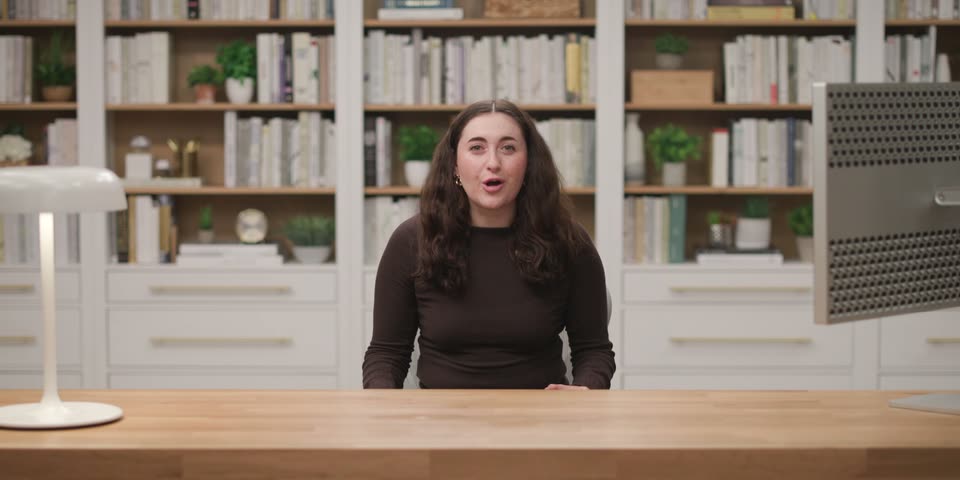
A woman in a brown top sits centered at a wooden desk, speaking to the camera. A white bookshelf with plants fills the background; a white lamp and a silver monitor back sit in the foreground. The camera holds still.
Camera: Static
A white article page scrolls down vertically, passing the 'Design Systems' headline and its blue slider and 'Aa' specimen illustration, then body copy with bold subheads beside a numbered sidebar, ending on a grid of six dark feature cards. A dark 'Webflow Wcy' pill stays pinned at the bottom.
Camera: Pan
A woman in a brown long-sleeve top sits at a wooden desk, speaking to camera and gesturing with her hands. A white lamp and a monitor back frame the shot, with a bookshelf of books and plants behind her.
Camera: Static
A dark website editor splits the frame into a left canvas and a right properties panel. The canvas shows a webpage with a blue selection box around a large headline and a star rating; a cursor hovers inside. The panel lists style controls for a text gradient.
Camera: Static
A dark design-tool screen shows a variables table listing typography and color tokens across Base, Tablet and Mobile columns. A white cursor glides to the Tablet column and clicks the checkbox on the Text Light Grey row, toggling it on. The flat full-screen view holds still with no camera move.
Techniques: Cursor demo
Camera: Static
A dark design-tool workspace shows a Components panel on the left with a cursor hovering over the Navigation entry. A floating preview card displays the Navigation bar with the Neuronix logo, while a website hero reading Revolutionizing Enterprise AI sits on the grid canvas behind.
Techniques: Cursor demo
Camera: Static
A dark CMS screen fills the frame in three columns. The left panel lists collections and a video promo card; the middle lists expert names with Ava Patel highlighted under a cursor; the right shows Ava Patel's edit form with name, slug, portrait and title fields.
Camera: Static
A dark modal titled New test sits centered over a dimmed landing page, showing a name field and two option cards with the AI-optimized test selected. A cursor hovers at the right card. The framing stays static.
Techniques: Cursor demo
Camera: Static
A dark Webflow editor view shows a hero headline and two course cards beside an analytics panel. A blue line labeled 100% scroll for this frame crosses the screen, then updates to 96% as a Scroll Down button appears at the bottom; the cursor hovers over the right card.
On-screen text: “100% scroll for this frame”, “96% scroll for this frame”
Techniques: Cursor demo
Camera: Static
A woman in a brown top sits at a wooden desk before a white bookshelf, talking to the camera and gesturing with her hands. A white lamp and the back of a silver monitor frame the edges. The camera holds a static medium shot.
Camera: Static
A two-column webpage: a green panel with a white grid and dark stats bar, an orange panel with overlapping black circles and a dark toolbar. A cursor hovers across team avatars, and a dark tooltip pops up under each with a name and title.
Techniques: Cursor demo
Camera: Static
A row of ten circular headshots, each ringed in a different color, sits centered on a dark gray background. The frame is locked off and the avatars stay still throughout the clip.
On-screen text: “OUD!”
Camera: Static
A dark website hero screen with a slowly rotating 3D Earth globe centered on the right. A white headline and a blue pill button sit on the left, the Verifone logo and navigation bar run across the top, and a white section with a centered headline peeks in at the bottom. The frame is locked off and the text stays still.
On-screen text: “The Future of Payments is Boundless”, “A Modern Payments Grid for a Changing World”
Camera: Static
A copy.ai homepage fills the frame, its purple node graphic and demo form static, then the view cuts to a Duracell page over a blurred racing suit, with a cursor parked at the right edge of each.
Camera: Static
A dark teal website hero shows a Duracell battery rack into focus on the left beside a white headline and explore button; at 2.5s the clip cuts to a dark analytics dashboard where a cursor hovers over the goal dropdown.
Techniques: Cursor demo
Camera: Static
A dark analytics dashboard fills the frame, showing two blue line charts under Goals and Overall sessions, with a row of four Top pages stat cards below. A mouse cursor drifts across the left chart, hovering over the data.
Techniques: Cursor demo
Camera: Static
The settings page shows a left sidebar and SEO fields; the cursor moves down as the LLMs.txt upload section lifts into a card while the rest of the screen dims. A cut to the browser DevTools performance panel reveals green LCP and CLS metrics with a tooltip.
Techniques: Cursor demo
Camera: Static
A static browser performance panel displays local metric cards for LCP, CLS and INP. A cursor hovers over the LCP card, holding open a white tooltip that lists phase timings such as time to first byte and element render delay.
Techniques: Cursor demo
Camera: Static
A dark web editor screen zooms out from a close-up of a heading as the title types itself out letter by letter. In a selected card, a yellow star icon spins and morphs into a lightbulb while the card title updates, with collaborator name tags on the selection boxes.
Techniques: UI zoom, Kinetic type, Morph
Camera: Pull out
A woman in a brown top sits at a wooden desk before a white bookshelf, speaking to camera and gesturing with one hand. A white lamp and the back of a silver monitor frame the shot. The camera holds a static medium framing.
Camera: Static
The Webflow homepage headline flips from Build to Collab inside an orange box above a collage of type specimen, photo, chart and color-swatch cards. A cursor selects the green swatch, then the page scrolls down past a video block to the Your performance blueprint section.
Techniques: Kinetic type, Cursor demo
Camera: Pan
On a plain white field, the black headline Design Systems holds still while a blue toggle card and a white type card drift apart, then morph into a list card and collection rows as a black ring sweeps across the title.
On-screen text: “THE WEBFLOW WAY”, “Design Systems”
Techniques: Parallax, Morph
Camera: Static
A white screen holds a black CMS headline under a small THE WEBFLOW WAY kicker. Below, a purple card with a content icon and a Customer stories tooltip overlaps a collection table with a Double-click hint and a Sheryl +1 tag.
On-screen text: “THE WEBFLOW WAY”, “CMS”
Camera: Static
A white title card holds the kicker THE WEBFLOW WAY above a large black SEO headline. Below, a pink list mockup with a dark search bar overlaps a pink-framed panel showing an element tree and a small tag. The frame stays locked and static.
On-screen text: “THE WEBFLOW WAY”, “SEO”
Camera: Static
A white frame holds the black headline Localization under a small eyebrow. Below, an orange square with black wave lines and white map pins overlaps a dark locale table; a dark tooltip reads Add new locale and an orange tag marks Katherine +2.
On-screen text: “THE WEBFLOW WAY”, “Localization”
Camera: Static
A large black headline in a white box with a green border sits on a plain white field, flanked by small dark UI cards and thin outline frames. The headline swaps from “Optimize your site” to “Localization” while the cards update to a visits graph, a locale list, and a green “Katherine +2” tag.
On-screen text: “THE WEBFLOW WAY → OPTIMIZE & ANALYZE → OPTIMIZE YOUR SITE”, “28 more conversions than your original site”, “Optimize your site”, “Discover AI-powered suggestions”, “+ Create new optimization”, “Jason +1”, “THE WEBFLOW WAY → OPTIMIZE & ANALYZE → LOCALIZATION”, “Localization”, “10 locales”, “+ Add new locale”
Camera: Static
A white title card reading Analyze in black bold sans, outlined in green, holds center. Two flat analytics mockups, a dark top-events list and a dark views line chart, float at left and right on white. The frame is locked off.
On-screen text: “THE WEBFLOW WAY → OPTIMIZE & ANALYZE → ANALYZE”, “Analyze”, “Emily +1”
Camera: Static
A plain white title card holds a small uppercase kicker above a large black headline. Below sit two flat panels: an orange tile with overlapping circles and a dark pill button, and a white list card with an orange border and a small orange tag. The frame is locked-off.
On-screen text: “THE WEBFLOW WAY”, “Collaboration”
Camera: Static
A dark design tool shows a typography style guide. The view scrolls steadily down past heading and body text samples, ending on a rich text section with a photo of hands typing on a laptop.
Camera: Pan
A crossfade clears a light text list to reveal a dark website canvas in a design editor. A heading holds a blinking caret; a purple box tagged Sophia frames an icon that swaps from starburst to lightbulb, and the Curtis-tagged title crossfades to “Customer Focused”.
Camera: Static
A dark Publish dialog shows three columns: Your Site, Staging, and Production. A cursor moves to the Staging column and clicks the 15 changes row, expanding it to list 13 global design changes and 2 page changes.
Techniques: Cursor demo
Camera: Static
A white help-docs page scrolls down past a bold heading, a bulleted checklist, and a two-column table, with a small cursor on the right edge. A dark panel with large white text slides up into view at the bottom.
Techniques: Cursor demo
Camera: Pan
A Webflow documentation page scrolls steadily downward, passing a comparison table, a black banner with white text, and a second table, then a checklist. A mouse cursor hovers at the right while a small dark Webflow Wcy badge stays pinned at the bottom center.
Camera: Pan
A full desktop view of a Webflow article page titled Run, analyze, repeat, with a bulleted list and a yellow Tip box on the right. The frame is static; a black mouse cursor rests over the body text. The top navigation bar and a black Webflow Wcy pill stay fixed.
Camera: Static
A Webflow documentation page scrolls down through an article on team collaboration. A large white box with a thin black border and the words Designing as a team fades in over the body copy, then settles above the paragraph and the author list on the right.
On-screen text: “Designing as a team”
Techniques: Kinetic type
Camera: Pan
A white Webflow page scrolls down past a bold black heading, a bulleted list, and a five-column comparison table, then a dark banner. A small dark rounded pill with white text and a dot grid stays fixed at the bottom center.
Camera: Pan
A static documentation page shows the heading “The value of page branching” with explanatory paragraphs and bulleted lists, followed by a “Use cases” section. A mouse cursor rests at the right edge and a small dark “Webflow Wcy” tooltip sits at the bottom center.
Camera: Static
A woman with long dark hair in a brown top sits behind a wooden desk, speaking to the camera. White bookshelves with books and small plants fill the background. A white lamp stands at left and the back of a monitor at right. The shot is static.
Camera: Static
A Webflow documentation page scrolls down through the Styles article, passing the section title, three dark selector cards, and a class reference table. A small dark Webflow Wcy chip stays fixed at the bottom center throughout.
On-screen text: “Webflow Wcy”
Camera: Pan
The Webflow Design Systems page scrolls down at a steady pace, moving from the hero headline and blue component graphic to the article body and a numbered index sidebar. A cursor rests at the left edge; a dark Webflow Wcy chip stays pinned at the bottom.
Camera: Pan
The Webflow homepage scrolls down, revealing two portrait video tiles of a man and a woman tagged Josh and Maggie. The heading Crafted by real pros and a paragraph sit above, with a blue Webflow Way bar fixed at the bottom.
Camera: Static
A dimmed Webflow Way page showing the headline 'Crafted by real pros' and a video still of two people; a white 'All topics' panel scales up to center, listing topic links with line icons, while a cursor rests on the blue 'Browse topics' bar.
Techniques: UI zoom, Cursor demo
Camera: Push in
A Webflow exam page scrolls down past the headline and a blue circular badge, settling on the exam card and a testimonial panel, then the whole screen dims under a dark overlay.
Camera: Pan
A woman in a brown top sits at a wooden desk before a wall of bookshelves, talking to the camera and gesturing with her right hand. A white lamp and a monitor back frame the shot. Static medium framing.
Camera: Static
A screen capture of the Webflow homepage holds still while the hero word in an orange selection box cycles from Design to Build, then Collab. Below, a static collage shows a type specimen card, a photo of two men talking, a chart card, and a color palette.
Techniques: Kinetic type
Camera: Static
On a black field, a blue W mark assembles at center, then the white wordmark Webflow builds in letter by letter to its right, holds, and fades to black.
On-screen text: “Webflow”
Techniques: Kinetic type
Camera: Static