3:47

Lucidic HN Demo
Lucidic AI · B2B · Jul 2025
Salus’s 1:56 launch film runs 24 scenes, about 4.9 s each. The product is on screen from the first frame and 1 feature is revealed, with social proof. The call to action lands at 1:48 (93% in), over a voiceover. The video opens on a slow harbor pan with the Salus mark, then cuts to a founder on the dock who states the problem and the fix before a long screen-recording demo of a blocked agent action. It closes with two comparison bar charts, a stress-testing feature tour, and a reach-out call to action over the dashboard.
Is this your launch? to your site or press kit.
Lucidic AI · B2B · Jul 2025
Google · AI · Apr 2011
Films whose music sounds like this one, voice left out
Revyl · Corporate tech presentation with electronic background music
Dreamscale Labs · Technical tutorial
A slow pan across a calm harbor at low tide, sailboat masts lining the left quay under a grey sky. The black Salus logo, a curved S mark beside a lowercase wordmark, sits centered over the water and fades in from a thin outline.
Camera: Pan
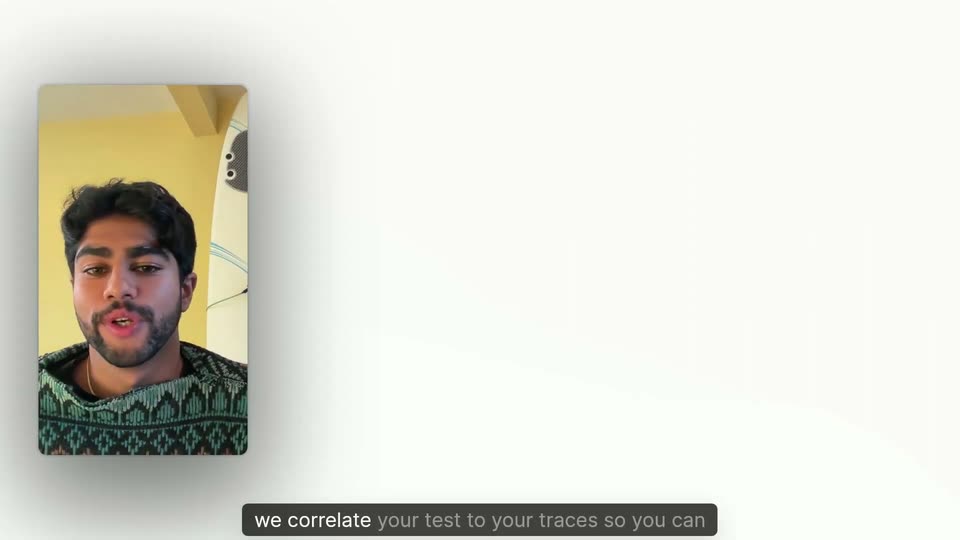
A man in a dark hoodie and glasses stands on a wet harbor dock at dusk, with moored sailboats and office buildings behind him. He faces the camera and gestures while speaking as the camera slowly tracks right. White subtitles on dark boxes sit at the bottom of the frame.
On-screen text: “Hi everyone, I'm Kevin, co-founder of Salus.”, “In 2026, everyone wants to use AI agents,”, “but they still make mistakes at rates that make production deployment”, “risky. At Salus, we fix that.”, “By importing just a few lines of code,”, “we validate every action your agent takes before”, “it executes.”, “We block the bad ones and we give your agent the context it needs to”
Camera: Pull out
A man in a black hoodie and glasses stands at a harbor, speaking to camera and gesturing with his hands. Boats and a concrete breakwater sit behind him under a cloudy sky. White subtitles on a dark bar run along the bottom of the frame.
On-screen text: “We block the bad ones and we give your agent the context”, “it needs to”, “self-correct. Let me walk you through a quick demo.”
Camera: Static
A man in a black hoodie and glasses stands on a wet harbor dock, gesturing toward the camera, as a white table of trial tasks and status labels drops in across the top of the frame.
Camera: Static
A browser window shows the Salus dashboard runs table with columns for scenario, decision and evidence. The list of run rows scrolls downward through the page while a cursor rests at the left edge. White caption phrases appear in a dark bar along the bottom.
On-screen text: “One common use case we've seen is customer service”, “Here we're running customer service tasks for an”, “airline from the Tau-squared Benchmark by Sierra”, “Let's look at a specific run.”
Camera: Pan
A table of task data scrolls upward. A mouse cursor hovers over a specific row as a dark caption box appears at the bottom with the text 'Let's look at a specific run.'
On-screen text: “Let's look at a specific run.”
Techniques: Cursor demo
Camera: Push in
A browser window opens on an agent dashboard showing a red Blocked Decision banner, root cause card and evidence registry. The frame starts as a tight crop of the interface and pulls back to reveal the full window with browser chrome, while a black caption bar slides in at the bottom.
On-screen text: “Here a customer is requesting a flight”
Techniques: UI zoom
Camera: Pull out
A light analytics UI zooms in, centering a red “Rule basic_economy_restriction blocked the action” card above a conversation flow where a user message requests a flight cancellation. A dark caption box sits at the bottom edge.
On-screen text: “Here a customer is requesting a flight”
Techniques: UI zoom
Camera: Push in
A light dashboard view shows a red Blocked Decision panel and a conversation flow. A cursor hovers over the user message as a small black tooltip labeled cancellation appears, then disappears.
Techniques: Cursor demo
Camera: Pull out
A browser window on the Salus dashboard scrolls down through a conversation flow: a user's cancellation request, two get_reservation_details tool calls, then a blocked cancel_reservation entry. A dark caption bar at the bottom states the agent is about to approve the cancellation.
On-screen text: “The agent processes the request and is about to”, “approve the cancellation,”
Camera: Static
A zoomed-in view of the Blocked decision header and Suggestions box pulls back to reveal the full dashboard page in a browser, showing the Why This Happened panel, root cause card and audit metadata sidebar. A white subtitle caption sits in a dark bar at the bottom.
On-screen text: “By viewing the trace we see the reason is that the”, “customer is on a basic economy ticket and the”
Techniques: UI zoom
Camera: Static
A dimmed browser dashboard holds a centered white tooltip with red text stating a policy rule blocked the action. A black caption bar at the bottom updates from one phrase to the next while the interface stays static.
On-screen text: “customer is on a basic economy ticket and the”, “airline's policy,”
Camera: Static
A browser window shows the Salus dashboard's Blocked decision audit page. The view scrolls down past the Why This Happened and Root Cause panels to reveal the conversation flow with tool calls and a blocked cancel_reservation step. Subtitle captions sit in a dark bar at the bottom.
On-screen text: “defined in internal files.”, “doesn't allow cancellations for that fare class.”, “Salus made the decision to block by validating the”, “proposed action”, “company policy constraints and by checking for”, “evidence from the actual booking.”
Camera: Static
A close-up of an agent activity feed: a gray tool-call card, a red blocked-decision card, and a yellow retry card stack vertically. A dark caption bar at the bottom updates phrase by phrase, while a right-side panel dissolves out at the start.
On-screen text: “After blocking,”, “Salus returns structured feedback to the agent”, “regarding why the action was blocked and on how to”, “best respond to the customer.”
Techniques: Kinetic type
Camera: Push in
A browser window of an agent dashboard eases from a soft, zoomed-in frame to a full view, then scrolls down to reveal a final transfer-to-human entry. A dark caption bar holds at the bottom center.
On-screen text: “The agent course corrects and handles the request”
Techniques: UI zoom
Camera: Pull out
The view opens zoomed in on a yellow retry row and a green allowed-transfer row, then pulls back to reveal the full audit dashboard and its evidence sidebar in a browser window. A dark caption bar sits at the bottom.
On-screen text: “properly by escalating to a human agent.”
Techniques: UI zoom
Camera: Static
A white bar chart compares a gray Baseline bar at 40% with a taller blue Salus bar, topped by a green +26% pill. A cursor rests mid-chart while a dark caption bar at the bottom cycles through four lines of white text.
On-screen text: “Across tau squared benchmarks for similar tasks,”, “we've seen a 26% increase in correctness and a”, “doubling in consistency compared to the same”, “baseline model without Salus.”
Camera: Static
A white bar chart compares a gray Baseline bar to a taller blue Salus bar under the title 26% more consistent, with a green rounded pill reading +26% floating above the blue bar. The chart is static with a small cursor resting in the center.
On-screen text: “26% more consistent”, “+26%”
Camera: Static
A white slide shows a two-bar cost chart, a gray Baseline bar at $0.0059 and a blue Salus bar at $0.0023, with a green -60% pill between them. A mouse cursor drifts across the plot while white subtitles roll along the bottom.
On-screen text: “And because Salus blocks bad actions early,”, “it actually reduces cost per conversation by up to”, “60%.”
Camera: Static
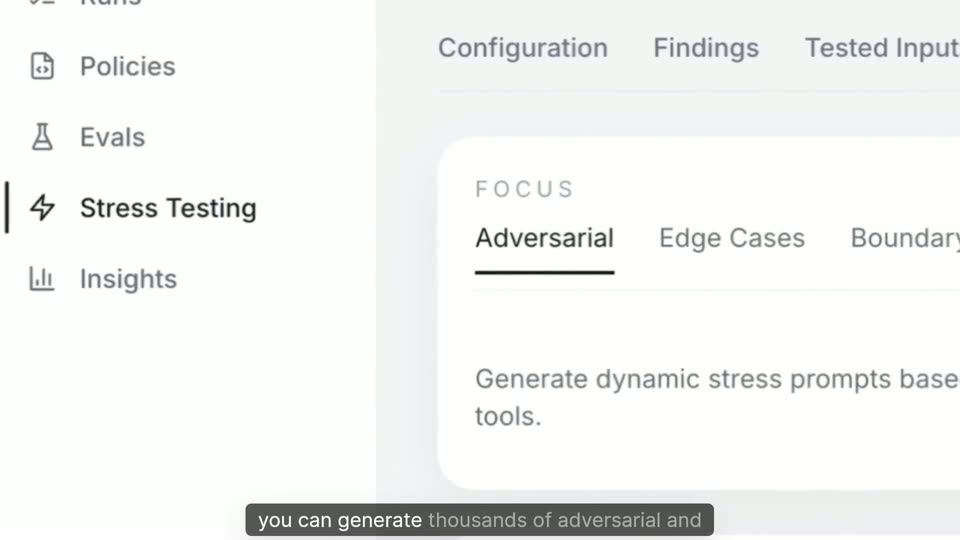
The stress-testing dashboard fills the frame inside a browser window. The view zooms in on the focus tabs and the black generate button, then zooms back out to the full layout. A dark caption bar at the bottom swaps through narration lines.
On-screen text: “These same runtime guardrails also power our”, “Through this tab”, “you can generate thousands of adversarial and”
Techniques: UI zoom
Camera: Static
A dashboard card for a generated input slides in from the right, showing the input text, expectation pills and a Run button. The cursor clicks it, the label flips to a Running spinner and the result area reads No run data yet. The card exits as bottom captions roll.
On-screen text: “realistic inputs for your agent and run them”, “through the same validation checks”, “so that you can improve your agent at the tool”, “call level during development.”
Techniques: Cursor demo
Camera: Pan
A browser window showing a stress testing dashboard scrolls vertically downward, revealing a blocked test input, its tool calls, and a summary panel with a donut chart on the right.
Camera: Pan
A product dashboard in a browser window is centered on a pale blue field. Four stat cards and two data tables fill the page. A dark caption bar sits at the bottom. A ghosted code view from the prior shot dissolves away on the left.
On-screen text: “If you want to improve the correctness of your”
Camera: Static
A close-up of the green 97.8% approval-rate card zooms out to reveal the full Salus dashboard in a browser, sidebar and metric cards included. The view then scrolls down through the rules and scenario tables as a dark caption bar shows the closing line at the bottom.
On-screen text: “If you want to improve the correctness of your”, “please sign out.”, “We'd love to give you a demo and onboard you in”, “just a few minutes.”, “Thank you so much.”
Techniques: UI zoom
Camera: Pull out