
0:43
Explore
Introduction to Pitch | Create beautiful presentations with your team
Pitch · May 2022 · 1:56 · Full motion · AI-annotated
- Length
- 1:56
- Scenes
- 38 · 3.1 s avg
- Product on screen
- 0:00
- Features shown
- 5
- Call to action
- 1:53 · 97%
- Voiceover
- Yes
- Views
- 124K on YouTube
as of November 19, 2026
00:00:00 / 01:56:16
- Length
- 1:56
- Scenes
- 38 · 3.1 s avg
- Product on screen
- 0:00
- Features shown
- 5
- Call to action
- 1:53 · 97%
- Voiceover
- Yes
- Views
- 124K on YouTube
as of November 19, 2026
Pitch’s 1:56 launch film runs 38 scenes, about 3.1 s each. The product is on screen from the first frame and 5 features are revealed. The call to action lands at 1:53 (97% in), over a voiceover. A guided product tour that alternates glossy 3D brand interludes with flat screen recordings, moving from template browsing to styling, embedding, collaboration and saving. Signature moves are the black 3D cursor that flies across the interface, camera pushes and 3D tilts on the app window, and purple-orange 3D shapes that punctuate every transition.
No filming indicatedEstimated needs: 5 capture groups — your screens or recordings · 1 official logo — reused across the film · 1 graphic passage — draw or supply · 8 3D passages — build or supply
Is this your launch? to your site or press kit.
More like this

1:14

Warp - You can now run any CLI agent with first-class support in Warp, inclu
Warp · Developer tools · Apr 2026
0:38

Loom - It’s a new year — and it’s easier than ever to embrace new ways of wo
Loom · Productivity · Jan 2024
Similar soundtrack
Films whose music sounds like this one, voice left out
0:38
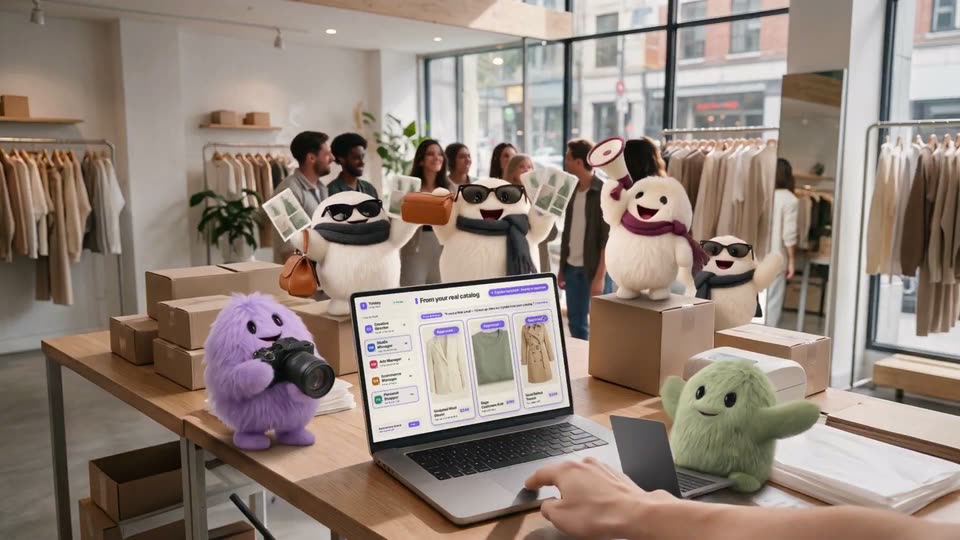
Dov Kaufmann - Today we’re introducing Shop Bots: AI employees for ecommerce. @Nimr
Gotolstoy · Electronic, Hip-hop
1:23

World - The new World App: secure chat, global payments and Mini Apps for eve
World · Modern electronic
0:54


Wildcard Launch Video (YC W25) | Unveil Studio
Wildcard · Modern electronic
Introduction to Pitch | Create beautiful presentations with your team, scene by scene
· 38 scenes as text
01 · Product intro · 0:00–0:00
A purple gradient field holds a thin white rounded-rectangle frame. The white wordmark Pitch builds letter by letter at the center while colorful 3D shapes, a faceted blue sphere, an orange cube with a pen, and pink and yellow forms, drift in around the edges.
On-screen text: “Pitch”
Techniques: Kinetic type
Camera: Pull out
02 · Product intro · 0:00–0:01
A purple gradient stage holds the white Pitch wordmark in the center while glossy 3D icons, a pie chart, a speech bubble and an orange A book, float around it. The camera pulls back to reveal a thin purple frame border as the objects drift at different depths.
On-screen text: “Pitch”
Techniques: Parallax
Camera: Pull out
03 · Product intro · 0:01–0:06
A close-up of the blue Pitch logo card pulls back to reveal a grid of colorful template thumbnails on a purple background. The central card then tilts down into a flat 3D slab while the surrounding cards soften into blur.
On-screen text: “Pitch”
Techniques: UI zoom, 3D mockup
Camera: Pull out
04 · Feature reveal · 0:06–0:08
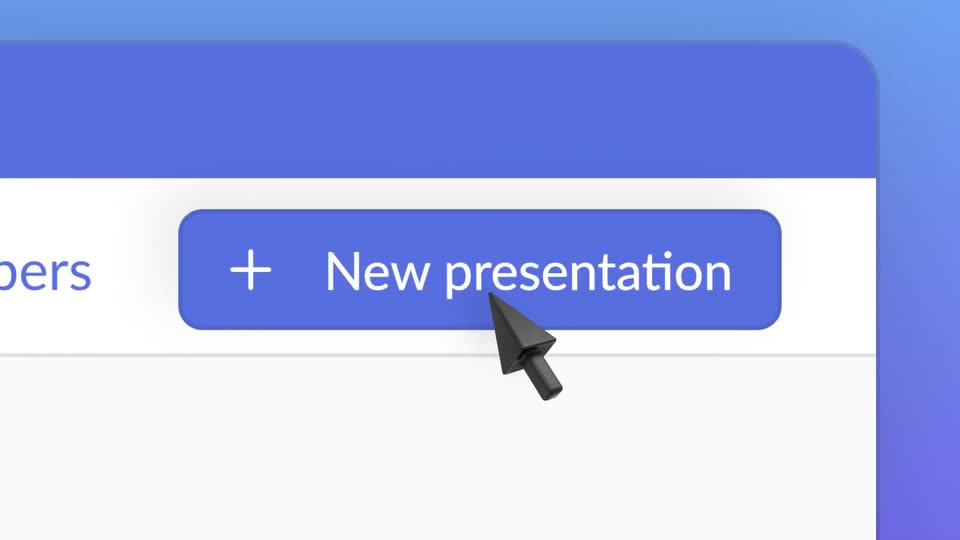
A 3D-tilted interface straightens to a front view as a black 3D cursor slides up from below to the blue New presentation button.
Techniques: 3D mockup, UI zoom, Cursor demo
Camera: Static
05 · Feature reveal · 0:08–0:09
A 3D cursor hovers over a blue New presentation button in close-up, then the view pulls back to reveal the full dashboard with a left sidebar and a grid of template cards below.
Techniques: Cursor demo, UI zoom
Camera: Pull out
06 · Feature reveal · 0:09–0:14
A flat browser window shows a template gallery grid of colorful presentation thumbnails. A large black 3D pointer glides across the screen, hovers over a purple Virtual Conference Talk card, then the grid scrolls down as the pointer moves over more thumbnails.
Techniques: Cursor demo
Camera: Push in
07 · Feature reveal · 0:14–0:15
A grid of presentation template thumbnails scrolls vertically, new rows of designs sliding up into view, while a category menu bar stays fixed along the top edge of the screen.
Camera: Pan
08 · Feature reveal · 0:15–0:18
A white presentation app window opens on a blue background, revealing a grid of template cards. The view zooms toward the top-left dark Startup Pitch Deck card, and a large black cursor arrow moves into the lower area.
Techniques: UI zoom, Cursor demo
Camera: Push in
09 · Feature reveal · 0:18–0:20
A template library grid of dark pitch-deck cards sits under a row of category tabs. A large cursor hovers a Use template button, then the view zooms into the orange-sphere Board Deck card.
Techniques: Cursor demo, UI zoom
Camera: Pan
10 · Feature reveal · 0:20–0:20
A 3D arrow cursor hovers over a template card in a gallery; on hover the card preview switches from a single dark slide with orange spheres to a mosaic of slide thumbnails. The pointer drifts across the card while a Use template button sits at its lower corner.
Techniques: Cursor demo
Camera: Static
11 · Feature reveal · 0:20–0:24
A template gallery scrolls vertically as a cursor hovers over cards, each revealing a Use template tooltip. The view zooms onto the purple Sales Proposal card, then cuts to its detail page with a slide grid and description, where the cursor moves to the Use template button.
Techniques: Cursor demo, UI zoom
Camera: Pull out
12 · Feature reveal · 0:24–0:25
A purple 'Sales Proposal' template card, with a cover slide and a grid of thumbnails, zooms forward over a dimmed grid of other templates. A blue 'Use template' button and a cursor sit at the lower right.
Techniques: UI zoom, Cursor demo
Camera: Pull out
13 · Feature reveal · 0:25–0:34
In a presentation app window, the cursor picks a purple template from the gallery panel, and the slide fills with it as the view zooms into the canvas. The cursor deletes the placeholder title, then a magnifying glass graphic highlights the title “Proposal for Acme” being typed.
Techniques: Cursor demo, UI zoom
Camera: Static
14 · Feature reveal · 0:34–0:36
A presentation editor window sits on a blue gradient. The cursor glides from the slide down to the template gallery docked at the bottom and hovers a thumbnail, which lifts, tilts and enlarges as if picked up.
Techniques: Cursor demo
Camera: Static
15 · Feature reveal · 0:36–0:37
A presentation interface displays a tilted white slide with overlapping text, layered over a purple background slide featuring abstract orange and purple shapes.
Techniques: 3D mockup
Camera: Static
16 · Feature reveal · 0:37–0:42
The slide editor window, first tilted in 3D perspective, flattens as the camera zooms into the bottom toolbar. A cursor clicks the Slide style button, opens a style menu, then opens a settings panel that slides in from the right.
Techniques: 3D mockup, UI zoom, Cursor demo
Camera: Push in
17 · Feature reveal · 0:42–0:49
A style-editor panel of a presentation app: the cursor opens the font list, picks Mark pro, then taps a light color swatch and the purple slide preview flips to white with purple text. After clicking Save, the canvas shows a slide titled The Problem in the new style.
Techniques: Cursor demo, UI zoom
Camera: Push in
18 · Feature reveal · 0:49–0:52
A presentation app window floats in 3D perspective on a blue gradient, then rotates flat toward the camera. A cursor clicks the Slide style button and hovers over theme options in a dropdown menu.
Techniques: 3D mockup, Cursor demo
Camera: Pull out
19 · Feature reveal · 0:52–0:54
The editor window zooms in on a purple slide titled The Problem with a style popup open. The cursor clicks New slide, and a blank third slide appears in the sidebar and on the canvas.
Techniques: UI zoom, Cursor demo
Camera: Static
20 · Feature reveal · 0:54–0:58
A cursor clicks the Text tool in a presentation editor, a text box appears on a blank lavender slide, and “Case study” types in large purple letters. The view then zooms into the slide as the cursor moves to the Embed button.
Techniques: Cursor demo, UI zoom
Camera: Push in
21 · Feature reveal · 0:58–1:00
A white embed dialog with a YouTube illustration and a source list pops onto a pale lavender slide. A video URL fills the address field, then a dark cursor slides right and presses the blue Add button.
Techniques: Cursor demo
Camera: Push in
22 · Feature reveal · 1:00–1:03
A presentation editor window displays a slide titled Case study, with a purple panel where a segmented pie, a blue sphere and a purple plus tile float and drift upward. A cursor arrow hovers near the bottom edge.
Techniques: Cursor demo
Camera: Pull out
23 · Feature reveal · 1:03–1:18
A presentation editor zooms from the full window to the slide canvas. A cursor swaps a 3D pie chart with a donut, tidies the text columns, then opens the share panel and clicks Invite. The window tilts into 3D and slides off.
Techniques: UI zoom, Cursor demo, 3D mockup
Camera: Push in
24 · Feature reveal · 1:18–1:19
Abstract 3D shapes drift and rotate against a blue-to-purple gradient: a large purple cylinder, white star prisms and blue bars slide past the lens while a small UI card held in a purple ring stays blurred in the center.
Techniques: 3D mockup, Parallax
Camera: Push in
25 · Feature reveal · 1:19–1:20
A white and purple torus ring floats on a blue background, framing a small design-tool interface, with a white paper airplane in front. Diagonal blue and white bars run along the right edge as the shot pushes in.
Techniques: 3D mockup
Camera: Push in
26 · Feature reveal · 1:20–1:21
A presentation editor window floats in 3D perspective on a blue background, rotating gently toward a flat angle. A slide shows three logo placeholders and a pie chart while the title box types out. A blurred purple shape blurs the left edge.
Techniques: 3D mockup
Camera: Push in
27 · Feature reveal · 1:21–1:24
A presentation editor fills the frame. A black cursor types the title letter by letter while a placeholder logo swaps to a brand mark. A collaborator comment tag pops in and out, then the cursor slides to the slide panel.
Techniques: Cursor demo
Camera: Static
28 · Feature reveal · 1:24–1:30
A pitch editor shows a stats slide. A cursor taps the slide thumbnail, then the view zooms into the right sidebar. The cursor clicks the Workflow icon, a search field opens, the name Rita Horn is typed and selected, and the icon fills with two avatars and a check.
Techniques: UI zoom, Cursor demo
Camera: Push in
29 · Feature reveal · 1:30–1:32
A close-up of a whiteboard UI shows an open status dropdown (No status, To do, In progress, Done) as a black cursor glides over the options. Behind it, a lavender canvas holds a purple 3D ring and bold 40M text, with a vertical panel on the right.
Techniques: Cursor demo
Camera: Pull out
30 · Feature reveal · 1:32–1:36
A cursor clicks the Comments icon in a slide editor's right sidebar, opening a panel. Text types into the field, then a posted comment from Larry Weber appears. The view zooms onto the comments panel.
Techniques: Cursor demo, UI zoom
Camera: Push in
31 · Feature reveal · 1:36–1:39
The view pans right across a flat document: a white toolbar with a bell showing one notification, a comments panel where Larry Weber asks for numbers and Rita Horn replies, then three purple stats with captions. A purple 3D torus and pie chart decorate the lavender page.
Techniques: UI zoom
Camera: Pull out
32 · Feature reveal · 1:39–1:40
A presentation interface with a vertical thumbnail strip on the left and a large lavender slide on the right. The right slide's name tag, percentage, and dollar figure cross-dissolve from one set of values to another, settling on clean text, while purple and orange 3D shapes sit at the edges.
Techniques: Morph
Camera: Static
33 · Feature reveal · 1:40–1:44
A close-up of a presentation editor shows an open status dropdown; the cursor moves down and selects Done, then the frame zooms out to reveal the full app window with a column of slide thumbnails on the left.
Techniques: Cursor demo, UI zoom
Camera: Pull out
34 · Feature reveal · 1:44–1:49
A cursor types “Thank you” into a text box on a slide over a 3D abstract background, then opens the file menu and hovers over “Save as template”.
Techniques: Cursor demo, Kinetic type
Camera: Static
35 · Feature reveal · 1:49–1:51
A cursor clicks 'Save as template' in an open dropdown menu. A centered dialog box fades in over the slide, showing a pre-filled name field and a blue save button, while the cursor moves toward the button.
Techniques: Cursor demo
Camera: Push in
36 · Feature reveal · 1:51–1:52
A cursor hovers over the Save as template button in a centered modal dialog, then the screen cuts to the template library, where the new Proposal for Acme card appears under the Templates heading.
Techniques: Cursor demo
Camera: Pull out
37 · Feature reveal · 1:52–1:53
A 3D-tilted browser mockup of the SpaceWork interface sits on a blue field, showing a Templates list with one Proposal for Acme card. The view zooms into the Templates header and card as a 3D arrow cursor drifts to the top right.
Techniques: 3D mockup, UI zoom
Camera: Push in
38 · CTA · 1:53–1:56
On a violet field, 3D icons (a pie chart, play button, ruler, megaphone, torus, speech bubbles) drift around the edges while the white wordmark 'Pitch' builds in letter by letter at center, then 'pitch.com' fades in below.
On-screen text: “Pitch”, “pitch.com”
Techniques: Kinetic type
Camera: Pull out