0:52
SaaS Launch Video & Motion Design | Pulse
Pulse · Oct 2026
Pitch · Nov 2026 · 0:47 · AI-annotated
Pitch’s 0:47 launch film runs 19 scenes, about 2.5 s each. The product is on screen from the first frame and 6 features are revealed. There is no explicit call to action. The video alternates full-bleed purple title cards with tight UI demos, each demo capped by a bold one-line caption that names the example. Signature moves are text that scales in from small and faint, slow push-ins on flat white cards, and horizontal card slides that swap examples at a steady 112 bpm.
Is this your launch? to your site or press kit.
Pulse · Oct 2026
Lovio · Jul 2026
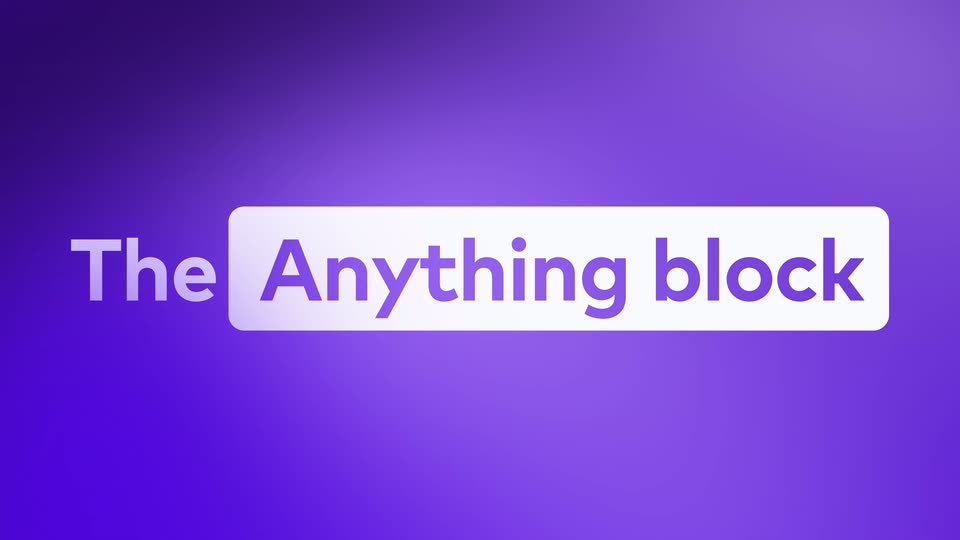
A purple gradient background holds centered text. The word “Introducing” in white fades in and out, then “The Anything block” appears with “Anything block” set inside a white rounded rectangle, and the line fades out.
On-screen text: “Introducing”, “The Anything block”
Techniques: Kinetic type
Camera: Static
A soft purple gradient fills the frame. The white headline “Describe it.” sits centered, starting small and faint, then scaling up and brightening to full size over the first second.
On-screen text: “Describe it.”
Techniques: Kinetic type
Camera: Static
A cursor clicks the Anything button in a slide editor's top toolbar, and the frame zooms into a grid of animation templates. The cursor then types a before/after image slider into the Describe it. prompt and clicks the purple send button.
Techniques: Cursor demo, UI zoom
Camera: Pan
White chat card titled Pitch Agent on a pale lavender field. A gray prompt bubble sits at the top; a purple Thinking tag fades in, a bullet appears, and the agent's reply types out word by word as the stop button becomes an up arrow.
Techniques: Kinetic type
Camera: Static
A purple gradient fills the frame with the white tagline centered and still. A flat presentation slide mockup fades in behind it, showing an image-comparison layout with two photos of a runner and placeholder captions.
On-screen text: “It's on your slide.”
Camera: Static
A white presentation slide card on a purple gradient background shows a before/after photo slider of runners. A cursor drags the divider line from left to right, revealing a clean blue-sky version on the right. The card scales up slightly at the start.
On-screen text: “It's on your slide.”
Techniques: Cursor demo
Camera: Static
White bold sans-serif text reading “Live, right in front of your audience.” holds centered on a purple gradient, then fades out, leaving the plain gradient alone.
On-screen text: “Live, right in front of your audience.”
Camera: Static
A white pricing card sits on a purple page beside the heading “Calculate your price”. A cursor drags the Desks slider from 12 to 33, and the price and savings figures update live. A caption reads “A pricing calculator” at the bottom.
On-screen text: “A pricing calculator”
Techniques: Cursor demo
Camera: Static
Two flat UI panels slide horizontally across a purple background: a purple pricing calculator card exits left as a green feature showcase card with a video editor interface enters from the right. The bottom caption swaps from one label to the next.
On-screen text: “A pricing calculator”, “A product tour”
Camera: Pan
A green feature card holding the Lumen dashboard screenshot slides left across a purple gradient as a cursor hovers the Ask AI anything tooltip and clicks Next. A second card then slides in from the right, revealing its own headline.
On-screen text: “Feature showcase”, “Short description of a feature so awesome it makes everyone in the room cry, 'We need it'”, “A product tour”, “Competitive landscape”
Techniques: Cursor demo
Camera: Pan
A pale card on a purple gradient shows a 2x2 market map. App icons sit in the four quadrants, a cursor glides from the top icon down to the bottom left, and a tooltip names Asana. The title Competitive landscape sits at left, caption A market map below.
On-screen text: “Competitive landscape”, “A market map”
Techniques: Cursor demo
Camera: Pan
A light card with a 2x2 matrix slides left as a dark card with a connected app-icon diagram slides in from the right on a purple background. A white cursor hovers over icons, and the bottom caption changes from “A market map” to “An integration diagram”.
On-screen text: “A market map”, “An integration diagram”
Techniques: Cursor demo
Camera: Pan
A dark slide on a purple background shows a hub-and-spoke diagram under a white headline: a central logo node links eight app icons by thin lines, some highlighted yellow. A cursor climbs the right column, lighting the hovered connection. A bold caption sits below.
On-screen text: “An integration diagram”
Techniques: Cursor demo
Camera: Static
A tilted presentation deck on a purple background switches from an integration diagram linking app icons to a central logo to a bar-chart slide with a cursor, as the white caption below changes from “An integration diagram” to “An interactive chart”.
On-screen text: “An integration diagram”, “An interactive chart”
Techniques: 3D mockup, Masking
Camera: Pan
A light funnel-chart card sits on a purple gradient. A black cursor glides left to right across the five bars, and each bar darkens with its percentage label as the cursor hovers over it. A bold white caption reads below the card.
On-screen text: “An interactive chart”
Techniques: Cursor demo
Camera: Static
A soft purple radial gradient fills the frame while a centered white headline reads “Yours to adjust.” and stays locked in place.
On-screen text: “Yours to adjust.”
Camera: Static
On a static screen, a cursor clicks a stage in the Visitor Funnel panel, opens a parameter popover, and edits the value and color; the left bar chart updates its percentages and the first bar turns red.
On-screen text: “Yours to adjust.”
Techniques: Cursor demo
Camera: Static
Centered white text on a purple gradient background fades in from low opacity, holds, then fades out. The frame is locked off with no camera move or text motion.
On-screen text: “Create anything”, “you can describe.”
Camera: Static
A purple gradient fills the frame as a small light-purple mark scales up in the center and shifts left. The white Pitch wordmark assembles beside it into a centered lockup, while pitch.com holds at the bottom.
On-screen text: “pitch.com”
Techniques: Morph
Camera: Static