1:37

Summer Engine: Make and play games together
Summer Engine · Nov 2026
Vanta · Mar 2026 · 0:56 · Full motion · AI-annotated
Vanta’s 0:56 launch film runs 31 scenes, about 1.8 s each. The product shows up at 0:06 and 3 features are revealed. There is no explicit call to action. The video opens on the audit loop as a problem, names Vanta, then walks the same three-step cycle as three feature demos (map, remediate, answer) before a calm-pliance recap and a brand close. Pacing is quick and rhythmic, with each feature introduced by a sliding pill bar and demonstrated through zooms on white UI cards floating over purple gradients, punctuated by paper-plane accents, sparkle stars and a confetti payoff.
Is this your launch? to your site or press kit.
Summer Engine · Nov 2026
Simular AI · Sep 2026
Spayr · May 2022
Films whose music sounds like this one, voice left out
H Company · Electronic dance music, primarily tech house and electro house
Tesla · House / Tech House
Canva · Electronic dance music with hip-hop and funk influences
A dark purple background shows the word 'Stuck' with a gradient, which expands into the full sentence 'Stuck in an endless audit loop?' in a serif font. The text then disappears, revealing a red circular arc with a blue arrow at the bottom.
On-screen text: “Stuck in an endless audit loop?”
Techniques: Kinetic type
Camera: Pull out
A coral ring with white directional arrows sits on a dark purple field. The shot opens on a close-up of the top arc reading Map controls, then pulls back as the curved labels condense to Map, Answer and Remediate, revealing the full clockwise cycle.
On-screen text: “Map controls”, “Remediate”, “Answer auditor questions”, “Answer”, “Map”
Camera: Pull out
A coral ring with white arrows and the words Map, Remediate, Answer scales on a dark purple field, then gives way to the serif line Stop running in place., then Move faster with Vanta AI., ending on the large white Vanta wordmark.
On-screen text: “Map”, “Remediate”, “Answer”, “Stop running in place.”, “Move faster with Vanta AI.”, “Vanta”
Camera: Static
A dark purple field with a lighter purple shape in the top right holds a bold white Vanta wordmark and a purple pill reading Delivers with an arrow. The wordmark and pill then slide apart, Vanta exiting left and the pill right, leaving the frame empty.
On-screen text: “Move faster with Vanta AI.”, “Delivers”, “→”
Techniques: Kinetic type
Camera: Static
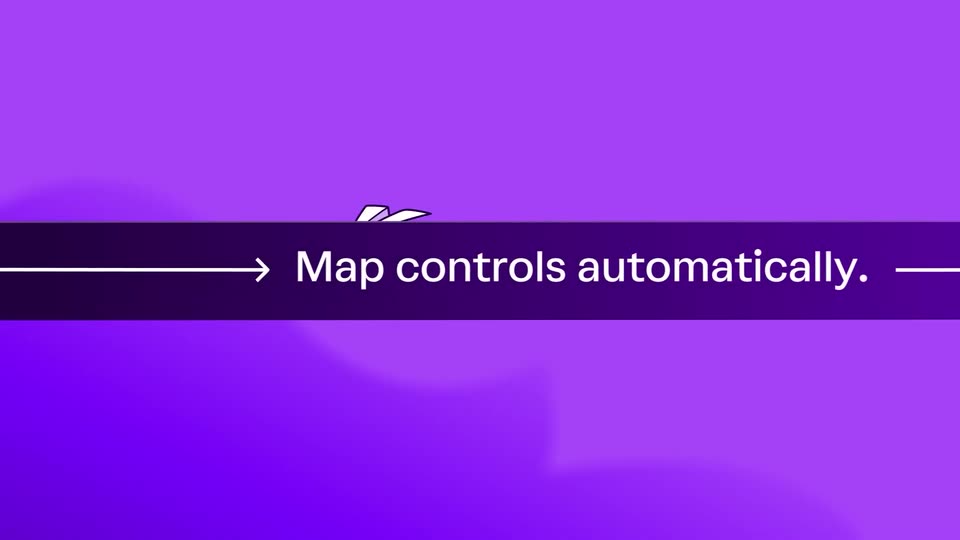
On a purple gradient background, a dark rounded pill bar with a white arrow and the line “Map controls automatically.” slides across the frame along a thin white horizontal rule, exiting left. After the bar clears, a small outlined paper-plane icon fades in below the rule and drifts gently right.
On-screen text: “Move faster with Vanta AI.”, “Delivers”, “→”, “Map controls automatically.”
Techniques: Kinetic type, Masking
Camera: Static
A white “Common control” card slides in from the left and centers on a purple gradient, listing controls with framework badges. A cursor appears, then the “Mapped frameworks” row expands into a full-width banner with SOC 2, GDPR, ISO 27001 pills as the rest dims.
Techniques: Cursor demo, UI zoom
Camera: Pull out
A white rounded card sits centered on a purple gradient background, holding a bold black 3 next to gray Mapped frameworks and three light purple pills labeled SOC 2, GDPR, ISO 27001, while a black cursor drifts downward below the card.
Techniques: Cursor demo
Camera: Static
A purple gradient card shows the white serif line Apply across business units. fading in, then cuts to a larger Acquired company that scales in above a minimal line diagram with two rounded rectangles.
On-screen text: “Apply across business units.”, “Acquired company”
Techniques: Kinetic type
Camera: Static
On a soft purple gradient, a white serif label 'Acquired company' shrinks and drifts left as 'Company HQ' grows to center. A thin tree diagram redraws from two to three branches, settling on white pills labeled GDPR, SOC 2 and ISO 27001.
On-screen text: “Acquired company”, “Company HQ”, “GDPR”, “SOC 2”, “ISO 27001”
Techniques: Kinetic type, Morph
Camera: Static
On a static pale frame, a purple pill bar carrying white text and a right arrow scrolls left in a repeating loop, while a small purple paper plane icon drifts below it.
On-screen text: “Remediate gaps”
Techniques: Kinetic type
Camera: Static
Purple serif text “with Vanta Agents.” sits centered on a cream field with a soft purple blur in the lower left. A white rounded UI card then slides up to fill the frame, showing a control status row with a warning icon and three framework labels.
On-screen text: “with Vanta Agents.”
Camera: Static
A white chat card sits on a pale background over a soft purple blob. The frame zooms out to show a status line, compliance labels, and a purple button. A black cursor clicks the button, then the card shrinks and its text fades out.
Techniques: UI zoom, Cursor demo
Camera: Pull out
A white chat bubble with a purple four-point sparkle icon floats on a soft lavender background. The message text animates in, with the words remediation plan in purple and the rest in dark gray, ending on a solid cursor block.
Camera: Static
A white card listing a remediation plan rests on a pale lavender background with a purple glow. The camera zooms into the card, reframing on the Suggested remediation plan list; the first option gains a purple loading ring while a sub-list of AWS account names appears below.
Techniques: UI zoom
Camera: Static
A white product card zooms out from a tight crop of a loading row to reveal a three-item remediation checklist with two purple checkmarks, above a panel noting an assigned issue.
Techniques: UI zoom
Camera: Static
A white rounded card with a three-item checklist and a sub-panel slides up into place on a soft lavender gradient. A purple four-point sparkle hovers at the top left. The checklist checkmarks fill in sequence as the card settles.
Camera: Static
A white rounded card floats on a pale lavender gradient, a purple four-pointed star icon at its left. The message types out character by character across the card, the frame held static.
On-screen text: “Nice work! Your controls are now passing.”
Techniques: Kinetic type
Camera: Static
A dark horizontal band with a purple four-point star and white headline “Answer auditor questions.” slides over a blurred app screen showing a results toast. The screen fades to flat purple, the star becomes an arrow, and a small paper airplane doodle appears below the text.
On-screen text: “Answer auditor questions.”
Techniques: Kinetic type
Camera: Static
A white chip with a red warning triangle expands into a banner reading that the auditor requested evidence, then the view cuts to a purple file grid of scattered icons with a central pill labeled Auditor request lists.
On-screen text: “Your auditor has requested additional evidence.”, “Auditor request lists”
Camera: Static
A cursor drags the Auditor Request.doc icon from the right into the dashed drop zone of the white Auditor request lists card, surrounded by floating file icons on a purple gradient. The frame then zooms in on the card as a caption slides in.
On-screen text: “Answer auditor questions.”
Techniques: Cursor demo, UI zoom
Camera: Push in
A white audit dashboard panel floats on a purple gradient, tilted in 3D, then flattens to face the camera as its status pills switch from Not ready to Audit ready. A cursor moves down and highlights the Information Security Policies Acknowledgement row.
Techniques: 3D mockup, Cursor demo
Camera: Pull out
On a soft purple gradient, a white rounded square holding a purple check circle stretches horizontally into a notification pill. The text fades in on the left while the check icon settles at the right edge, then holds still.
On-screen text: “Ready for auditor review”
Techniques: Morph
Camera: Static
A white rounded notification card sits centered on a soft purple gradient. Its status line crossfades from “Ready for internal review” to “Ready for auditor review” beside a purple checkmark badge, while the frame stays locked off.
Camera: Static
A dark rounded notification banner with the text “Auditor accepted” and a purple circular avatar of a smiling black rabbit-eared creature sits centered on a blurred purple field. The banner snaps from blur to focus, then white and purple confetti squares fall around it.
Techniques: Particles
Camera: Static
On a deep purple field, the serif line assembles as its words slide from scattered spots into one centered row, 'calm-pliance' tinted lavender. A small 'Auditor accepted' caption with a scaling square punctuates the beat.
On-screen text: “Auditor accepted”, “■”, “This is what calm-pliance looks like.”
Techniques: Kinetic type
Camera: Static
A flat dark purple background holds the violet serif phrase Controls mapped. at center. The line scales up from a small size to full size across the short clip while the frame stays locked off.
On-screen text: “Controls mapped.”
Techniques: Kinetic type
Camera: Static
A white serif line reads “Controls mapped.” beside a round purple badge with a black rabbit figure on a dark purple field. It scales in, then crossfades to a second line, “Gaps remediated.”, as a soft blurred purple shape drifts behind.
On-screen text: “Controls mapped.”, “Gaps remediated.”
Techniques: Kinetic type
Camera: Static
A dark purple background holds the lavender serif headline on the left and a small circular llama logo to its right. A blurred purple organic shape grows in the bottom right corner. The headline scales and blurs out as the logo drifts right.
On-screen text: “Requests answered.”
Techniques: Kinetic type
Camera: Static
A purple circle on the right expands into a rounded pill carrying the white label Privacy Automation, sliding toward center. Above it, Compliance Agent and TPRM Agent fade in, and the white Vanta wordmark appears at left on a dark purple field.
On-screen text: “Privacy Automation”, “Compliance Agent”, “TPRM Agent”, “Vanta”
Techniques: Morph, Kinetic type
Camera: Static
On a dark purple field, the white Vanta wordmark sits left of a purple gradient pill. A vertical list of gray feature names scrolls behind the pill, whose label swaps to match each highlighted name. The list fades out, the pill reads “Delivers →,” and a small paper plane icon appears at its right edge.
On-screen text: “TPRM Agent”, “Adaptive Business Unit Scoping”, “Information Request List”, “Customer Trust Agent”, “Privacy Automation”, “Compliance Agent”, “Common Controls Framework”, “Delivers →”
Techniques: Kinetic type
Camera: Static
On a dark purple field, the white serif word Vanta scales in at left beside a purple gradient pill reading Delivers with a right arrow. A white wing-shaped logo mark sits at the right edge.
On-screen text: “Vanta”, “Delivers →”
Techniques: Kinetic type
Camera: Static