1:35

What's Figma? [2019]
Figma · Design · Oct 2019
Simular AI · Sep 2026 · 1:03 · AI-annotated
Simular AI’s 1:03 launch film runs 41 scenes, about 1.5 s each. The product shows up at 0:13 and 5 features are revealed. There is no explicit call to action; a voiceover carries the film. The video is built as a bait-and-switch: a fake live-action intro glitches into a problem statement, then a rapid chain of flat feature cards, each pairing one headline with a UI mockup or illustration. Signature moves include macro screen close-ups with scanlines, 3D-tilted windows, and a recurring green butterfly that threads the graphics together.
Is this your launch? to your site or press kit.
Figma · Design · Oct 2019
Roma · Consumer · Nov 2026
A hand holds a wooden clapperboard close to the camera as its striped top bar snaps shut; two blurred crew members stand behind it in warm indoor light.
Camera: Pan
Two men sit in front of an open garage workshop in warm backlight, facing the camera. The white word Introducing appears centered over them with a brief horizontal glitch distortion.
On-screen text: “Introducing”
Camera: Static
Two men sit facing the camera in a warm, sunlit garage. The footage breaks into large pixel blocks, and a white pixelated caption reading “introducing” sits across their faces.
On-screen text: “introducing”
Camera: Static
A plain white background holds two lines of centered black text that appear together and stay locked in place for the full shot.
On-screen text: “Agent demos”, “fooled you.”
Camera: Static
A white title card: the two-line headline slides in on the left, with the cyan phrase AI Toddler easing into place, while a 3D baby robot in a cream spacesuit sits at right, crying blue tears. Quick, locked-off staging over about two seconds.
On-screen text: “You've got an”, “that needs babysitting.”, “AI Toddler”
Techniques: Kinetic type
Camera: Push in
A dark chat window shows an Agent message saying it cannot upload files. The camera pushes in from a soft, blurred view to a sharp macro close-up of the text, which gains a scanline texture.
On-screen text: “You've got an AI Toddler”, “that needs babysitting.”
Techniques: UI zoom
Camera: Push in
Extreme macro close-up of a monitor screen showing a chat reply and a bash code snippet. The pixel grid is visible as the frame reframes to reveal the dashed code box reading pip install.
Techniques: UI zoom
Camera: Pull out
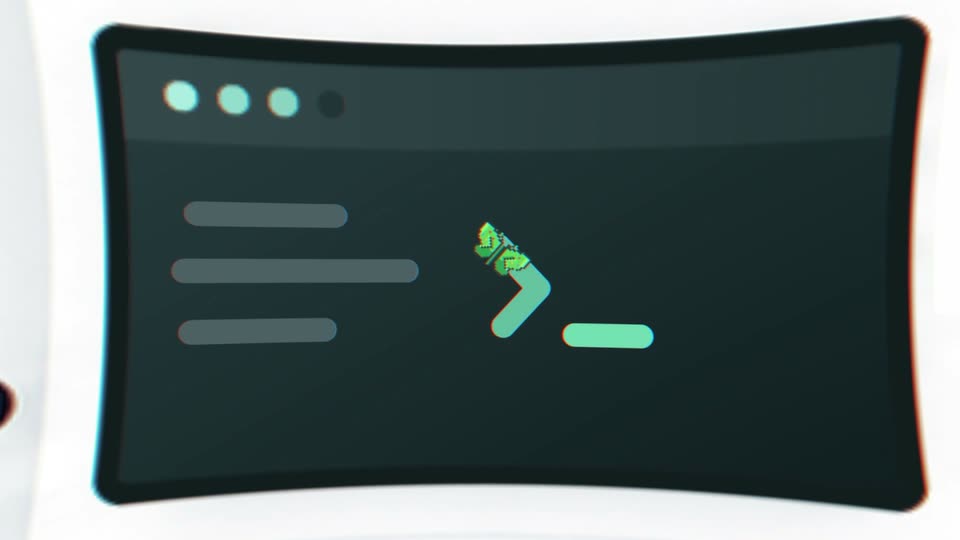
A dark terminal in extreme close-up shows a pixel grid as the word “install” slides across a pip command line, then it cuts to a fresh prompt with red, yellow, green window dots and a cursor block.
Camera: Pan
A soft beige-to-pale-green gradient fills the locked-off frame. Dark gray sans-serif text builds in the center, opening on 'Let's talk' beside a small orange mark, then settling into the full line and holding still.
On-screen text: “Let's talk about something REAL.”
Techniques: Kinetic type
Camera: Static
A macro close-up of a dark screen filled with a dense grid of green alphanumeric characters racks from heavy blur to sharp focus. A vertical dark bar divides the columns as the text resolves.
Camera: Pull out
A large, out-of-focus butterfly filled with green code characters contracts into a small sharp green butterfly icon. It settles to the left of the centered text “Meet Sai.” on a soft beige-green gradient.
On-screen text: “Meet Sai.”
Techniques: Morph, Kinetic type
Camera: Pull out
A soft cream gradient holds the headline “Meet Sai.” in black sans as “Your robosecretary.” assembles, its letters drifting in from the right and locking into place. Two small green butterflies hover above the line.
On-screen text: “Meet Sai.”, “Your robosecretary.”
Techniques: Kinetic type
Camera: Static
A light chat interface with a floating panel; the cursor clicks the blue Open Desktop button, and the view zooms into the dark terminal window, which tilts into 3D perspective with a green chevron prompt. The caption Meet Sai. scales in.
On-screen text: “Meet Sai.”
Techniques: Cursor demo, UI zoom, 3D mockup
Camera: Push in
A dark terminal window mockup, tilted in 3D, holds three gray placeholder lines and a green prompt with a green underline on a white field. The window drifts and blurs as a small green particle burst dissolves above the prompt.
Techniques: Particles, 3D mockup
Camera: Pull out
Flat illustration on a soft mint gradient: a dark laptop with a terminal prompt, a desktop monitor, and a laptop with a green wave wallpaper. A green butterfly flutters across the screens as the headline builds word by word, then the view zooms into the right laptop.
On-screen text: “Your OS. Your choice.”, “Use Sai on macOS, Windows, or Linux.”
Techniques: Kinetic type
Camera: Push in
A laptop mockup on a mint gradient shows a green wavy wallpaper with a small butterfly on its screen. The camera zooms into the display, and the butterfly enlarges, revealing green, orange and blue wings.
Techniques: 3D mockup, UI zoom
Camera: Static
A curved mask expands on a white field to reveal a close-up of a suited hand typing on a keyboard above scattered papers. Two small up and down arrow icons sit at the right edge.
Techniques: Masking
Camera: Pull out
A vertical short-video player sits centered on a white field, its live-action clip showing a suited hand that rests on a newspaper and then clenches into a fist on the desk. Social icons line the right edge and a Subscribe button with a caption sit at the lower left.
Camera: Static
A vertical clip of two people in school uniforms plays on the left. A 3D-tilted browser window slides in from the right and levels toward the camera, showing a job form with a cursor moving over a field. A green Working dot sits top right.
On-screen text: “Working”
Techniques: 3D mockup, Cursor demo
Camera: Push in
A vertical video of people walking with a caption plays on the left while a 3D-tilted browser window on the right shows a job board. A green cursor moves across the listings and clicks as the window scales up under a soft green glow.
On-screen text: “Applying Jobs”, “Working”
Techniques: Split screen, 3D mockup, UI zoom, Cursor demo
Camera: Static
A flat browser window mockup titled Verification required sits on a pale grey-green field, flanked by two blurred UI panels. A green checkmark fills the I'm not a robot checkbox, then the window and side panels drift slowly in opposite directions.
Camera: Static
A white verification card on a pale green background zooms in from a small window flanked by two side panels, enlarging the colorful distorted CAPTCHA characters, the input field, and the black VERIFY button.
Techniques: UI zoom
Camera: Push in
A line of multicolored letters spelling 'state of the art' scrolls right to left across a cream background dotted with small pastel squares and crossed by thin gray and yellow curves.
On-screen text: “state of the art”
Techniques: Kinetic type
Camera: Pan
Colorful serif letters and thin crossing lines clear away to reveal a white browser window with a green checkmark, flanked by two faint side panels. A gray two-line headline sits below on a pale green background, then the frame holds still.
On-screen text: “State-of-the-art”, “computer use”
Camera: Push in
A white browser window with a green checkmark sits centered on a pale green background, flanked by two small cards. The window shrinks as a ring of model-name pills fades in around it, while the headline stays fixed below.
On-screen text: “State-of-the-art”, “computer use”
Techniques: UI zoom
Camera: Static
A flat gray field holds scattered pill cards, each naming an AI model with a FIT score. The frame reframes to center the GPT-5 card marked SELECTED, while a SAI TASK card reading Create SAI Launch Brief sits below it.
Techniques: UI zoom
Camera: Static
The camera zooms into the central selection pill on a dimmed model-routing interface. The green FIT 92 score and the $$$ cost label enlarge to fill the frame while the SELECTED label scrolls out to the left.
Techniques: UI zoom
Camera: Push in
A white rounded pill on a light gray field holds bright green “FIT 92” on the left and gray “$$$” on the right. The pill slides horizontally while the text scales, the background brightening to white then easing back to gray.
On-screen text: “FIT 92”, “$$$”
Techniques: Kinetic type
Camera: Static
A rounded pill holding “FIT 92$$$” slides left and shrinks as a green dollar coin flies off along a dashed trail. A tall gold bar and a short bar appear beside the small label “TOKENS PER RUN” on a white background.
On-screen text: “FIT 92$$$”, “TOKENS PER RUN”
Techniques: Kinetic type
Camera: Pan
On white, a bar chart shows a tall gold bar with a dashed green arc and a small butterfly icon hopping along the curve. A series of shrinking green bars builds left to right while a black headline fades in at the lower right.
On-screen text: “TOKENS PER RUN”, “The more it runs, the less it costs.”, “Adapt when needed.”
Camera: Static
A white task window slides in from the left, passing over the headline “The more it runs, the less it costs.” It then condenses into a dense grid of app screens, with the caption “Adapt when needed.” appearing on the right.
On-screen text: “PER RUN”, “The more it runs,”, “the less it costs.”, “Adapt when needed.”
Camera: Pull out
A flat grid of dozens of product interface screens, dashboards and charts on black bends into a curved 3D wall as the camera pushes forward, the panels tilting into cylindrical perspective.
Techniques: 3D mockup, Parallax
Camera: Push in
A tilted 3D wall of dozens of interface thumbnails, dashboards and spreadsheets fills the frame. The camera zooms into the center as the outer screens blur, resolving on a single focused window showing a Duolingo sign-in automation with a chat panel.
Techniques: 3D mockup, UI zoom
Camera: Push in
A screen recording of the product interface shows a Duolingo sign-in task in progress, with a step checklist on the left and a comments panel on the right. A cursor moves to the message box as a Voice Input tooltip appears.
Techniques: Cursor demo
Camera: Static
Two browser windows sit side by side on a desktop. The left holds the Sai agent interface, its workflow running and a chat panel listing steps. The right flips from a hotel booking page to a live crypto price chart, showing the agent driving both at once.
Techniques: Split screen
Camera: Pan
A screen recording opens on a browser showing a Binance ETH/USDT candlestick chart beside an agent panel, then a diagonal wipe reveals a first-person Minecraft scene with villagers, trees and a player arm.
Techniques: Masking
Camera: Pan
First-person view in a blocky birch forest. A bow is held at the right edge while two characters stand beside a green wall that grows wider block by block, a gray block capping its top. The crosshair stays centered.
Camera: Static
A first-person Minecraft view pushes in on a green monolith with a white pixel 2K logo. Four blocky avatars stand before it as the bow in the player's hand lowers out of frame. A green glowing emblem fades in on the wall.
Camera: Static
A green angular logo mark glows at center against a near-black frame, faint tree and building silhouettes behind it. The background falls to pure black as the gray wordmark sai.work settles in to the right of the mark.
On-screen text: “sai.work”
Camera: Static
A green angular mark and the white wordmark sai.work hold centered on a black field. The frame is locked off and motionless throughout the shot.
On-screen text: “sai.work”
Camera: Static
A green code-bracket mark beside the white “sai.work” wordmark holds centered on a black background, then fades out to black in a locked-off frame.
On-screen text: “sai.work”
Camera: Static