1:06

Papaya
Papaya · B2B · Oct 2026
Vanta · Apr 2024 · 0:20 · Clip · AI-annotated
Vanta’s 0:20 clip runs 5 scenes, about 4.2 s each. The product shows up at 0:03 and 2 features are revealed. The video chains headline-plus-card beats: a promise line, a product overview, and two feature reveals, each pairing a white headline on a purple field with a flat white UI card that slides or scrolls into frame. Signature moves are the tilt-to-flat camera reframe, letter-by-letter typing for AI output, and green check ticks that confirm each step.
Is this your launch? to your site or press kit.
A purple gradient backdrop with faint dashed lines; the headline fades in at center, then the frame scrolls up as a flat Vanta Questionnaires screen slides up from the bottom edge.
On-screen text: “Streamline security questionnaires with automation and AI”
Camera: Pan
A tilted 3D view of the Vanta questionnaires list zooms in as a cursor hovers the Add button, then reframes to a flat questionnaire detail page where the first question types itself out beneath a white headline on a purple field.
On-screen text: “questionnaires with”, “automation and AI”, “Vanta analyzes your security documentation and past questionnaires”
Techniques: 3D mockup, Parallax, UI zoom, Cursor demo
Camera: Push in
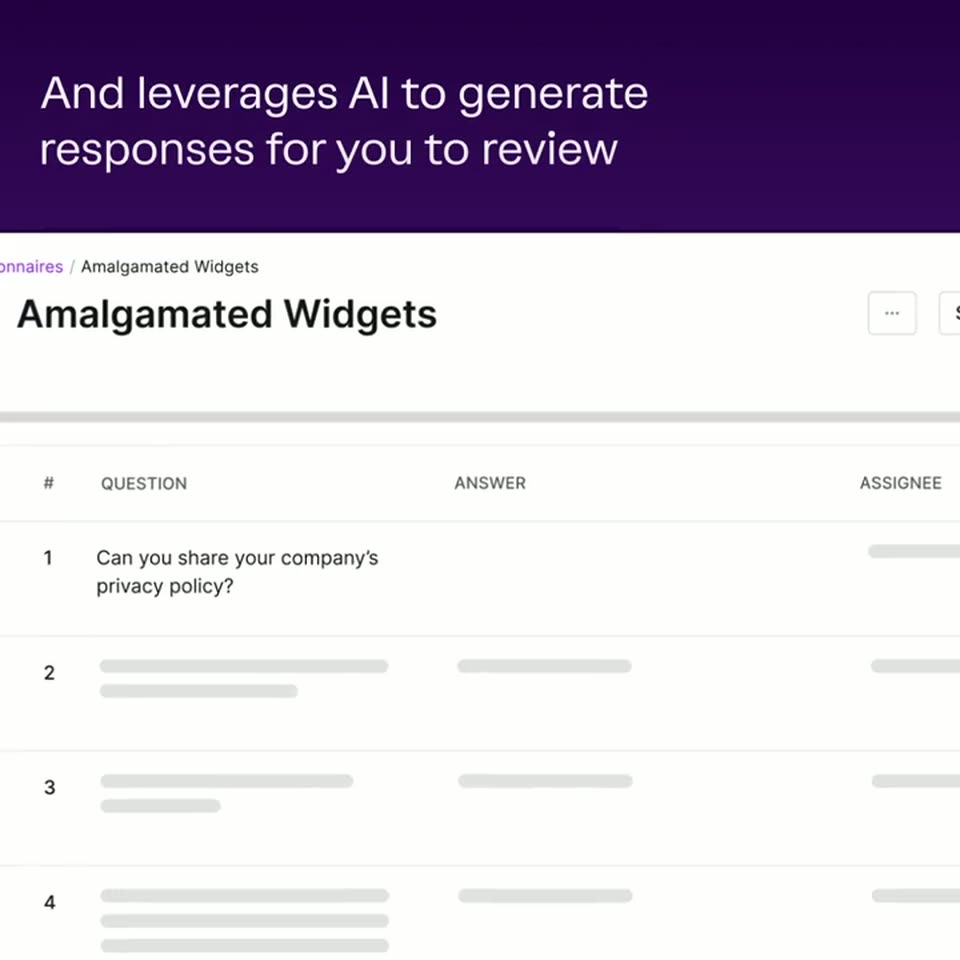
A flat front view of a white form table under a dark purple banner. The banner headline fades up while, in the first row's answer cell, text types in letter by letter beside a small purple sparkle icon.
On-screen text: “And leverages AI to generate responses for you to review”
Techniques: Kinetic type
Camera: Push in
A white form table sits on a purple field under a white headline. An AI answer types into the first row with purple sparkles, then the view pans right as a cursor ticks the approve boxes green and clicks the Complete button. The card lifts and the headline swaps.
On-screen text: “And leverages AI to generate responses for you to review”, “Respond in whatever format your prospects need”
Techniques: Cursor demo, UI zoom
Camera: Push in
On a purple gradient, a white headline sits above three labeled cards (Third Party Portal, Form, Spreadsheet) while a white approval table panel with Share and Complete buttons slides up from the bottom. The panel keeps rising until it exits the top of the frame, the cards fade out as it passes, and the bare gradient with faint line dashes is left behind.
On-screen text: “Respond in whatever format your prospects need”, “THIRD PARTY PORTAL”, “FORM”, “SPREADSHEET”
Techniques: Parallax
Camera: Pan