0:49
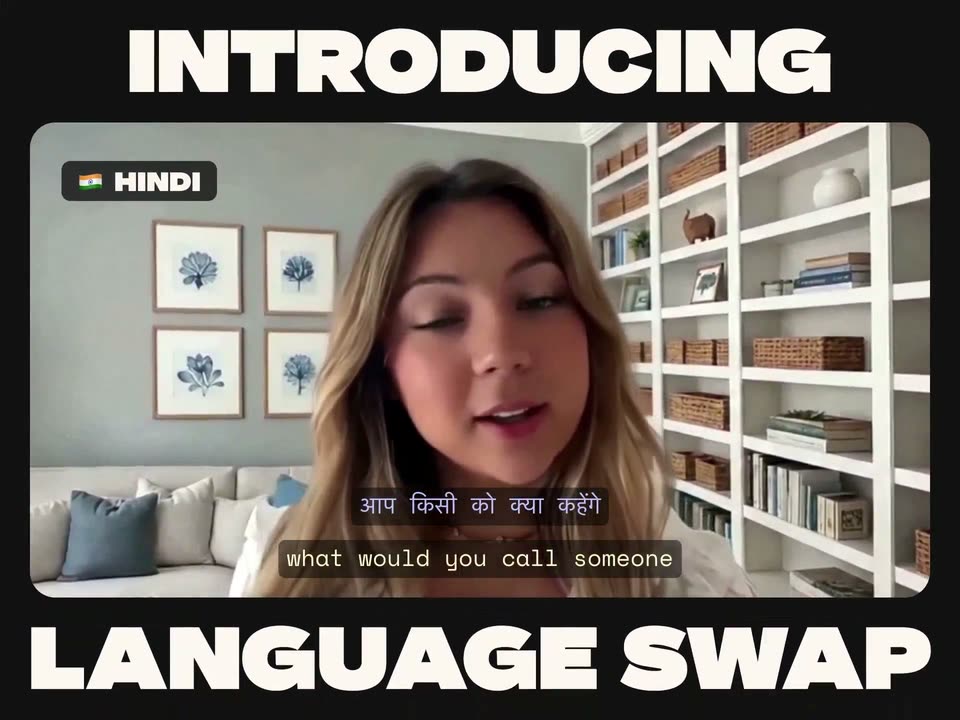

Pika - Take your content global, already! The Language Swap skill via Pika
Pika · AI · Jun 2026
Cohere · Aug 2025 · 1:40 · AI-annotated
Cohere’s 1:40 launch film runs 52 scenes, about 1.9 s each. The product is on screen from the first frame and 6 features are revealed. The call to action lands at 1:37 (98% in). The film stacks single-line typographic cards over thin construction-line backdrops, each card handing off to a tight UI demo of an agent working in chat. Fast 152 BPM cuts and field color shifts between mint, navy, and dark green mark the beats from the intro through three use-case demos to the closing URL card.
Is this your launch? to your site or press kit.
Pika · AI · Jun 2026
Mistral AI · AI · Jul 2025
The north by Cohere logo holds centered on a pale mint field, then tilts and shrinks with a ghost trail as thin blue arrowed lines converge. It gives way to the tagline “is here to help,” which settles inside a large thin blue circle.
On-screen text: “is here to help”
Techniques: Morph
Camera: Static
On a pale mint background with a thin teal circle and two horizontal lines, the black phrase 'is here to help' crossfades into the word 'transform' at the center, the letters blending and shifting as they swap.
On-screen text: “is here to help”, “transform”
Techniques: Kinetic type
Camera: Static
A thin blue grid and a dashed circle frame the center of a dark navy field. White text reads transform, then settles into the smaller your company as the grid lines drift slowly.
On-screen text: “transform”, “your company”
Techniques: Kinetic type
Camera: Static
A dark navy field framed by thin cyan corner brackets holds the white headline centered. The text scales up gently while the corner marks drift slightly inward, all on a locked-off frame.
On-screen text: “With an AI operating system”
Techniques: Kinetic type
Camera: Static
A teal rounded-square logo with a dark abstract mark sits centered on a dark navy field, then slides left and shrinks as the mark tilts.
Camera: Static
A dark navy chat screen shows a blue rounded-square app icon beside the white heading How can I help you, above a thin cyan-bordered input field holding the placeholder Ask me anything and a row of small cyan line icons. The heading slides in as the layout settles into a locked-off frame.
Camera: Pull out
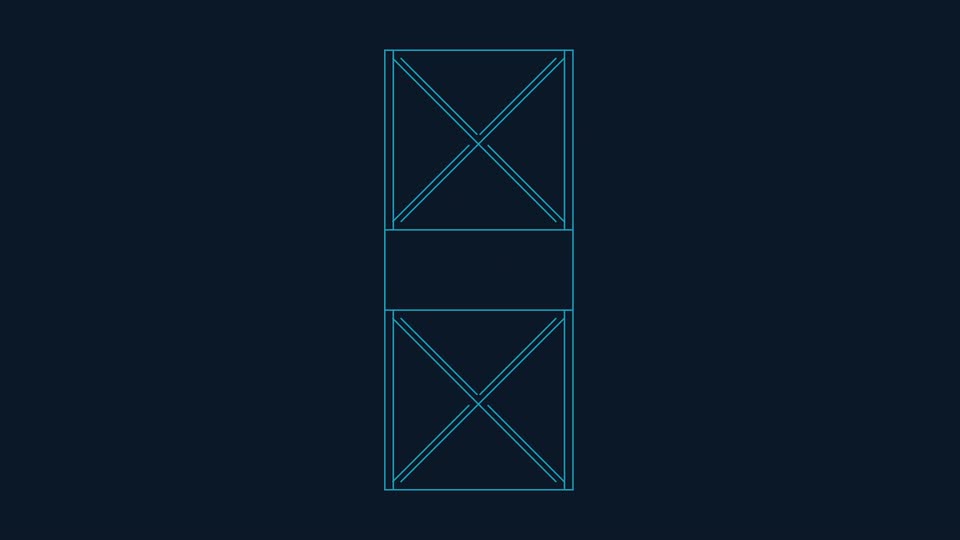
A dark chat screen shows a blue logo icon and the white heading How can I help you? sliding in above an outlined input box. The interface then fades to a single image placeholder, which resolves into a vertical wireframe of three outlined boxes.
Camera: Static
A dark navy wireframe of outlined placeholder boxes with X marks rearranges into a top and bottom band with corner boxes, while the white text fades into the center band.
On-screen text: “that lets you create”
Techniques: Morph
Camera: Push in
On a dark navy field bordered by thin cyan plus marks, the white line “a library of custom agents” scales into the center, then a blue cursor arrow drifts in from the lower right as the line clears.
On-screen text: “a library of custom agents”
Techniques: Kinetic type
Camera: Static
A blue cursor hovers the New agent button on a dark navy panel. The view then zooms out to a grid of agent cards, the Legal Support Agent card outlined in blue while the rest stay dimmed.
Techniques: Cursor demo, UI zoom
Camera: Push in
A dark grid of rounded agent cards fills the frame, each with a teal letter icon and a white label. The center column cycles through new labels, scrolling upward with a soft blur, while the side columns hold still.
Camera: Static
A grid of dark agent cards with cyan letter icons fills the navy frame and eases back slightly, then dims as a large white italic headline fades in across the center.
On-screen text: “And that lets you convert”
Camera: Static
White headline text swaps through phrases on a dark green field while a thin green wireframe square draws an arc, then stretches into a 3D box. The words slide and scale in place.
On-screen text: “And that lets you convert”, “complex manual processes”, “into”, “intelligent automations”
Techniques: Kinetic type, Morph
Camera: Pull out
A dark green grid background holds a green-outlined rounded card with a robot icon in a green tile and the labels Request Intake and Agent. The card slides slightly, and a white node dot on a dashed green line runs down the center below it.
On-screen text: “Request Intake”, “Agent”
Camera: Static
A dark green workflow canvas opens zoomed in on two nodes, Request Intake and Routing, then pulls back to reveal the full graph as case branches and resolution nodes fade in.
Techniques: UI zoom
Camera: Pull out
Dark navy field with thin cyan grid lines and circles; “Securely” sits centered, then fades as “connected to your data” takes its place, while the circles reposition into an overlapping pair.
On-screen text: “Securely”, “connected to your data”
Camera: Pull out
A vertical list of integration options scrolls slowly down a dark navy field. Rounded rows with thin teal borders each pair a colored icon and a white label: Uploaded files, One Drive, Gmail, Slack, Notion, Linear. The column is centered, leaving open space on the left.
Camera: Pull out
Black sans-serif headlines sit centered on a pale green field while thin green line art behind them shifts from a wireframe hourglass to ovals to a circle grid. The first line scales, the next two hold still.
On-screen text: “Let AI do the boring work”, “So you can do”, “the breakthrough work”
Techniques: Kinetic type
Camera: Static
Thin cyan lines fan out from the bottom center, then re-anchor to the side edges and close into a diamond lattice across a dark navy field. The white headline Empowering Finance holds centered while the lines shift.
On-screen text: “Empowering Finance”
Camera: Static
Centered white text reads 'to better understand' over a dark field of thin cyan lines radiating from the edges. The line pattern morphs into concentric circles and spokes while the text swaps to 'internal operations'.
On-screen text: “to better understand”, “internal operations”
Techniques: Morph
Camera: Static
A cyan-outlined card on dark navy shows a teal F icon, the white title FP&A Agent, and monospace labels CHAT WITH THIS AGENT and 327 USERS. A teal cursor hovers at the card's edge as the title scales up.
Techniques: Cursor demo
Camera: Static
The camera opens on a close-up of the card heading and pulls back to the full prompt card as the question types out. A cyan cursor drags a file into the card, format buttons pop in, and the cursor clicks the send button.
Techniques: UI zoom, Cursor demo
Camera: Pull out
A dark chat panel with a blue F badge builds its response text, lines sliding apart from an overlapping stack into a clean numbered list. A resources card and a Reasoning card then drop in beneath the panel.
Techniques: Kinetic type
Camera: Static
A dark chat window scrolls down and zooms in, pushing the earlier analysis message off the top while a new response box types out at the bottom. A small blue F logo sits in the upper-left corner.
Techniques: UI zoom
Camera: Push in
A dark blue interface shows a reasoning panel with a salary breakdown and a highlighted amount. A file card for H125_PayrollSummary.csv, tagged Google Drive, slides in from the right as the panel text scrolls upward.
Camera: Push in
A flat chat input card with a cyan border sits on a dark navy field. The prompt types out word by word, then the card slides up as a second card with an F avatar and a thought bubble types in above it.
Techniques: Kinetic type
Camera: Static
On a dark navy field, a blue F icon sits beside a chat card holding the agent's plan. Two action pills drop in beneath it, then a second card with a line chart slides in from the left, overlapping the first as it shifts up and right.
Camera: Pan
On a dark navy field, a cyan F badge sits above a caption box that types out a sentence about headcount growth, while a teal line chart with rising trend and dot markers fills the right panel.
On-screen text: “QoQ Headcount Growth”, “EWA employee count saw a net increase of 2,373 from Q1 to Q2. Here is a line chart visualizing headcount growth over the past 8 quarters.”
Techniques: Kinetic type
Camera: Static
A black bold headline reads “Empowering HR” centered on a pale green field. Thin green circle outlines overlap behind the text and drift slowly to the right while the type stays fixed.
On-screen text: “Empowering HR”
Camera: Static
Thin green grid lines and a wireframe globe drift on a dark green background as bold white lowercase text switches from “to better source” to a larger “top talent”, then a green-outlined chip with an H icon and “Recruiting Agent” appears.
On-screen text: “to better source”, “top talent”
Techniques: Kinetic type
Camera: Pull out
A dark green agent card with a green H tile and the title Recruiting Agent sits centered; a green cursor hovers it, then the card slides up to reveal a chat bubble and a Tools bar, the cursor moving to a green enter button.
Techniques: Cursor demo
Camera: Static
A dark green message card types a request line by line, a cursor taps the green return key, then the card shrinks and a green H avatar slides in beside a new box where the AI reply types out.
Techniques: Kinetic type, Cursor demo
Camera: Static
A green chat card types out an AI plan on a dark background, then two tool cards, Using Gmail and Using Document Mode, slide in below. The view pulls back to a full two-pane interface, pairing the chat with a generated job description document.
Techniques: Kinetic type, UI zoom
Camera: Push in
A dark job-description document with a green-highlighted 'Key responsibilities' label fills the frame. An inline prompt box appears over the bullet list, its white text typing out a request to add two leadership bullets, beside a green enter button.
Techniques: Kinetic type
Camera: Static
On a near-black green background, a green line person icon sits beside a rounded rectangle. The green border draws in around the box while the prompt text types itself out across two lines, completing the question.
On-screen text: “Please identify who should be included in the interview process”
Techniques: Kinetic type
Camera: Static
A flat pale mint-green field holds the black word “Reviewing...” at center. The text drifts in from the left with a brief motion blur, then locks off and stays still for the rest of the shot.
On-screen text: “Reviewing...”
Techniques: Kinetic type
Camera: Static
A dark interface card holds a four-row table of interviewers with name, title and focus columns, while a closing sentence types out beneath it. A green square H icon sits to the left on a near-black green background, frame locked off.
On-screen text: “Reviewing.…”
Techniques: Kinetic type
Camera: Static
Opens on a tight close-up of a green-outlined card with a message and a row of green icons labeled Tools, then pulls back to a two-row chat. The user message finishes typing, the H-marked assistant bubble types out a reply, and a Using Gmail chip pops in below.
Techniques: UI zoom, Kinetic type
Camera: Static
A dark email panel titled Email to Sarah loads its body text line by line. The panel then dims while a green-outlined confirmation bubble with a person icon and the text Confirmed. Please send! fades in over the body copy.
Camera: Static
A green rounded square with a white H sits left of a black headline on a pale green field. The headline types itself out letter by letter, each character shifting from light gray to black until the full sentence reads Email sent successfully!
On-screen text: “Email sent successfully!”
Techniques: Kinetic type
Camera: Static
A black bold sans headline, Empowering Sales, sits centered on a pale mint field and scales up through the shot. Thin teal line arcs radiate and expand from the lower-left corner behind the text. The frame stays locked off.
On-screen text: “Empowering Sales”
Techniques: Kinetic type
Camera: Static
Thin cyan construction circles rotate and redraw across a dark navy field. 'Empowering Sales' scales and dissolves behind the steady white line 'to better serve', then the circle set re-forms as 'yourcustomers' holds centered.
On-screen text: “Empowering Sales”, “to better serve”, “yourcustomers”
Techniques: Kinetic type
Camera: Static
A centered interface card on a dark navy field shows a blue square avatar with an S, the title Sales Agent, and a Chat with this agent link beside a user count. A blue cursor arrow glides up from below the card to hover on the link.
Techniques: Cursor demo
Camera: Static
A chat input card on a navy background types a message; a cursor arrow then clicks the blue send button. The card swaps to an agent row: a blue S tile, Sales Agent name, 1,241 USERS tag, CHAT WITH THIS AGENT button, and a spinner pill reading Reasoning...
Techniques: Kinetic type, Cursor demo
Camera: Static
On a dark navy field, a blue S icon anchors a vertical stack of status cards. Spinners in the Reasoning and Searching tools rows flip to checkmarks, a Discovered automation card drops in, then a message box and a Yes button appear at the bottom.
Camera: Static
A dark navy screen shows the heading Automation tasks above a stack of five task rows, each with a progress ring, label and app icon. Rows light up in sequence as their rings fill and become checkmarks while the rest stay dimmed.
On-screen text: “Automation tasks”
Techniques: Morph
Camera: Static
A bordered report card on a dark navy background pans slowly upward, revealing the Company Overview paragraphs, a three-column product table, and the Account & Opportunity Details heading.
Camera: Static
On a dark navy field, a person icon sits beside a bubble asking to schedule a meeting, then a blue S logo pulses in as a second bubble types out a reply, and a calendar bubble reading Using Google Calendar drops in below.
Camera: Static
A pale mint background holds a teal rounded square with a white S on the left. To its right, the headline “Invite sent!” resolves from a soft blur into crisp black type as the icon settles into place.
On-screen text: “Invite sent!”
Techniques: Kinetic type
Camera: Static
On a dark green field, thin green lines form a grid that bends into overlapping ellipses. “Welcome to” holds center, then gives way to “a new era of work,” which scales in as the curves settle into a rounded frame.
On-screen text: “Welcome to”, “a new era of work”
Techniques: Morph, Kinetic type
Camera: Pull out
Green wireframe line drawings on a near-black teal background: a rounded rectangle filled with a curved mesh, a small segmented circle, and a larger rounded rectangle containing a polygonal cell pattern. The view then zooms into the cell pattern until it fills the frame.
Camera: Static
On a dark green field, the white north by Cohere wordmark and icon are uncovered by a horizontal mask that opens from the right, settling into the full lockup. A small letter-spaced URL with a green arrow sits at the bottom, locked off.
On-screen text: “north”, “by Cohere”, “COHERE.COM/NORTH”
Techniques: Masking
Camera: Static