1:38

Branching just got a whole lot easier!
Supabase · Developer tools · Jul 2025
Tsenta · Nov 2025 · 1:14 · Full motion · AI-annotated
Tsenta’s 1:14 launch film runs 20 scenes, about 3.7 s each. The product is on screen from the first frame and 4 features are revealed. The call to action lands at 1:07 (91% in), over a voiceover. The video is a first-person screen-recording tour: it opens on a live grid of browser windows applying to ten jobs, walks the dark dashboard feature by feature (apply flow, resume editor, job board, history), and closes on a static purple download card with a typed URL. Pacing is brisk at roughly 13 cuts per minute, with a word-by-word typed caption pill pinned to the bottom of every shot; the signature moves are the cursor-driven UI actions, the zoom in and out on the window grid, and the hard切
Is this your launch? to your site or press kit.
Supabase · Developer tools · Jul 2025
Google · AI · Feb 2026
Solidroad · B2B · Dec 2024
Films whose music sounds like this one, voice left out
DJI · Cinematic electronic
Sinter · Modern Electronic
RoboParty · Electronic
A locked-off macOS desktop shows a grid of browser windows, each holding a job application form, over a blue and green wallpaper. A dark caption bar at the bottom types out the first line, then the second line slides in.
On-screen text: “Hey, this is Tsenta,”, “and it's currently applying to 10 jobs for me at the same”
Techniques: Kinetic type
Camera: Static
A macOS desktop shows a stacked cascade of browser windows while a small dark automation panel at the top left fills job-application forms. The front form switches between fields and a cursor hovers as a caption slides along the bottom.
On-screen text: “and it's currently applying to 10 jobs for me at the same”
Camera: Push in
A macOS desktop holds a grid of a dozen browser windows, each showing a job application form. The shot opens zoomed into one form, then pulls back to the full grid as blue outlines hop between windows and cursors move inside them.
On-screen text: “and it's currently applying to 10 jobs for me at the same”, “time. It all happens right on your laptop,”, “so you can control what's being filled out at any time.”
Techniques: UI zoom, Cursor demo
Camera: Pull out
A macOS desktop shows several fanned browser windows; the front page is a Full Stack Engineer Intern application with a resume file chip and a spinning indicator. A small floating panel with a Pause button and an Auto-submit toggle sits top left, while a white caption runs along the bottom.
On-screen text: “so you can control what's being filled out at any time.”
Camera: Push in
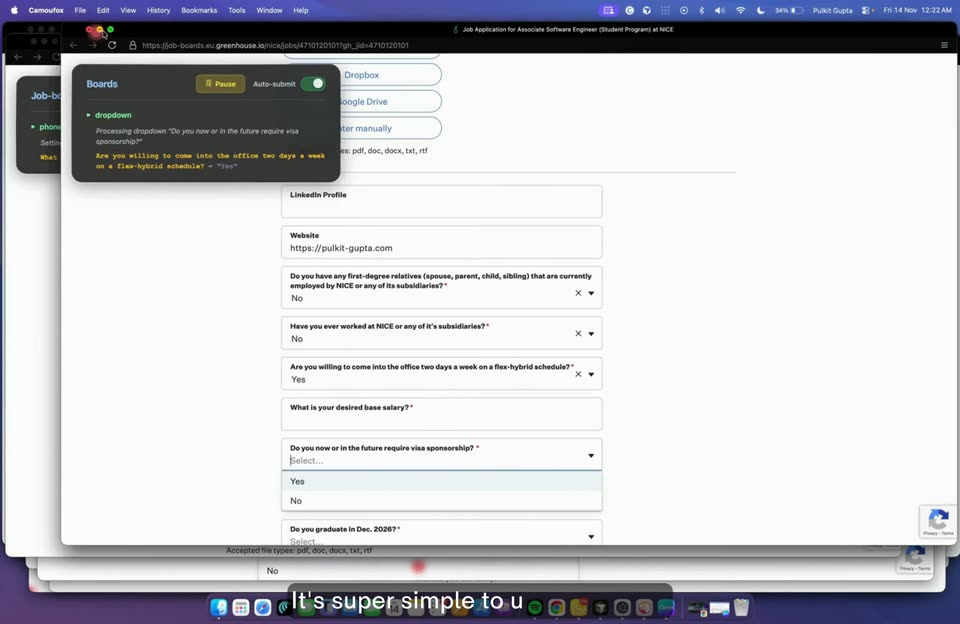
A browser window shows a job application form filling itself in, dropdowns snapping to answers, while a small floating panel in the top-left logs each field it processes. A white caption slides in word by word along the bottom edge.
On-screen text: “It's super simple to use”
Techniques: Kinetic type
Camera: Static
A dark job-dashboard UI fills the frame. A cursor toggles Resume Optimization, clicks the green Approve button, and the job card swaps. The cursor types a URL into the Paste Job URL box and clicks Apply, spawning a green success banner and a queued job. Captions track the voiceover.
On-screen text: “If you want”, “you can also bring your own job by pasting the URL”, “and pressing Apply. It's that simple.”, “To edit your AI-optimized resume,”, “just click here”
Techniques: Cursor demo
Camera: Static
A two-panel resume editor fills the frame. The left AI Analysis panel scrolls through score bars and expands Gap Analysis and Priority Recommendations as a cursor clicks, while a static resume preview for Pulkit Gupta holds on the right. A white caption builds word by word along the bottom.
On-screen text: “For every job, you'll see your gap analysis, your strengths, and all the changes Senta suggests.”
Techniques: Cursor demo
Camera: Static
A split-screen resume editor shows a form on the left and a live preview on the right. The name field is retyped from PULKIT to DEMO! and the preview updates in sync, while the cursor clicks into the DevOps skills field. White captions type out along the bottom.
On-screen text: “Everything on this page is fully editable.”, “You can modify sections, update bullet points, and adjust your layout however you want.”
Techniques: Split screen, Kinetic type, Cursor demo
Camera: Static
A two-pane resume editor fills the frame: an AI analysis panel with score bars on the left, a live preview of a resume on the right. A cursor hovers over the Customize Layout button while a caption builds word by word along the bottom.
On-screen text: “and adjust your layout however you want”
Techniques: Kinetic type, Cursor demo
Camera: Static
A dark resume editor fills the screen with analysis bars on the left, a live preview in the center and a controls panel on the right. A cursor drags a section row in the order list to swap its position, while a white caption at the bottom changes text.
On-screen text: “and adjust your layout however you want.”, “We also have a job board i”
Techniques: Cursor demo
Camera: Static
A dark Tsenta dashboard shows Recommended Jobs, Paste Job URL and My Applications panels. A cursor glides across the top while the My Applications section updates, moving a Motorola Solutions card from Processing to Approval Required.
On-screen text: “We also have a job board if you want more granular”
Techniques: Cursor demo
Camera: Static
A dark job board fills the frame, filter panel left, three job cards right. The cursor opens the Major dropdown, picks Computer Science, then ticks the Internship box, and the card grid refreshes with a green toast top right. The cursor then slides to the History tab.
On-screen text: “We also have a job board if you want more granular”, “control over the roles you”, “with filters to help you find exactly what you're looking for.”, “If I go to the history page, I can see the status of all my applications.”
Techniques: Cursor demo
Camera: Static
A dark History screen of the Tsenta app: the cursor taps the History tab, then the application list scrolls down to reveal more rows while the cursor hovers over entries, highlighting them. White captions build word by word along the bottom.
On-screen text: “If I go to the History page,”, “I can see the status of all my applications”, “Everything that's running shows up here in real time.”, “And the ones that are finished are marked as completed.”
Techniques: Cursor demo
Camera: Pan
A dark Application History list with company rows, timestamps and status pills fills the frame; a cursor hovers on one row. The view pulls back to reveal a Gmail window on the left showing incoming confirmation emails.
On-screen text: “If I check my Gmail,”
Techniques: Cursor demo, UI zoom
Camera: Push in
A Gmail inbox on the Updates tab lists four confirmation emails at the top while the remaining rows are blurred; a cursor moves over the list. Subtitles appear in a dark bar at the bottom.
On-screen text: “I can see the confirmation emails coming in as well”, “And just like that, Senta takes care of the entire job search for you.”
Techniques: Cursor demo
Camera: Static
A dark application history screen fills the frame as a light side panel on the left fades out. Rows of company names with orange Running and green Completed pills shuffle and scroll upward. A white caption line appears at the bottom.
On-screen text: “And just like that,”, “Senta takes care”
Camera: Pan
A dark job-tracking dashboard fills the frame, showing an applications progress bar and a list of company applications with status pills. A cursor moves across the top menu and down the list while a caption types out at the bottom.
On-screen text: “Senta takes care of the entire job search for you”
Techniques: Cursor demo
Camera: Static
A dark job-search dashboard fills the frame, showing a recommended job card, a paste-URL panel with company icons, and an applications grid. A cursor glides from the top nav to a card while a black caption box at the bottom reads “job search for you.” then types out “Download.”
On-screen text: “job search for you.”, “Download”
Techniques: Cursor demo, Kinetic type
Camera: Static
The dark product interface scrolls up to reveal a purple download panel with three platform cards for Mac, Windows and Linux. A white caption types out word by word at the bottom.
On-screen text: “Download now at senta.com”
Techniques: Kinetic type
Camera: Pan
A purple Tsenta download page sits static, showing three platform cards for Mac, Windows and Linux under a Get Tsenta today headline. At the bottom a dark rounded pill types out the URL while a short caption reads Download now at tsenta .com.
On-screen text: “Download now at tsenta .com.”, “www.tsenta.com”
Camera: Static