1:38

Branching just got a whole lot easier!
Supabase · Developer tools · Jul 2025
Solidroad’s 2:35 launch film runs 19 scenes, about 8.2 s each. The product is on screen from the first frame and 4 features are revealed. The call to action lands at 2:08 (82% in), over a voiceover. A single screen recording narrated by the presenter walks top to bottom through the product, from the dashboard to a phone simulation, its evaluation, chat simulations, and automation. Steady zooms and crossfades move between views at an even pace, with the presenter's circular webcam anchored in the corner throughout.
Is this your launch? to your site or press kit.
Supabase · Developer tools · Jul 2025
Dydema · Consumer · Oct 2026
Films whose music sounds like this one, voice left out
Agentcard · Technical demonstration
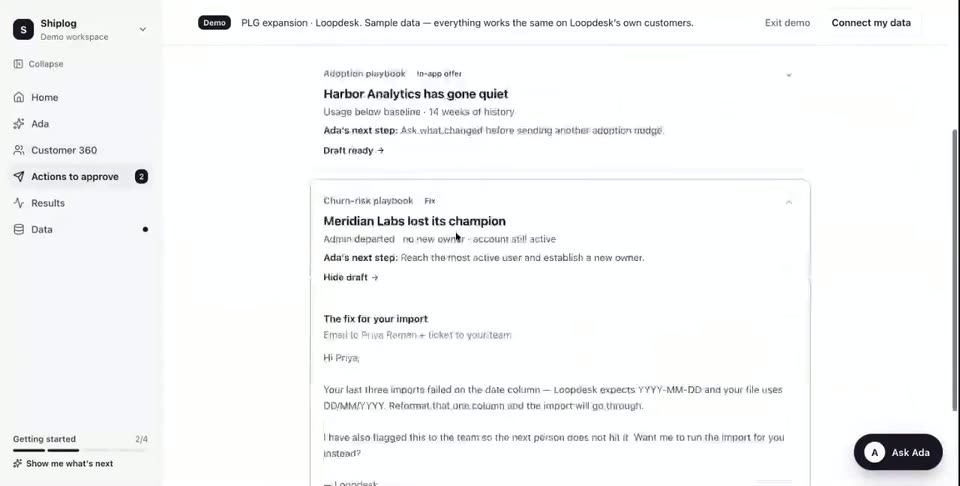
Shiplog · Corporate presentation / Product demo
primitive · Technical demonstration / Tutorial
A static screen recording of the SolidRoad dashboard shows a welcome header, an Actions grid and an Active assignments list, while a small circular webcam of the presenter sits in the lower left and a cursor drifts across the page to hover the Library menu.
Techniques: Cursor demo
Camera: Static
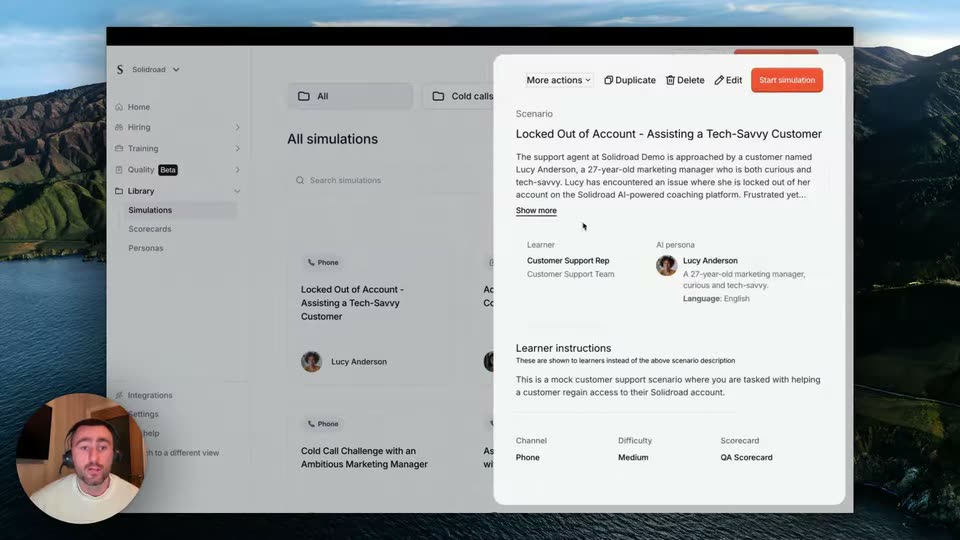
The Solidroad simulations grid fills a window over a mountain desktop, with a presenter in a small circular webcam at the lower left. A cursor hovers a card, then a detail panel slides in from the right to show the scenario.
Techniques: Cursor demo
Camera: Static
A white dashboard window floats over a mountain lake wallpaper, a circular webcam of a bearded man in the lower left. The app shows skeleton loading: an empty gray canvas on the left, a stack of gray placeholder blocks on the right, and a cursor drifting across the screen.
Techniques: Cursor demo
Camera: Static
A web app screen pairs a dark call panel with a white scenario card, plus a circular webcam of a man in the corner. A white modal pops up, the cursor clicks Start simulation, and an orange circle counts down from 3 to 0.
Techniques: Cursor demo
Camera: Static
A desktop screen shows a support-simulation app: a dark call panel with the name Lucy Anderson and a ticking timer, beside a white sidebar. A small circular webcam of a man in a headset sits bottom-left, then expands into a tall left panel as the window shifts right.
Techniques: Morph, Split screen
Camera: Pull out
Split screen: a man in a headset sits at left while the product UI fills the right. A blue call panel shows a pulsing waveform avatar, a timer ticking from 00:06 to 00:13, and the name Lucy Anderson; a sidebar lists the scenario details.
Techniques: Split screen
Camera: Static
A headset-wearing presenter's webcam sits left over a mountain-lake backdrop, beside a product screen with a phone simulation: a ticking timer, the name Lucy Anderson, a blue Mark button, and a detail sidebar. He speaks as the timer runs from 00:14 to 00:19.
Techniques: Split screen
Camera: Static
A man in a headset occupies a left webcam feed while the right shows a product interface: a blue call panel with a ticking timer and the name Lucy Anderson, beside a sidebar of scenario details, over a still mountain lake background.
Techniques: Split screen
Camera: Static
A split layout places a man in headphones on a webcam at left and a customer-support simulation window at right over a mountain-lake backdrop. The dark call panel shows a 00:28 timer and the name Lucy Anderson, while the sidebar lists the scenario, role, and AI persona.
Techniques: Split screen
Camera: Static
A man in a headset sits left of a product screen showing an active call to Lucy Anderson. The blue call panel fades to dark gray as the timer counts up, and the Mark button turns blue. A mountain lake backdrop sits behind both panels.
Techniques: Split screen
Camera: Static
A customer-support review screen fills the frame over a mountain desktop, a circular webcam of the presenter pinned bottom left. The view zooms into two panels: a score card with skill ratings on the left, a scrolling Mark-and-Lucy transcript on the right.
Techniques: UI zoom
Camera: Static
A product evaluation window showing a 58/100 score and a customer chat transcript sits on a mountain-lake desktop. A circular webcam feed of a presenter holds the lower-left corner. The camera zooms in steadily on the interface, cropping the title bar.
Techniques: UI zoom, Cursor demo
Camera: Push in
A feedback dashboard opens zoomed on a 58/100 score panel, then pulls back to reveal a two-column window with a chat transcript on the right. The left panel scrolls down through scored criteria while a cursor toggles example snippets, over a mountain backdrop with a small webcam bubble.
Techniques: UI zoom, Cursor demo
Camera: Pull out
A white training page lists chat simulations in an inbox-style table, with a circular webcam of a bearded man in the lower left. The cursor scrolls the list down one row, then clicks the orange Start all button, which spins into a loader.
Techniques: Cursor demo
Camera: Static
A locked-off screen recording shows an inbox list behind a centered modal titled Get ready for your chat simulation, with an orange Start simulation button. A circular webcam of a man in headphones sits bottom left, and the cursor drifts toward the button.
Techniques: Cursor demo
Camera: Static
A flat inbox interface fills a laptop frame over a mountain-and-lake backdrop, with a small circular presenter cam in the lower left. A cursor travels down the conversation list and clicks a row, which highlights and loads a customer message with a typing indicator in the chat pane.
Techniques: Cursor demo
Camera: Static
A flat screen recording of the Solidroad Automation page shows a table of web interactions under a beta banner. A cursor drifts across the rows and columns while a presenter in a circular webcam inset at the bottom left speaks. A mountain and lake wallpaper sits behind the window.
Techniques: Cursor demo
Camera: Static
A desktop app window floats over a mountain wallpaper, with a circular webcam feed of a man in the corner. The cursor hovers a table row, then the screen crossfades into a detail panel showing a numeric score and feedback sections.
Techniques: Cursor demo
Camera: Static
A flat front-on view of an evaluation dashboard on a desktop screen. The left panel scrolls down through scored skill categories while the right panel holds a static chat transcript. A cursor drifts across the transcript; a circular webcam self-view of a man with headphones sits bottom-left.
Techniques: Cursor demo
Camera: Static