2:40
Dydema (YC F26) Launch Demo
Dydema · Consumer · Oct 2026
Dydema · 2:40 · AI-annotated
Dydema’s 2:40 launch film runs 19 scenes, about 8.4 s each. The product is on screen from the first frame and 2 features are revealed. The call to action lands at 2:37 (98% in), over a voiceover. Founder-led handheld demo that alternates live action with split-screen UI captures, escalating from a hardware reveal to a full chess-and-email workflow. Its signature moves are whip-pan transitions, the persistent screen-plus-person split layout, and serif captions over warm home-office light.
Is this your launch? to your site or press kit.
Dydema · Consumer · Oct 2026
Supabase · Developer tools · Jul 2025
Orior AI · AI · Oct 2026
A man in a white EEG cap and brown hoodie sits at a cluttered desk, smiling and talking to camera; a gray mannequin head on a stand is behind him. A hand reaches in for a handshake near the end. Bottom captions track his speech.
On-screen text: “Hey y'all, we're Dydema and we're”, “building personal programmable”, “brain-computer interfaces.”, “So you can choose a thought and it can”, “become an input to any program.”
Camera: Pan
A handheld camera whips through an office, catching a seated man in a brown jacket, then a white paneled wall, then a close-up of a man's face. White subtitle captions appear at the bottom of the frame.
On-screen text: “become an input to any program.”, “I'm Julian, I'm the CEO.”
Camera: Pan
Close-up of a blonde man speaking to camera, then a quick whip to a second man in a brown hoodie wearing a white sensor headband, standing in a studio with a mannequin head and desk. He gestures while talking. Subtitles caption each line.
On-screen text: “I'm Julian, I'm the CEO.”, “And I'm Chris, the CTO.”
Camera: Push in
A young man in a brown hoodie and a white cap fitted with thin wires turns toward the camera and points at his chest, smiling. Behind him, a gray mannequin head on a stand, monitors and a cluttered desk fill a white-walled office. A subtitle identifies him at the bottom.
On-screen text: “And I'm Chris, the CTO.”
Camera: Static
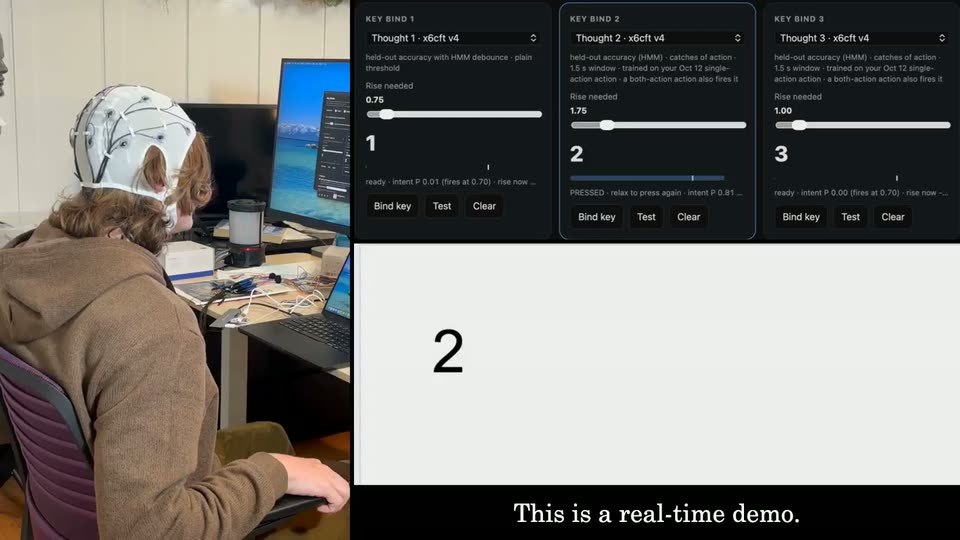
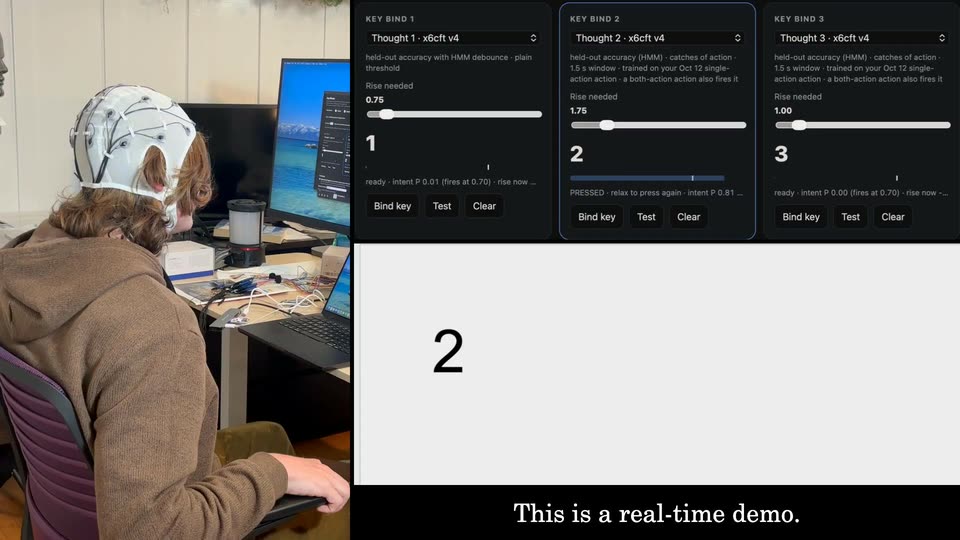
A man in a white EEG cap sits at a desk on the left while the product's three key-bind panels and a blank text field sit on the right. He types the digits 2, 23, 231 by thought as the colored sliders fill and the panels flash.
On-screen text: “And I'm Chris, the CTO.”, “Chris is wearing a 16-channel EEG cap that”, “picks up voltage changes on his scalp.”, “He's learned to imagine three”, “movements, and our model decodes”, “each one into a key press.”, “Let's start with two.”, “Give it some time to warm up.”, “There it is. Oh, no time needed.”, “Three. This is a real-time demo. Perfect. One. Perfect. Wonderful. Now let's go to something else.”
Techniques: Split screen
Camera: Static
Split screen: a chess.com board on the left reframes and zooms onto the pieces, a dark control bar with three buttons sits top right, and a person in a white head wrap and brown hoodie sits in a room on the right. A white caption sits at the bottom.
On-screen text: “Now let's go to something else.”
Techniques: Split screen, UI zoom
Camera: Push in
A split screen pairs a chessboard on the left with a right column holding a dialog box over a man in a white EEG cap. The man turns his head while a cursor drifts across the dialog and board, and a blue suggestion line fades in.
On-screen text: “We were just playing around with”, “a numerical interface.”
Techniques: Split screen, Cursor demo
Camera: Static
A split screen pairs a chess board with a move-suggestion dialog on the right, while a person in a white EEG headset watches from the lower right. A white serif caption sits at the bottom. The layout holds steady.
On-screen text: “We were just playing around”
Techniques: Split screen
Camera: Static
Split screen: a Chess.com board left, the agent's suggestion box top right, and a person in a white electrode cap bottom right. The box swaps its prompt and toggles its middle button while the white pawn plays d4 and black answers c5.
On-screen text: “with computer use earlier today.”, “Yeah. So let's play some chess.”, “Yeah.”, “Now we've hooked up a computer use agent.”, “It reads the screen and suggests”, “an action up in that box.”
Techniques: Split screen
Camera: Static
Split screen: a static chess.com board with the last move highlighted on the left, a dark move-suggestion panel top right; on the right, a man in a white electrode cap is cut between close-up and a desk shot with monitors, while white serif captions roll below.
On-screen text: “an action, up in that box.”, “Okay.”, “Chris answers with the same”, “three thoughts: yes, rethink,”, “or navigate to another app.”, “Yeah, I like that move.”, “Hmm.”
Techniques: Split screen
Camera: Static
Split screen: a green Chess.com board on the left, a suggestion card with Yes, Rethink, Navigate buttons at the top right, and a person in a white EEG cap at the bottom right. The camera pulls back from the cap to a wide desk shot as the white knight moves from b1 to c3.
On-screen text: “Yeah, okay, I'll go for that.”, “The model waits until it's”, “confident before it presses,”, “so a choice can take a few seconds.”, “There it is. Nice.”, “You know, I did send you an email, though.”, “Do you think you could respond to that?”, “Yeah, I'll respond to your email.”
Techniques: Split screen
Camera: Static
Split layout: a green chess board with two squares highlighted on the left, a dark instruction panel with buttons top right, and a live shot of a person in a white EEG cap at a desk bottom right. The panel's blue line and buttons swap as the person reacts, then the left cuts to a Chess.com browser window and the right to a face close-up.
On-screen text: “Maybe navigate over to the email.”, “Yep. That's, there it is.”
Techniques: Split screen
Camera: Pull out
Split screen: left, a Gmail inbox list that zooms in from the full window, with a cursor hovering a row; top right, an agent prompt card whose text and buttons swap; bottom right, a person in a white brain-computer headset talks. Subtitles caption the voiceover.
On-screen text: “And now, let's tell”, “the agent to find your email.”, “Yep. It's pretty important to respond”, “to your co-founder's emails, I think.”, “I'd agree. I'd agree.”
Techniques: Split screen, UI zoom, Cursor demo
Camera: Static
Split screen holds a Gmail inbox list with a cursor on the left, a dark prompt card with three buttons top right, and live-action footage bottom right where a person in a white EEG cap turns as a dog moves behind.
Techniques: Split screen
Camera: Static
Split screen: left, a Gmail search field shows from:julian as the inbox list filters to emails from Julian Weaver, then opens the launch thread; right, a dark prompt card sits above a person in a white electrode cap seated at a desk.
On-screen text: “There it is. Okay.”, “There's the email.”, “So what's it suggesting I do next?”
Techniques: Split screen
Camera: Static
Split screen: a Gmail email from Julian Weaver sits static on the left while a person in a white BCI head cap turns and talks on the right, beneath a dark overlay card that swaps its suggested reply. White subtitles caption the voiceover.
On-screen text: “Oh.”, “Yeah, are you excited?”, “Yeah.”, “Alright, let's see.”, “Nervous, but mostly”, “excited on the long road.”, “Hmm.”, “That's better. I had to rethink that one.”, “I am perfectly down to grab”, “a drink with you after we launch.”
Techniques: Split screen
Camera: Static
Split screen shows an email reply on the left and a man in a brain-computer headband at his desk on the right, with a top panel shifting from a reply prompt to a send confirmation. White subtitles caption his approval.
On-screen text: “a drink with you after we launch.”, “Yep,”, “there it is. All right.”, “Yeah. Let's send that.”, “Perfect. Perfect.”, “There it is. Ah, it's so cool.”
Techniques: Split screen
Camera: Static
A young man in a white EEG cap and brown hoodie sits at a cluttered desk, smiling and gesturing as he points at a laptop. Handheld medium shot in a home office. A white serif caption reads his line at the bottom of the frame.
On-screen text: “There it is. Ah, it's so cool.”
Camera: Pull out
A black screen holds the DYDEMA triangle mark and wordmark centered, with the URL beneath. The whole lockup fades from dim gray to full white over the first second, then holds still.
On-screen text: “DYDEMA.COM”
Camera: Static