3:02
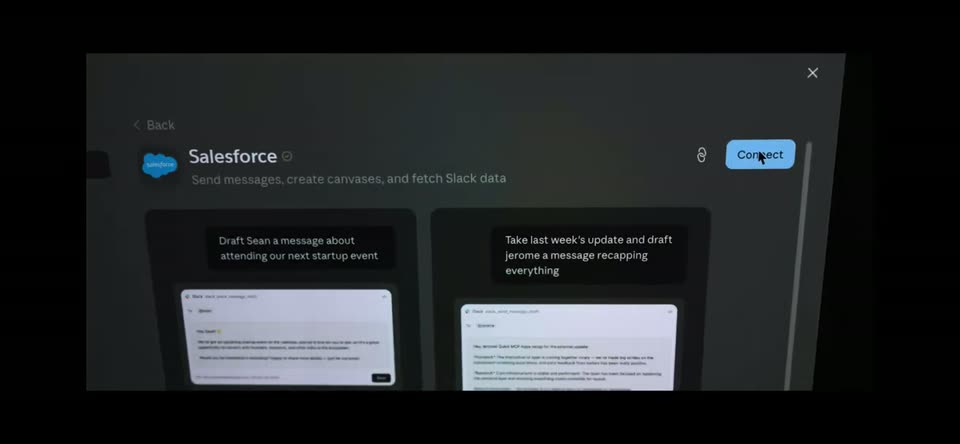
Marc Benioff - Welcome Claudeforce. ❤️
Salesforce · Aug 2026
Coda · Feb 2022 · 1:38 · Full motion · AI-annotated
studio Flowjam
Coda’s 1:38 launch film runs 42 scenes, about 2.3 s each. The product shows up at 0:37 and 3 features are revealed, with social proof. There is no explicit call to action; a voiceover carries the film. The video is built as a three-act story: a retro terminal origin, a montage of document interfaces that never really changed, then Coda introduced as building blocks and demoed feature by feature before a gallery of customer docs. Signature moves are letter-by-letter typing, tilted 3D window compositions, and hard cuts between saturated flat backgrounds that reset each act.
Is this your launch? to your site or press kit.
Salesforce · Aug 2026
Browserbase · Apr 2026
FrenchFry · Nov 2026
Films whose music sounds like this one, voice left out
Deep Interactions · Modern electronic
Mave · Modern electronic
Gulab · Electronic, EDM
A CRT-style screen with scanlines: a green block cursor blinks, then green pixel text types “LET'S START FROM THE BEGINNING” while a small chevron mark holds the right edge. The frame cuts to black, the line turns white, and a second line types “When we invented computers,”.
On-screen text: “LET'S START FROM THE BEGINNING”, “Let's start from the beginning.”, “When we invented computers,”
Techniques: Kinetic type
Camera: Static
A retro monospaced text editor fills the black screen. The edit menu panel and status bar drop in from the top, the numbered function-key bar appears at the bottom, and the paragraph types itself out letter by letter.
Techniques: Kinetic type
Camera: Pull out
A full-screen retro black text editor shows a shortcut table and a typed line ending in a blinking cursor. The view then pulls back, leaving the editor as a cropped panel inside a white rounded window on a black field.
Techniques: UI zoom
Camera: Static
A monochrome text-editor window sits on a white field. Its sketchy border sharpens into a clean frame while the menu bar fills in, and the document body types out letter by letter. The pace is steady and the framing stays fixed.
Techniques: Kinetic type
Camera: Static
A black and white Mac OS text editor window morphs into a modern Microsoft Word document, the monochrome frame and menu giving way to a blue ribbon interface as the page reflows.
Techniques: Morph
Camera: Static
A Microsoft Word window with a blue ribbon and a centered white page. Body text types in line by line while the top ribbon pans horizontally to reveal more tool groups.
Techniques: Kinetic type
Camera: Pull out
A blue sky fills a document canvas; a white file icon floats up into a cloud and disappears, then a cursor appears at the cloud's base. The application ribbon runs across the top edge.
Camera: Static
Two tilted document windows, a spreadsheet and a word processor, float in 3D space on a black background. The camera orbits slowly around them, keeping the angled perspective. The spreadsheet shows data tables and the document shows an Apollo 11 article.
Techniques: 3D mockup
Camera: Pan
Two tilted app windows float in 3D over a black background: a green spreadsheet with a black circular cutout on the left, a word-processor document on the right. Both drift and rotate slowly, parallaxing against the void.
Techniques: 3D mockup, Parallax
Camera: Static
A spreadsheet and two word processor windows sit in 3D perspective on a black background, tilted and overlapping, with a thin circular outline crossing the middle. The windows shift gently in place as the scene holds.
Techniques: 3D mockup
Camera: Static
Three tilted app windows, a spreadsheet, a search panel and an Apollo 11 document, float in 3D perspective over a dark field beside a thin circular ring. The camera tilts down, revealing a cream surface below the floating windows.
Techniques: 3D mockup
Camera: Pull out
A scattered field of tilted product UI mockups, spreadsheets, kanban boards and planners rests on a beige surface with soft drop shadows. The camera pans slowly across the layered 3D arrangement, drifting from one interface to the next.
Techniques: 3D mockup, Parallax
Camera: Pull out
Several Smartsheet interface panels, a project planning board and a company goals list among them, float at tilted angles over a cream backdrop. The cluster rotates and the panels slide into a new arrangement, the planning board rising to the top center.
Techniques: 3D mockup
Camera: Pan
A tilted 3D scatter of overlapping document windows glitches and flattens, then cascades into a diagonal stack of Docs, Sheets and Slides windows, each sliding in with a green Share button. The pile grows window by window against a beige background.
Techniques: 3D mockup
Camera: Pan
A locked-off frame shows a diagonal cascade of overlapping document and spreadsheet windows, each with a green Sign in button, sliding upward so new titles enter at the top. The front window, Meeting Notes: Project Krypton, displays a discussion thread.
Camera: Static
A spreadsheet and a browser window sit in layered depth, the browser sliding forward over the sheet. The view reframes and zooms into the open meeting-notes document, settling on the post-mortem discussion text.
Techniques: UI zoom
Camera: Push in
A presentation app shows a title slide with a blue gem and a topic list. A cursor moves along the crowded tab bar at the top of the window.
Techniques: Cursor demo
Camera: Static
A spreadsheet grid with a top row of browser tabs and scattered hand cursors transitions into a project document page. A left title block and a right topics list remain fixed over the shifting screen.
On-screen text: “OK2Design”, “Project Krypton”, “Krypton Labs | Confidential and Proprietary”, “Last updated October 15, 2019”, “Topics”, “The Customer”, “The Problem”, “Wireframes for iOS”, “ID sketches”, “The Go-to-Market Strategy”
Techniques: Cursor demo
Camera: Static
A project management spreadsheet floats in 3D perspective on a cream background, tilted and slowly rotating as the camera orbits around it. Several hand cursors hover over the toolbar buttons along the top edge.
Techniques: 3D mockup, Cursor demo
Camera: Pull out
A spreadsheet interface is shown tilted in 3D perspective, its toolbar ribbon and rows of task data floating in space. The view glides forward across the grid, the cream header band sliding past the camera.
Techniques: 3D mockup
Camera: Pan
A large gray “Meet Coda.” headline with a thin vertical typing cursor sits at the top left on a white field. It darkens to near-black, then scales down into a small breadcrumb label beside a back chevron and orange square icon, on a locked-off frame.
On-screen text: “Meet Coda.”
Techniques: Kinetic type
Camera: Static
A white Coda document shows the heading Meet Coda with a blinking cursor. A slash opens a dropdown menu, and a mouse cursor scrolls the list from Table down to templates.
On-screen text: “Meet Coda.”
Techniques: Cursor demo
Camera: Static
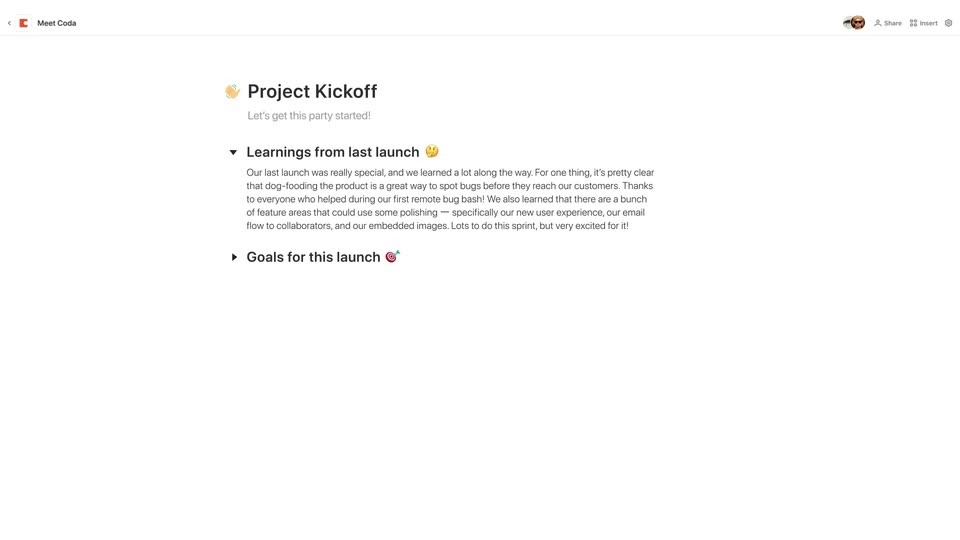
A Coda document shows the Project Kickoff page with an expanded paragraph and a goal checklist, then the two sections fold up, their arrows flip, and the page shrinks as a left sidebar appears.
Camera: Pull out
The Coda workspace unfolds in place. The left sidebar expands to list sub-pages under Product, and the main page fills downward, revealing a goals grid with colored team rows, a weekly status checklist, and a tasks table.
Camera: Static
A Coda page scrolls through tracking tables and a Gantt chart while a cursor opens a status menu, drags a slider, switches the view to cards from a side panel, and stops on a red action button.
Techniques: Cursor demo
Camera: Pan
A cursor types 'launch brief' into the right-hand Insert panel, the matching template card drops into the empty page and expands into a full launch-brief document, then a December 2021 calendar pops up and a date is selected.
Techniques: Cursor demo
Camera: Static
A document page, its heading and body text doubled in a dissolve, gives way to a three-column grid of template cards. Each card shows a thumbnail, a title and an author tag, filling the frame as the view widens from one focused page to a dense gallery.
Camera: Static
A grid of document cards with cover images and titles fills the frame. The camera glides across the wall of cards, then pushes in on the Figma card as a cursor glides in and hovers over it.
Techniques: UI zoom, Cursor demo
Camera: Push in
A grid of Coda template cards fills a gray screen; the cursor hovers over the center card, which scales up and lifts forward while the surrounding cards dim, then a one-line description fades in beneath its title.
Techniques: UI zoom
Camera: Push in
A 3D-tilted document card sits left, its pink dotted canvas holding colored shapes and arrows above the title and author line. Behind it a blurred article page shows section headings, while a faint line of body copy lingers at right. The card holds steady in perspective.
On-screen text: “An Inside Look at How Figma Ships Product”, “Yuki Yamashita”, “Product Design & Development”
Techniques: 3D mockup
Camera: Push in
A project status table in a document view settles after a dissolve, then red heart emojis pop in and float upward beside the question columns. A cursor hovers over one heart as the page scrolls down slightly.
Techniques: Cursor demo, Particles
Camera: Push in
A locked-off view of the schoolhouse.world web page: a green header with the globe logo and nav bar sits above a paragraph that slides up slightly, while a video of a man speaking in front of a bookshelf plays below.
Camera: Static
A Doc page for schoolhouse.world fills the frame: green header with logo, navigation tabs, an intro paragraph, and an embedded video of a man speaking in front of a bookshelf. A cursor drifts across the top menu. The frame stays locked off.
Techniques: Cursor demo
Camera: Static
A locked-off capture of the schoolhouse.world site shows the Find a Session by Tutor page: a green header with logo and nav above a white list of tutor profiles, each with an avatar, stats and green class buttons. A cursor hovers a Join class button as a caption line slides in.
On-screen text: “Schoolhouse.world is an initiative to help provide quality, free online tutoring to anyone and everyone who”
Techniques: Cursor demo
Camera: Static
A video call grid of six participants in home settings, two rows of three, fills the screen. They smile and talk, and the woman in the top center waves. A green banner with the Schoolhouse logo spans the top.
Techniques: Split screen
Camera: Static
Four Coda document windows float in a two-by-two grid on a pink background, each showing a branded doc: a Spotify roadmap with Gantt chart, a Superhuman word cloud, an Uber pie chart, and a Square timeline. The grid drifts slowly.
Camera: Pan
A flat document card with a folded corner sits centered on a grainy magenta background, showing a serif title and a video thumbnail. The card scales down, then a pointing-hand cursor enters from the bottom right and taps it.
Techniques: Cursor demo
Camera: Static
A grayscale hand holds a white phone against a pink textured background. A white document card reading Today's Workout floats over the screen; a finger taps it and the card scales up to reveal the colorful app home screen with a workout list.
Techniques: Morph
Camera: Push in
A grayscale hand holds an invisible phone against a pink starfield. The document UI inside flashes and erupts into a pink, purple and blue burst, scattering cards and icons outward.
Techniques: 3D mockup, Particles
Camera: Push in
App windows and icons float in a purple starfield as the camera pushes in; the view flattens to a desktop, the side apps become red X cards the cursor clicks away, and the nebula turns red around the lone Meet Code window.
Techniques: 3D mockup, Parallax, Cursor demo
Camera: Push in
A white Coda document window sits centered on an orange field of small white dots. The window scales down toward the center while the title types in as “Coda.” with a blinking caret.
Techniques: Kinetic type, UI zoom
Camera: Static
A white Coda document window on an orange background shrinks and morphs into the Coda logo, a white rounded square with an orange C cutout, which then holds centered and still.
Techniques: Morph
Camera: Static