1:01

Turn Granola Meeting Notes Into Tasks Automatically
Roma · Consumer · Nov 2026
Tavio’s 0:54 launch film runs 36 scenes, about 1.5 s each. The product shows up at 0:13 and 1 feature is revealed. The call to action lands at 0:48 (90% in), over a voiceover. The video alternates fast live-action restaurant shots with clean white and green UI cards, cutting on a steady 139 bpm pulse from a flat-lay hook through a problem montage, logo reveal and feature demos to a URL end card. Signature moves are the green play-triangle pointer hopping between labels, dashboard panels tilting into 3D, and the green circle logo holding center while backgrounds switch.
Is this your launch? to your site or press kit.
Roma · Consumer · Nov 2026
Spacesheep · B2B · Oct 2026
Top-down flat lay on a green surface: bread, bananas, wooden utensils, cutting board, knife, tongs and whisk. White text cycles through the center as fruit and vegetables pop in around the props. The camera stays locked off while the text slides, scales and holds.
On-screen text: “Ru.ning a restuar”, “Means managin”, “Alot”
Techniques: Kinetic type
Camera: Pull out
A dim live-action shot of a food-service counter with trays of pastries and a gloved worker. A vertical stack of green-outlined labels sits over it: Orders, Payments, Stock, Staff, Customers, Sales. The top label, Orders, fills solid green and a green play triangle slides in at its left.
On-screen text: “Orders”, “Payments”, “Stock”, “Staff”, “Customers”, “Sales”
Camera: Static
A close-up of hands tapping a card on a retail payment terminal, a paper bag at right. Overlaid is a vertical stack of green pill labels: Orders, Payments, Stock, Staff, Customers, Sales. Payments is filled solid green with a green play-triangle pointer beside it; the rest are outlined.
On-screen text: “Orders”, “Payments”, “Stock”, “Staff”, “Customers”, “Sales”
Camera: Static
A gloved worker moves trays of meat on a stainless counter as six green chips list Orders, Payments, Stock, Staff, Customers and Sales; a bright green arrow points to the filled Stock chip.
On-screen text: “Orders”, “Payments”, “Stock”, “Staff”, “Customers”, “Sales”
Camera: Static
Green-outlined category labels (Orders, Payments, Stock, Staff, Customers, Sales) float over a dimly lit bartender holding a cloth at a bar. The Staff box fills solid green with a green play-triangle beside it; the other labels jitter with ghost duplicates.
On-screen text: “Orders”, “Payments”, “Stock”, “Staff”, “Customers”, “Sales”
Techniques: Kinetic type
Camera: Static
Overhead view of a candlelit restaurant floor with patrons seated at tables. Green outlined button labels float over the footage, and a green triangle cursor points at the Customers button as its fill slides in to solid green.
On-screen text: “Orders”, “Payments”, “Stock”, “Staff”, “Customers”, “Sales”
Techniques: Cursor demo
Camera: Static
A barista in a green café hands a customer a paper bag of pastries. Over the shot, a vertical stack of rounded outline labels from Orders to Sales appears, each filling green in turn as a green cursor clicks through them.
On-screen text: “Orders”, “Payments”, “Stock”, “Staff”, “Customers”, “Sales”
Techniques: Cursor demo
Camera: Static
On a plain white background, the caption 'and usually' sits centered, with 'and' in dark gray and 'usually' in green. A flat green panel with a slight 3D tilt pops in above the text and holds.
On-screen text: “and usually”
Camera: Static
On a white field, small live-action clips of chefs, waiters and diners float at the edges beside a centered green serif caption. The clips then gather into a rotating ring around a blank center while the caption holds still.
On-screen text: “and usually”
Camera: Pull out
Two green crescent arcs on a white background slide toward each other and merge into a solid green circle, its lower half cut by a white semicircle and vertical bar to form the logo.
Techniques: Morph
Camera: Pull out
A green circular logo with a stylized arch mark holds center as the background cuts from a blurred dining room with green chairs to a sharper open kitchen with hanging pans and stacked plates.
Camera: Static
A bright green circular logo with a white arch and vertical bar holds center over a restaurant interior. The background dissolves from a dark modern lounge with white booths to a warm room where a shark hangs from the ceiling.
Camera: Static
Three restaurant interiors cut in quick succession, each framed wide with warm lighting and set tables. A bright green circular logo with a dark cutout holds steady in the center throughout, unchanged as the backgrounds switch.
Camera: Static
A warm candlelit restaurant table holds a potted plant and two candles, then cuts to a bright dining room with arched wall niches. A green circular logo stays centered over both shots.
Camera: Static
A flat green circular logo with a cutout arch sits centered over two rapid cuts of restaurant spaces: a warm wood-paneled dining room with hanging globe lights, then an outdoor terrace with green chairs and marble tables.
Camera: Static
A green logo splash resolves into a restaurant dashboard. The Orders screen fills the frame, showing a large total, a payment mix bar, and filter fields.
Camera: Static
A light stats dashboard with a top toolbar and a row of metric cards; the view settles from a fast zoom, then a green cursor glides right across the cards as the Kitchen figure updates and a gray-green bar fills.
Techniques: UI zoom, Cursor demo
Camera: Static
A light product dashboard shows a CATEGORIES grid of icon cards with green progress bars and red count badges. The grid scrolls upward, revealing a second row of categories beneath the first.
Camera: Pan
A tablet on a stand displays the food-ordering grid, tilted in 3D perspective and in sharp focus, while a blurred restaurant with seated guests fills the background. The frame holds still.
Techniques: 3D mockup
Camera: Static
On a plain white background, the phrase “everything connected” types out letter by letter in dark and light green with a blinking cursor, then a hand-drawn green ellipse loops around the word “connected” and holds.
On-screen text: “everything connected”
Techniques: Kinetic type
Camera: Static
A white inventory dashboard floats in 3D over a solid green field, tilting from a flat frontal view into a clean perspective. A green triangular shape glides across the center of the panel as it settles.
On-screen text: “everythingconnected”
Techniques: 3D mockup
Camera: Static
Two white dashboard cards sit side by side on a green field. The left card's inventory value ticks through figures while a green pointer slides down the right card, switching it from a staff list to an orders list.
Techniques: Split screen, Cursor demo
Camera: Static
A pale green sales dashboard fills the frame as the large total counts upward and a thin line graph draws in along the bottom. A faceted green 3D triangle rotates and glides from right to left across the chart, casting a soft shadow.
Camera: Pull out
A person sits on a couch holding a pale blue mug, one hand typing on a laptop that displays a restaurant dashboard. On screen, revenue figures tick upward and a green marker travels along a line chart while the camera holds still.
Camera: Pull out
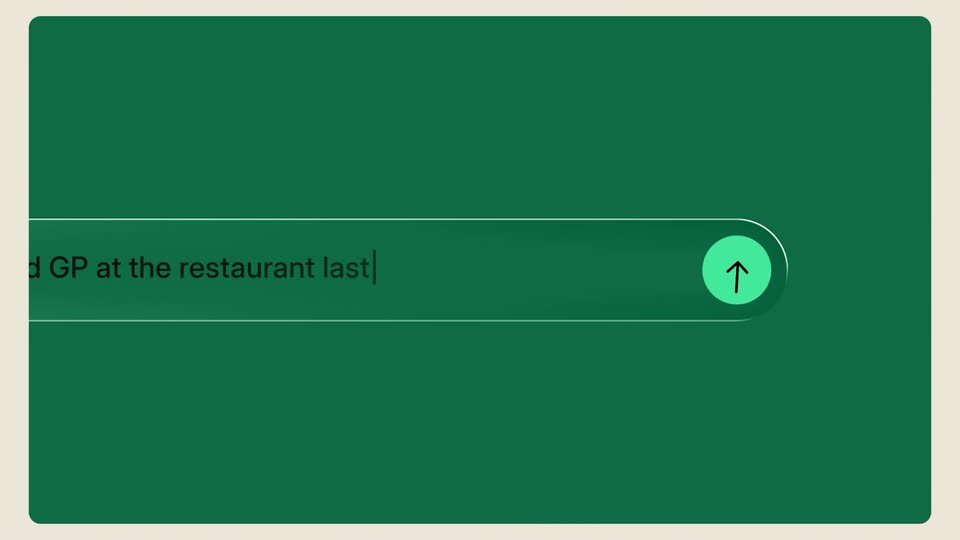
A dark green card on a cream background. A rounded search field under the TAVIO IQ label zooms in as the query 'What dragged GP at the restaurant last Friday?' is typed, then the field morphs into a light green chat bubble on the right.
Techniques: UI zoom, Kinetic type, Morph
Camera: Static
A dark green chat screen holds a user question bubble at right and a TAVIO IQ answer bubble at left, both sliding into place above an input field with a placeholder and a round send button. The frame stays locked off.
Camera: Static
A chat interface on a dark green background. A user question and a TAVIO IQ answer bubble in, then a second exchange types out character by character. The view eases from a close-up to the full thread, then fades to black.
Techniques: UI zoom
Camera: Static
The frame holds on black, then a dark rounded shape with a faint rim highlight rises into the lower-left corner, a slow fade-in from darkness.
Camera: Static
A 3D-rendered tablet on a stand rests on a marble cafe counter against green walls and a coffee menu board. Its screen steps through POS states: a category grid, a quantity keypad popup, then an order total with payment buttons, as the camera orbits the device.
Techniques: 3D mockup
Camera: Pull out
A cream transaction list on a green background scrolls upward, each row showing a customer name, a green Closed tag, an amount, a date, a payment method, and item details.
Camera: Pull out
A shopkeeper in an orange beanie and striped apron smiles at a customer across a counter while a white payment breakdown card with a progress bar and two sales rows slides down to settle in the center of the frame.
Camera: Static
A donut chart with green, orange and red segments scales up on the left while a three-row legend and percentages fill in on the right. A green tint sweeps across the title and labels, fading to black as the frame settles.
On-screen text: “Stock Overview”, “In Stock”, “73%”, “Low Stock”, “14%”, “Out of Stock”, “13%”
Camera: Static
A white staff-management panel floats on the right over a live-action kitchen where two chefs in aprons work at the counter. The list scrolls up a few lines, revealing the entry for Joe at the bottom.
Camera: Static
A pale dashboard view shows a top sellers list with numbered badges, product names and green progress bars. The list pans down a little so the fourth entry, Springbokkie, comes fully into frame.
Camera: Static
On a white background, the dark and green words 'one system' sit on two centered lines, then slide together into a single line as a small green leaf mark split into two halves appears beneath.
On-screen text: “one system”
Techniques: Kinetic type
Camera: Static
A green circular logo mark sits centered on a dark navy field, then shifts left as the white TAVIO wordmark slides in beside it. The URL taviopos.co.za fades in below, and the full lockup holds for the remainder of the clip.
On-screen text: “TAVIO”, “taviopos.co.za”
Techniques: Kinetic type
Camera: Static