1:27

Kiwi (YC F26) - Launch Video
Kiwi · B2B · Oct 2026
Spacesheep · Oct 2026 · 1:30 · AI-annotated
Spacesheep’s 1:30 launch film runs 44 scenes, about 2.0 s each. The product shows up at 0:45 and 3 features are revealed. The call to action lands at 1:28 (99% in), over a voiceover. The video is built as a historical essay: period reenactments and black-and-white archival plates cut at 152 BPM, then hard cuts to flat cream and black stat cards and 3D-tilted UI mockups. Signature moves are the rolling year counter in the corner, phrase-by-phrase bottom captions, and the red rule line that ties the front-page motif from 1900s paper to modern report card.
Is this your launch? to your site or press kit.
An old bearded man writes in an open book at a wooden table in a night desert camp, lit by a kerosene lamp, with a white paper coffee cup on the table. Camels and a campfire sit under a starry sky while a caption reads “For five hundred years,”.
On-screen text: “BY HAND · BEFORE 1455”, “For five hundred”, “years,”
Camera: Push in
Monochrome shot of a recreated print shop: hands turn the long wooden bar of a Gutenberg press, lowering the platen onto a type block on paper. The camera slowly pushes in as white captions appear at the bottom center.
On-screen text: “MAINZ · 1455”, “writing was much”, “more expensive than”, “reading.”, “BY HAND · BEFORE 1455”
Camera: Push in
Black-and-white archival footage of a wooden printing press, a hand working its lever, the caption reading. centered on the paper. The frame cross-dissolves into a woman typing at a typewriter in a windowed office.
On-screen text: “MAINZ · 1455”, “reading.”
Camera: Static
A woman in a 1950s office types on a vintage typewriter, seen from behind in monochrome, while clerks work at desks in the soft-focus background and a rotary phone sits to the right. A white caption assembles at the bottom center; a small serif label holds in the lower left.
On-screen text: “THE TYPEWRITER · 1950S”, “Next came the”, “typewriter:”, “we wrote on”, “a page,”
Techniques: Kinetic type
Camera: Static
A sepia-toned office, locked-off frame. A woman with dark hair, seen from behind, types on a vintage typewriter at a wooden desk. Tied paper stacks sit left, a rotary phone right, blurred clerks work behind. Centered captions read 'a page,' then 'and we still'.
On-screen text: “THE TYPEWRITER · 1950S”, “a page,”, “and we still”
Camera: Static
A woman sits at a 1990s office desk, typing on a beige keyboard before a CRT monitor showing a Microsoft Word memorandum. A colleague is blurred in the background. A bottom caption reads “One column,” then swaps to “and we still.”
On-screen text: “THE SAME PAGE · ON A SCREEN · 1990S”, “One column,”, “and we still”
Camera: Push in
Black-and-white 1930s London Underground car interior. A man in a fedora and glasses reads a newspaper, folds it, looks at the camera, and opens it again as other hatted passengers read. A slow push-in tightens the frame. White captions swap phrase by phrase with the voiceover.
On-screen text: “Newspapers learned”, “LONDON UNDERGROUND· 1930S”, “something new.”, “A reader in”, “a hurry needs”, “a front page.”
Camera: Push in
Sepia live-action inside a 1930s London Underground carriage; gloved hands hold an open The Evening Reader paper toward the camera. As the locked-off shot holds, a headline, a small landscape illustration and a bar chart fade in on the page while bottom captions name each element.
On-screen text: “LONDON UNDERGROUND· 1930S”, “a front page.”, “The headline,”, “the pictures,”, “the charts.”, “the story,”, “two dimensions.”
Camera: Static
A sepia-toned period office fills the frame, rows of operators in headsets seated at desks with tape readers and keysets, a basket of paper tape in the foreground. The shot is locked off. A white serif year in the lower left counts up from 1933 to 1934.
On-screen text: “1933”
Camera: Static
Black-and-white office filled with rows of terminals; a woman in a patterned blouse types at a large console while colleagues work at similar stations behind her. The year in the lower-left corner rolls from 1968 to 1984.
On-screen text: “1968”, “1984”
Techniques: Kinetic type
Camera: Static
Over-the-shoulder shot of a woman in a blue sweater typing on a beige 1980s desktop computer; the monitor glows green with terminal text. A white serif year counter in the lower left ticks from 1984 to 1987.
On-screen text: “1984”, “1987”
Camera: Static
A woman in a blue blazer sits at a desk facing a beige CRT monitor showing green text on a black screen, with a lamp, mug and phone on the desk. A white year caption in the lower left reads 1989, then switches to 1996.
On-screen text: “1989”, “1996”
Camera: Static
A tiled mosaic of a writer at a desk with a glowing green screen dissolves into a dense field of green digits on black. The year 1999 rolls to 2009 in the lower left as the caption holds center.
On-screen text: “Then writing became”, “1999”, “2009”
Techniques: Morph, Kinetic type
Camera: Static
A wall of green and white code scrolls behind a centered white headline, “Then writing became”, with an oversized “2021” at lower left. The word “free.” then lands in the center to finish the line.
On-screen text: “Then writing became”, “2021”, “free.”
Techniques: Kinetic type
Camera: Pan
A dark green field of scrolling code sits behind a centered statistic. A small serif headline caps the top, a bold sans counter rolls up from 1.4M to 2.9M beside a grey “words” label, and a white caption reads below. The frame is locked off; only the digits and the code background move.
On-screen text: “WORDS AGENTS WROTE ONE PERSON · ONE LAPTOP · ONE WEEK”, “2,959,296”, “words”, “One laptop's agents,”
Techniques: Kinetic type
Camera: Pan
A small serif line sits above a giant white counter that rolls from 2,338,526 to 2,400,000 words on black. A bottom caption swaps phrases, then “= 171 hours of reading” drops in with the hours in red, and the caption settles into italic serif.
On-screen text: “WORDS AGENTS WROTE ONE PERSON · ONE LAPTOP · ONE WEEK”, “2,400,000”, “words”, “One laptop's agents,”, “in one week:”, “a hundred and”, “= 171 hours of reading”, “seventy-one hours”, “more than four working weeks, in one”
Techniques: Kinetic type
Camera: Static
A stat card stating 2,400,000 words equal 171 hours of reading fades into a dark line chart. A white curve draws up from ×1 to ×330 as the title counter rolls, a flat red line holds at ×1, and captions swap below.
On-screen text: “WORDS AGENTS WROTE ONE PERSON · ONE LAPTOP · ONE WEEK”, “2,400,000 words”, “= 171 hours of reading”, “more than four working weeks, in one”, “AI writing: ×1 in two years.”, “May 2024”, “May 2026”, “Writing scaled exponentially.”, “Reading didn't:”, “Your reading: ×1. We still read at the same speed.”
Techniques: Kinetic type
Camera: Static
A dark line chart contrasts AI writing growth with a flat reading line under a bold headline. The caption “Reading didn't” holds as it cuts to a lab, where a woman in a white coat reads a paper and the caption becomes “we still read”.
On-screen text: “AI writing: ×330 in two years. Your reading: ×1.”, “Reading didn't”, “we still read”
Camera: Static
A woman in a white lab coat reads a document in a busy laboratory, a microscope in the soft-focus foreground and other researchers moving behind her. The locked-off shot holds as bottom captions sync to the voiceover.
On-screen text: “we still read”, “at the same”, “speed.”
Camera: Static
A black-and-white archival shot of a 1900s composing room, locked off. Men in vests and aprons work at long tables and type-case racks, sorting metal type. White caption text appears at bottom center, phrase by phrase, while a small serif label stays fixed at bottom left.
On-screen text: “A FRONT PAGE · 1900S · A ROOM, ALL NIGHT”, “For an agent,”, “the cost of”, “a front page”
Camera: Static
A cream illustration of an 1896 newspaper front page, 'The Evening Reader', sits centered on white with a soft shadow. A white caption 'is minimal.' pops over the body lines and fades, while the lower-left label swaps to 'A FRONT PAGE · 1900S · A ROOM, ALL NIGHT'.
On-screen text: “is minimal.”, “A FRONT PAGE · TODAY · ONE ASK”, “A FRONT PAGE · 1900S · A ROOM, ALL NIGHT”
Camera: Static
A bespectacled man in a dark hoodie sits at a cluttered desk facing three monitors full of code, typing, then resting his head on his hand under a warm desk lamp. The locked-off shot ends on a plain gray card with a thin red line.
On-screen text: “So agent work”, “shouldn't arrive”, “as a wall”, “of text.”, “It should arrive”
Camera: Push in
A white front-page card on a pale backdrop pulls into focus beneath a red rule. A bold headline sits above three hour stats that fade in side by side, then a red bar with a 40-hour marker draws beneath them. Bottom captions swap from It should arrive to optimized for comprehension.
On-screen text: “It should arrive”, “optimized for comprehension.”
Camera: Static
A white front-page stat card floats over a faded office, its hour figures and red bar counting down. An italic serif headline sits above and a bold caption types out below.
On-screen text: “What is information now?”, “So what is information now?”
Techniques: Kinetic type
Camera: Pull out
A white front-page card with a red top rule sits centered over a faded office plate. Bold captions cycle at the bottom while struck-through italic words accumulate beneath them. At the end the card tilts in 3D and a second memory card slides in behind it.
On-screen text: “What is information now?”, “Not just a”, “page.”, “a page”, “Not just an”, “an artifact”, “chat.”, “a chat”, “A team works”, “in it . It has memory,”
Techniques: Kinetic type, 3D mockup
Camera: Static
A faded office photo backs a tilted 3D stack of white report cards on the left, the top card showing agent hours. On the right, feature rows for memory, integrations, agents and colleagues reveal one by one, while a caption at the bottom swaps to match the voiceover.
On-screen text: “It has memory,”, “integrations”, “and colleagues”
Techniques: 3D mockup, Kinetic type
Camera: Static
A tilted 3D stack of white report cards sits left; a red serif headline 'a space' and a feature list stand right. Thin lines radiate from the center as the stack tilts inside a red frame, while a caption 'It's a space' with logo holds the bottom.
On-screen text: “a space”, “It's a space”
Techniques: 3D mockup
Camera: Static
A pixel-art sheep with an orange jet flame streaks right through a white field of radial speed lines, shrinking toward the center. The frame then settles on the centered Spacesheep logo and wordmark above a gray rounded bar.
On-screen text: “This is Spacesheep.”
Camera: Push in
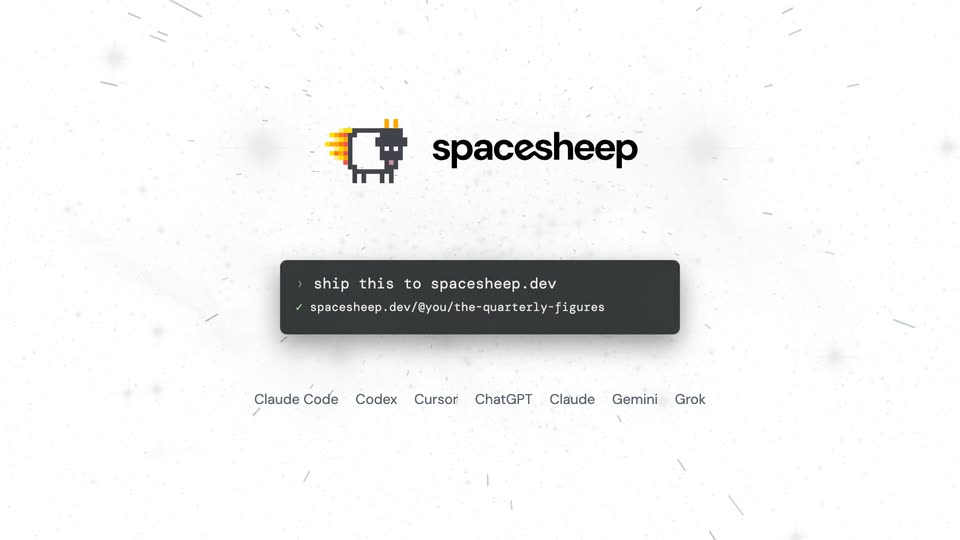
On a white field with drifting grey particles, the spacesheep logo sits above a dark terminal that types a command, then a URL line appears. A row of agent names fills in below while a caption cycles at the bottom. The scene then crossfades into the full product screen behind the same logo and terminal.
On-screen text: “Any agent can”, “Claude Code Codex Cursor ChatGPT Claude Gemini Grok”, “publish to it,”, “and read from”
Techniques: Kinetic type, Particles
Camera: Static
A dark interactive interface zooms from a street-level floor plan of a co-working space into a photo of a machine rack, the right panel switching from the building to the rack. A large white caption, “A chip,” holds at the bottom center.
On-screen text: “Anatomy of a memory access”, “@yaroslavb · from the street down to the chip's L1 cache”, “A chip,”
Techniques: UI zoom
Camera: Static
A dark interactive web page switches from a server-rack photo to a host-computer diagram as large white captions read mapped down to, then the transistor.
On-screen text: “Anatomy of a memory access”, “@yaroslavb · from the street down to the chip's L1 cache”, “mapped down to”, “the transistor”
Techniques: Kinetic type
Camera: Static
A screen recording of the 'Anatomy of a memory access' web app zooms from the full PCIe card photo to the chip die, the right panel switching from 'The PCIe card' to 'The chip'. White captions 'the transistor.' and the lower-left title fade out over the dark interface.
On-screen text: “the transistor.”, “Anatomy of a memory access”, “@yaroslavvb · from the street down to the chip's L1 cache”
Techniques: UI zoom
Camera: Static
A tilted grid of blue-to-green R letters, each ringed by red dashed arrows, fills the frame while white captions build a sentence along the bottom. The pattern then fades out to reveal a live dashboard with a map and data cards on the left.
On-screen text: “The symmetries of”, “Spacetime groups”, “@yaroslavvb - the crystallography of looping animations”, “the plane,”, “set in motion.”, “Live dashboards”
Techniques: Kinetic type
Camera: Static
Three interface cards pop in one by one on a light gray field: a thermal dashboard, a design review with phone mockups, and a kanban pipeline. Each updates live. A row of integration pills slides up below, while a large outlined headline cycles phrases at the bottom.
On-screen text: “Live dashboards”, “Live dashboards.”, “Mockups and designs”, “Mockups.”, “Internal apps”, “Internal apps your”, “whole team uses,”, “connected to Stripe,”, “Stripe”, “LinearGitHubMixpanelZoomGranolaany MCP serverand the toolsyou already use,”
Techniques: Split screen, Kinetic type
Camera: Static
In a static wide shot, four people sit around a wooden table in a brick-walled office; a woman in a striped sweater points at a monitor showing colorful dashboard charts while the others look on. White captions appear at the bottom: “Share it with your team.”
On-screen text: “Share it with”, “your team.”
Camera: Push in
A report card hovers over a blurred office shot, then solidifies on a plain gray field. A comment bubble pops in over the stat row, the agent replies, and a red line chart draws in beneath the progress bar. Subtitles roll at the bottom.
On-screen text: “your team.”, “Comment on the”, “exact spot,”, “changes it,”
Camera: Static
Three live-action panels show the same report card on a phone held on a train, a laptop in a café, and a wall display in an office. Small white captions label each panel; 'on every screen.' appears under the laptop.
On-screen text: “on a train”, “in a café”, “in the office”, “on every screen.”
Techniques: Split screen, Kinetic type
Camera: Static
A white version-history list fades in row by row, top to bottom, under a small gray header, then a large outlined caption 'Every version kept.' pops in at the bottom.
On-screen text: “Every version kept.”
Camera: Static
A dark interface shows a search bar at the top where a query types itself out, above a web of gradient cards linked by thin lines. As the query completes, a few nodes glow. The caption Every space found holds at the bottom.
On-screen text: “Every space found”
Camera: Push in
A constellation of pastel note cards drifts slowly on a dark field, linked by thin lines. A search bar holds the query about a load on a chip while a center card glows and a result card rises at the bottom, captioned by meaning.
On-screen text: “by meaning.”
Camera: Push in
Two flat document pages sit on a beige background, a white 1455 page with a red illuminated initial on the left and a dark 2026 page with white monospace text sliding in on the right. A large outlined caption at the bottom cycles through the voiceover phrases.
On-screen text: “1455”, “cheap to copy”, “Gutenberg made writing”, “2026”, “free to write”, “Agents made it”
Techniques: Kinetic type
Camera: Static
Three flat panels appear on a cream backdrop: a 1455 Gutenberg page with a red drop cap, a dense dark 2026 page, and a Spaceship card with reading stats. Red years and italic captions sit under each, and a white outlined headline at the bottom changes to “Spaceship makes”.
On-screen text: “1455”, “cheap to copy”, “2026”, “free to write”, “Agents made it”, “Spaceship”, “fast to understand”, “Spaceship makes”
Techniques: Kinetic type
Camera: Static
Three panels line a cream wall: an illuminated manuscript, a dark page of dense type, and a white report card with a red line chart. Italic captions label them 1455, 2026, Spacesheep. White outlined words 'Spacesheep makes' sit center, then 'understand.' pops in as the panels fade to the pixel-sheep logo.
On-screen text: “1455 cheap to copy”, “2026 free to write”, “Spacesheep fast to understand”, “Spacesheep makes”, “understand.”
Techniques: Split screen, Kinetic type
Camera: Static
A pixel-art sheep with a flame trail sits beside the bold black spacesheep wordmark on a cream background, with the tagline below in a monospace pill. The frame holds still.
On-screen text: “Tell your agent: ship this to spacesheep.dev”
Camera: Static