1:08

Aravind Srinivas - We're introducing hybrid compute for all users of the Perplexity Mac
Perplexity · AI · Sep 2026
Stillwind’s 1:43 launch film runs 14 scenes, about 7.4 s each. The product is on screen from the first frame. The call to action lands at 1:28 (86% in), over a voiceover. The video is a talking-head launch that pivots into a screen-recorded walkthrough, opening on a presenter who frames the pain of misbehaving AI models and names Augento as the fix before the camera pushes into the product. The demo runs as a single continuous flow on a warm orange-and-purple gradient, with short black logo beats marking each step: create a model, swap the API key in code, watch live runs, and rate a run with a confetti burst, closing on a centered logo card that types out thetag
Is this your launch? to your site or press kit.
Perplexity · AI · Sep 2026
Films whose music sounds like this one, voice left out
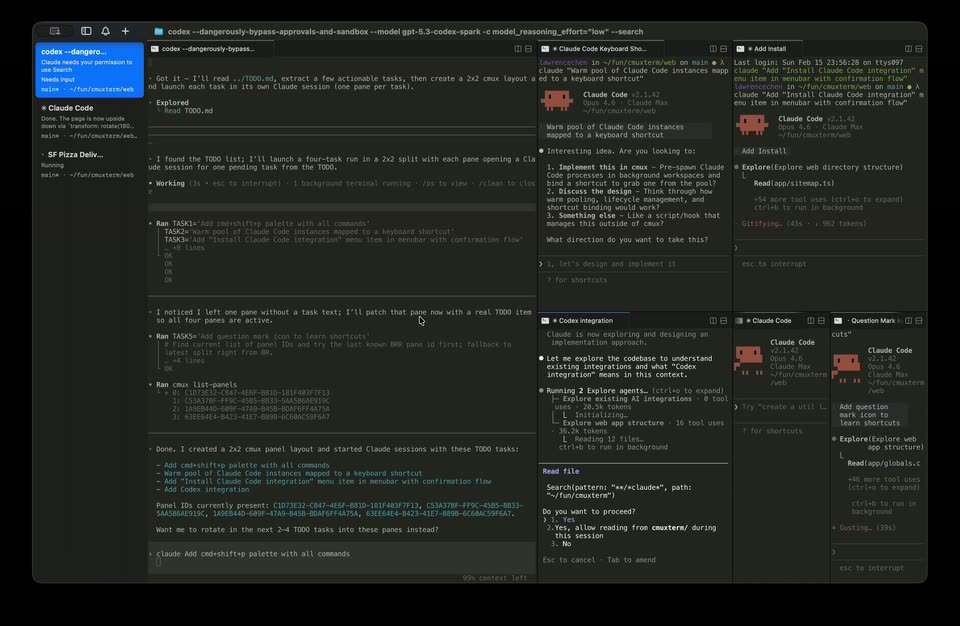
cmux · Technical voiceover
ByteAsk
Andco · Corporate software tutorial and product demonstration
A solid black screen holds for the full duration of the clip. No elements, motion, or text are visible; the frame remains uniformly dark from start to finish.
Camera: Static
Fading in from black, a young man in a blue t-shirt sits at a desk by a curtained window, speaking to camera beside a curved monitor showing a dashboard. He gestures, turns to the screen and reaches for the mouse as the shot closes in on the display.
On-screen text: “augento”
Techniques: UI zoom
Camera: Push in
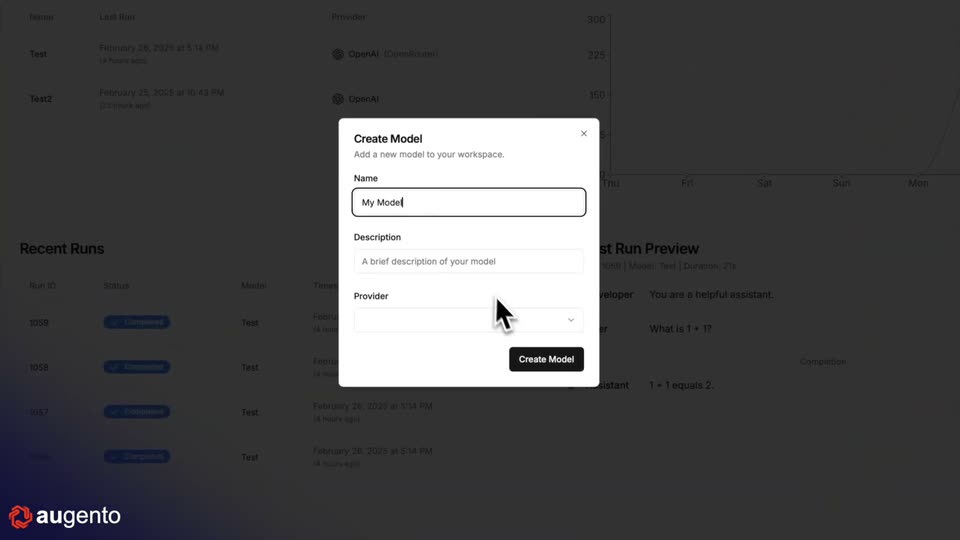
A browser window on a warm gradient background shows the Augento dashboard. A cursor clicks New Model, a Create Model dialog opens and the view zooms in as the cursor types a name, picks OpenAI from the provider dropdown, and submits, revealing an API key dialog.
Techniques: Cursor demo, UI zoom
Camera: Static
A dimmed dashboard sits behind a centered “Create new API Key” modal with a filled description field. A cursor drifts down from the field to the black “Create Key” button and presses it.
On-screen text: “augento”
Techniques: Cursor demo
Camera: Static
A dimmed AI dashboard with a centered API key modal zooms out to reveal the full browser window on a colorful desktop. The cursor rests on the create button, and a green success toast pops in at the bottom right.
On-screen text: “augento”
Techniques: UI zoom, Cursor demo
Camera: Pull out
A flat browser window of the Augento dashboard sits on a colorful abstract gradient. A cursor glides to the copy icon beside the new API key and clicks it, popping a green copied toast. The scene ends on a fade to black.
On-screen text: “augento”
Techniques: Cursor demo
Camera: Static
A near-black frame with a soft blue glow in the lower-left corner holds the small augento wordmark and red icon at the bottom edge. The shot is locked off with no motion.
Camera: Static
A dark code editor window floats in 3D perspective over an orange and purple gradient. A cursor edits the API key in the .env tab, updates the base URL in index.ts, then runs the file in the terminal, which prints a tool call result. The view zooms into the terminal.
On-screen text: “augento”
Techniques: 3D mockup, UI zoom, Cursor demo
Camera: Pull out
A near-black frame holds a faint dark blue glow in the lower-left corner while the small augento logo sits in the bottom-left. The shot is locked off and static, a brief beat as the voiceover introduces the dashboard.
On-screen text: “augento”
Camera: Static
A dashboard screen sits on a multicolor gradient. A cursor moves to the Recent Runs table, hovers a row, and the view cuts to the run detail page showing run steps and model details.
On-screen text: “augento”
Techniques: Cursor demo
Camera: Static
A browser window of the Augento dashboard rests on a wavy orange and purple gradient. The view zooms into the run steps, a cursor clicks the thumbs-down icon, types a comment and submits it, triggering a confetti burst and a success toast.
On-screen text: “augento”
Techniques: UI zoom, Cursor demo, Particles
Camera: Static
A black frame holds the augento logo locked in the bottom-left corner. Brief interface text for run steps and a step counter slide and scale in over the dark background.
On-screen text: “Run Steps”, “Run: 1065”, “2”
Techniques: Kinetic type
Camera: Static
On a dark navy background, the red hexagon augento logo and white wordmark sit centered. The tagline types out below, then a second line with the invite URL follows, and the frame fades to black at the end.
On-screen text: “Improving Agents through Reinforcement Learning”, “Request an invite at https://augento.ai”
Techniques: Kinetic type
Camera: Static
A black screen holds the white wordmark augento centered, with the smaller white line Improving Agents through Reinforcement Learning set beneath it. Both remain static on a locked-off frame for the brief clip.
On-screen text: “augento”, “Improving Agents through Reinforcement Learning”
Camera: Static