0:42

The Browser Company - What if the internet... was actually 𝑦𝑜𝑢𝑟 internet? 🎨 Introducing B
The Browser Company · Productivity · May 2023
Spline · Oct 2022 · 0:37 · Full motion · AI-annotated
Spline’s 0:37 launch film runs 16 scenes, about 2.4 s each. The product is on screen from the first frame and 1 feature is revealed. The call to action lands at 0:27 (73% in). Flat gray type cards bookend a fast orbiting tour of a low-poly 3D house: a monospace 'Introducing' reveal that scrambles code glyphs into the feature name, then a spline.design wordmark sting and a held gradient logo dot. Signature moves are the letter-by-letter type lock-in, the continuous isometric camera orbits around the house, and hard cuts between 3D footage and the dark editor panels.
Is this your launch? to your site or press kit.
The Browser Company · Productivity · May 2023
Films whose music sounds like this one, voice left out
Motives · Upbeat modern electronic
Epochal · Electronic, chiptune
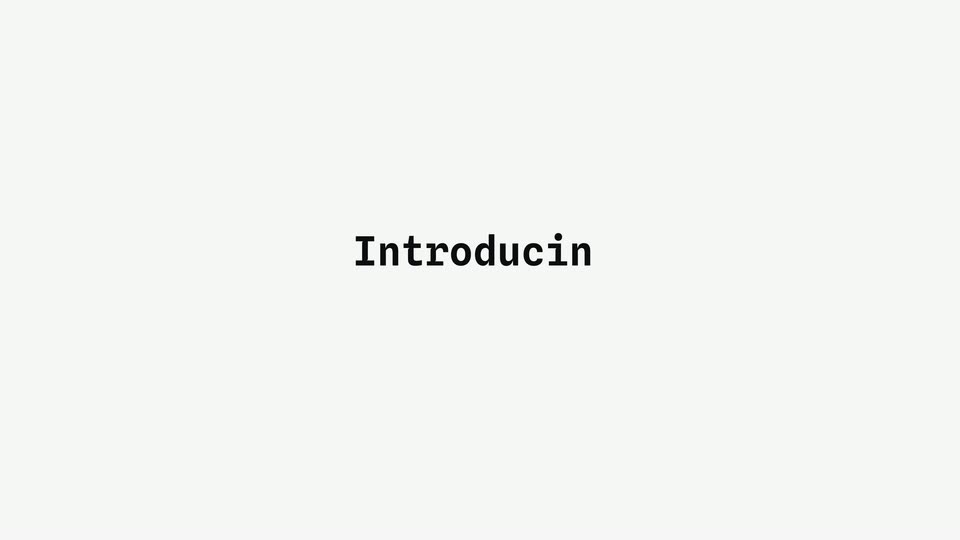
The word “Introducing” sits centered on a flat light gray field. Letters lock in from left to right, the unrevealed tail sitting in light gray before snapping to black as the reveal completes.
On-screen text: “Introducing”
Techniques: Kinetic type
Camera: Static
The word Introducing in black monospace sits centered on a light gray field, then fades as a line of multicolored code characters scrambles in and resolves into Conditional. Logic types into a light blue rounded badge with a blue outline beside it, then holds.
On-screen text: “Introducing”, “Conditional”, “Logic”
Techniques: Kinetic type
Camera: Static
A stylized 3D apartment interior seen from above, with a green kitchen and dining set on the left and a pink living room on the right. The camera slowly orbits and pulls back, revealing the fenced garden and a dog outside.
Techniques: 3D mockup
Camera: Push in
A bright low-poly 3D house rotates as the camera orbits it, sweeping past a pink living room, green kitchen, checkered bathroom and a fenced garden with a sitting cat. A dark Export pill floats at the top center and a square arrow button sits in the lower left corner.
Techniques: 3D mockup
Camera: Push in
A low-poly 3D house is shown from a top-down angle as the camera orbits and pulls back, revealing the bathroom, bedroom, living room and a fenced backyard with a small dog. An Export button and a key icon stay fixed in the corners.
Techniques: 3D mockup
Camera: Pull out
An isometric 3D house sits on a green lawn. The camera pulls back and orbits to reveal the full floor plan, opening rooms with furniture and a yard with a dog. An Export pill and a space key hint stay pinned at the top and bottom.
Techniques: 3D mockup
Camera: Push in
A low-poly 3D apartment is shown in isometric view with a pink pig character seated on the floor. The camera orbits and tilts, sweeping past sofas, a desk, and a wall clock as the space rotates.
Techniques: 3D mockup
Camera: Push in
A 3D room-builder scene tilts and pushes in toward a green bed and an open bathroom. A first-person hand grips a tool at the lower left, a small Export window floats at the top, and a cursor hovers top right as the view tightens.
Techniques: UI zoom
Camera: Push in
A low-poly 3D house interior is shown from an isometric angle, with a bathroom, a bedroom where a character lies on a green bed, and a living room. The camera pans and rotates right to reveal a desk with a monitor. A black cursor hovers near the top right.
Techniques: 3D mockup
Camera: Pull out
A low-poly 3D bedroom, green bed and orange floor, floats on a green void. The camera dollies in and tilts down toward a round table holding a pink figure, while a mouse pointer rests at the upper right.
Techniques: 3D mockup, UI zoom
Camera: Push in
A low-poly 3D apartment is seen from a high angle as the camera orbits it. A pink pig walks from the living room through the office to the bedroom, past a desk with a monitor and a green bed. An Export bar and a W button sit at the edges.
Techniques: 3D mockup, Parallax
Camera: Push in
A dim editor interface brightens to reveal a colorful low-poly 3D house on a green lawn, framed by dark side panels holding a scene tree and settings. The house slowly orbits in the viewport while the panels stay fixed.
Techniques: 3D mockup
Camera: Static
An isometric 3D house model fills the center, framed by dark editor panels on the left and right. A white cursor scrolls the Edit Event panel downward, revealing logic fields and transition settings while the 3D scene stays static.
Techniques: Cursor demo, 3D mockup
Camera: Static
A 3D editor screen shows a stylized living room in perspective with a transform gizmo on a figure, flanked by dark sidebars listing the scene hierarchy and event settings. A cursor clicks dropdowns in the right panel, expanding the On Jump and Transition sections.
Techniques: Cursor demo
Camera: Static
On a plain light gray field, the black wordmark spline.design sits centered in a locked-off frame. The letter i in design turns into a small gradient circle with a dark outline, completing the brand logo.
On-screen text: “spline.design”
Techniques: Morph
Camera: Static
A small circular logo with a thin dark ring and a multicolor gradient fill, rainbow stripes on the left fading to blue and magenta on the right, sits centered on a plain off-white background. It holds perfectly still for the full shot.
Camera: Static