1:30

YouArt Desktop — an AI creative teammate
YouArt · Consumer · Nov 2026
Motives’s 1:20 launch film runs 37 scenes, about 2.2 s each. The product is on screen from the first frame and 6 features are revealed. The call to action lands at 1:13 (91% in), over a voiceover. The video opens on the logo and tagline, then walks one research workflow end to end (ask a question, build a plan, recruit, interview, synthesize, export) as a chain of clean card based UI demos on a textured paper background. Signature moves are the white rounded cards that draw in with a blue outline, the multiplying video call mosaic, and slow zooms and scrolls through dashboard panels, all cut at a steady 95 bpm.
Is this your launch? to your site or press kit.
YouArt · Consumer · Nov 2026
Legora · Jun 2025
Retool · Developer tools · Jun 2023
Films whose music sounds like this one, voice left out
Sierra · Upbeat electronic
Slack · Modern corporate electronic
A blue eight-pointed star and the black serif wordmark “Motives” sit centered on a white textured background. The star rotates slowly while the wordmark holds still in a locked-off frame.
Camera: Static
A lavender eight-pointed star and the gray serif wordmark Motives sit centered on a white field, then dissolve through a white flash into a washed-out medium shot of a bearded man in a blue shirt and headset, seated in a blurred office.
On-screen text: “Motives”
Camera: Static
A bearded man in a gray shirt smiles at the camera in a teal-walled office. The shot then shrinks into a white-bordered frame as a hand reaches in to place it, like a photo being set into a layout.
Camera: Pull out
A smiling man in a gray shirt occupies the central tile of a white video-call grid, while partial tiles around him show other participants. The central frame stays steady as he speaks.
Techniques: Split screen
Camera: Pull out
A video call grid fills the frame. It begins as a few large tiles separated by wide white gaps, then multiplies into dozens of small tiles of people in headsets, talking and smiling, the gaps narrowing until the screen is packed with participants.
Techniques: Split screen
Camera: Pull out
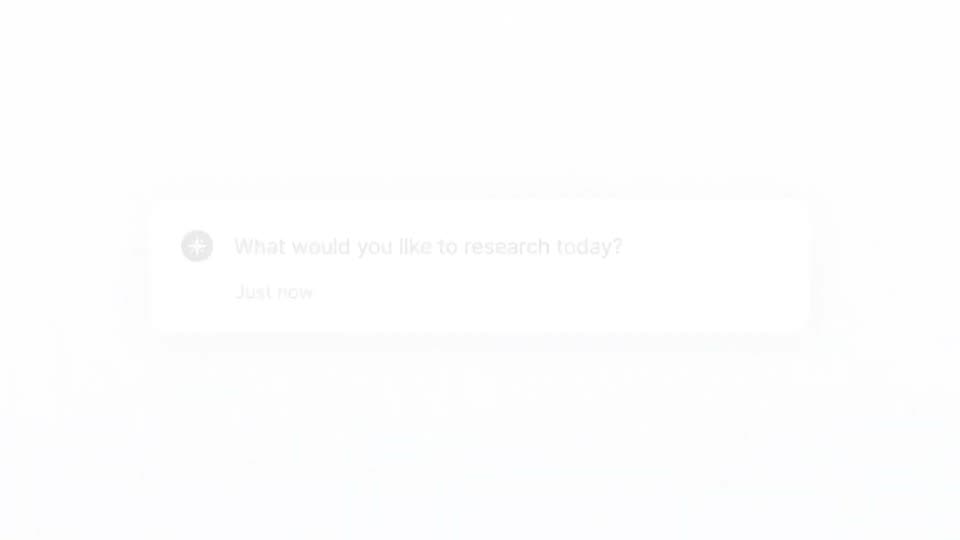
A washed-out grid of video call tiles fades to white, then a white rounded chat card with a gray starburst icon and the prompt text, timestamped just now, appears centered on a light gray background.
Camera: Static
A white message card with a dark spark avatar and the prompt 'What would you like to research today?' sits on a light gray background, then morphs into an input field where a question is typed out word by word.
Techniques: Morph
Camera: Static
A white rounded card titled Objectives lists five bullet points on a plain light background. A blue rounded outline slides down the card, framing the top lines first, then the bottom lines, as if selecting each objective in turn.
On-screen text: “How do people decide which wellness trends to trust”, “and which to ignore?”
Camera: Static
A white rounded card on a light gray background grows downward as its blue border draws in, the icon badge morphs from a C to a checkmark, and six bulleted lines fade in top to bottom.
Techniques: Masking, Morph
Camera: Static
A white interview guide card on a dotted gray backdrop scrolls upward, moving past an expanded question list into collapsed section rows, each labeled with a title, a 5 min timer and a chevron.
Camera: Pan
A blue Launch Research Project button with a hand cursor outline rests on a light gray field, then a white flash cuts to a grid of video call participants that fades in.
Techniques: Cursor demo
Camera: Static
A three-row grid of video call tiles scrolls left at a steady pace, new participants sliding in from the right edge. A large numeral scales up over the grid.
On-screen text: “111”
Techniques: Kinetic type
Camera: Pan
A bearded man in a headset sits in a small top-left video window. A blue face icon with light blue fill occupies the center, its mouth and brows shifting, a sound wave arc pulsing at its left. Question captions crossfade below, then the face grows and slides right.
On-screen text: “What's your biggest day-to-day issue?”, “How often do you feel like you deal with this?”, “That's good to know.”, “Could you walk me through the last time it happened?”
Techniques: Kinetic type
Camera: Push in
A bearded man in a gray shirt and headset appears in a small video-call window at the left, beside a blue line-drawn face on the right. The window scales up to fill the frame as the illustration slides out.
Camera: Push in
A single video-call tile of a smiling man in a grey shirt zooms out into a 3x3 grid of nine participants, each in a different home or office, as he raises a finger then looks down.
Techniques: UI zoom
Camera: Pull out
A tiled grid of video call participants, each in a home office, fills the frame. The mosaic pans horizontally and vertically, sliding to reveal more tiles, while a thin white line wipes across the middle row.
Techniques: Split screen
Camera: Pull out
A light-themed product dashboard fades and scales into place, showing a Findings page with a grid of respondent headshots labeled by gender and age, a right-hand key takeaways panel, and a blue Download Slide Deck button.
Camera: Push in
A light research dashboard fills the frame, then the view zooms into the Respondents card. Eight small participant video thumbnails sit in two rows with gender and age labels, while a right panel lists key takeaways and a blue download button.
Techniques: UI zoom
Camera: Push in
A light gray document view shows a bookmarked Key Takeaways section with a blue highlighted line and gray body copy. The block scrolls up slightly to reveal the final line about visual storytelling.
Camera: Pan
A block of gray body copy on a light textured card holds, then one sentence snaps to bold black. The copy dissolves into a full report screen showing a heading, a paragraph, and a row of video-call thumbnails.
Techniques: UI zoom
Camera: Static
A white research card on a pale background shows a headline and a row of five video-call thumbnails. A hand cursor taps the second thumbnail, highlighting it, then the card scrolls down to reveal a large video player and a labeled transcript.
Techniques: Cursor demo
Camera: Pan
A white card on a dotted pale-blue background scrolls its content upward, swapping a video Q&A transcript for a horizontal bar chart on trust factors. A hand cursor appears and points at the second bar, which reads 36.
Techniques: Cursor demo
Camera: Pan
A white report card shows a horizontal bar chart on wellness trust. A hand cursor hovers over the top bar, Recommendation from a friend, then the card scrolls down to reveal a follow-up answer panel with the same label and an X close button.
Techniques: Cursor demo, UI zoom
Camera: Static
A flat research dashboard scrolls down past a blue bar chart and an open detail card, settling on a row of participant photos and a video of a bearded man in a green shirt speaking. A hand cursor hovers over a chart bar at the top.
Techniques: Cursor demo
Camera: Pan
A white chat input card fades in over a blurred video call grid, then settles on a plain gray background as the question text slides in line by line above a paperclip, mic and blue send button.
On-screen text: “Which types of participants had the strongest opinions...”, “and in which direction?”
Techniques: Kinetic type
Camera: Static
A dark navy question bubble slides into the top right of a chat screen on a grainy off-white background. A white answer bubble with a black starburst icon fades in below it, revealing the reply.
Camera: Static
A light chat interface scrolls down through a conversation. A dark query bubble sits above white answer cards marked by a star icon, including a row of three video thumbnails. The list continues down to a new dark bubble that slides in at the bottom.
Camera: Pan
A white rounded card frames a video call interface on a pale textured background. Three small participant thumbnails sit in a row above a larger tile showing a woman with glasses and blonde hair in a blue floral top, speaking to camera.
Camera: Static
A video call interface fades to a white background, revealing a red square with a white 'P' and a red circle in the center.
Camera: Static
A red rounded square bearing a white P overlaps a circle split into four orange and red quadrants, centered on a pale textured background with a soft drop shadow. The mark eases in with a slight scale-down as it settles.
Camera: Static
A white presentation slide rests flat on a light gray textured surface with a soft shadow. The slide shows the Motives logo top left, the bold heading Key Findings, and a two-line subtitle beneath. The frame stays locked off throughout.
On-screen text: “Key Findings”, “Making Sense of Wellness:”, “How Consumers Choose What to Follow and What to Skip”
Camera: Static
A locked-off presentation slide titled Participants shows a two-row grid of twelve headshots, each captioned with a placeholder age and country. The header reads Your Company and the footer carries the study title, the Motives logo and page number 6 on a light textured background.
Camera: Static
A light presentation slide with a soft drop shadow rests on a textured off-white background. It opens on a Goals page holding a paragraph and four bullets, then cuts to a Key Takeaway #1 page pairing a bold statement with a body paragraph. Both slides hold still.
Camera: Static
A light gray presentation slide sits on a textured off-white background. Three video-call clips of people talking play side by side, each under a bold age and country caption with a quote below. The slide stays static while the clips loop.
Camera: Static
A washed-out slide with three headshots lingers at the open, then a black serif headline holds centered on a plain light field, static, before the frame fades to white.
On-screen text: “Ready to see what's possible?”
Camera: Static
The Motives wordmark with a blue eight-point star sits centered on a pale off-white background. The text and star deepen from pale gray and light blue to solid black and dark blue as the logo settles into place, then hold still.
On-screen text: “Motives”
Camera: Static
The Motives wordmark with a blue eight-point star icon sits centered on a light gray field, held static, then the frame falls to black.
Camera: Static