1:03


Superhuman - Introducing our new enterprise AI features! With Grammarly Business,
Superhuman · Productivity · Jun 2023
Retool · Jun 2023 · 0:19 · AI-annotated
Retool’s 0:19 launch film runs 8 scenes, about 2.5 s each. The product is on screen from the first frame and 2 features are revealed. The call to action lands at 0:18 (93% in). A fast, flat-motion product update cut at roughly 160 BPM: kinetic title cards announce each feature, then white UI mockups slide up from the bottom edge to demo it on a static lavender and cream geometric field. Signature moves are the type-swap headlines, the white mask reveal, and pill badges popping in around centered text, all locked to the same angular background.
Is this your launch? to your site or press kit.
Superhuman · Productivity · Jun 2023
Pika · AI · Oct 2026
OneTriangle · B2B · Aug 2026
Cream and periwinkle abstract shapes reorganize behind centered kinetic text reading “We supercharged our Table”, which swaps to “Built for extra large datasets” as a flat data table slides up and fills with rows.
On-screen text: “We supercharged our Table”, “Built for extra large datasets”
Techniques: Kinetic type
Camera: Pull out
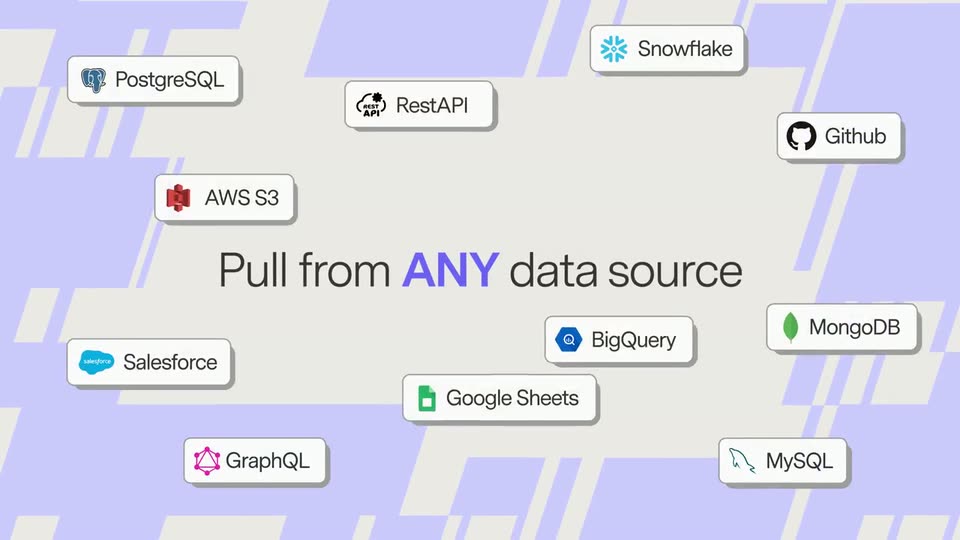
A plain card shows the headline “Pull from”, which completes to “Pull from ANY data source” as a white mask opens onto a lavender field of cream zigzag shapes. Eleven white pill badges with data-source logos then pop in and settle around the centered text.
On-screen text: “Pull from ANY data source”
Techniques: Kinetic type, Masking
Camera: Pull out
A light gray field framed by static lavender geometric shapes holds the centered word Next. in dark gray, then Level. and Customization. slide in to complete the headline on a locked-off frame.
On-screen text: “Next.”, “Level. Customization.”
Techniques: Kinetic type
Camera: Static
A light purple field with cream angular shapes frames the dark gray headline as it slides in. A white table card with ID, Title and Tag columns then slides up from the bottom edge into the lower half of the frame.
On-screen text: “Next. Level. Customization.”
Techniques: Kinetic type
Camera: Static
A white data table with ID, Title and Tag columns sits on a lavender field of cream shapes. A hand cursor clicks a row, a Format dropdown opens and selects Tags, then a Filter bar slides in above the table.
Techniques: Cursor demo
Camera: Static
A spreadsheet-style interface sits on a lavender background with beige shapes. A hand cursor opens the Filter dropdown and picks In Progress and Done as pills; the table refreshes to filtered rows, then the mockup slides down to reveal Now available at rctool.com.
On-screen text: “Now available at rctool.com”
Techniques: Cursor demo
Camera: Pan
A centered line reads “Now available at retool.com” over a pale lavender background with beige angular geometric shapes. The frame is static, with the text fixed in the middle.
On-screen text: “Now available at retool.com”
Camera: Static
A dark Retool wordmark with a three-bar icon holds centered on a pale beige field, bordered by flat lavender angular shapes and thin diagonal lines. The frame stays locked off with no motion.
On-screen text: “Now available at retool.com”
Camera: Static