1:01

Introducing Runway Agent 2.0 | Runway
Runway · AI · Jun 2026
Wispr Flow · Sep 2024 · 1:32 · AI-annotated
Wispr Flow’s 1:32 launch film runs 22 scenes, about 4.2 s each. The product shows up at 0:18 and 1 feature is revealed, with social proof. The call to action lands at 1:03 (69% in), over a voiceover. A fast, humorous hook (sawing a keyboard) hands off to clean white title cards that name the product, then a montage of app-window demos intercut with a talking presenter in a bright office, closing on a URL, logo, and a post-credits testimonial. Signature moves are typewriter text cards, punch-in zooms on UI windows, and a pulsing voice waveform that visually anchors the voice-first story.
Is this your launch? to your site or press kit.
Runway · AI · Jun 2026
Descript · Design · May 2025
A man in a black tuxedo and green ear protection saws a black keyboard on a workbench with a red reciprocating saw. He moves quickly, the blade and his body blurred by the fast motion. A pegboard wall of power tools fills the background.
Camera: Static
Large black sans-serif text on a plain white background, locked off. “We killed” holds left of center as “killed” fades from light gray to black, then “the keyboard.” appears on a second line beneath it.
On-screen text: “We killed”, “the keyboard.”
Techniques: Kinetic type
Camera: Static
Locked-off mid shot of a man in a black hoodie seated in a bright office, centered in frame. He faces the camera and shapes his hands into a small pinched triangle. A large two-line headline overlays the shot.
On-screen text: “We killed”, “the keyboard.”
Camera: Static
A messaging app window over a field photo, with a small live video of a man in the top-right. The thread's empty reply box shows a pulsing audio pill, then the view zooms in as the dictated reply 'Hey Sahaj, you wanna meet at 6pm?' fills the field.
Techniques: UI zoom
Camera: Push in
A messaging app on a blocky terrain desktop shows a chat with Elon Musk, a left contact list, and a video call of a man in a gray hoodie. A cursor types a flame-emoji reply that pops into a blue bubble as the thread scrolls up.
Techniques: Cursor demo
Camera: Static
The word Introducing sits centered on a plain white background, its color shifting from light gray to solid black over the clip.
On-screen text: “Introducing”
Camera: Static
On a cream background, a dark purple rounded-square icon holding white vertical bars sits left of the black wordmark Flow. The full lockup scales up slowly and settles at center.
On-screen text: “Flow”
Techniques: Kinetic type
Camera: Pull out
On a plain white field, the word Flow scales up at center, then gives way to the two-line tagline You speak, it writes for you., which holds still in a locked-off frame.
On-screen text: “Flow”, “You speak, it writes for you.”
Techniques: Kinetic type
Camera: Static
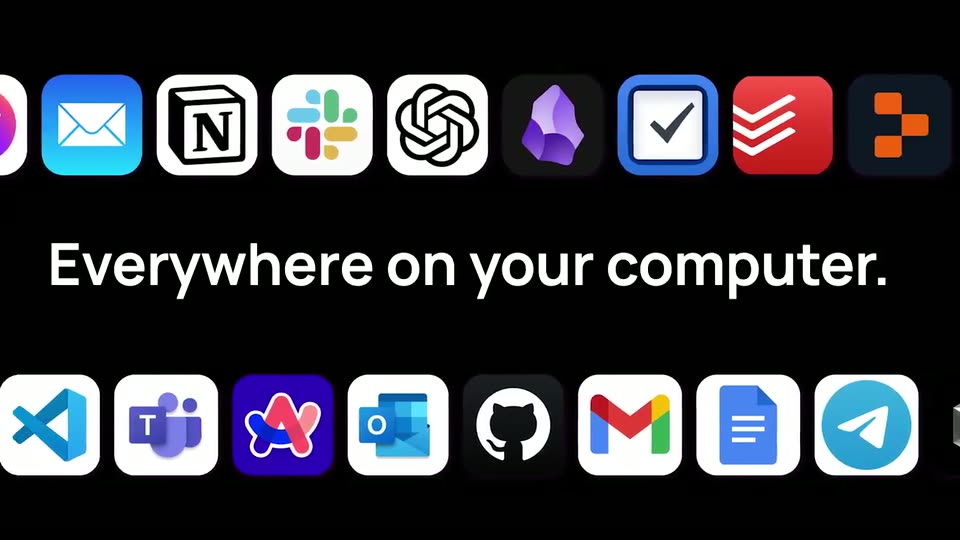
Two rows of app icons scroll in opposite directions along the top and bottom of a black frame while a white headline types itself out in the center, “Everywhere on your computer.”
On-screen text: “Everywhere on your computer.”
Techniques: Kinetic type
Camera: Pan
A Gmail compose window scales into the center over a dimmed inbox, with a presenter's webcam in the top-right corner. The AI fills the body with a three-point list, then the view zooms into the message.
On-screen text: “Everywhere on your computer.”
Techniques: UI zoom
Camera: Push in
A close-up of a desktop email draft titled “Introducing Flow,” with a small picture-in-picture video of a man in a gray hoodie in the top-right. The typed body list is deleted and the line “You can even whisper” is typed in its place.
Techniques: Split screen, Cursor demo
Camera: Static
A man in a gray hoodie sits at a desk facing the camera, speaking, in a bright open office. A Celsius can sits in the left foreground. Blurred desks, monitors and chairs fill the background. The locked-off medium shot holds steady.
Camera: Static
A man in a dark hoodie speaks at an office desk, then the shot cuts to a document screen where his video plays in a small panel on the right. The script text fills the left side.
Camera: Pull out
A Google Docs script with blue-highlighted lines fills the screen; a small webcam feed of a man in a gray hoodie sits in the top-right corner. The view zooms in on the text, a black waveform pill pulses below, then the text swaps to Spanish.
Techniques: UI zoom
Camera: Static
A man in a charcoal hoodie sits centered against a blurred office with orange chairs and white columns, speaking to camera. The shot holds steady on his face as he talks, the background kept out of focus.
Camera: Static
A man in a dark gray hoodie sits in a static medium close-up, speaking to the camera. The office behind him is out of focus, showing desks, chairs and workstations as he delivers a testimonial.
Camera: Pull out
A purple Chrome window opens flow-voice.ai, the cursor types the address, and the page scrolls past the Think it, speak it, send it headline to a purple waveform card, with a small webcam of a presenter in the corner. The shot then zooms into the waveform card.
On-screen text: “flow-voice.ai”
Techniques: Cursor demo, UI zoom
Camera: Push in
A browser window starts zoomed on the nav bar with a cursor on the purple Download button, then pulls back to the full Flow landing page: headline, a dark voice-waveform card and a purple reply pill. A small feed of a man in a gray hoodie sits bottom-right.
Techniques: Cursor demo, UI zoom
Camera: Pull out
The Flow logo, a dark rounded square with white waveform bars beside the black wordmark, sits centered on a white field. The bars pulse and compress, then the whole lockup fades to white.
Camera: Static
The black wordmark flowvoice.ai holds centered on a plain white background. The frame stays locked and static through the sign-off.
On-screen text: “flowvoice.ai”
Camera: Static
The frame holds on solid black for the full 1.7 seconds. No elements, motion or text appear.
Camera: Static
A bearded man in a black turtleneck speaks to the camera in a home office, shown in a vertical video-call window letterboxed with black bars. A black caption box in the upper right holds his name and title. The frame is locked off as he talks and gestures.
On-screen text: “Steve Wozniak”, “Co-founder, Apple”
Camera: Static