1:24

Meet the Underlord: Descript's Open Beta Feature Drop
Descript · Design · May 2025
Runway’s 1:01 launch film runs 32 scenes, about 1.9 s each. The product shows up at 0:02 and 6 features are revealed. The call to action lands at 0:55 (89% in), over a voiceover. The video is a beat-synced montage that alternates live-action sketching, black chat-interface demos and white feature title cards, cutting about every two seconds. Signature moves are sliding text cards, letter-by-letter typing, and the pineapple mascot recurring from notebook sketch to billboard to inflatable costume.
Is this your launch? to your site or press kit.
Descript · Design · May 2025
HyperFrames · Oct 2026
Films whose music sounds like this one, voice left out
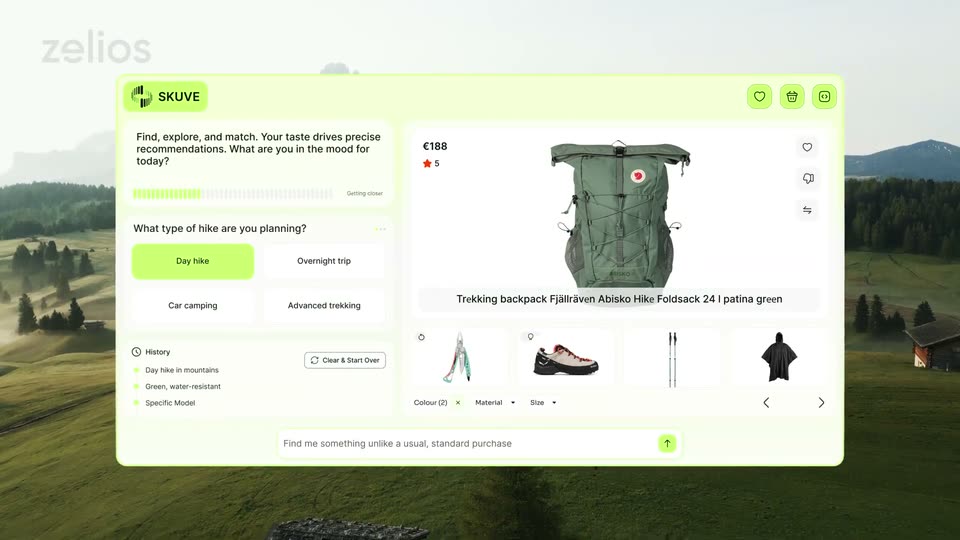
SKUVE · Upbeat electronic with Latin jazz elements
Blaxel · Electronic
Kinect · Electronic
A hand turns through a sketchbook of Tropi Cool packaging, lettering and pineapple-character ideas. The camera moves closely across the drawings.
Camera: Push in
A person draws a green cartoon character on a tablet with a white stylus. A close camera shows the hand and the artwork.
Camera: Push in
Macro close-up of a white stylus tip on a tablet screen, a hand blurred in the background, drawing a dark shape. A white headline holds centered and still over the locked-off frame.
On-screen text: “Introducing”
Camera: Static
A person in a red cap works at a desk in a blue room, then reaches toward a basket of markers. Runway and Agent 2.0 appear across the frame.
On-screen text: “Runway”, “Agent 2.0”
Techniques: Kinetic type
Camera: Static
Two white text labels, “Runway” on the left and “Agent 2.0” on the right, sit side by side on a plain black background. The frame is locked off and the text stays still for the full shot.
On-screen text: “Runway”, “Agent 2.0”
Camera: Static
Create and analyze holds centered in black on a pale background.
On-screen text: “Create and analyze”
Camera: Static
The title changes to Your marketing at scale, revealing its last letters.
On-screen text: “Your marketing at scale”
Techniques: Kinetic type
Camera: Static
Large black letters type Work with across the pale background before the model list enters.
On-screen text: “Work with”
Techniques: Kinetic type
Camera: Static
A list of supported image and video models scrolls beside the Work with caption on a pale background.
On-screen text: “Work with”
Techniques: Kinetic type
Camera: Static
A dark chat prompt appears with a greeting and attached packaging references. A cursor places the assets in the prompt before a brand-guidelines request types in.
On-screen text: “Hi Adam, what are you making?”
Techniques: Cursor demo, Kinetic type
Camera: Static
White text reading brand guidelines. slides in from the left across a dark background.
On-screen text: “brand guidelines.”
Techniques: Kinetic type
Camera: Static
Close-up of a dark rounded card on black: a slider icon sits left of a white button bearing a right arrow. A large white cursor with a black outline moves up and presses the button, which shrinks slightly.
Techniques: Cursor demo
Camera: Static
On black, a thin glowing circle spins as a loading indicator beside the centered word Thinking... in pale lavender. The text scales gently while the arc rotates, slow and minimal.
Techniques: Kinetic type
Camera: Static
The Thinking status remains below an assistant response. New words appear above the spinner as the chat begins its asset analysis.
Techniques: Kinetic type
Camera: Pull out
A tall dark chat panel shrinks into view beside the An agent built for real work headline on white. Status lines and image references appear in the panel.
On-screen text: “An agent built for real work”
Techniques: Kinetic type
Camera: Static
A dark app window fades in from black. The left half holds a grid of six bright TROPi Cool brand cards, the right half an agent chat log with queued image rows and a Thinking status, all static on black.
Camera: Static
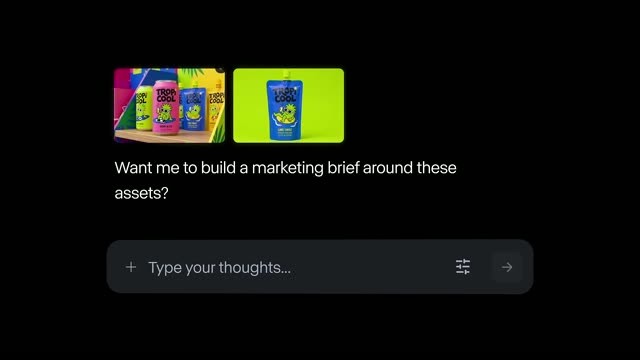
Two packaging references appear above a typed suggestion to create a marketing brief. The reply Yes, definitely types into the field and a cursor presses the send arrow.
Techniques: Kinetic type, Cursor demo
Camera: Static
White card with a two-column text layout. Left, a black headline reads 'Generate marketing briefs', its last letter fading in. Right, a gray marketing brief for TROPiCOOL assembles: a brand overview paragraph, italic taglines, and a target audience line fade in below a scaling 'Brand overview' label.
On-screen text: “Generate marketing briefs”
Techniques: Kinetic type
Camera: Static
The assistant proposes turning the packaging references into an ad campaign. The view zooms across the same prompt and input field.
Techniques: Kinetic type
Camera: Static
A dark rounded pill rests on a black background. A light blue plus icon sits at the left while the white phrase “Let’s do it.” builds in from left to right, locking off by the end of the clip.
Techniques: Kinetic type
Camera: Static
A grid of colorful Tropi Cool ads appears beside Create endless ad variations. The cards spread into a horizontal carousel that moves across the white background.
On-screen text: “Create endless ad variations”
Techniques: Kinetic type
Camera: Static
A blue packaging ad stays in a flat card while its label changes between languages. The Localize for any market headline appears beside it.
On-screen text: “Localize for any market”
Techniques: Kinetic type
Camera: Static
Several flat ad cards arrange into different proportions beside the Take it to every platform headline. The cards separate into a loose grid.
On-screen text: “Take it to every platform”
Techniques: Kinetic type
Camera: Static
An ad grid and analytics reference sit on white while Analyze what's working builds across the layout. A cursor selects the references as the cards fade out.
On-screen text: “Analyze what's working”
Techniques: Kinetic type, Cursor demo
Camera: Static
A cursor drags an ad and analytics reference toward a dark prompt bar. The interface zooms in as a redesign request types beneath the attachments.
Techniques: Cursor demo, UI zoom, Kinetic type
Camera: Static
The assistant shows Analyzing data with a spinner, an analytics panel and an ad reference. A completion message types beneath the two panels.
Techniques: Kinetic type, Split screen
Camera: Static
A grid of colorful Tropi Cool ads and packaging examples grows over black. Several references include filmed or generated people holding the product.
Camera: Static
A person in a denim jacket looks up at large Tropi Cool billboards on a city building. Scale your marketing stays centered over the shot.
On-screen text: “Scale your marketing”
Camera: Static
A person in a blue shirt and red shorts flips through a handstand on a yellow circle of a sunlit playground, a blue banner with a cartoon character swinging around their body. White centered text reads across the middle of the frame.
On-screen text: “And drive more revenue”
Camera: Static
A person in a giant green inflatable lime-can mascot walks toward a locked-off camera down a busy New York street, arms out, as taxis and pedestrians pass. The white caption 'And drive more revenue' holds centered over the costume.
On-screen text: “And drive more revenue”
Camera: Static
A white end card holds the line Get started at on the left and the URL app.runwayml.com on the right. Between them, a small looping 3D video shows a pink tube-shaped character with a face dancing in a blue room.
On-screen text: “Get started at”, “app.runwayml.com”
Camera: Static
The lowercase white runway wordmark holds alone at the center of a black background.
On-screen text: “runway”
Camera: Static