1:01


Introducing Runway Agent 2.0 | Runway
Runway · AI · Jun 2026
Genmo · Sep 2023 · 0:19 · AI-annotated
Genmo’s 0:19 launch film runs 12 scenes, about 1.6 s each. The product shows up at 0:01 and 1 feature is revealed. There is no explicit call to action. The video chains a rack focus live action hook, a gradient title card, a UI walkthrough and a fast montage of generated clips in 2x2 and triptych grids, closing on a locked logo card. Its signature moves are the diagonal blurred gradient backdrop, the soft rack focus opens and the slow drift and push in inside the split screen panels.
Is this your launch? to your site or press kit.
Runway · AI · Jun 2026
Descript · Design · May 2025
Lovable · Developer tools · Jan 2026
A man in a yellow hood and striped tunic stands in a field of yellow and white flowers. The frame opens soft and out of focus, then racks into sharp focus on his face as he looks toward the camera.
Camera: Push in
A man in an orange hat and white collar stands among yellow flowers, the focus tightens on his face, then the image dissolves into a pink gradient bearing the genmo logo in the upper left.
On-screen text: “genmo”
Camera: Push in
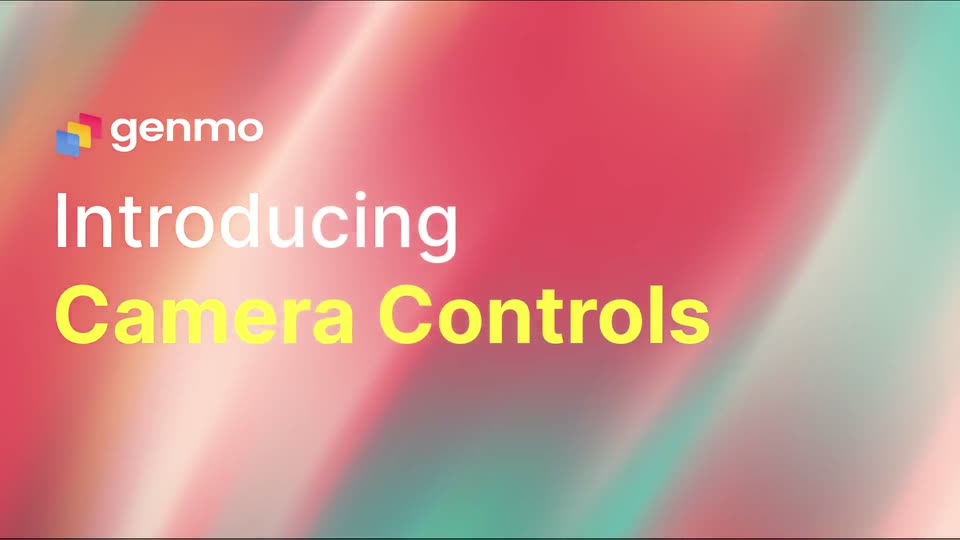
A blurred field of diagonal red, orange and teal streaks fills the frame. The genmo logo sits top left as white 'Introducing' fades in and bold yellow 'Camera Controls' slides in from the left edge, then both lines fade out.
On-screen text: “Introducing”, “Camera Controls”
Techniques: Kinetic type
Camera: Static
A dark prompt bar over a blurred gradient background zooms into a settings panel. A hand cursor taps the camera control plugin button, revealing zoom, roll, pan and tilt sliders, then presses a zoom icon.
Techniques: UI zoom, Cursor demo
Camera: Push in
A dark control panel with sliders and icon buttons sits on the left over a blurred teal-and-orange gradient. A white cursor glides to the Zoom row and clicks the zoom-in icon, which highlights, then the whole frame fades to black.
Techniques: Cursor demo
Camera: Static
A 2x2 split screen shows four macro shots of bees on pink, yellow, and purple flowers. Each quadrant stays locked off while the bees shift slightly.
On-screen text: “genmo”
Techniques: Split screen
Camera: Static
A four-panel split screen holds four macro shots of bees on flowers. Each quadrant shows a different bloom, a pink daisy, a yellow dandelion, a pink cosmos, with shallow depth of field and soft bokeh backgrounds. The bees remain mostly still, wings folded.
Techniques: Split screen
Camera: Static
Four macro clips of bees on flowers fill a 2x2 grid, each panel a separate bloom in pink, yellow or orange, held in a slow, near-static framing.
Techniques: Split screen
Camera: Static
A 2x2 grid shows four generated images: a stained-glass red bird, a loaf of banana bread, a black sphere in neon pink and blue rings, and a black-and-white rose. Each quadrant slowly zooms and drifts.
Techniques: Split screen
Camera: Static
Three vertical panels each frame a stylized man in a gold suit and blue-lensed sunglasses, set against a teal background with gold and green bokeh. The portraits drift slowly, with a slight push-in on the center panel.
Techniques: Split screen
Camera: Static
A locked-off triptych of an AI-rendered man in a gold tuxedo and sunglasses fills the frame. The genmo Replay logo and wordmark fade in across the center, hold, then fade out over the static portraits.
Camera: Static
The genmo Replay logo sits centered on a black background, locked off with no motion. A cluster of overlapping translucent squares in blue, yellow and red precedes the lowercase white wordmark and the yellow Replay.
Camera: Static