
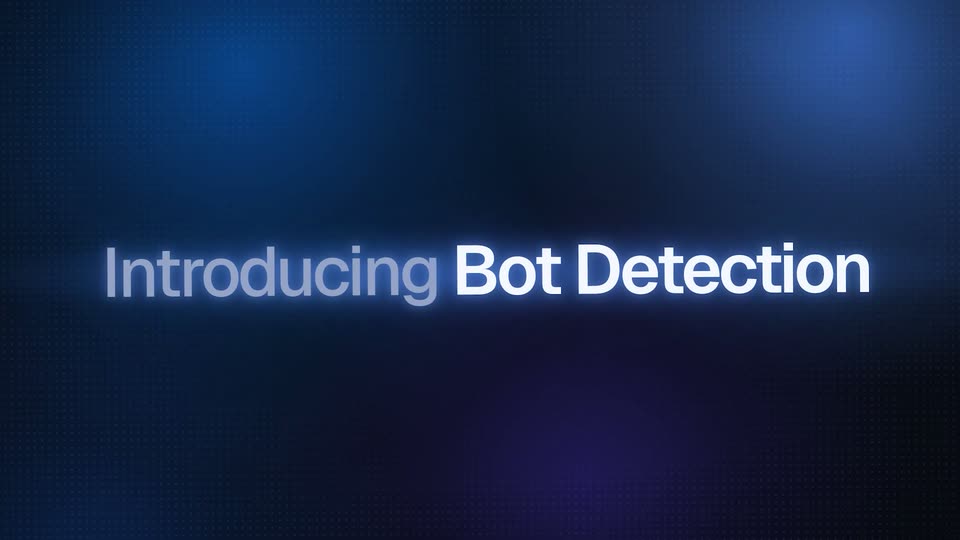
1:45
Explore
SideShift - LAUNCH ALERT: NEVER PAY FOR A BOTTED VIEW AGAIN. Bot Detection is no
SideShift · Oct 2026 · 0:18 · Full motion · AI-annotated
- Length
- 0:18
- Scenes
- 10 · 1.8 s avg
- Product on screen
- 0:03
- Features shown
- 1
- Call to action
- 0:15 · 83%
- Voiceover
- No
- Views
- 54K on X
as of November 18, 2026
00:00:00 / 00:18:21
- Length
- 0:18
- Scenes
- 10 · 1.8 s avg
- Product on screen
- 0:03
- Features shown
- 1
- Call to action
- 0:15 · 83%
- Voiceover
- No
- Views
- 54K on X
as of November 18, 2026
SideShift’s 0:18 launch film runs 10 scenes, about 1.8 s each. The product shows up at 0:03 and 1 feature is revealed. The call to action lands at 0:15 (83% in). A tight 18 second arc: a blur-to-focus text hook, a feature title card, a rapid demo across UI and 3D card shots, a four-line benefit punchline, then the URL and final logo. Every element enters from soft blur and snaps sharp on the cut, with red reserved for anything bot-related.
No filming indicatedEstimated needs: 1 capture group — your screens or recordings · 1 official logo — reused across the film · 2 3D passages — build or supply
Is this your launch? to your site or press kit.
More like this
1:45

The new Microsoft Planner: Manage all your tasks and plans in one simple, familiar experience
Microsoft · AI · Nov 2023
4:01

ClickUp Release 4.10: Sheets, Work Schedules, Email Triggers, and more!
ClickUp · Productivity · Nov 2026
Similar soundtrack
Films whose music sounds like this one, voice left out
0:24
Aidan - We just killed job hunting. Introducing AiApply: a career agent, in
AiApply · Electronic
1:03

A Fresh Look for Gem | UI Animation & Sound Design
Gem · Electronic
2:03

Lottielab - Introducing Burp! ✨ Your AI editor for video and motion. 🔮 Generate
Lottielab · Modern electronic, cinematic
SideShift - LAUNCH ALERT: NEVER PAY FOR A BOTTED VIEW AGAIN. Bot Detection is no, scene by scene
· 10 scenes as text
01 · Hook · 0:00–0:02
On a dark blue field with a faint grid, the line 'Not every view is real.' builds up word by word, each word pulling from soft blur into sharp focus, with 'real.' tinted light blue.
On-screen text: “Not every view is real.”
Techniques: Kinetic type
Camera: Static
02 · Problem · 0:02–0:03
A row of white metric labels scrolls left across a dark blue gradient. A glowing pill outline hops from Views to Bots, turning red with a dot, then the row settles as Saves scales up in the center while the other words blur out.
Techniques: Kinetic type
Camera: Pull out
03 · Feature reveal · 0:03–0:05
A dark blue gradient with a faint dot grid holds the centered title. The bold white words “Bot Detection” stay sharp and lit while the lighter “Introducing” softens and fades out, like a focus pull settling on the key phrase.
On-screen text: “Introducing Bot Detection”
Camera: Static
04 · Feature reveal · 0:05–0:06
A white dashboard card on a dark blue dotted background begins blurred and small, then snaps into sharp focus while scaling up to fill the frame, revealing a campaign posts table with creator rows and a bot detection toggle.
Camera: Pull out
05 · Feature reveal · 0:06–0:08
A white dashboard titled Campaign posts fills the frame, then the view zooms into the right columns of its table. A white cursor glides in and hovers over the red Remove button on a Bottled views row.
Techniques: UI zoom, Cursor demo
Camera: Push in
06 · Feature reveal · 0:08–0:10
A tilted white card floats in 3D over a dark blue field, listing a bot applicant with red tags and a Block button. A cursor clicks Block, the card flashes red reading 'Bot account blocked', then slides off to the right.
Techniques: 3D mockup, Cursor demo
Camera: Push in
07 · Feature reveal · 0:10–0:12
A hand-held phone rack-focuses from blur to sharp, tilted in 3D against a dark blue background. Its screen shows a social post with two red-highlighted bot comments. A white tag slides in from the right reading 'Engagement pod caught' in red.
On-screen text: “!! Engagement pod caught”
Techniques: 3D mockup
Camera: Push in
08 · Feature reveal · 0:12–0:15
Four short lines swap in sequence at the center of a dark blue gradient field with a faint dot grid. Each line starts blurred and snaps into focus, with “No” in white and the rest in pink, until the final all-white line.
On-screen text: “No botted views.”, “No fake accounts.”, “No engagement pods.”, “Pay for real people.”
Techniques: Kinetic type
Camera: Pull out
09 · CTA · 0:15–0:17
The sideshift.app wordmark sits on a dark blue dotted grid with soft corner glows, then resolves into the SideShift logo with a paper-plane icon as a tagline scales in beneath, and the frame blurs out.
On-screen text: “sideshift.app”, “SideShift”, “Bot Detection · Now live in v3”
Techniques: Kinetic type
Camera: Static
10 · Outro · 0:17–0:18
On a black background, the SideShift wordmark holds still at center while a smaller tagline beneath it scales up into place.
On-screen text: “Bot Detection · Now live in v3”
Techniques: Kinetic type
Camera: Static