2:39

Introducing Granola + Zapier | Your meeting notes, now connected with over 8,000 apps
Granola · Productivity · Jul 2025
Screenpipe · Nov 2024 · 1:06 · Full motion · AI-annotated
Screenpipe’s 1:06 launch film runs 24 scenes, about 2.8 s each. The product shows up at 0:06 and 2 features are revealed. There is no explicit call to action; a voiceover carries the film. The video is one locked off screen recording of the ScreenPipe app, with the presenter fixed in a rounded top left webcam inset and a black subtitle bar, so all motion comes from the cursor, the typing summary, and slow zooms of the timeline. The pacing is steady and expository, cutting on each caption phrase, with the signature move being the chat panel sliding in and the AI summary typing out line by line.
Is this your launch? to your site or press kit.
Granola · Productivity · Jul 2025
Rowboat Labs · Consumer · Jul 2026
Films whose music sounds like this one, voice left out
Rystic · Technical screencast narration
Pally · Corporate Product Demo
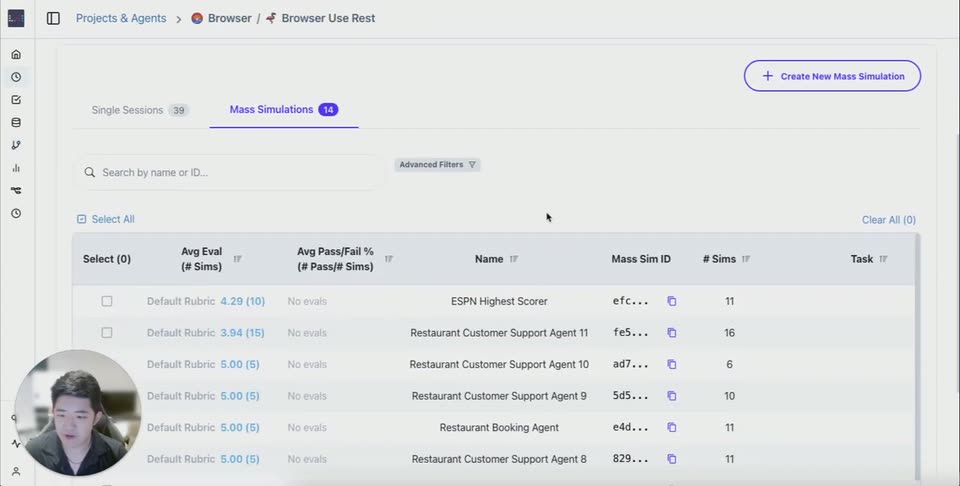
Lucidic AI · Technical tutorial narration
A locked-off screen recording of the Screen Studio timeline interface fills the frame, showing code editors and a time scrubber. A rounded webcam inset of a bearded presenter sits top left, and white subtitles appear in a black bar at the bottom.
On-screen text: “Hey everyone, maybe you use”, “cursor for coding or rewind,”
Camera: Static
A locked-off screen recording of the screenpipe timeline: a captured code editor screenshot above a day scrubber, a large white cursor arrow near the scroll arrows. A man in a top-left webcam inset talks while white caption phrases cycle at the bottom.
On-screen text: “cursor for coding or rewind,”, “maybe you don't use cursor”, “because you're not a”, “programmer, it's ok I want to”
Camera: Static
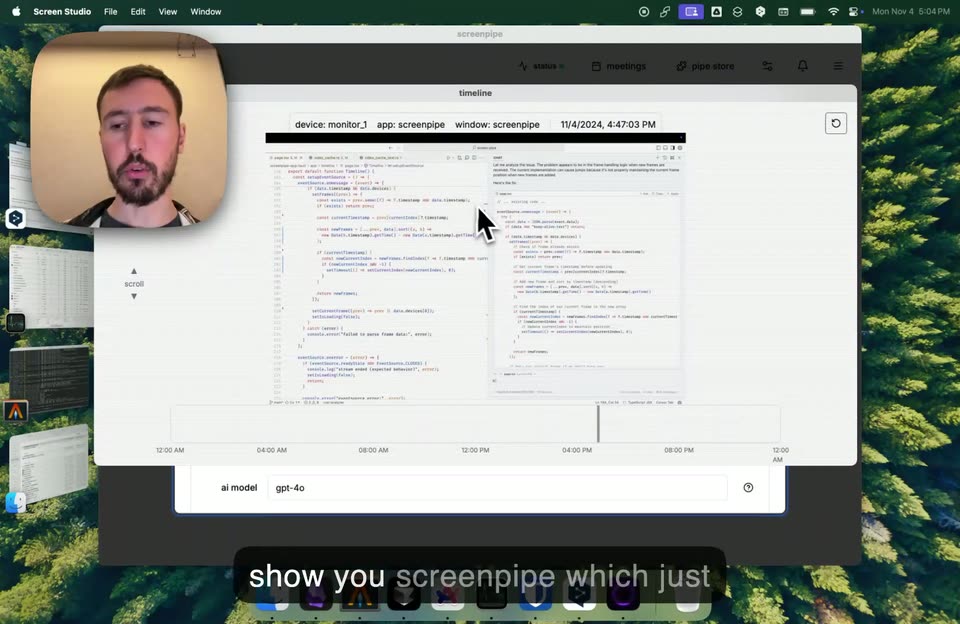
A locked-off macOS desktop shows the Screen Studio timeline view of a screenpipe session, with a rounded webcam feed of a bearded man in the top-left and a white caption bar at the bottom. A cursor drifts down over the code screenshot.
On-screen text: “show you screenpipe which just”
Techniques: Cursor demo
Camera: Static
A screen recording of the Screenpipe app fills the frame, its timeline view showing a code editor with a moving cursor and a time scrubber below. A bearded man sits in a rounded webcam overlay top left. Subtitles run at the bottom as the view zooms out.
On-screen text: “show you screenpipe which just”, “released a feature which is a”, “timeline like rewind that shows”
Techniques: Cursor demo, UI zoom
Camera: Static
A static screen-recording app timeline fills the frame, showing nested desktop captures, a time ruler, and an AI model field. A small presenter webcam sits top left while the bottom caption switches once.
On-screen text: “timeline like rewind that shows”, “you everything you've done for”
Camera: Static
A locked-off screen capture of a screen-recording app's timeline, showing nested screenshots of a terminal window on a forest desktop. A bearded man appears in a rounded webcam inset at top left, and a cursor arrow sits at the right edge. A subtitle bar reads at the bottom.
On-screen text: “the past days including the text”
Camera: Static
A locked-off screen recording of the screenpipe timeline view, showing a nested desktop screenshot and a rounded webcam feed of a man at top left. A black caption bar at the bottom swaps text, and a cursor hovers at the right edge.
On-screen text: “the past days including the text”, “that happened on your screen”
Camera: Static
A locked-off screen recording shows the Screen Studio timeline with nested screenshots of the same desktop, a rounded webcam overlay of a man speaking in the top left, and a black caption bar at the bottom that swaps from one line to another.
On-screen text: “that happened on your screen”, “and audio from your microphone”
Camera: Static
Locked-off screen recording of the screenpipe app on a Mac desktop, its timeline showing nested screenshots of earlier recordings and a webcam tile of a bearded man at top left. The window scales down mid-scene to reveal more desktop, while a cursor idles at the right.
On-screen text: “when you speak and”, “and audio from your microphone”
Techniques: UI zoom
Camera: Push in
A macOS desktop capture shows a timeline app with nested screen recordings and a dock; a small face-cam of the presenter sits in the top-left corner. A dark pill caption 'both your screen' types in at the bottom, then the view slides to reveal a chat panel on the right.
On-screen text: “both your screen”
Camera: Push in
A flat macOS screen capture shows a timeline window and a chat box where the word summary is typed. A small webcam self-view of the presenter sits top left. A dark caption pill at the bottom reads both your screen while a Cmd K shortcut hint floats in the center.
On-screen text: “⌘ K”, “both your screen”
Camera: Pull out
A screen recording of the screenpipe app shows a timeline panel with a summary field and a spinning loader, nested over a desktop screenshot with a forest wallpaper. A webcam self-view of a bearded man sits in the top-left corner.
Camera: Static
A locked-off screen recording of the screenpipe timeline view fills the frame, with a rounded webcam of a bearded presenter in the top-left corner. A black 'audio' callout pops in over the dock as the presenter talks.
On-screen text: “audio”
Camera: Static
A Mac screen shows the screenpipe app with a timeline panel and a loading spinner, while a rounded webcam video of a man plays in the top-left corner. The frame stays locked-off over a forest wallpaper and dock.
Camera: Static
A locked-off screen recording of a macOS desktop shows the Screen Studio app with a timeline panel and a loading spinner. A man speaks in a rounded webcam window at top left. A black caption bar at the bottom holds the phrase, and a forest wallpaper fills the background.
On-screen text: “just audio if you prefer or run”
Camera: Static
A locked-off screen recording of the screenpipe app shows a timeline panel with a spinning loader, a context dropdown and an empty prompt box. A man's webcam feed sits in a rounded inset at top left, and a white caption on a black pill reads at the bottom.
On-screen text: “just audio if you prefer or run”
Camera: Static
A locked-off screen capture of the screenpipe app shows an open timeline panel with a loading spinner, while a bearded man's video call sits in the top-left corner. A white caption on a dark pill reads 'specific agents on your timeline' along the bottom.
On-screen text: “specific agents on your timeline”
Camera: Static
The screenpipe app window fills the frame over a forest wallpaper, showing a timeline panel with a spinning loader beside the summary field and a small webcam of a bearded man in the top-left corner. A black caption bar at the bottom reads specific agents on your timeline.
On-screen text: “specific agents on your timeline”
Camera: Static
Locked-off screen capture of the screenpipe app: a timeline window with an open summary panel showing a spinning loader, plus a small webcam tile of the speaker in the top-left. A bottom caption reads “specific agents on your timeline”, then swaps to “and it works also with local”.
On-screen text: “specific agents on your timeline”, “and it works also with local”
Camera: Static
A locked-off screen capture of the screenpipe app. On the right, a timeline panel types out a summary paragraph below a spinning loader. A bearded man talks in a small video-call inset at the top left, while caption lines swap at the bottom.
On-screen text: “and it works also with local”, “models through ollama or”, “anything you like that is”
Camera: Static
A screen recording of the screenpipe app fills the frame over a forest wallpaper. A video call inset shows a bearded man speaking top left. A summary panel on the right types out AI text with a spinner. A black caption bar at the bottom shows white subtitles.
On-screen text: “anything you like that is”, “openAI API compatible”
Camera: Static
A locked-off macOS screen recording with a bearded man in a top-left video call inset. The screenpipe window shows a timeline panel where an AI summary types out line by line beside a spinner. A dark caption bar at the bottom reads openAI API compatible.
On-screen text: “openAI API compatible”
Camera: Static
A macOS screen recording shows the screenpipe app with a webcam feed of a bearded man in the top-left corner. A timeline summary panel on the right types out a paragraph word by word, then a cursor scrolls it to reveal a second numbered point.
Techniques: Kinetic type, Cursor demo
Camera: Static
A locked-off screen capture of the screenpipe app on a Mac desktop, with a rounded facecam of a bearded man in the top-left. The right timeline panel scrolls a short summary upward while the cursor drifts to the bottom-right corner.
Camera: Static