0:31

Introducing Spline for ChatGPT 🚀
Spline · Design · Oct 2026
Terse · Oct 2026 · 2:40 · AI-annotated · YC Fall 2026
A single continuous screen recording with a corner webcam, where the camera punches into the terminal and editor to follow each typed command. The pacing is brisk and tutorial like, using zoom ins, motion blur pull backs and live typing as the main visual rhythm.
Spline · Design · Oct 2026
Retool · Developer tools · May 2025
Cursor · Developer tools · Feb 2026
A dark IDE screen with a corner webcam of a talking man; the view zooms into the terminal as he types a terse init command, then pulls back to show the populated file tree and an opened config file.
Techniques: UI zoom, Cursor demo
Camera: Push in
A dark VS Code terminal fills the frame, a man's webcam inset bottom right. He types commands to copy a file, clear the screen and run terse deploy. Status lines print: type-check passed, secrets uploaded, project uploading. The frame pulls back to the full editor window.
Techniques: Cursor demo, UI zoom
Camera: Pan
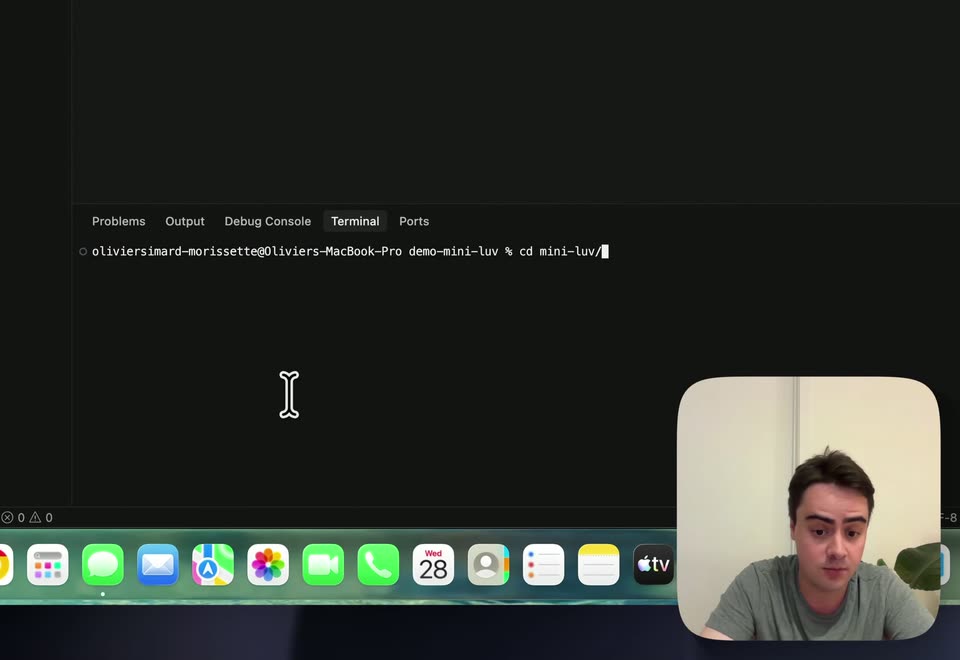
A dark Cursor IDE shows a file tree and syntax-highlighted TypeScript code. A hand pointer picks a file, then the I-beam cursor hops between lines as the code scrolls; a small rounded webcam video of a man in a gray T-shirt sits in the bottom-right.
Techniques: Cursor demo
Camera: Pan
A dark code editor shows TypeScript source with a bone-shaped cursor; the view scrolls down and settles on a terminal panel reporting a successful deployment, while a small rounded webcam feed of a man in a grey shirt speaks in the bottom-right corner.
Techniques: UI zoom
Camera: Pan
A code editor fills the screen, terminal panel showing deployment output, with a small webcam feed of the presenter in the lower right. The mouse cursor moves across the file tree, expands folders and opens a context menu on the client folder.
Techniques: Cursor demo
Camera: Pan
A dark code editor with a file tree and an open .env file fills the frame, a small webcam of a man sits bottom right. The view zooms out with a fast motion blur to reveal the macOS dock and a larger webcam.
Techniques: UI zoom, Speed ramp
Camera: Pull out
A dark code editor and terminal fill the screen, with a centered dialog box offering Open, Copy and Cancel. A cursor moves down to click a button. A rounded webcam inset at the bottom right shows a man in a gray shirt speaking.
Techniques: Cursor demo
Camera: Static
Screen recording of a dark web app's API Tokens page: the cursor types a token name, clicks Create, and a token-is-ready dialog appears; the view then cuts to a code editor showing the token in a .env file. A presenter's webcam feed sits bottom-right.
Techniques: Cursor demo
Camera: Static
A macOS screen shows a code editor and terminal panel, with a man talking in a small webcam inset at the lower right. The view zooms into the terminal as he types commands; an error flashes, then he reruns with bun and the server starts.
Techniques: UI zoom
Camera: Push in
Screen recording of a code editor with an AI chat panel, a presenter webcam in the corner. A typed prompt asks for an armadillo petting zoo site; bash tool calls tick off one by one, then the generated website appears in the browser on the right.
Techniques: Split screen, Cursor demo
Camera: Pull out