3:18

HumanLayer Deep Dive
HumanLayer · B2B · Nov 2024
Inconvo · Jan 2026 · 3:18 · Full motion · AI-annotated
Inconvo’s 3:18 launch film runs 69 scenes, about 2.9 s each. The product is on screen from the first frame and 2 features are revealed. The call to action lands at 3:08 (95% in), over a voiceover. A single continuous screen recording of the Inconvo web app and VS Code, anchored by a small presenter webcam tile in the lower-left corner, with the narration driving the story across a static three-panel interface. The style is flat and utilitarian: light gray UI, monochrome chrome, and one accent color (green) reserved for generated charts, so the only motion comes from the cursor, panel swaps and the chart that recurs as the visual motif.
Is this your launch? to your site or press kit.
HumanLayer · B2B · Nov 2024
OpenAI · AI · Feb 2026
Adaptional · B2B · Dec 2025
Films whose music sounds like this one, voice left out
Agentcard · Technical demonstration
primitive · Technical demonstration / Tutorial
A static full-screen capture of the Inconvo web app in a browser: a left sidebar with agent settings, a middle list of past conversations, and a chat panel showing a user prompt and a bar-and-line chart of top 5 products.
Camera: Static
A full browser window shows the Inconvo web app: a left sidebar with navigation links, a middle column of conversation cards, and a main panel where a chat prompt sits above a bar-and-line chart of top selling products. The view stays static throughout.
Camera: Static
A full-screen view of the Inconvo web app in a browser window. A left sidebar lists navigation items and a conversation panel shows a chat thread beside a bar-and-line chart of product revenue. A small self-view of the presenter sits in the bottom-left corner.
Camera: Static
A held screen capture of the Inconvo web app shows a chat panel with a generated bar-and-line chart of top products beside a list of saved conversations, while a small video feed of the presenter sits in the lower left corner.
Camera: Static
A browser window shows the Inconvo app with a left sidebar, a column of conversation cards, and a chat panel displaying a bar-and-line chart of top selling products. A small rounded webcam inset of a man sits in the lower-left corner. The view stays static.
Camera: Static
A static screen recording of the Inconvo web app fills the frame. A left sidebar lists navigation, a middle column holds chat cards, and the right panel shows a user prompt above a bar-and-line chart of top selling products. The interface stays still throughout the shot.
Camera: Static
A full-screen view of the Inconvo web app holds steady. A left sidebar lists menu sections, a middle column stacks conversation cards, and the main panel shows a chat reply with a blue bar-and-line chart of top products.
Camera: Static
A full-screen view of the Inconvo web app. The left sidebar lists agents and past conversations. The chat panel on the right shows a user prompt above a generated answer containing a bar-and-line chart of top five products.
Camera: Static
A static screen recording of the Inconvo web app shows a chat playground list on the left and a generated bar-and-line chart of product revenue on the right. A small webcam feed of a presenter in a black shirt sits in the lower-left corner.
Camera: Static
A static screen capture of the Inconvo web app. The left panel lists past conversations, the right panel shows a chat thread with a dual-axis bar and line chart of product revenue and units. A small video call window with a man sits in the bottom-left corner.
Camera: Static
A static screen recording of the Inconvo web app. The right panel shows a chat prompt and a combined bar-and-line chart of top products. A small presenter video plays in a rounded inset at the bottom left. The layout stays fixed throughout.
Camera: Static
A static screen capture of the Inconvo dashboard. A chat window displays a combined bar and line chart of top products, while a small webcam feed of a man in a dark shirt sits in the lower left corner.
Camera: Static
A macOS browser window shows the Inconvo web app, with a left navigation sidebar, a conversation list, and a chat panel displaying a blue bar-and-line chart of top five selling products by revenue and units sold. The screen holds static for the full shot.
Camera: Static
A static screen recording of the Inconvo app fills the frame. A left sidebar lists navigation, a center column stacks conversation cards, and the right panel shows a chat with a blue bar-and-line chart. A small live video tile of a man in a black shirt sits lower left.
Camera: Static
A screen recording of the Inconvo chat playground. The right panel holds a bar-and-line chart of top-selling products, then clears to blank white as a cursor appears above the prompt field at the bottom.
Techniques: Cursor demo
Camera: Static
The Inconvo chat interface fills the screen, a conversation list on the left and a bar chart with a line overlay on the right. A small video thumbnail of a person sits in the lower left corner. The frame holds still.
Camera: Static
A static screen capture of the Inconvo web app. A left sidebar lists navigation sections, a middle column shows a conversation history, and the right panel displays a chat with a bar and line chart of top selling products.
Camera: Static
The Inconvo app fills a browser window, its chat view showing a list of saved conversations beside a bar chart of product revenue and units sold. A small webcam feed of a man in a black shirt sits in the lower left corner. The frame holds static.
Camera: Static
A browser window shows the Inconvo app: a left navigation rail, a column of past conversations, and a chat panel where a prompt bubble sits above a combined bar-and-line chart of top products. A small webcam tile of a presenter anchors the lower left. The view holds steady.
Camera: Static
A full-screen capture of the Inconvo web app: a left navigation rail, a middle list of conversation cards, and a right chat panel where a user prompt sits above an AI reply containing a blue bar-and-line chart. The mouse cursor drifts across the left menu.
Camera: Static
A browser window shows the Inconvo dashboard, with a sidebar of navigation links, a list of conversation cards, and a chat panel displaying a bar-and-line chart of top selling products. The cursor hovers over the sidebar as the voiceover introduces the demo.
Camera: Static
A browser window frames the Inconvo app. The middle column swaps its conversation list for a database table panel, and the right panel changes from a revenue bar chart to an empty state. A cursor hovers over the left sidebar menu.
Camera: Static
A full-screen view of the Inconvo web app shows a left navigation menu and a Shop DB table list beside an empty details pane. A mouse cursor hovers over the Semantic Model item. A small picture-in-picture video of a presenter sits in the lower left corner.
Techniques: Cursor demo
Camera: Static
A dashboard view in a browser window. A cursor slides down the left sidebar from the Semantic Model row toward Chat Playground. The center pane lists database tables, the right pane shows an empty state.
Techniques: Cursor demo
Camera: Static
A light dashboard interface fills the screen, with a left sidebar of menu items and a middle column listing database tables such as orders, organisations, products, reviews and users. A mouse cursor hovers over the list while the right panel shows an empty state prompt.
Techniques: Cursor demo
Camera: Static
The Inconvo database page fills the browser, a table list on the left and the orders schema on the right. A cursor glides down the list from orders to products while a small video-call inset of a man sits in the bottom left corner.
Techniques: Cursor demo
Camera: Static
A static screen capture of the Inconvo app interface. A left sidebar lists navigation sections, a middle panel shows a table list with orders highlighted, and the main area displays the orders schema with column names and types in a grid.
Camera: Static
A screen recording of the Inconvo database page. The left sidebar lists configuration options, the middle column shows the Shop DB tables, and the main panel displays the orders table with its columns. The cursor drifts down the table list. A small video call thumbnail sits in the bottom left corner.
Techniques: Cursor demo
Camera: Static
A database settings screen fills the frame, with a navigation sidebar, a table list, and a column schema for orders. The interface stays still while a mouse cursor glides from the lower middle panel toward the table list.
Techniques: Cursor demo
Camera: Static
A screen capture of the Inconvo database configuration page, with a navigation sidebar, a table list, and a columns table for the orders table. The mouse cursor moves down the left sidebar from Semantic Model toward Chat Playground.
Techniques: Cursor demo
Camera: Static
A full-screen view of the Inconvo web app in Chrome shows the database configuration page, with a tables list on the left and the orders table schema on the right. A hand cursor hovers over User Context in the sidebar.
Techniques: Cursor demo
Camera: Static
The Inconvo interface crossfades from a detailed table schema, listing the orders columns, to a Database Connections page showing a single Shop DB entry with an Add Connection button.
Camera: Static
A full-screen view of the Inconvo dashboard on the Database Connections page, a Shop DB card with sync details and action buttons. A cursor drifts right then up across the empty area. A small webcam tile of a presenter sits bottom-left.
Techniques: Cursor demo
Camera: Static
A web app dashboard shows a Database Connections panel listing one Shop DB entry, with a left navigation sidebar. A mouse cursor drifts from the left edge toward the right side of the panel.
Techniques: Cursor demo
Camera: Static
A cursor glides across the Inconvo dashboard's Database Connections page and hovers over the Shop DB entry. The left sidebar lists navigation items above a user avatar, and the card shows a last-synced date with action buttons.
Techniques: Cursor demo
Camera: Static
A static screen recording of the Inconvo dashboard shows a Shop DB connection card with a green CONNECTED badge and a dark Connector Logs panel. A cursor glides from the page title to the status field, then to the Last Connected By line.
Techniques: Cursor demo
Camera: Static
A browser window shows the Inconvo dashboard with a Shop DB connection card and a dark Connector Logs panel. The cursor drifts from the logs to the left sidebar and rests on the Chat Playground item, revealing its link at the bottom.
Techniques: Cursor demo
Camera: Static
A full-screen view of the Inconvo web app in Chrome. The left sidebar highlights Chat Playground, a middle column lists conversation cards, and a right panel shows a Set Conversation Context form with organisationId set to 1. A cursor hovers over the sidebar.
Techniques: Cursor demo
Camera: Static
A screen recording of the Inconvo web app. The cursor clicks Start Conversation, then types a request for a monthly revenue waterfall chart into the chat box. A thinking indicator appears, then a green-and-red waterfall chart renders, with the wait sped up.
Techniques: Cursor demo, Speed ramp
Camera: Static
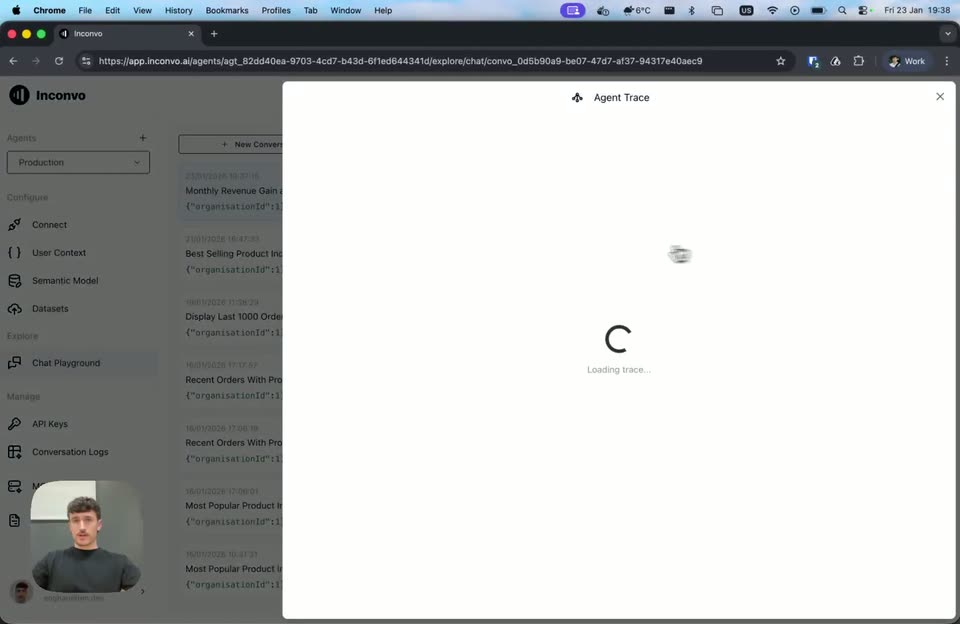
A browser window shows the Inconvo app with a white Agent Trace panel on the right displaying a spinning loader, while a navigation sidebar and a conversation list sit on the left.
Camera: Static
On-screen view of the Inconvo dashboard, dimmed behind an open Agent Trace modal showing a spinning loader and the line Loading trace. A cursor drifts inside the modal while a small video-call window of a person sits in the lower left.
Techniques: Cursor demo
Camera: Static
A screen recording of the Inconvo app shows an Agent Trace modal over the dashboard. The modal lists three agent steps on the left and a waterfall chart on the right, while a cursor drifts across the panel.
Camera: Static
The Inconvo Agent Trace panel fills the screen, listing agent steps in a left tree and showing the input message plus a green waterfall chart on the right. A cursor hovers over the select operation step.
Techniques: Cursor demo
Camera: Static
A screen recording of the Inconvo app opens an Agent Trace modal. After a brief loading spinner, a cursor scrolls the Output panel's YAML text and highlights a block for a computed column. A presenter's webcam feed sits in the lower left.
Techniques: Cursor demo
Camera: Pan
A screen recording of the Inconvo app's database page for the orders table. The clip opens with a brief crossfade between two views of the same screen, then holds on the Active Columns list while a cursor rests near the total row.
Camera: Pan
The Inconvo app shows the orders table configuration, then a central Agent Trace panel opens, listing the agent's steps from getSchemasForTables to generateResponse. A code panel fills the left and the interface the right, with a presenter's video call bottom left.
Techniques: Split screen
Camera: Pan
A screen recording of the Inconvo app shows an Agent Trace modal with a numbered step list on the left and a data schema on the right. A cursor drifts across the panel, and a small video call window with a presenter sits in the lower left corner.
Techniques: Cursor demo
Camera: Static
A browser window shows the Inconvo dashboard with an Agent Trace dialog open. The dialog lists agent steps in a tree on the left and a loading spinner on the right, while the mouse cursor drifts across the step list.
Techniques: Cursor demo
Camera: Static
A light-themed browser window shows the Inconvo app with an Agent Trace panel open, listing agent steps on the left and a code output block on the right. A cursor hovers over the output text. The framing stays static.
Techniques: Cursor demo
Camera: Static
A dimmed dashboard sits behind a white Agent Trace modal. The left column lists agent steps while the right shows a code block; a cursor hovers over the output as the narration describes the query.
Camera: Static
A screen capture of the Inconvo app shows an Agent Trace modal with a step tree on the left and a code panel on the right. A cursor scrolls the output, then clicks a step in the list, swapping the panel to a new code block with a loading spinner.
Techniques: Cursor demo
Camera: Static
A static screen capture of the Inconvo web app, an Agent Trace panel overlaid on the right. A cursor steps through the left list of tool calls; the right pane reloads each time with that step's data, from date filters to a SQL query and Python code.
Techniques: Cursor demo
Camera: Static
A dimmed Inconvo app window with sidebar and chat list sits behind an open Agent Trace panel. The panel lists agent steps on the left and a YAML output spec for a bar chart on the right, while a cursor moves over the code.
Techniques: Cursor demo
Camera: Static
A flat screen recording of the Inconvo app shows an Agent Trace panel. A cursor clicks Input / Response in the left list, and the right panel switches from a code block to a chat message and a green waterfall chart.
Techniques: Cursor demo
Camera: Static
A browser window of the Inconvo app shows an Agent Trace panel over a conversation list, with a waterfall chart of monthly revenue change on the right and a small webcam feed of a presenter in the corner. A cursor hovers over the chart.
Techniques: Cursor demo
Camera: Static
The Inconvo dashboard screen holds still, the Agent Trace panel open on the right with a green waterfall chart of monthly revenue gains and losses. A small webcam video of a man in a dark sweater plays in the bottom-left corner.
Camera: Static
A static view of the Inconvo dashboard in a browser. The right panel, titled Agent Trace, lists processing steps and a green waterfall chart of monthly revenue change. A small video of a presenter sits in the lower-left corner.
Camera: Static
A static screen capture of the Inconvo app in a browser, with the Agent Trace panel open showing a green and red waterfall chart of monthly revenue. A small video of a man in a dark shirt sits in the lower left corner.
Camera: Static
A web dashboard is shown with an open Agent Trace panel. The panel lists agent steps on the left and a green waterfall chart of monthly revenue change on the right. A small webcam feed of a man in a gray shirt sits in the lower left corner.
Camera: Static
A browser window shows the Inconvo app with a left sidebar of agent tools and a central modal titled Agent Trace. The modal lists agent steps on the left and a green waterfall chart of monthly revenue gains on the right, held static.
Camera: Static
A static screen capture of the Inconvo dashboard with an Agent Trace panel open, listing agent steps and a green waterfall chart of monthly revenue change. A small video inset of a presenter in a dark shirt sits in the lower left corner.
Camera: Static
A flat screen recording of the Inconvo dashboard with an Agent Trace modal open. The modal lists three agent steps on the left and shows a green waterfall chart of monthly revenue change on the right. The view stays static with no motion.
Camera: Static
A static screen capture of the Inconvo dashboard with the Agent Trace panel open on the right, showing a green waterfall chart of monthly revenue change. A small video of a presenter in a gray shirt sits in the bottom-left corner.
Camera: Static
A browser window shows the Inconvo app with an Agent Trace panel open over a dimmed dashboard. The panel lists agent steps and a message prompt, and displays a green waterfall chart of monthly revenue changes. A cursor glides into the chart area.
Techniques: Cursor demo
Camera: Static
A static screen capture of the Inconvo app in a browser, with an Agent Trace panel open over the dashboard. The panel lists numbered agent steps on the left and a green waterfall chart of monthly revenue on the right. A mouse cursor hovers across the chart.
Techniques: Cursor demo
Camera: Static
A browser window shows the Inconvo app with an Agent Trace dialog open, listing agent steps left and a green waterfall chart right. A cursor glides down to a row in the step list. A small webcam feed of a man sits in the lower left corner.
Techniques: Cursor demo
Camera: Static
A browser window of the Inconvo chat app. A floating agent trace panel slides off to the right, revealing a green waterfalls graph of monthly revenue. The cursor then drops down to the macOS dock at the bottom.
Techniques: Cursor demo
Camera: Pan
A VS Code window in dark theme fills the frame, a small webcam feed of the presenter sits in the lower left. A cursor selects lines of JavaScript, the terminal below runs a command and prints a JSON block, then a green waterfall chart opens in a new tab.
Techniques: Cursor demo
Camera: Static
A full-screen view of the Inconvo web app shows a chat panel with a green-and-red waterfall chart of monthly revenue change beside the user's prompt. A cursor drifts from the conversation list to rest on the prompt bubble.
Techniques: Cursor demo
Camera: Static