
0:29
Explore
Ship customer portals in hours
Retool · Jul 2023 · 2:52 · Full motion · AI-annotated
- Length
- 2:52
- Scenes
- 21 · 8.2 s avg
- Product on screen
- 0:00
- Features shown
- 1
- Voiceover
- Yes
- Views
- 6.1K on YouTube
as of November 28, 2026
00:00:00 / 02:52:12
- Length
- 2:52
- Scenes
- 21 · 8.2 s avg
- Product on screen
- 0:00
- Features shown
- 1
- Voiceover
- Yes
- Views
- 6.1K on YouTube
as of November 28, 2026
Retool’s 2:52 launch film runs 21 scenes, about 8.2 s each. The product is on screen from the first frame and 1 feature is revealed. There is no explicit call to action; a voiceover carries the film. The video opens on a flat brand card, builds the case with graphic slides (pop-in rounded cards and an arrowed capability list), then settles into long screen recordings of the portal. Its signature is a persistent circular talking-head inset pinned to the lower left over flat solid-color backgrounds, with slow fades and pop-in card animations carrying a deliberate, low-cut pace.
No filming indicatedEstimated needs: 2 capture groups — your screens or recordings · 1 official logo — reused across the film · 1 graphic passage — draw or supply
Is this your launch? to your site or press kit.
More like this

3:49

Sciloop - End to End Scientific Discovery
Sciloop · B2B · Oct 2025
0:50
Harvey - Introducing Harvey Agents:
Harvey · Mar 2025
Ship customer portals in hours, scene by scene
· 21 scenes as text
01 · Product intro · 0:00–0:05
A black Retool logo sits centered on a flat yellow background. A circular inset in the lower left shows a woman with dark hair in a red top speaking against a teal wall. Near the end the yellow fades to cream as a faint interface appears behind.
Camera: Static
02 · Problem · 0:05–0:06
A flat pharmacy orders dashboard mockup fills the center; its header darkens to blue and the right inspector panel expands into view. A circular live-action inset of a woman speaking sits bottom left, with the Retool logo top right.
Camera: Static
03 · Problem · 0:06–0:07
A flat PharmaCo orders hub interface sits centered on a light gray field, showing a patient table and a details panel. A circular talking-head video of a presenter occupies the lower left, and the Retool logo holds the upper right. The interface stays static while she speaks.
Camera: Static
04 · Problem · 0:07–0:15
A circular feed of a woman in a red top speaks at left on a teal backdrop. Right, a flat PharmaCo app composite shows an Orders hub table, a blue patient search header, a Patient details card, and a code editor with updating lines; the Retool logo sits top right.
Camera: Pull out
05 · Problem · 0:15–0:16
On a white background, the Retool logo sits top right above a flat browser window showing a PharmaCo orders hub, with a circular clip of a woman talking bottom left. A cursor appears in the right inspector panel and the Actions row reveals two buttons.
Techniques: Cursor demo
Camera: Static
06 · Problem · 0:16–0:33
A product mockup fades out as three periwinkle rounded cards pop in one by one on the left, labeled Customer Onboarding, Merchant Portals, Franchisee Dashboard, then a +more tag. A circular talking-head video sits bottom left, Retool logo top right.
On-screen text: “Customer Onboarding”, “Merchant Portals”, “Franchisee Dashboard”, “+more”
Techniques: Kinetic type
Camera: Static
07 · Feature reveal · 0:33–0:51
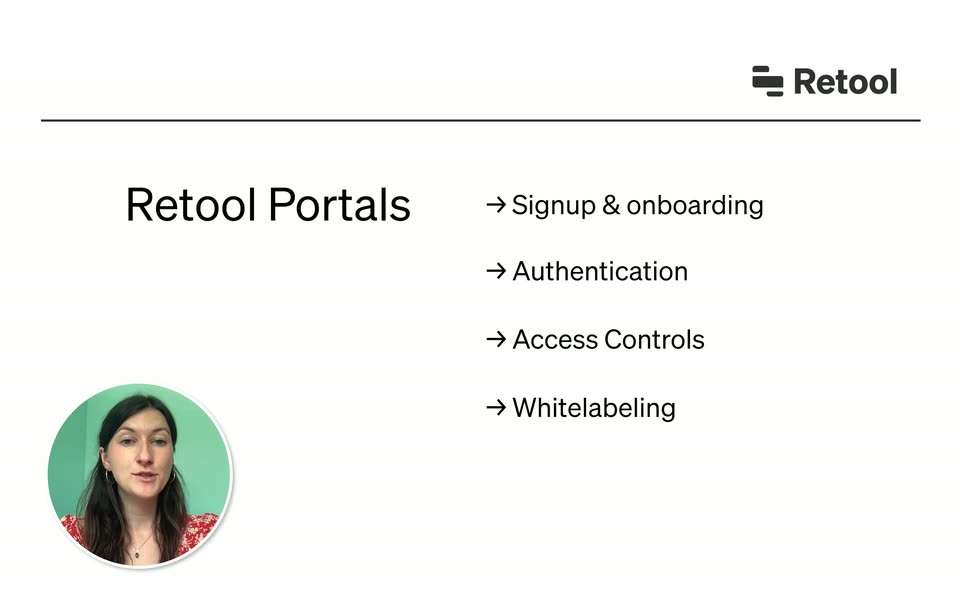
A white presentation slide shows the heading Retool Portals on the left and the Retool logo top right, with a thin rule beneath. A circular video inset of a woman speaking sits bottom left as four arrowed list lines fade in one by one on the right.
On-screen text: “Retool Portals”, “→ Signup & onboarding”, “→ Authentication”, “→ Access Controls”, “→ Whitelabeling”
Techniques: Kinetic type
Camera: Static
08 · Feature reveal · 0:51–0:52
A light gray feature card titled Retool Portals with a four-item arrow list cuts to a desktop browser window showing a PharmaCo login page, with a heart-plus logo, a Google sign-in button and an email and password form.
On-screen text: “Retool Portals”, “Signup & onboarding”, “Authentication”, “Access Controls”, “Whitelabeling”
Camera: Static
09 · Feature reveal · 0:52–1:14
A browser window shows the PharmaCo login page with a circular video-call inset of a woman in the lower left. A cursor clicks the email field, fills it with an address, then types a password and moves to the Sign in button.
Techniques: Cursor demo
Camera: Static
10 · Feature reveal · 1:14–1:30
Screen recording of the PharmaCo home page, a grid of feature cards under a blue nav bar. A circular video of a woman speaking overlays the bottom-left corner. The cursor drifts across cards and clicks Open on Orders Hub, loading the Orders hub view at the end.
Techniques: Cursor demo
Camera: Static
11 · Feature reveal · 1:30–1:33
The PharmaCo Orders hub screen fills the frame, showing a patient search table and a details panel. A circular live-action inset of a woman speaks in the lower left corner. A cursor glides down the table and hovers on the Enter Order Details button.
Techniques: Cursor demo
Camera: Static
12 · Feature reveal · 1:33–1:36
A browser window displays the PharmaCo Orders hub order entry form, with a circular presenter video pinned to the lower left. A cursor hovers over the Sign and Confirm Order button, then the screen cuts to a Sign and submit order page with an empty signature box.
Techniques: Cursor demo
Camera: Static
13 · Feature reveal · 1:36–1:43
A PharmaCo Orders hub screen shows the sign-and-submit step. A handwritten signature is drawn in the signature box, then the cursor clicks Submit, and the view switches to a Completed orders table with a success banner. A presenter's face sits in a circular frame at the lower left.
Techniques: Cursor demo
Camera: Static
14 · Feature reveal · 1:43–1:46
A 'View prescription record' modal opens over the PharmaCo portal; a spinner spins, then a prescription PDF fades in and scrolls to show patient and prescription tables. A circular webcam of the presenter sits in the lower-left corner.
Techniques: Cursor demo
Camera: Static
15 · Feature reveal · 1:46–1:47
A web app screen shows a prescription record PDF modal over an orders page, with a circular webcam of a woman in the lower left corner. The mouse cursor drifts down from the document toward the page footer.
Techniques: Cursor demo
Camera: Static
16 · Feature reveal · 1:47–2:03
A browser window shows a branding settings page with a left nav, a configure form and a preview card on the right. A cursor opens a dropdown and the preview swaps from an email invite to a login screen. A circular video of a woman sits in the lower-left corner.
Techniques: Cursor demo
Camera: Static
17 · Feature reveal · 2:03–2:05
A browser window shows the Permission Groups table of an admin panel, with rows for All Users, Viewer, Editor and Admin. A circular webcam inset of a woman in a red top sits in the lower left corner. The mouse cursor slides from the Permissions item in the left sidebar to the blue Create new button in the top right.
Techniques: Cursor demo
Camera: Static
18 · Feature reveal · 2:05–2:08
A dimmed Permission Groups table sits behind a centered “Create a new group” dialog. A cursor types “Pharmacists” into the Group name field, then moves to the Create group button. A circular webcam feed of a woman speaking occupies the lower-left corner.
Techniques: Cursor demo
Camera: Static
19 · Feature reveal · 2:08–2:16
A screen recording of the PharmaCo permissions page shows a cursor typing sophi in a user search, selecting Sophie Boldtech, then switching to the Apps tab and checking the Use boxes for Landing Page and Orders Hub. A circular webcam of a presenter sits in the lower left.
Techniques: Cursor demo
Camera: Static
20 · Feature reveal · 2:16–2:17
A circular headshot of a woman with long dark hair in a red floral top stays in the lower-left corner while a browser window of the PharmaCo Orders hub portal fades in across the white background.
Camera: Static
21 · Feature reveal · 2:17–2:52
A browser window shows the PharmaCo Orders hub with a patient table and details panel; a circular webcam inset of the presenter sits bottom left. The cursor opens a form-builder modal, its fields and submit-handler code appear in the right inspector, then the modal closes and the frame fades out.
Techniques: Cursor demo
Camera: Static