0:57
OpenEvidence - Introducing Learn, a free, personalized medical education platform fr
OpenEvidence · Nov 2026
Harvey · Mar 2025 · 0:50 · AI-annotated
Harvey’s 0:50 launch film runs 23 scenes, about 2.2 s each. The product is on screen from the first frame and 1 feature is revealed. There is no explicit call to action. The video alternates full-frame serif type cards on near-black and pale off-white with flat, front-on product UI shots, cut at a slow, even pace with locked-off framing. Signature moves: letterforms resolving from overlapping clusters into clean spacing, and interface states building in place as checklists tick off and text types itself.
Is this your launch? to your site or press kit.
OpenEvidence · Nov 2026
Anthropic · AI · Oct 2026
Cursor · Developer tools · Mar 2026
A single serif word, “Harvey,” sits centered on a black background and fades in from dark gray to light gray over the short clip.
On-screen text: “Harvey”
Camera: Static
A black screen holds a centered white serif wordmark, Harvey, in a locked-off frame.
On-screen text: “Harvey”
Camera: Static
A plain black background holds the white serif wordmark Harvey, centered and perfectly still, with no camera movement or animation across the short clip.
On-screen text: “Harvey”
Camera: Static
A pale gray field centers a single serif line. A faint earlier line dissolves out as the new line fades in to full opacity, then holds still.
On-screen text: “For all the times you've thought”
Camera: Static
A flat wall of SEC filing pages, including a Schedule 14A and a Form 10-K naming CBRE Group and OMNIAB, fills the frame and drifts slowly to the right. A single caption line stays still above the pages.
On-screen text: “For all the times you've thought”
Camera: Pull out
A centered serif headline reads the quote over a scattered collage of SEC legal forms, which then clear to a plain light background.
On-screen text: ““I can't believe I went to law school for this””
Camera: Pan
The wordmark “Harvey” sits centered in black serif type on a plain off-white background. The frame is locked-off and the text holds still for the length of the short clip.
On-screen text: “Harvey”
Camera: Static
The wordmark Harvey sits centered in black serif type on a plain off-white field, holding perfectly still for the full shot as a quiet sign-off.
On-screen text: “Harvey”
Camera: Static
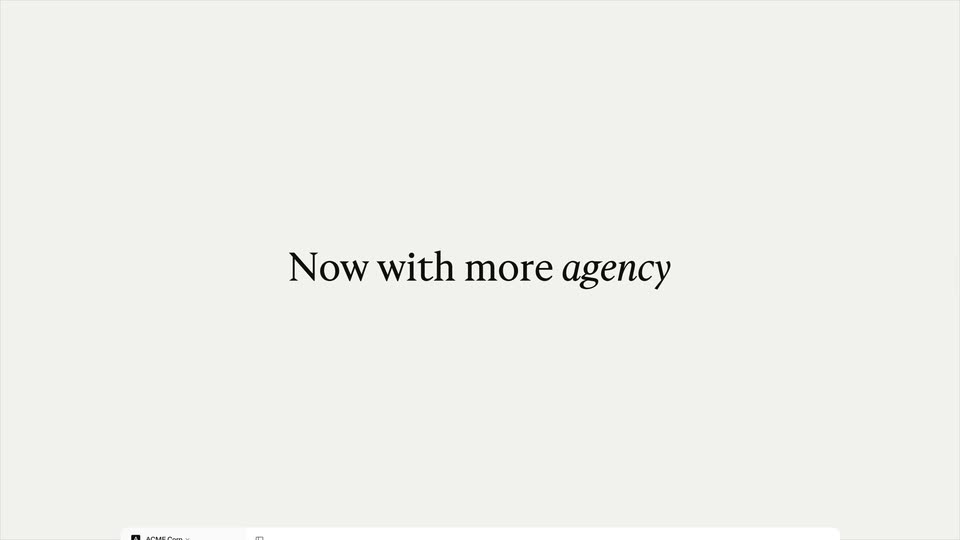
A centered black serif headline reads “Now with more agency”, its letters resolving from an overlapping cluster to normal spacing, while a product interface panel with a left sidebar slides up from the bottom edge.
On-screen text: “Now with more agency”
Techniques: Kinetic type
Camera: Static
The Harvey assistant screen, a flat interface with a left navigation rail and a grid of prompt cards, slides upward into place, the lower rows of prompts scrolling into view.
Camera: Static
A light Harvey dashboard with a left sidebar and a grid of prompt cards. A black cursor glides from one card to the attach files field, and each hover draws a red outline around a file icon plus a small blue tooltip.
Techniques: Cursor demo
Camera: Static
A flat Harvey assistant screen shows a PDF being dropped, then the interface ghosts out while the file label scales up to center. A rounded card builds with action buttons and prompt lines, then fades to leave the first prompt highlighted under a cursor.
On-screen text: “ACME Corp - Q4 and Full Year 2024 Financial Results.pdf”
Techniques: Kinetic type, UI zoom, Cursor demo
Camera: Static
A white screen shows an H avatar beside a Working... status. Four task lines fade in one after another, each with a circle that gains a checkmark as the step completes.
Camera: Static
A document answer resolves from doubled, overlapping lines into clean paragraphs with a suggested follow-ups list, then the view reframes to a centered follow-up input box on a white field.
Techniques: UI zoom
Camera: Static
A light-gray prompt bar sits centered on a white field. A question comparing ACME and META revenue trends types itself into the field line by line as the bar widens. A cursor then glides to the black Ask Harvey button and clicks it.
Techniques: Cursor demo
Camera: Static
A white chat interface, locked off, shows the H avatar and a faint 'Assessing the request' status that crossfades into the assistant's question about querying EDGAR for Meta's 10-Ks. Two rounded option buttons appear below as a cursor hovers over the 10-K chip.
Techniques: Cursor demo
Camera: Static
On a plain white background, a small circular badge with the letter H sits at left. A thin gray ring spins beside it while the gray text “Generating a research plan” stays fixed. The frame is locked off and still.
Camera: Static
On a white background, an H logo and the question “Does this research plan seem right to you?” darken from gray to black, then a card with a summary line and Edit and Submit buttons fades in beneath.
Camera: Static
A flat front view of a product screen asks “Does this research plan seem right to you?” above a table card. Table rows type in one by one, then a cursor moves to the Submit button and clicks it.
Techniques: Cursor demo
Camera: Static
A close crop on a 'Working...' checklist and a self-typing summary paragraph pulls back to reveal the full dashboard, with a left navigation rail, a top toolbar, and a right panel listing two PDF sources. Checklist items tick off in sequence as the paragraph types out.
Techniques: UI zoom
Camera: Pull out
A light assistant interface displays a financial analysis document beside a sources panel. The status header crossfades from a five-step 'Working' checklist to 'Finished in 5 steps', then a follow-up input bar with an 'Ask Harvey' button slides up at the bottom.
Camera: Pull out
Centered on a pale off-white field, a dark gray serif line reads “Agents That Work Like You Do”. It settles from a slight horizontal offset in the first half second, then holds still for the rest of the shot.
On-screen text: “Agents That Work Like You Do”
Techniques: Kinetic type
Camera: Static
The white serif wordmark Harvey sits centered on a flat near-black field. The background eases from dark gray to pure black while the wordmark holds still, a locked-off sign-off.
On-screen text: “Harvey”
Camera: Static