0:30

Clueso Agents · Clueso Showcase
Clueso · B2B · Sep 2026
Ramp’s 0:22 launch film runs 7 scenes, about 3.3 s each. The product is on screen from the first frame. The call to action lands at 0:15 (70% in). One continuous product story: a cream UI card types three example prompts, then a single prompt runs end to end into a tilted 3D spreadsheet that fills itself, closing on a locked gradient card holding the URL. Pacing sits at roughly 10 cuts per minute, with letter-by-letter typing, a wipe-out between prompts, and a green highlight band sweeping down the columns as the signature moves.
Is this your launch? to your site or press kit.
Clueso · B2B · Sep 2026
Harvey · Sep 2025
Films whose music sounds like this one, voice left out
Lotas · Electronic, Corporate
Webhound · Electronic
Tesla · Modern electronic
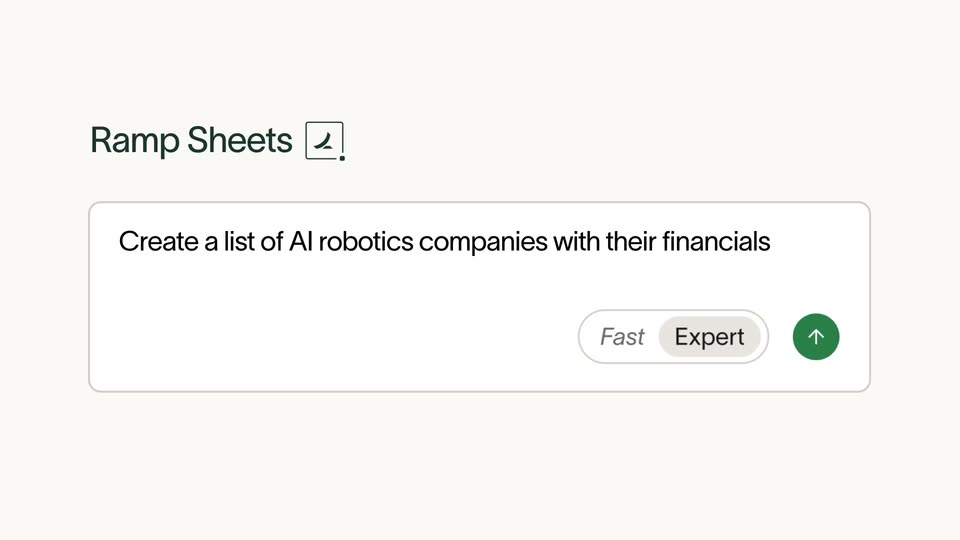
On a cream background, the Ramp Sheets wordmark and square icon sit top left above a wide rounded input field with a Fast/Expert toggle and green up-arrow button. Inside the field, prompt text types out letter by letter, then wipes out and a new prompt types in, cycling three examples.
Techniques: Kinetic type
Camera: Push in
A white prompt box with the text 'Create a list of AI robotics companies with their financials' and a Fast/Expert toggle fades out, revealing a 'Creating a sheet' status page with a spinner and body text.
Camera: Static
On a white background, a document header reads “Creating a sheet” beside a file icon and a blue sparkle mark. Light gray body text fades in line by line and scrolls upward, revealing a plan for building a robotics sheet.
Camera: Push in
A tilted spreadsheet window floats in 3D over a blue gradient. Company rows fill in from the top as a green highlight band sweeps down the columns, while the chat panel on the right cycles from Thinking to Creating a sheet.
Techniques: 3D mockup
Camera: Pull out
A tilted spreadsheet window floats on a blue gradient, the framing tightening toward it. The sheet lists AI robotics companies with headquarters, founding year, valuation and funding columns, a chat panel running down the right edge.
Techniques: 3D mockup
Camera: Pull out
On a pale blue-to-white gradient, the headline 'Try Ramp Sheets today.' assembles word by word in the center, letters easing in with a slight offset. A small subtitle fades in beneath it. The headline line then swaps to the URL 'ramp.com/sheets' while the subtitle holds.
On-screen text: “Try Ramp Sheets today.”, “An AI experiment from Ramp Labs”, “ramp.com/sheets”
Techniques: Kinetic type
Camera: Static
A black URL reads ramp.com/sheets, centered on a soft blue-to-white gradient. The text holds perfectly still on a locked-off frame for the full clip.
On-screen text: “ramp.com/sheets”
Camera: Static