
0:50
Explore
00:00:00 / 00:56:01
- Length
- 0:56
- Scenes
- 14 · 4.0 s avg
- Product on screen
- 0:00
- Features shown
- 2
- Voiceover
- No
- Views
- 89 on YouTube
as of November 24, 2026
Proxis’s 0:56 launch film runs 14 scenes, about 4.0 s each. The product is on screen from the first frame and 2 features are revealed. There is no explicit call to action. The video chains flat white UI cards and 3D window stacks that blur, slide and morph into one another, moving from logo, problem, solution toggles, feature demos to benefit cards. Signature moves are the typing headlines with blue selection highlights, the blur-to-next transition, and giant letterforms that reshape into the logo mark.
Footage neededEstimated needs: 3 capture groups — your screens or recordings · 1 official logo — reused across the film · 1 filmed passage — shoot, supply or replace · 1 graphic passage — draw or supply · 1 3D passage — build or supply
Is this your launch? to your site or press kit.
More like this
1:31
Introducing Shire
Shire · Nov 2026
1:18

Michael Woo - Introducing Applied Labs, the world's first truly AI native CX platfo
Applied Labs · May 2026
Similar soundtrack
Films whose music sounds like this one, voice left out
0:47

Present, engage, inspire | Logitech Spotlight 2
Logitech · Nu-disco, indie dance, funk
0:26
Stord Labs Final
Stord · Electronic dance music
0:29

Introducing Center Stage
React Bits · Electronic pop, synth-pop
Proxis AI Email Agents, scene by scene
· 14 scenes as text
01 · Product intro · 0:00–0:04
A defocused white logo mark sharpens at center of a dark radial glow, then scales down and shifts left while the PROXIS wordmark fades in to its right. The tagline Put your email on autopilot fades in above the wordmark.
On-screen text: “PROXIS”, “Put your email on autopilot”
Camera: Pull out
02 · Product intro · 0:04–0:05
A dark radial-gradient backdrop holds the centered PROXIS logo, a white beveled wordmark with a stylized P mark, beneath a small pixel-style tagline. The frame stays locked and static throughout the shot.
On-screen text: “Put your email on autopilot”
Camera: Static
03 · Problem · 0:05–0:09
Overhead locked-off shot of hands typing on a laptop at a book-lined desk. Email cards with blue envelope icons pop up, multiplying until they cover the frame. “Inbox overload?” appears at the bottom, then the scene shrinks into a circular mask on white.
On-screen text: “Inbox overload?”
Techniques: Masking
Camera: Static
04 · Product intro · 0:09–0:12
On a light gray gradient, the PROXIS wordmark slides in beneath “Introducing”, then a dark cursor appears as “The solution that” types out above two white toggle cards labeled Auto-drafts and Auto-sends.
On-screen text: “Introducing”, “PROXIS”, “The solution that”, “Auto-drafts”, “Auto-sends”
Techniques: Kinetic type
Camera: Static
05 · Product intro · 0:12–0:16
A black cursor flips two white toggle cards, Auto-drafts and Auto-sends, from gray to blue beneath the heading The solution that. The cards then slide together and overlap as the frame blurs into a product inbox screen and fades out.
On-screen text: “The solution that”, “and”
Techniques: Cursor demo
Camera: Static
06 · Feature reveal · 0:16–0:18
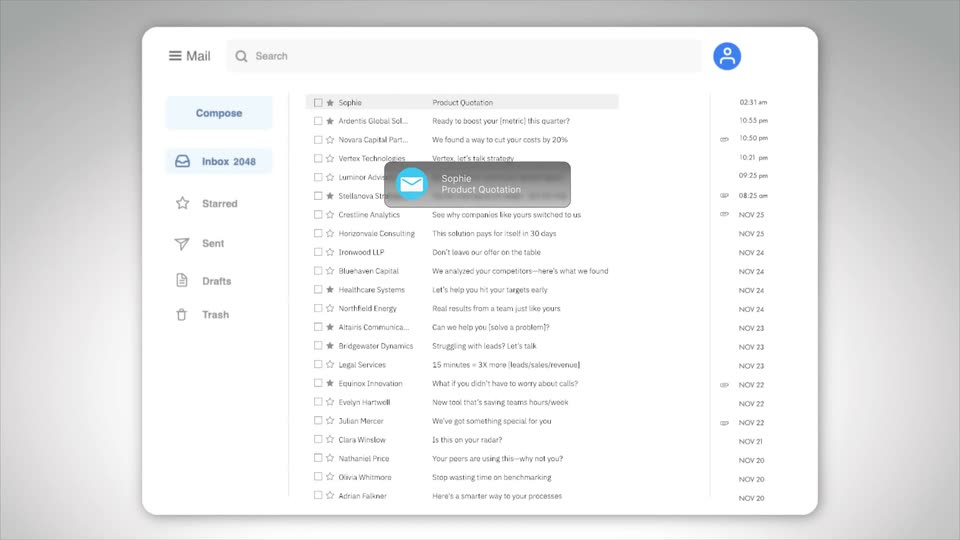
A tilted 3D mail inbox card rests on a gray backdrop. A small label fades in over one row, then the list blurs as a compose window pops up in front, showing a short draft email.
Techniques: 3D mockup
Camera: Pull out
07 · Feature reveal · 0:18–0:21
A mail compose mockup showing an email from Sophie sits centered on a light gray background. It slides left as a white card with a loading spinner and the Auto-drafting label slides in from the right, a large gray caption cut off at the frame edge.
On-screen text: “ing in from sources”
Camera: Static
08 · Feature reveal · 0:21–0:38
A flat mail compose window types out a reply line by line under an Auto-drafting badge, while a right-side caption cycles through brand logos. A threshold progress bar fills, then an Auto-Send chip slides in as the window lifts.
On-screen text: “Pulling in from sources”, “Below threshold = review and send.”, “Above threshold = auto-send.”
Camera: Pan
09 · Feature reveal · 0:38–0:40
A Mail inbox interface appears as a 3D stack of layered windows that flattens into one front-facing screen. An Auto-Send pill with a paper plane icon sits at the bottom. The view then blurs out as the word Keeping fades in on the left.
On-screen text: “Auto-Send”, “Keeping”
Techniques: 3D mockup
Camera: Push in
10 · Feature reveal · 0:40–0:45
A light email client fills the frame. The headline “Keeping your inbox clean” types out on the left while the inbox count tumbles through the thousands and settles on 0 as the message list blurs into empty rows. Finally the interface slides down, leaving a gray band at the top.
On-screen text: “Keeping your inbox clean”
Techniques: Kinetic type
Camera: Static
11 · Other · 0:45–0:48
A black rectangular frame rests on a soft white background. Inside its dark band, the headline fades in word by word, and the final word, auto-replies, pops with a blue selection-style highlight box.
On-screen text: “Save your team hours of email time with auto-replies”
Techniques: Kinetic type
Camera: Pull out
12 · Other · 0:48–0:52
A giant black letterform fills a white gradient frame. The tagline types in across its horizontal bar, the phrase even at 2am boxed in blue. At the end the letter morphs into a new shape and the text warps.
On-screen text: “Keep momentum with immediate responses, even at 2am”
Techniques: Kinetic type, Morph
Camera: Static
13 · Outro · 0:52–0:52
A dark gray geometric mark, a triangle joined to a curved loop, floats centered on a light gray gradient. The mark eases from a slight tilt to upright while its drop shadow darkens and sharpens.
Camera: Static
14 · Outro · 0:52–0:56
A black geometric P mark centered on a soft white gradient background slides left as the wordmark ROXIS and the tagline Put your email on autopilot fade in above it, then a Developed for credit with Gmail and Outlook icons appears in the bottom right corner.
On-screen text: “ROXIS”, “Put your email on autopilot”, “Developed for”
Camera: Static