
0:18
Explore
Brex Launches Payables
Brex · Aug 2023 · 1:06 · Full motion · AI-annotated
- Length
- 1:06
- Scenes
- 27 · 2.5 s avg
- Product on screen
- 0:00
- Features shown
- 6
- Call to action
- 1:00 · 91%
- Voiceover
- No
00:00:00 / 01:06:19
- Length
- 1:06
- Scenes
- 27 · 2.5 s avg
- Product on screen
- 0:00
- Features shown
- 6
- Call to action
- 1:00 · 91%
- Voiceover
- No
Brex’s 1:06 launch film runs 27 scenes, about 2.5 s each. The product is on screen from the first frame and 6 features are revealed. The call to action lands at 1:00 (91% in). A dark, near-black launch film built on a left-aligned two-line headline that crossfades while a single right-side mockup morphs continuously from invoice to form to approvers to payment cards. The pace is slow and deliberate, with one idea per beat, gradient text fills, and cyan scan brackets as the signature motion device.
No filming indicatedEstimated needs: 7 capture groups — your screens or recordings · 1 official logo — reused across the film · 4 graphic passages — draw or supply · 3 3D passages — build or supply
Is this your launch? to your site or press kit.
More like this




Similar soundtrack
Films whose music sounds like this one, voice left out
0:54

ViggleAI - Introducing Viggle Remake. The most powerful video transformation ag
Viggle Remake · Electronic dance music
1:18

Y Combinator - Tornyol (@tornyolsystems) is building micro-drones that kill mosquito
Tornyol · Modern trap and electronic dance music
1:20

Jeremy Yudkin - Today, @editframe emerges from stealth. Agents need video. Editframe
editframe · Electronic dance music, UK Garage, Latin urban
Brex Launches Payables, scene by scene
· 27 scenes as text
01 · Product intro · 0:00–0:00
The frame holds a uniform black field for the full duration, with no visible elements, text, logos, or motion.
Camera: Static
02 · Product intro · 0:00–0:01
A black flag-like mark sits centered on a black field. The background flips to light gray and the mark inverts to white with a smaller black shape inside it. The white shape then slides out toward the lower left, leaving the black mark centered.
Techniques: Morph
Camera: Static
03 · Product intro · 0:01–0:04
A white geometric logo, a rectangle crossed by a wavy line, sits centered on a black background. The wave slides across the shape while the outline morphs between rectangular and square forms, a slow continuous transformation.
Techniques: Morph
Camera: Static
04 · Product intro · 0:04–0:05
A white angular loop mark sits centered on black, scales up, then a white panel wipes in from the left to fill the frame, leaving the mark centered on the new white ground.
Techniques: Masking
Camera: Static
05 · Product intro · 0:05–0:06
A black mask shape on a light gray field expands to fill the frame with a dark background. The word Introducing scales in at a diagonal angle with motion blur, set over thin concentric circles with colored arc segments.
On-screen text: “Introducing”
Techniques: Masking, Kinetic type
Camera: Static
06 · Product intro · 0:06–0:08
On a dark background, white “Introducing” scales down as cream “Brex payables” scales up, framed by rotating teal and copper rings. The text fades and a white invoice mockup appears, then a P-card slides in over it from the left.
On-screen text: “Introducing”, “Brex payables”
Techniques: Kinetic type
Camera: Pull out
07 · Product intro · 0:08–0:10
A white P-card and an Amazon invoice float in 3D on a black background, drifting apart in parallax, then both fade as a glowing teal reticle appears at center with bold white text reading AI-enabled bill pay and.
On-screen text: “AI-enabled bill pay and”
Techniques: 3D mockup, Parallax
Camera: Push in
08 · Product intro · 0:10–0:12
Three bold white lines, “AI-enabled bill pay and purchase cards”, sit inside a glowing teal panel framed by viewfinder corner brackets. The panel dissolves, the text fades, and thin teal arcs draw in at the left and right edges.
On-screen text: “AI-enabled”, “bill pay and”, “purchase cards”
Techniques: Kinetic type
Camera: Static
09 · Feature reveal · 0:12–0:16
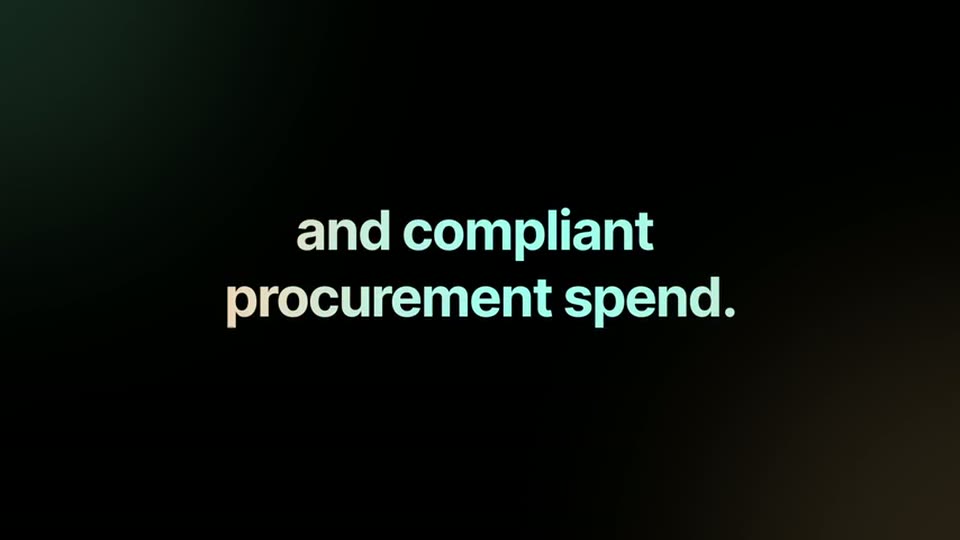
Centered text on black assembles in a teal-to-cream gradient, words sliding and scaling in to form a sentence on AI-enabled bill pay and purchase cards. It cuts to a left-aligned heading “Automate invoice capture” beside a white rectangle framed by teal corner brackets.
On-screen text: “AI-enabled”, “bill pay and”, “purchase cards”, “for predictable, fast,”, “and compliant”, “procurement spend.”, “Automate”, “invoice capture”
Techniques: Kinetic type
Camera: Static
10 · Feature reveal · 0:16–0:19
A white invoice sheet framed by cyan corner brackets sits on the right as a cyan scan line sweeps down across it, boxing the fields, then the sheet scales down. On the left, the static headline reads “Automate invoice capture”.
On-screen text: “Automate”, “invoice capture”, “SCAN IN PROCESS..”
Techniques: Light sweep
Camera: Static
11 · Feature reveal · 0:19–0:20
On a near-black background, the headline 'Automate invoice capture' holds at left while, at right, a small invoice card with teal scan brackets and two dashes scale up into a four-field form: Integration, Recipient email, Amount, Budget.
On-screen text: “Automate”, “invoice capture”
Techniques: Morph
Camera: Static
12 · Feature reveal · 0:20–0:23
Left, a locked headline reads 'Automate invoice capture' beside a form whose fields fill in and spinners turn to green checks. The panel then swaps to an Approvers table as the second line changes to 'multi-level approvals'.
On-screen text: “Automate”, “invoice capture”, “multi-level approvals”
Camera: Static
13 · Feature reveal · 0:23–0:24
A white approvers list card sits right of a dark gradient backdrop while the headline reads Automate multi-level approvals. Green check marks fill each row in turn, then the card morphs into a payment total card as the headline switches to and send payments.
On-screen text: “Automate”, “multi-level approvals”, “and send”, “payments”
Techniques: Morph
Camera: Static
14 · Feature reveal · 0:24–0:27
On a near-black background, a white Slack payment card sits right while a two-line headline on the left crossfades from “and send payments” to “for flexible funding sources.” A “Payment scheduled” notification card slides in above the Slack card, then both cards fade and drift up as the headline changes.
On-screen text: “Automate”, “and send payments”, “for flexible funding sources”
Camera: Static
15 · Feature reveal · 0:27–0:28
On a dark background with soft green and amber glows, the headline 'from flexible funding sources' fades in on the left while two columns of white payment cards stack up, new cards fading in one at a time below the previous.
On-screen text: “from flexible funding sources”
Camera: Static
16 · Feature reveal · 0:28–0:33
On black, three white card tiles link via green lines to gray invoice rows for Slack, Amazon and Apple. The left headline swaps from “from flexible funding sources” to “to nearly every country.” as the cards dim and the amounts pop into white pills, then the scene fades out.
On-screen text: “from flexible funding sources”, “to nearly every country.”
Techniques: Kinetic type
Camera: Static
17 · Feature reveal · 0:33–0:35
On a near-black gradient background, the line “Unblock purchases by” fades in at center, its letters filled with a teal-to-peach horizontal gradient. The frame stays locked off as the text resolves from dim to full opacity.
On-screen text: “Unblock purchases by”
Techniques: Kinetic type
Camera: Static
18 · Feature reveal · 0:35–0:42
A white P-card and three toggle rows slide in on the right; toggles flip green in sequence as the stack scrolls up, then a Slack transaction card drops in below. The left headline swaps from 'issuing cards with built-in controls.' to 'And auto-sync every transaction'.
On-screen text: “issuing cards with built-in controls.”, “And auto-sync every transaction”
Camera: Static
19 · Feature reveal · 0:42–0:47
A white document icon sits at the center of two thin rings as partner logos and stat pills pop onto the orbit. The left headline reads 'back to your ERP', then swaps to 'for a faster month-end close.' while a green check lands on the icon.
On-screen text: “And auto-sync every transaction back to your ERP”, “410 hours saved”, “2100 bills synced”, “for a faster month-end close.”
Techniques: Kinetic type
Camera: Pan
20 · Feature reveal · 0:47–0:50
A dark gradient background holds centered text. The line 'Control all spend, invoiced or otherwise.' fades in, then slides out as 'All in one place with Brex's unified spend platform.' slides in, with key words in mint green.
On-screen text: “Control all spend, invoiced or otherwise.”, “All in one place with Brex's unified spend platform.”
Techniques: Kinetic type
Camera: Static
21 · Feature reveal · 0:50–0:52
A centered headline on a dark gradient background slides upward, revealing two white rounded cards below it. The left card holds a black card illustration, the right a bill pay screen with a teal amount.
On-screen text: “All in one place with”, “Brex's unified spend platform.”
Techniques: Kinetic type
Camera: Static
22 · Feature reveal · 0:52–0:58
A white headline sits over a dark gradient. Five white cards pop in one by one in a grid, each holding a small mockup: stacked credit cards, an app icon, travel booking cards, an expense list with a phone, and an invoice. The grid fades out at the end.
On-screen text: “Brex's unified spend platform.”, “Corporate cards”, “Bill pay”, “Business account”, “Travel”, “Expense management”
Techniques: 3D mockup
Camera: Static
23 · Feature reveal · 0:58–0:59
A white product window holding a Wallet view with a dark card and an expense list scales up from a small centered card to fill the frame. A bold white headline sits above it on black and drifts toward the top edge as the window grows.
On-screen text: “Brex's unified spend platform.”
Techniques: UI zoom
Camera: Static
24 · Feature reveal · 0:59–1:00
A white bold headline sits above a 3D laptop mockup of the Brex wallet interface on a dark background. The headline and laptop slide downward together as the laptop scales up to fill more of the frame.
On-screen text: “Brex's unified spend platform.”
Techniques: Kinetic type, 3D mockup
Camera: Static
25 · CTA · 1:00–1:04
On a near-black field, a faint wallet mockup at the bottom fades out as the line “Learn more at” slides up into the center, word by word. The line then swaps to the URL “brex.com/payables”, which animates in with a quick letter wipe.
On-screen text: “Brex's unified spend platform.”, “Learn more at”, “brex.com/payables”
Techniques: Kinetic type
Camera: Static
26 · Outro · 1:04–1:05
A black-and-white flag-like mark on a pale gray field morphs as the background inverts to black. The shape resolves into the white Brex symbol while the gray wordmark fades in beside it.
On-screen text: “Brex”
Techniques: Morph
Camera: Static
27 · Outro · 1:05–1:06
A white Brex logo and wordmark sit centered on a near-black background with faint green and orange corner gradients, held as a locked-off sign-off.
On-screen text: “Brex”
Camera: Static