1:36
Explore
Project Genie | Experimenting with infinite interactive worlds
Project Genie · Jan 2026 · 2:18 · AI-annotated
- Length
- 2:18
- Scenes
- 60 · 2.3 s avg
- Product on screen
- 0:16
- Features shown
- 4
- Call to action
- 2:09 · 93%
- Voiceover
- No
- Views
- 697K on YouTube
as of November 26, 2026
00:00:00 / 02:18:22
- Length
- 2:18
- Scenes
- 60 · 2.3 s avg
- Product on screen
- 0:16
- Features shown
- 4
- Call to action
- 2:09 · 93%
- Voiceover
- No
- Views
- 697K on YouTube
as of November 26, 2026
Project Genie’s 2:18 launch film runs 60 scenes, about 2.3 s each. The product shows up at 0:16 and 4 features are revealed. The call to action lands at 2:09 (93% in). The video opens on a black field of drifting world clips and a centered text hook, then names the product through a circular lens and a sphere grid before walking through each feature as a centered white tagline over live 3D gameplay. Its signature moves are the circular lens framing, blur-to-focus transitions, rounded dark UI panels, and persistent WASD control hints, cut at a steady ~110 bpm.
Footage neededEstimated needs: 5 capture groups — your screens or recordings · 15 filmed passages — shoot, supply or replace · 5 graphic passages — draw or supply · 25 3D passages — build or supply
Is this your launch? to your site or press kit.
More like this
1:31

0:51

Microsoft Surface - Introducing Surface Laptop Ultra. Built for world makers. Designed f
Microsoft · AI · Jun 2026
Similar soundtrack
Films whose music sounds like this one, voice left out
2:18
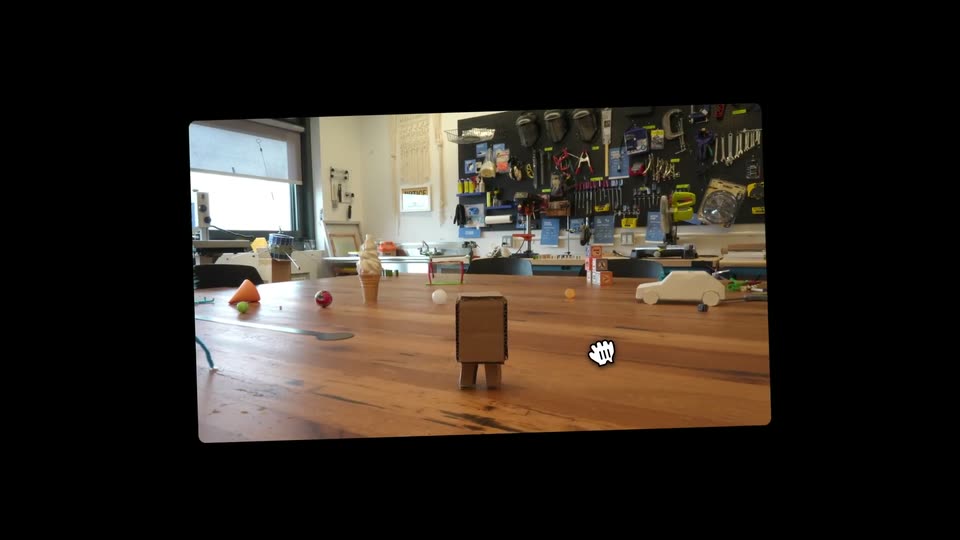

Google AI - Last August, we previewed Genie 3: a general-purpose world model that
Google · Electronic, Corporate/Commercial Background Music
2:02
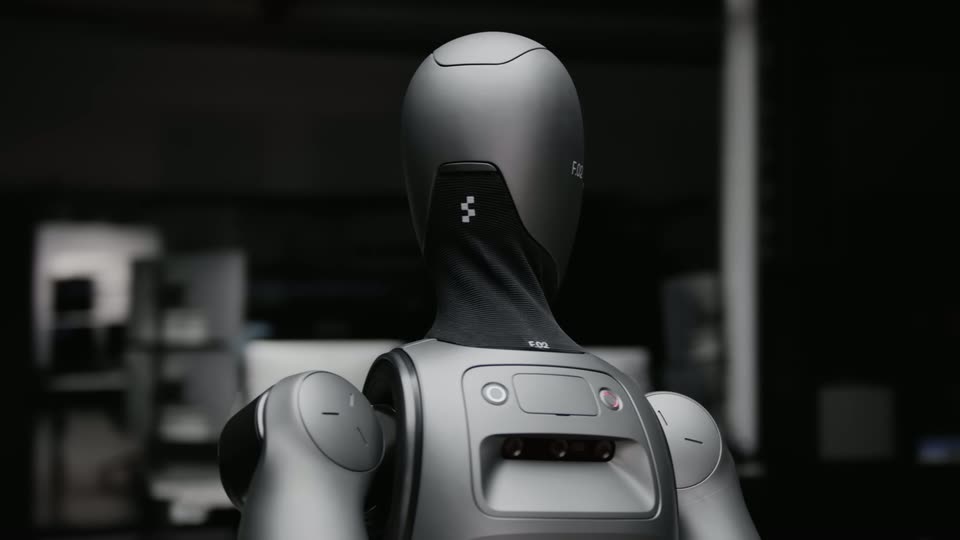

Introducing Figure 02
Figure AI · Cinematic electronic, uplifting trance, and synthwave
1:30
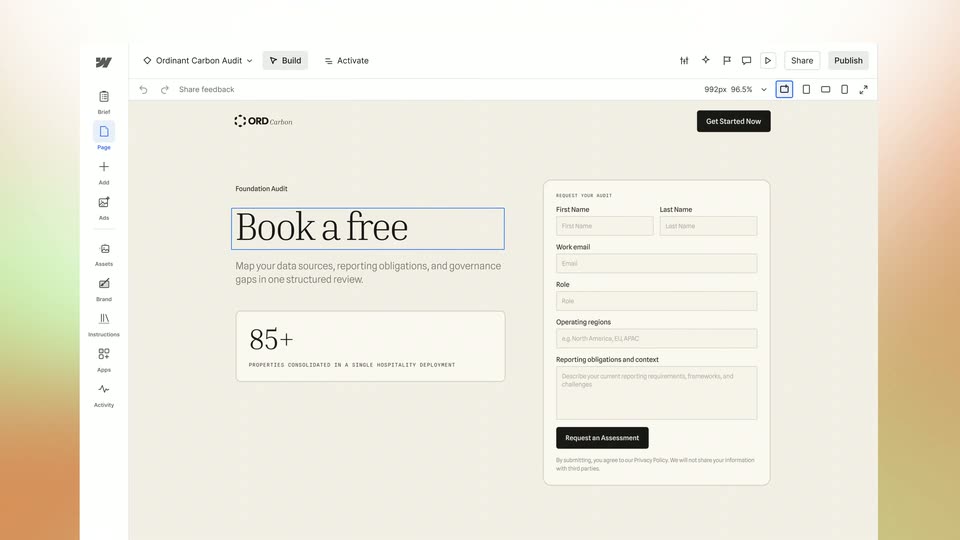

Introducing Webflow Campaigns – Launch While It Still Matters
Webflow · Modern electronic dance music with progressive house and future house elements
Project Genie | Experimenting with infinite interactive worlds, scene by scene
· 60 scenes as text
01 · Hook · 0:00–0:06
White text sits centered on black while small rounded video clips of generated worlds, desert, jellyfish, mountain road, interiors, drift slowly around it, some blurred by depth. New clips fade in at the edges, and a fourth line appears below the main text near the end.
On-screen text: “In 2025, Google announced Genie 3,”, “a foundational model for creating and”, “exploring any world imaginable”, “And now...”
Techniques: Parallax
Camera: Push in
02 · Hook · 0:06–0:07
On a black background, five small rounded video tiles of generated scenes drift slowly around the edges while a centered white caption states that Google announced Genie 3 in 2025 and adds “And now...”. The caption then fades out, leaving only the floating tiles.
On-screen text: “In 2025, Google announced Genie 3,”, “a foundational model for creating and”, “exploring any world imaginable”, “And now...”
Techniques: Parallax, Split screen
Camera: Push in
03 · Hook · 0:07–0:11
White two-line text, “You can create your own worlds,” fades in centered on a black background, holds, then fades out as a faint gray sphere begins to emerge from the darkness.
On-screen text: “You can create”, “your own worlds”
Camera: Static
04 · Hook · 0:11–0:13
A glowing circular window on a black field holds a heavily blurred close-up of a hand holding an object. The masked footage and the ring push in and brighten, dissolving into a near-white blur by the end.
Techniques: Masking, Speed ramp
Camera: Push in
05 · Hook · 0:13–0:16
A white paper plane skims over a misty waterfall in a green canyon, camera tracking behind it. Small circular WASD and arrow buttons sit in the corners, and a white ring mask opens and closes around the frame.
Techniques: Masking, Parallax
Camera: Pan
06 · Product intro · 0:16–0:17
A glossy 3D sphere plays a 360-degree landscape clip at center, ringed by dimmed spheres holding other video thumbnails on a black background. The word Introducing slides in over the central sphere as the view pulls back to reveal the surrounding bubbles.
On-screen text: “Introducing”
Techniques: Kinetic type
Camera: Pull out
07 · Product intro · 0:17–0:26
A central circular window cycles 3D worlds behind the white title 'Introducing Project Genie', ringed by other circular scenes on black. The view pulls back to a grid of worlds, then zooms into the central wireframe globe as 'Create your own' scales in with a cursor.
On-screen text: “Introducing”, “Project Genie”, “EXPERIMENT”, “Google's research prototype”, “for playable worlds”, “Create your own”
Techniques: Kinetic type, Cursor demo, UI zoom
Camera: Push in
08 · Demo · 0:26–0:30
A dark app screen with a wireframe grid room. The camera zooms into the bottom prompt panel, which tilts in 3D perspective, while a cursor hovers and a prompt is typed into the Environment field. The view pans right to reveal the Character field.
Techniques: Cursor demo, UI zoom, Kinetic type, 3D mockup
Camera: Push in
09 · Demo · 0:30–0:34
A dark prompt form fills the frame as the character field types out a shiba inu prompt. The camera pulls back to reveal the full form with environment and character fields, then again to show the panel floating over a dark wireframe grid.
On-screen text: “Research prototype. Results may vary. Sequences shortened throughout. Subscription required. Available in the U.S. only. 18+.”
Techniques: Kinetic type, UI zoom, Cursor demo, 3D mockup
Camera: Pull out
10 · Demo · 0:34–0:35
The product Create screen shows a generated 3D world, a cottage in a flower meadow with a cat on a path, that sharpens from a soft blur into focus. The bottom control panel fades out while the white Create world button detaches and settles in the center of the frame.
Camera: Pull out
11 · Demo · 0:35–0:42
A white “Create world” pill button with a cursor sits over a 3D meadow, cabin, and snowy peaks. The scene defocuses into blur, then refocuses into the game view: WASD and arrow hints appear in the corners as the cat walks the path and dashes forward.
Techniques: Cursor demo, Speed ramp
Camera: Pull out
12 · Demo · 0:42–0:44
Over-the-shoulder framing of a person with long dark hair seated at a desk, watching a large monitor play a 3D animation of a fox trotting across a sunlit meadow toward a wooden cabin, snow-capped mountains behind. Shallow depth of field softens the foreground.
Camera: Static
13 · Demo · 0:44–0:45
Close-up of two hands in gray sleeves typing on a white keyboard laid diagonally across a wooden desk. The right hand rests on the spacebar, the left taps the upper keys, with shallow depth of field softening the edges.
Camera: Static
14 · Demo · 0:45–0:48
A corgi runs from the camera across a sunlit meadow, the view tracking from behind as it clears a wooden fence and heads toward snow-capped peaks and pine forest. White key-control icons sit in the lower corners.
Camera: Push in
15 · Demo · 0:48–0:49
A tan and white dog runs away from the camera across a sunlit meadow toward snow-capped peaks and pine trees, with WASD and arrow control hints in the corners. The view holds, then blurs into a fast forward motion streak.
Techniques: 3D mockup, Parallax
Camera: Static
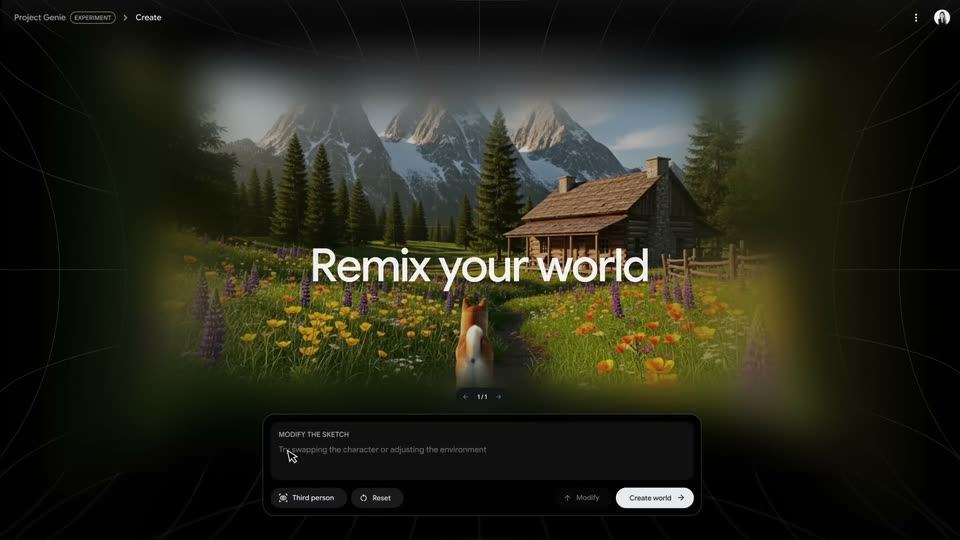
16 · Feature reveal · 0:49–0:51
The Project Genie interface frames a 3D alpine meadow with a cabin and a dog inside a dark glowing mask. Remix your world fades in over the scene as the view zooms into the world and the bottom control panel slides out of frame.
On-screen text: “Remix your world”
Techniques: UI zoom
Camera: Push in
17 · Feature reveal · 0:51–0:54
A dark input panel labeled MODIFY THE SKETCH floats over a blurred 3D scene. A prompt is typed character by character, then the camera zooms into the field and pans right, revealing a Modify button.
Techniques: UI zoom
Camera: Push in
18 · Feature reveal · 0:54–0:55
Close-up of a dark rounded prompt panel on a black background. A white arrow cursor hovers over the white Create world pill button beside a darker Modify button, with the word rabbit at the left edge. The frame sharpens from a soft blur.
Techniques: Cursor demo
Camera: Pull out
19 · Feature reveal · 0:55–0:56
A 3D alpine meadow with a wooden cabin and snow-capped peaks; a pink balloon rabbit stands on a dirt path. A gray chip at the top shows the prompt, and WASD plus arrow keys sit in the lower corners. The frame eases from motion blur into sharp focus.
Camera: Pull out
20 · Feature reveal · 0:56–0:58
A 3D game view of a colorful inflatable bouncy castle with a pink balloon rabbit standing on a blue slide lane. The camera pushes slowly forward toward the rabbit while a caption bar sits at the top of the frame and control hints stay fixed in the corners.
On-screen text: “ent to a bouncy house with”, “pink balloon animal rabbit”
Camera: Push in
21 · Feature reveal · 0:58–0:59
A pink balloon rabbit stands centered in a sunlit 3D treehouse as the camera pushes forward past rope rails and wooden posts. A prompt bubble at the top reads the generation text while WASD and arrow key hints sit in the lower corners.
On-screen text: “to a treehouse wi”
Techniques: Parallax
Camera: Push in
22 · Feature reveal · 0:59–1:01
A pink balloon rabbit runs down a wet country road toward a yellow school bus in a watercolor-painted landscape. The view tracks behind the character as the road and hills scroll past. Gray control hints sit in the corners and a caption pill reads at the top.
On-screen text: “yle to a watercolor drawing”
Techniques: Parallax
Camera: Push in
23 · Feature reveal · 1:01–1:05
A red-suited climber with a backpack walks a narrow snow ridge, the camera tracking from behind as the view opens onto a mountain range. The white headline 'Be any character' fades in at center and out. Keyboard key icons sit in the bottom corners.
On-screen text: “Be any character”
Camera: Pull out
24 · Feature reveal · 1:05–1:06
Extreme macro of a red ant on a fuzzy green leaf with a blurred green background and shallow depth of field. Small keyboard control hints (W, A, S, D, SPACE, arrow keys) sit in the bottom corners. The ant shifts slightly forward along the leaf surface.
Camera: Push in
25 · Feature reveal · 1:06–1:06
A macro shot of a reddish ant crawling along a brown plant stem between fuzzy green leaves. The camera holds steady on the ant as it moves. In the corners, keyboard control hints appear: W, A, S, D and a SPACE bar at bottom left, and four arrow keys at bottom right.
Camera: Static
26 · Feature reveal · 1:06–1:07
Extreme macro of a plant stem node where two fuzzy green leaves meet; a small reddish ant emerges from the node and raises its antennae. Static frame, shallow depth of field, translucent key-hint icons sit in the lower corners.
Camera: Static
27 · Feature reveal · 1:07–1:08
Macro close-up of a reddish ant crawling rightward along a brown stem between fuzzy green leaves, shallow depth of field. Small keyboard control icons sit in the lower corners.
Camera: Static
28 · Feature reveal · 1:08–1:10
A dark eagle with a white fan tail soars over a hazy sepia mountain range, seen from behind as it glides past a lone figure on a rocky outcrop. Keyboard and arrow key controls sit in the lower corners.
Techniques: Parallax
Camera: Push in
29 · Feature reveal · 1:10–1:14
A small 3D figure with a large pale crate on its back walks across a green pool table, nudging colored balls aside as the camera tracks it from behind. A white caption scales in at the center, with keyboard control hints in the lower corners.
On-screen text: “Interact with your environment”
Techniques: 3D mockup
Camera: Static
30 · Feature reveal · 1:14–1:18
A dark interface panel shows a CHARACTER field; white sans-serif body text types out a description of a blue rolling ball, while a Reset button and a white Create sketch pill sit below.
Techniques: Kinetic type
Camera: Static
31 · Feature reveal · 1:18–1:21
A glossy blue sphere rolls across a white, fur-like 3D terrain, dragging a blue trail, then bounces up over a mound while the camera tracks it. Small keyboard hints (W, A, S, D, SPACE, arrows) stay fixed in the lower corners.
Techniques: Parallax
Camera: Push in
32 · Feature reveal · 1:21–1:22
A 3D bear in a blue puffer jacket and yellow cap glides through a snowy alpine valley, threading glowing blue rings. The peaks and rings recede at different speeds as the character advances. WASD and arrow key control hints sit in the lower corners.
Techniques: Parallax
Camera: Push in
33 · Feature reveal · 1:22–1:24
First-person night view: a gloved hand holds a flashlight whose beam lights a red fox in a dark grassy field. The camera pushes in as the fox lowers its head, with WASD and arrow key hints in the lower corners.
Camera: Static
34 · Feature reveal · 1:24–1:25
Close-up of two hands on a warm wooden table folding and stacking small cardboard tiles into a tiny structure. The hands move briskly with motion blur, building a miniature form, while white text holds centered over the shot.
On-screen text: “Play worlds from your images”
Camera: Static
35 · Feature reveal · 1:25–1:26
Two hands assemble a small model on a wooden table; the right hand lowers a cardboard cube onto a base while the left hand steadies a tiny printed piece. The caption sits centered over the scene.
On-screen text: “Play worlds from your images”
Camera: Pull out
36 · Feature reveal · 1:26–1:27
Over-the-shoulder view of a person holding a phone in landscape, framing a small cardboard box on a wooden table. The finger taps the shutter and the screen goes dark.
Camera: Static
37 · Feature reveal · 1:27–1:29
A workshop workbench with hanging tools and small props fades in from a dark overlay inside a rounded card on black. A white cursor and fist icon pop in on the right, then the whole card spins away with heavy motion blur.
Techniques: Cursor demo
Camera: Pan
38 · Feature reveal · 1:29–1:32
A dark prompt panel occupies the right of the frame, its text shifting as a blurred tan 3D model streaks across the left. The view tightens on the Create world button, where a white cursor slides in and hovers.
Techniques: UI zoom, Cursor demo
Camera: Pan
39 · Feature reveal · 1:32–1:33
Close-up of a dark interface panel with gray body copy and a white pill-shaped Create world button. A white arrow cursor hovers on the button, an amber light washes across the panel, and the button is pressed.
Techniques: Cursor demo, Light sweep
Camera: Pull out
40 · Feature reveal · 1:33–1:35
The camera pushes forward through a 3D workshop room toward a small cardboard robot on a wooden table. Toys such as a blue bird and an ice cream cone sit around it, with a tool wall behind. Round control buttons for WASD and arrows float in the lower corners.
Techniques: Parallax
Camera: Pull out
41 · Feature reveal · 1:35–1:36
A workshop table holds a small spider robot with a cardboard box body and thin legs, scuttling forward past scattered balls, a cone and a wooden toy car. A pegboard wall of hanging tools fills the background. The camera stays low at table height.
Camera: Static
42 · Feature reveal · 1:36–1:38
A workshop with a pegboard tool wall is filmed at low angle as a brown boot tumbles across the table in motion blur. A hand then holds a phone showing the same live view, with WASD and arrow key controls overlaid.
Camera: Push in
43 · Feature reveal · 1:38–1:39
Over-the-shoulder shot of a woman holding a phone flat with both hands, its camera app in focus. A fluffy white-and-tan cat sits on the floor of a sunlit living room behind her, softly blurred. The phone screen shows a street scene with parked cars.
Camera: Static
44 · Feature reveal · 1:39–1:47
A sunlit living room fades in inside a rounded card on black, then the card opens to full frame as the camera dollys in behind a Siamese cat. The cat climbs onto a beige sofa toward a cat tree while keyboard controls appear in the lower corners.
Techniques: Masking, Speed ramp
Camera: Push in
45 · Feature reveal · 1:47–1:48
First-person view from a cat game: a Siamese cat sits on a beige sofa facing a window with a hazy city skyline, a tall cat tree stands to the right, and control hints sit in the lower corners. The camera drifts forward.
Camera: Push in
46 · Feature reveal · 1:48–1:50
A 3D cat in cream and brown fur sits on a beige couch, facing a floor-to-ceiling window with a hazy city skyline. The camera drifts left. White game control icons for WASD, SPACE and arrows sit in the lower corners.
Camera: Push in
47 · Feature reveal · 1:50–1:52
A cursor hovers over a small portrait thumbnail on the left, then the thumbnail slides into the top-left of a dark chat card. White prompt text is typed word by word below it.
Techniques: Cursor demo, Kinetic type
Camera: Static
48 · Feature reveal · 1:52–1:54
A dark interface panel holds a sparkle icon and a status line above an empty frame. A low-poly 3D illustration of a woman in a yellow shirt, set in a teal forest, fades into the frame, then the status line vanishes.
Camera: Push in
49 · Feature reveal · 1:54–1:55
A pixel-art woman in a yellow striped shirt stands centered in a misty teal jungle with glowing blue plants and hanging vines, framed in a rounded card on black. The card slowly pushes in over the duration.
Camera: Static
50 · Feature reveal · 1:55–1:56
A framed teal gradient screen holds, then the image defocuses into a blurred figure in a yellow top against a dark blue backdrop, with soft circular bokeh lights drifting at the lower edges.
Camera: Static
51 · Feature reveal · 1:56–1:59
A 3D-rendered woman in a yellow striped shirt stands in a dark cave with glowing blue plants; the shot starts soft and racks into focus as she walks and turns while the camera orbits. The game view then shrinks into a central window, revealing other panels around its edges.
Techniques: Parallax, Split screen
Camera: Pull out
52 · Feature reveal · 1:59–2:01
A grid of 3D panels: center shows a woman in a yellow striped shirt walking through a dark cave with blue glowing plants. Surrounding panels show a pink torso above, a desert with cacti left, a tiled wall right, and palm trees below. The panels drift as she walks.
Techniques: Split screen
Camera: Pull out
53 · Feature reveal · 2:01–2:01
A grid of nine low-poly 3D clips fills the frame, the central panel holding a figure in a yellow striped shirt inside a dark cave with glowing blue plants. The outer columns scroll horizontally while the center stays fixed, the panels shifting like a montage of game footage.
Techniques: Split screen
Camera: Pull out
54 · Feature reveal · 2:01–2:03
A 3 by 3 grid of nine 3D rendered clips plays at once, each panel showing a different character in a separate setting, from a beach path to a snowy slope and a dark cave. The layout holds still while the figures walk and turn inside their frames.
Techniques: Split screen
Camera: Pull out
55 · Demo · 2:03–2:05
A first-person view rides a snowmobile down a snowy city street at dusk, colorful buildings and glowing trees blurring past on both sides. The white text 'Imagine worlds' holds steady in the center of the frame.
On-screen text: “Imagine worlds”
Camera: Push in
56 · Demo · 2:05–2:06
Two 3D worlds cut back and forth: an isometric playground diorama with tiny figures, then a red car on a snowy mountain road under a giant moon. A white word sits centered over each, swapping from “Create worlds” to “Play” and back.
On-screen text: “Create worlds”, “Play”, “Create worlds”
Techniques: 3D mockup
Camera: Static
57 · Demo · 2:06–2:08
A red car drives away across a cratered moon surface toward a banded planet ringed by asteroids, the white headline “Play worlds” fading out. The view then cuts to a glossy sphere mirroring the space scene, flanked by other planet spheres.
On-screen text: “Create worlds”, “Play worlds”
Techniques: 3D mockup
Camera: Pull out
58 · Demo · 2:08–2:09
A black field of circular fisheye images drifts slowly, the large central lens showing a red car on a textured plain beneath a striped planet. Smaller lenses around it hold a cat, a green leaf, a lake and abstract white shapes, gliding at slightly different speeds.
Techniques: Parallax
Camera: Static
59 · CTA · 2:09–2:12
On black, a grid of glossy 3D spheres, each holding a different generated scene, pulls back from a close-up of the central sphere to reveal the full grid. The image darkens and a white two-line tagline fades in at the center.
On-screen text: “Start creating worlds of your own at”, “labs.google/ProjectGenie”
Techniques: UI zoom
Camera: Pull out
60 · CTA · 2:12–2:18
Centered white text on a black background reads “Start creating worlds of your own at labs.google/ProjectGenie” on two lines. The card holds still for the duration, then fades to black in the final second.
On-screen text: “Start creating worlds of your own at”, “labs.google/ProjectGenie”
Camera: Static