
1:36
Explore
Higgsfield AI 🧩 - Introducing Higgsfield GPU Harness. Rent on-demand GPUs in Claude an
Higgsfield AI · Nov 2026 · 1:31 · AI-annotated
- Length
- 1:31
- Scenes
- 49 · 1.9 s avg
- Product on screen
- 0:05
- Features shown
- 3
- Call to action
- 1:28 · 96%
- Voiceover
- No
- Views
- 587K on X
as of November 21, 2026
00:00:00 / 01:31:16
- Length
- 1:31
- Scenes
- 49 · 1.9 s avg
- Product on screen
- 0:05
- Features shown
- 3
- Call to action
- 1:28 · 96%
- Voiceover
- No
- Views
- 587K on X
as of November 21, 2026
Higgsfield AI’s 1:31 launch film runs 49 scenes, about 1.9 s each. The product shows up at 0:05 and 3 features are revealed. The call to action lands at 1:28 (96% in). Built on a black dot-grid with lime-green accents, the video names the product with a glowing badge, then alternates short text-card announcements with prompt-driven demos (Blender, LoRA, anime) where a typed command morphs into status lines and the AI agent works through a 3D pipeline. Cuts land near a 119 bpm pulse, signature moves are 3D-tilted UI panels, the recurring squiggle logo, and green node networks that wrap live-action clips.
Footage neededEstimated needs: 3 capture groups — your screens or recordings · 1 official logo — reused across the film · 4 filmed passages — shoot, supply or replace · 9 graphic passages — draw or supply · 18 3D passages — build or supply
Is this your launch? to your site or press kit.
More like this


Similar soundtrack
Films whose music sounds like this one, voice left out
1:50
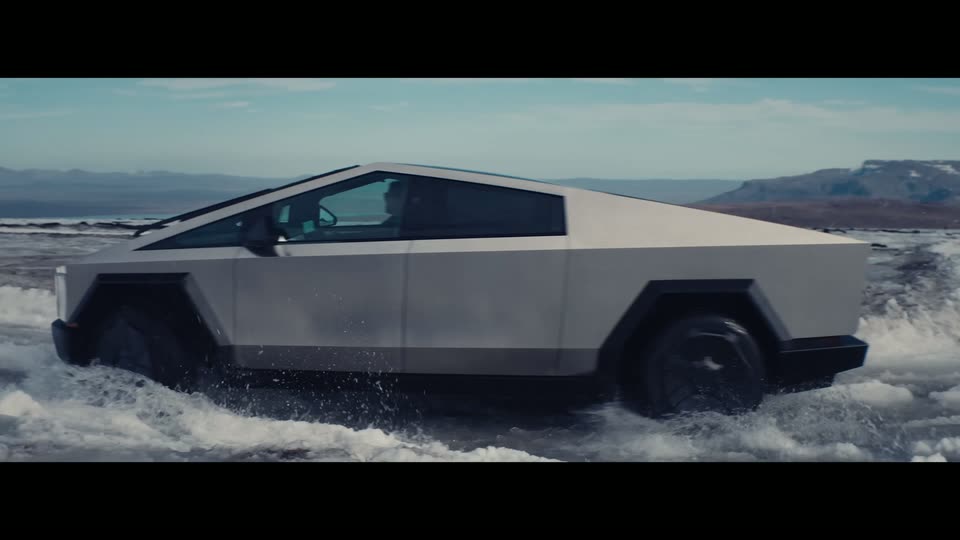

CYBERTRUCK
Tesla · Cinematic electronic and rock hybrid
1:14
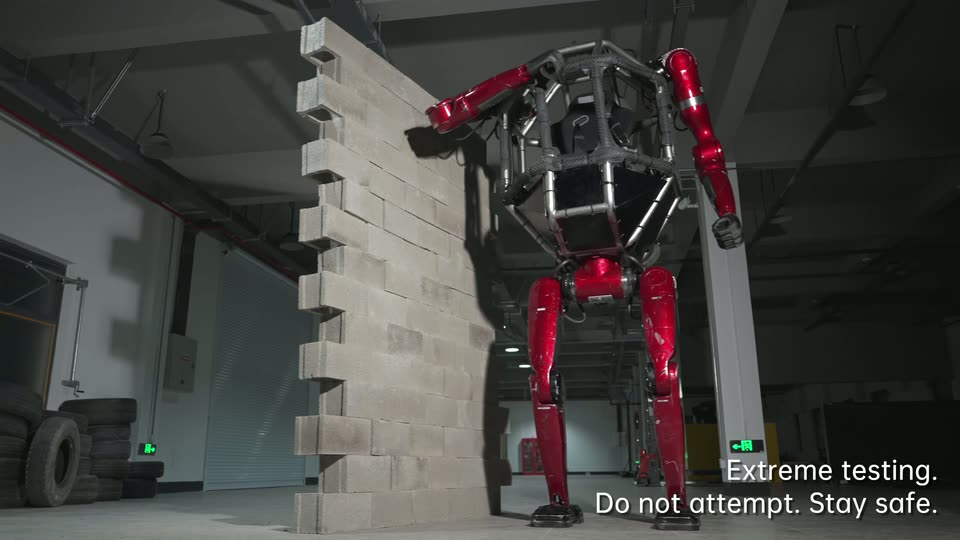
Unitree Unveils: GD01, A Manned Transformable Mecha, from $650,000
GD01 · High-energy hard rock and heavy metal
0:47
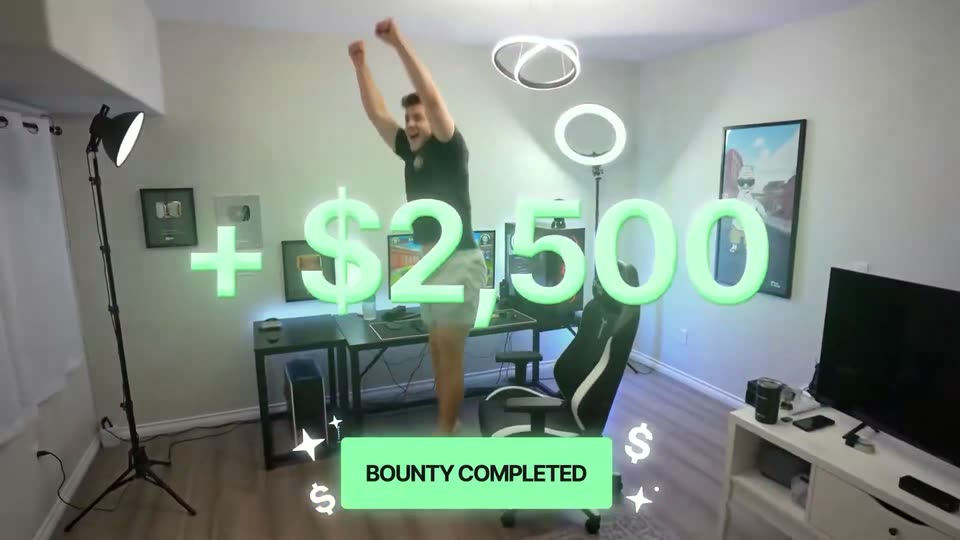

Pump.fun - Introducing pump fun GO: Pay ANYONE to do ANYTHING Create & comp
Pump.fun · Cinematic electronic and EDM
Higgsfield AI 🧩 - Introducing Higgsfield GPU Harness. Rent on-demand GPUs in Claude an, scene by scene
· 49 scenes as text
01 · Hook · 0:00–0:04
Fades in from black to a 3D rendered skyline at sunset, a lit Ferris wheel centered above a marina. The camera pushes in, then a viewport axis gizmo and cursor appear top left as the scene darkens to night.
Techniques: 3D mockup, Cursor demo
Camera: Push in
02 · Hook · 0:04–0:05
A white arrow cursor and a thin diagonal line sit in the top-left corner of a black frame, trailing a small burst of orange dots. The cluster fades out almost instantly, leaving the screen fully black.
Techniques: Particles
Camera: Static
03 · Product intro · 0:05–0:06
A blurred green oval snaps into focus over a dark dotted grid. Large GPU letters scale at the center, the Higgsfield logo sits above, and HARNESS fades in below as a thin tagline appears at the bottom edge.
On-screen text: “GPU”, “Higgsfield”, “HARNESS”, “ON-DEMAND GPU MACHINES WITH AI AGENTS”
Techniques: Kinetic type
Camera: Pull out
04 · Product intro · 0:06–0:07
A glowing green oval holds the Higgsfield logo above large extruded GPU letters and white HARNESS text. The GPU word scales up while the rest stays locked. A yellow tagline reads on-demand GPU machines with AI agents on a dark meshed background.
On-screen text: “GPU”, “HARNESS”, “ON-DEMAND GPU MACHINES WITH AI AGENTS”
Techniques: Kinetic type
Camera: Static
05 · Product intro · 0:07–0:08
A glowing green oval badge sits on a dark dotted background, holding the Higgsfield logo, large GPU letters, and HARNESS. The GPU text scales up and blurs toward the end. A yellow tagline sits below the badge.
On-screen text: “Higgsfield”, “GPU”, “HARNESS”, “ON-DEMAND GPU MACHINES WITH AI AGENTS”
Techniques: Kinetic type
Camera: Static
06 · Product intro · 0:08–0:10
A defocused dark shape fades to black behind two centered lines of text. The first line scales up from small to full size while the second line holds still.
On-screen text: “Run complex tasks”, “from any device”
Techniques: Kinetic type
Camera: Static
07 · Demo · 0:10–0:13
A dark rounded prompt box on a black dotted grid, after a brief white flash, types out /gpu and 'Make a AAA game. Location: Miami Beach.' A field of green dots sweeps from the right edge to the left, and the send button's arrow becomes a sparkle.
Techniques: Particles
Camera: Static
08 · Demo · 0:13–0:14
A black screen holds a small rounded-square icon with a yellow squiggle on the left and a single line of light gray text reading the connection status. The frame is locked off and the elements sit still, fading from soft to sharp.
Camera: Static
09 · Demo · 0:14–0:16
In a dark void, blurred GPU cards drift past while a copper finned card rotates into sharp focus at center. The right-side label reads H100, then B300, as a black blower card spins in for L40S. The title Choose GPU Model fades in at the bottom left.
On-screen text: “Choose GPU Model”, “Model name:”, “H100”, “B300”, “L40S”
Techniques: 3D mockup, Parallax
Camera: Static
10 · Demo · 0:16–0:19
On a black background, a row of glossy green 3D cylinders grows from one to six, each new bar sliding in with motion blur. Above, the heading 'Choose number of GPU's' sits next to a lime pill counter that ticks up from 1 to 6 in sync, with faint plus buttons trailing behind the bars.
Techniques: 3D mockup
Camera: Static
11 · Demo · 0:19–0:21
A glowing lime-green pill button with black text slides across a black background, sharpening at center before blurring out. Small gray disclaimer lines sit at the bottom edge throughout.
On-screen text: “RentGPU | 64% OFF”, “Black Friday offer: up to 64% off. The 64% discount applies to the Ultra Annual plan (9K credits), billed annually, compared with its regular price. Other plans”
Techniques: Kinetic type
Camera: Static
12 · Feature reveal · 0:21–0:22
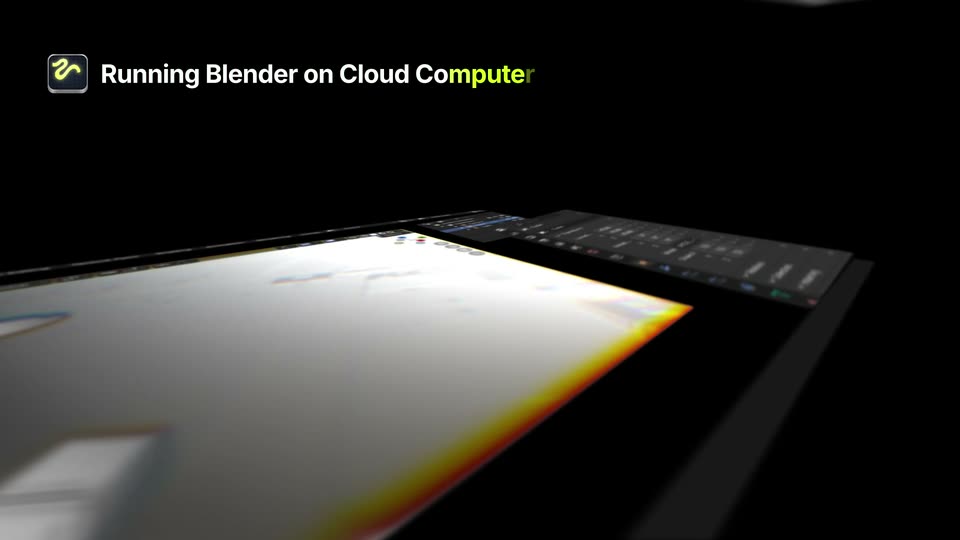
In a black 3D space, the camera glides past a row of floating panels: a bright white viewport in the foreground, a dark keyboard deck, and a website panel beyond. A yellow logo pops in top-left as the headline types out beside it.
On-screen text: “Running Blender on Cloud Computers”
Techniques: Kinetic type, 3D mockup
Camera: Static
13 · Feature reveal · 0:22–0:23
A 3D-tilted Blender interface mockup lies flat on a black background, viewed from a low angle with shallow depth of field. The Arc logo and the title sit top-left, the last word in green. The frame holds still.
On-screen text: “Running Blender on Cloud Computers”
Techniques: 3D mockup
Camera: Static
14 · Feature reveal · 0:23–0:24
A grayscale Blender viewport shows a low-poly city model from a high angle, with colored annotation tags hovering over the buildings. The camera slowly pushes in and tilts down across the geometry while a dark rounded caption pill sits at the bottom left.
On-screen text: “Building geometry...”
Techniques: UI zoom
Camera: Push in
15 · Feature reveal · 0:24–0:29
A 3D viewport inside a DCC app flies from an overhead city view into the Santa Monica Ferris wheel, ending tight on the rim truss over the sea. White pill captions label the pipeline stage at the bottom while 3D object tags float in the scene.
On-screen text: “Texturing...”, “Adding lighting...”
Techniques: 3D mockup, Parallax
Camera: Push in
16 · Feature reveal · 0:29–0:31
Within a 3D software viewport, a city with a tall Ferris wheel whirls past in a blurred spin, then eases into a level aerial shot. The framed camera view fills the window, ringed by the application's top menu and side toolbar.
Techniques: Speed ramp
Camera: Pull out
17 · Feature reveal · 0:31–0:32
A black frame resolves into a curved arc of floating panels in 3D perspective, each showing a sculpting app with a gray human figure in T-pose. Small glowing green orbs hover beneath the row of panels.
Techniques: 3D mockup
Camera: Push in
18 · Feature reveal · 0:32–0:35
A grid of ten 3D character viewports fills the frame, each showing a rigged figure in a modeling app with colored callout tags. The figures morph into new body types and outfits as the grid slowly pushes in. A pill caption reads “Sculpting characters...” at the bottom.
On-screen text: “Sculpting characters...”
Techniques: Morph
Camera: Push in
19 · Feature reveal · 0:35–0:35
A three-panel split shows a 3D character rig in the center with blurred figures on either side. The center panel then expands to fill the frame, revealing the full DCC viewport, menu bar and scene hierarchy around the purple-jacketed character.
Techniques: Split screen, UI zoom
Camera: Push in
20 · Feature reveal · 0:35–0:36
A full-body 3D character stands centered in a dark viewport of a 3D application, arms slightly out. Colored rig labels pop in around the body, naming parts like jacket, skirt, wrists and feet, while the right panel lists the scene hierarchy.
Camera: Static
21 · Feature reveal · 0:36–0:39
A 3D character begins in a gray app viewport, wrapped in colored rig gizmos and labels. The view resolves into a clean render, the gizmos fade, and she shifts into a hand-on-hip stance as a 'Rigging...' pill holds bottom right.
On-screen text: “Rigging...”
Techniques: 3D mockup
Camera: Static
22 · Feature reveal · 0:39–0:40
A 3D stylized figure stands on a white disc, pink and yellow rig labels with arrows point to her hair and face. The view cuts to a face close-up where colored circles and lines trace the brows, cheeks and mouth, then the overlays fade out.
On-screen text: “Rigging...”
Techniques: 3D mockup, UI zoom
Camera: Static
23 · Feature reveal · 0:40–0:42
A 3D rendered boardwalk at sunset with a blue sports car parked at the curb. A stylized woman in a purple fur jacket and yellow pants steps out of the open driver's door. Pedestrians and palm trees fill the background. A loading caption sits at the bottom.
On-screen text: “Assembling game...”
Camera: Static
24 · Feature reveal · 0:42–0:44
A character in a purple and yellow outfit walks down a sunny sidewalk next to a parked blue sports car. The camera tracks her from behind as she moves past pedestrians and palm trees.
On-screen text: “Assembling game...”
Camera: Pan
25 · Feature reveal · 0:44–0:46
Centered white text on a black background starts out of focus and sharpens. The first line, about training a LoRA for open-weight models, crossfades into a second line ending with a cookie emoji.
On-screen text: “Your own LoRA for any open-weight model:”, “LLM, image, video, etc.”, “Train your own or import from”
Camera: Static
26 · Feature reveal · 0:46–0:47
A near-black radial gradient background holds one centered line of white bold sans text, 'Train your own or import from,' followed by a face-palm emoji. The frame stays locked and static throughout the short clip.
On-screen text: “Train your own or import from 🤦”
Camera: Static
27 · Feature reveal · 0:47–0:53
Two men play one-on-one basketball on a sunlit outdoor court. A maroon error banner appears at right with “Collision physics failed,” then a black command bar scales in at the bottom and types “Fix the basketball physics,” the newest word in green.
On-screen text: “Collision physics failed”, “Fix the basketball physics”
Techniques: Kinetic type
Camera: Pull out
28 · Feature reveal · 0:53–0:53
A live-action basketball clip plays inside a tilted 3D panel that rotates left, while a purple and white node network assembles on the left edge. A dark rounded caption bar with white text and a green icon rests along the bottom.
On-screen text: “Fix the basketball physics”
Techniques: 3D mockup, Particles
Camera: Pull out
29 · Feature reveal · 0:53–0:54
On a black 3D space, a wireframe mesh of small pale squares and thin lines with a few red nodes drifts on the left, its strands reaching into a tilted video panel on the right that plays a player shooting a basketball on an outdoor court.
Techniques: 3D mockup
Camera: Pan
30 · Feature reveal · 0:54–0:55
A green particle globe hovers above a flat mesh of purple dots and lines on black. A video window on the right shows a sunlit building with red petals falling. The camera tilts up, lifting the globe into view as the mesh and video slide out of frame.
Techniques: Parallax
Camera: Push in
31 · Feature reveal · 0:55–0:56
A green particle globe spins slowly on a black field, continents built from glowing dots and thin orbital rings, a soft green haze and faint light beams drifting around its edge.
Techniques: Particles
Camera: Push in
32 · Feature reveal · 0:56–0:57
A green particle ring spins and bursts outward into a web of dots and lines. A central basketball clip fades in at the center as smaller video panels float at the left and right edges, connected by the glowing network.
Techniques: Particles
Camera: Push in
33 · Feature reveal · 0:57–1:01
A basketball clip plays in a centered frame on a black field of green node networks. A lime tracking line follows the ball's arc with a speed label, then the frame spins to a second clip of a dunk, again traced with a line and label.
On-screen text: “1075 px/s”, “1025 px/s”, “350 px/s”
Techniques: Particles, Speed ramp
Camera: Push in
34 · Feature reveal · 1:01–1:02
A green particle network bursts outward in 3D space as a tilted video panel of an outdoor basketball court scales up at the center. Thin connecting lines stretch across the dark frame, and the footage of a player bending over sharpens as the panel grows.
Techniques: Particles, 3D mockup
Camera: Push in
35 · Feature reveal · 1:02–1:04
A man in a white shirt shoots a basketball on an outdoor city court. A green line traces the ball's arc, and a green pill label reading 675 then 925 px/s slides along the path. The clip sits in a centered frame on black, flanked by green network dots.
On-screen text: “675 px/s”, “925 px/s”
Techniques: Particles
Camera: Pull out
36 · Feature reveal · 1:04–1:05
The camera pulls back through a black 3D space as bright green streaks and thin lines radiate from a low central point, trailing small video thumbnails that float at varying depths.
Techniques: Particles, Parallax
Camera: Pull out
37 · Feature reveal · 1:05–1:06
A 3D network of thin yellow lines radiates from a central node, linking small blurred image thumbnails, while rings of green particles swirl around it. The view tilts down to reveal a dark wireframe grid below and a yellow beam of light pointing downward.
Techniques: Particles, Parallax
Camera: Pull out
38 · Feature reveal · 1:06–1:07
A 3D lattice of dotted planes joined by thin lines orbits on black, its colors shifting from purple to lime green. A green LoRA tile sits at the center while a perspective video panel on the right plays a basketball player shooting.
On-screen text: “LoRA”
Techniques: 3D mockup
Camera: Push in
39 · Feature reveal · 1:07–1:11
A 3D-tilted screen shows a street basketball game beside a green node-network graphic; the screen rotates flat into full frame as a player in a gray tank and white headband drives past a falling defender in white and red and shoots, the ball dropping through the hoop.
Techniques: 3D mockup, Particles
Camera: Push in
40 · Feature reveal · 1:11–1:13
A single line of white text on a black gradient background starts out of focus and stretched, snaps into sharp focus at center, holds, then blurs and stretches out again. The frame stays locked.
On-screen text: “Maximum speed for demanding work”
Camera: Static
41 · Feature reveal · 1:13–1:16
A dark rounded command bar on a black dotted grid types out a prompt word by word, the final word in lime green, then the bar shrinks and morphs into a small gridded app icon centered on screen.
On-screen text: “Maximum speed for demanding work”, “Create a code-based action anime.”
Techniques: Kinetic type, Morph
Camera: Static
42 · Feature reveal · 1:16–1:18
On a black dot-grid background, a rounded square icon with a yellow tilde starts large at center, then shrinks and slides left while the white caption types in letter by letter to read the full line.
On-screen text: “Estimated time: 72 Hours”
Techniques: Kinetic type
Camera: Static
43 · Feature reveal · 1:18–1:19
A dark rounded chat card slides in from the right over a black dotted grid. The command /gpu types in at the top left, the g in white and pu in lime green, above a circular plus button.
Camera: Static
44 · Feature reveal · 1:19–1:20
A dark rounded panel floats in 3D over a black dotted field. A grid of white and lime dots lights up across its upper-left, while a glowing lime button at the corner swaps its white arrow for two black sparkles.
On-screen text: “/gpu”
Techniques: Morph, Light sweep
Camera: Pan
45 · Feature reveal · 1:20–1:23
On a black field with a faint dot grid, three status lines with small dark square icons bearing a yellow squiggle appear one by one, each sliding in; the stack tilts slightly, then the whole block rushes toward the camera in a blurred streak.
On-screen text: “Connecting cloud GPUs...”, “Estimated time: 40 minutes.”, “Generating...”
Techniques: Kinetic type, Speed ramp
Camera: Pan
46 · Feature reveal · 1:23–1:25
A foggy skyline with a small sword-bearing figure on the left and a giant horned metal rhino robot on the right resolves out of a field of drifting dark squares. The squares scatter and fade as the illustration sharpens, while mist rolls along the bottom.
Techniques: Particles
Camera: Static
47 · Feature reveal · 1:25–1:26
A long-haired woman in a dark hoodie swings a glowing blade from overhead into a forward thrust, her hair whipping in the wind. A foggy city skyline sits behind her under a cloudy gray sky.
Camera: Static
48 · Feature reveal · 1:26–1:28
A close-up of a grinning metal robot head with a single red eye, then a cut to a wide shot where a hooded samurai raises a katana before the horned robot, set against a grey city skyline.
Camera: Push in
49 · CTA · 1:28–1:31
A black-haired woman in a black jacket leaps with a drawn sword toward a giant grinning grey robot with a single red eye, against a foggy city skyline. A white caption scales in at center over the action.
On-screen text: “GPU HARNESS AVAILABLE ON HIGGSFIELD WITH UP TO 64% OFF”
Techniques: Kinetic type
Camera: Push in