2:21
Explore
WorkOS - Introducing @AuthKit — an open source auth UI built on @radix_ui.
AuthKit · Nov 2023 · 0:45 · AI-annotated
- Length
- 0:45
- Scenes
- 22 · 2.1 s avg
- Product on screen
- 0:02
- Features shown
- 3
- Call to action
- 0:40 · 89%
- Voiceover
- No
00:00:00 / 00:45:18
AuthKit’s 0:45 launch film runs 22 scenes, about 2.1 s each. The product shows up at 0:02 and 3 features are revealed. The call to action lands at 0:40 (89% in). The video alternates locked-off starfield title cards with 3D product renders and shallow-focus UI close-ups, announcing each feature with a single centered headline before a brief demo. Pacing is quick, driven by rapid focus racks, slow camera drifts and a consistent dark, glowing aesthetic.
No filming indicatedEstimated needs: 3 capture groups — your screens or recordings · 1 official logo — reused across the film · 7 3D passages — build or supply
Is this your launch? to your site or press kit.
More like this
WorkOS - Introducing @AuthKit — an open source auth UI built on @radix_ui., scene by scene
· 22 scenes as text
01 · Hook · 0:00–0:02
On a near-black starfield, the word Introducing sits centered in thin white type, a soft glow pooling behind it and a thin ring outline floating to the right. The frame is locked off.
On-screen text: “Introducing”
Camera: Static
02 · Product intro · 0:02–0:04
A dark 3D panel, tilted in perspective on a faint grid, brightens from black. The small 'Introducing' label and the large 'AuthKit' title are visible first, then the two-line tagline and a 'Get started' button fade in below.
On-screen text: “Introducing”, “AuthKit”, “Flexible authentication UI,”, “powered by WorkOS + Radix.”
Techniques: 3D mockup
Camera: Static
03 · Product intro · 0:04–0:06
A centered white line, “Open source authentication UI,” holds still on a near-black field while faint star-like particles drift and flare around it. The frame stays locked off for the full shot.
On-screen text: “Open source authentication UI”
Techniques: Particles
Camera: Push in
04 · Demo · 0:06–0:09
Three frosted-glass login panels float in a dark 3D space. The center Sign in to SuperApp card stays in sharp focus while the flanking panels blur into the background, and the camera drifts slowly, keeping the center card framed.
On-screen text: “Open source authentication UI”
Techniques: 3D mockup
Camera: Static
05 · Demo · 0:09–0:09
A dark sign-in card sharpens into focus at center while two login cards behind it stay blurred. Below it, a cursor moves onto the sun icon of a dark/light toggle under the caption Customize to match your app.
On-screen text: “Customize to match your app”
Techniques: Cursor demo
Camera: Static
06 · Demo · 0:09–0:11
A white sign-in card with a purple Continue button is centered over blurred duplicate cards in red and black. A hand cursor hovers on a moon-and-sun toggle beneath the card, captioned Customize to match your app.
Techniques: Cursor demo
Camera: Static
07 · Feature reveal · 0:11–0:13
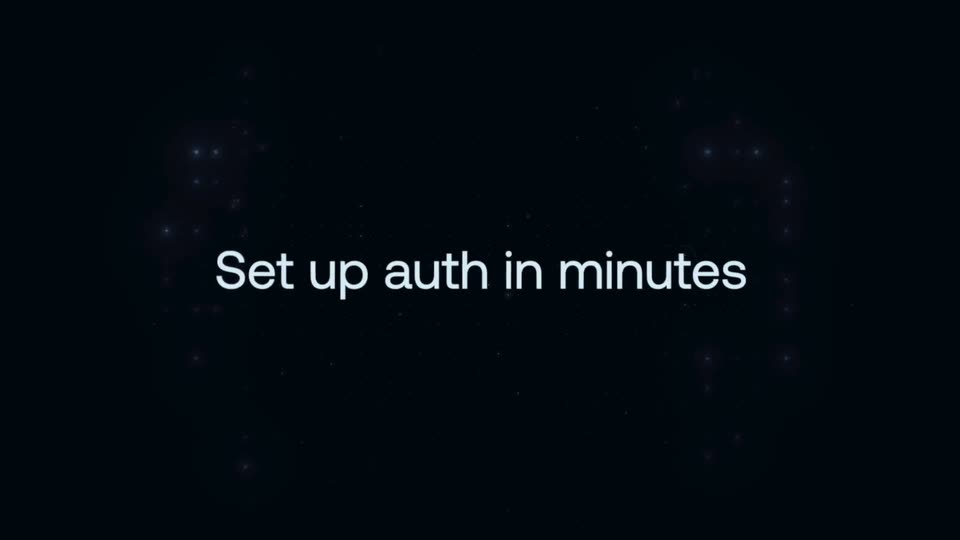
White text reading 'Set up auth in minutes' sits static in the center of a dark background with faint stars.
On-screen text: “Set up auth in minutes”
Camera: Static
08 · Feature reveal · 0:13–0:15
A dark authentication settings panel scrolls downward through a list of sign-in methods, each card snapping into sharp focus as the ones above and below blur out.
Camera: Push in
09 · Feature reveal · 0:15–0:15
A dark settings card holds sharp focus while the surrounding interface blurs out. The card's heading and body text swap from Multi-Factor Auth to Email + Password, each paired with a purple toggle set to Enabled. A white cursor hovers at the toggle.
Techniques: UI zoom, Cursor demo
Camera: Static
10 · Feature reveal · 0:15–0:16
A dark settings panel sits in close-up with shallow depth of field. The title and body copy swap from Google OAuth to Microsoft OAuth while a hand cursor rests on the enabled toggle.
Techniques: Cursor demo
Camera: Static
11 · Feature reveal · 0:16–0:17
A dark settings card sits in sharp focus over a blurred dashboard, a cursor resting on its blue toggle. Mid-clip the card's title and copy crossfade from Magic Auth to Single Sign-On while the background stays soft.
Techniques: Cursor demo
Camera: Push in
12 · Feature reveal · 0:17–0:19
The white headline “Fully themeable” sits centered and static over a near-black starfield. Small glowing dots drift and twinkle in the background while the text holds locked in the middle of the frame.
On-screen text: “Fully themeable”
Techniques: Particles
Camera: Static
13 · Feature reveal · 0:19–0:21
A split screen displays a blurred login interface on the left and a dark theme editor on the right. A cursor drags a color slider to orange, updating the login button color in real time.
On-screen text: “Fully themeable”
Techniques: Cursor demo, Split screen
Camera: Static
14 · Feature reveal · 0:21–0:24
Three code snippet cards hover in a dark 3D field with shallow focus, the right side heavily blurred. The white headline fades in at center while the panels and a soft blue shape drift slowly through the depth.
On-screen text: “Endlessly customizable”
Techniques: 3D mockup, Parallax
Camera: Push in
15 · Feature reveal · 0:24–0:26
A single white line, “Endlessly customizable”, drifts slowly leftward across a near-black field of faint star specks. The frame stays locked off and the pace is slow and even.
On-screen text: “Endlessly customizable”
Techniques: Kinetic type
Camera: Static
16 · Feature reveal · 0:26–0:28
A dark 3D circuit-board space holds glowing UI cards around a central hexagon logo card, under the static headline “Endlessly customizable”. The camera dollies in, blurring the lower login and chart cards as the center card enlarges.
On-screen text: “Endlessly customizable”
Techniques: 3D mockup, Parallax
Camera: Push in
17 · Demo · 0:28–0:30
A dark 3D security dashboard tilts in perspective as focus racks between a glowing fingerprint card on the left and a password field on the right. The field reveals a password string while four strength bars light up, with feature captions below each card.
On-screen text: “Biometric and passkey auth”, “Password strength validation”
Techniques: 3D mockup
Camera: Push in
18 · Demo · 0:30–0:32
Two dark feature cards float in 3D perspective on a black background. The left card holds a password string in a box whose glowing outline draws itself, while the right card shows a bright fingerprint icon, and focus racks between the two.
Techniques: 3D mockup, Light sweep
Camera: Push in
19 · Demo · 0:32–0:34
A dark glowing panel with a hexagonal code logo at its center stays in focus. Bottom callouts read Multi-Factor Auth and Single Sign-On. The frame pulls back, shifting focus to top tags Email and Password and Social Login while the panel softens.
On-screen text: “Multi-Factor Auth”, “Single Sign-On”, “Email & Password”, “Social Login”
Camera: Push in
20 · Other · 0:34–0:40
On a dark navy starfield, the caption “And more...” holds center, then gives way to a centered list of features that fades in line by line, from Email verification down to Leaked password protection, while faint glowing dots drift in a loose ring.
On-screen text: “And more...”, “Email verification”, “Account linking”, “Spam detection”, “Bot detection”, “SCIM provisioning”, “JIT user provisioning”, “Leaked password protection”
Techniques: Kinetic type, Particles
Camera: Static
21 · CTA · 0:40–0:43
A dark title card pulls from heavy blur into sharp focus. The hexagon mark, technical grid and corner brackets draw in around the centered wordmark, while the eyebrow, headline and subhead line settle into place above a pill button.
On-screen text: “Introducing”, “AuthKit”, “Flexible authentication UI,”, “powered by WorkOS + Radix.”, “authkit.com”
Camera: Static
22 · CTA · 0:43–0:45
A dark starfield of small twinkling dots and faint circles fills the frame. Centered white text reads “What will you build?” above a smaller gray “authkit.com”, both held static on a locked-off frame.
On-screen text: “What will you build?”, “authkit.com”
Techniques: Particles
Camera: Static