1:08
Explore
Tencent Hy - 🚀 Introducing Hy-Nomas: An Open Source Free-Form Interactive Video Wo
Tencent · Oct 2026 · 2:21 · AI-annotated
- Length
- 2:21
- Scenes
- 51 · 2.8 s avg
- Product on screen
- 0:00
- Features shown
- 6
- Call to action
- 2:17 · 97%
- Voiceover
- No
00:00:00 / 02:21:11
Tencent’s 2:21 launch film runs 51 scenes, about 2.8 s each. The product is on screen from the first frame and 6 features are revealed. The call to action lands at 2:17 (97% in). The video is built as a feature-by-feature walkthrough: a locked-off title over blurred live action, then each capability introduced by a left-aligned label-and-headline card and proven by short in-world 3D shots with type-on captions and on-screen key overlays. Pacing is fast at roughly 14 cuts per minute with hard cuts between one-second shots, and the signature moves are the letter-by-letter typing, the WASD key HUDs, and the dot-matrix wordmark convergence at the close.
Footage neededEstimated needs: 3 capture groups — your screens or recordings · 13 filmed passages — shoot, supply or replace · 5 graphic passages — draw or supply · 24 3D passages — build or supply
Is this your launch? to your site or press kit.
More like this
1:50

F4 YC Launch
F4 · Jun 2026
1:31


Alloovium: Construction paperwork that finally works for your team
Alloovium · Real Estate and Construction · Jul 2026
Tencent Hy - 🚀 Introducing Hy-Nomas: An Open Source Free-Form Interactive Video Wo, scene by scene
· 51 scenes as text
01 · Product intro · 0:00–0:01
The clip fades in from black to a dimmed, blurred live-action background of a person walking beneath a colorful hot air balloon near an arched bridge. A centered white title, Hy-Nomas, sits with a small Tencent Hy logo above and a gray tagline below, all locked off.
On-screen text: “Tencent Hy”, “Hy-Nomas”, “Free-form interactive world generation”
Camera: Static
02 · Product intro · 0:01–0:02
A darkened, blurred live-action shot of a person with a colorful canopy over water sits behind a centered text lockup. The Tencent Hy logo and wordmark sit above a large Hy-Nomas title, with a subtitle and tagline below, all static.
On-screen text: “Tencent Hy”, “Hy-Nomas”, “Free-form interactive world generation”, “Prompt it. Steer it. Keep exploring.”
Camera: Static
03 · Product intro · 0:02–0:03
A locked-off title card over a blurred 3D backdrop of a penguin figure inside a glowing ring. The Tencent Hy mark sits above the bold Hy-Nomas title, with a subtitle and tagline beneath, and all text stays still.
On-screen text: “Tencent Hy”, “Hy-Nomas”, “Free-form interactive world generation”, “Prompt it. Steer it. Keep exploring.”
Camera: Static
04 · Product intro · 0:03–0:05
A dark 3D coastline holds the Hy-Nomas title block, then the scene brightens to a sunlit bay where a small aircraft flies toward a waterfall cliff, and a large white “Prompt it.” appears centered over the water.
On-screen text: “Tencent Hy”, “Hy-Nomas”, “Free-form interactive world generation”, “Prompt it. Steer it. Keep exploring.”, “Prompt it.”
Techniques: 3D mockup
Camera: Static
05 · Product intro · 0:05–0:06
A cloaked rider on a dark horse walks down a stone path between low brick ruins under a red sunset sky. The camera tracks from behind as the horse moves forward, and the caption Steer it. holds centered in frame.
On-screen text: “Steer it.”
Techniques: Parallax
Camera: Static
06 · Product intro · 0:06–0:07
First-person view of a red rifle with blue glowing accents held at a dirt shooting range, a paper target on a stand ahead and an open hangar to the right. The frame holds still while the weapon idles with a slight sway.
On-screen text: “Mix both.”
Camera: Static
07 · Product intro · 0:07–0:08
A 3D penguin wearing a brown helmet and red scarf sits on an open map holding a yellow star, framed by a diorama of multicolored trees and a blue river. The white caption holds steady at center as the camera drifts slightly.
On-screen text: “Keep going.”
Camera: Push in
08 · Feature reveal · 0:08–0:10
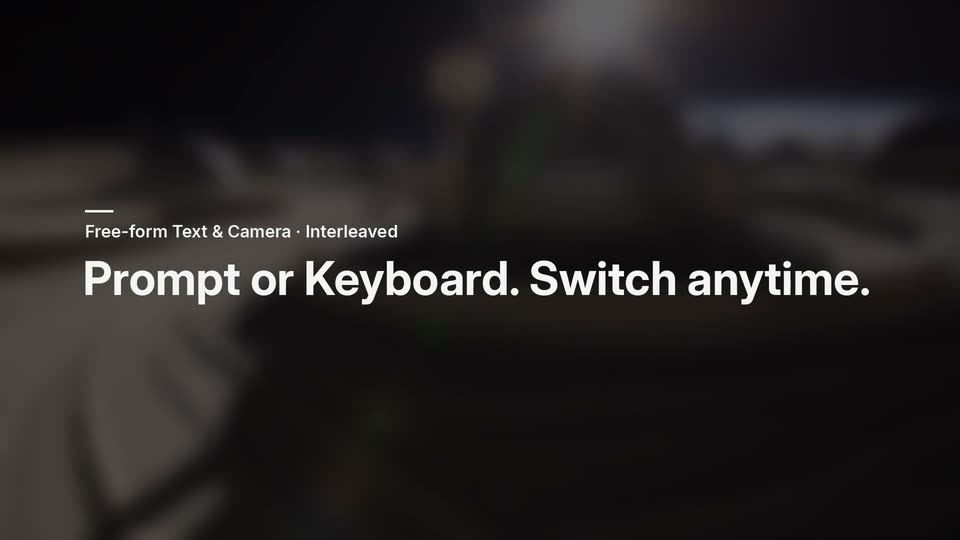
Over a dark, out-of-focus desk with a keyboard and monitor, a small white label and a large white headline fade in at the left, then hold still.
On-screen text: “Free-form Text & Camera · Interleaved”, “Prompt or Keyboard. Switch anytime.”
Camera: Static
09 · Feature reveal · 0:10–0:11
A dark browser window with a single New Tab sits on a black background. The address bar types out a URL character by character while an autocomplete suggestion displays the full address below. The frame is locked off.
On-screen text: “hy-nomas.hy.tencent.com/demo — Hy-Nomas”
Camera: Static
10 · Feature reveal · 0:11–0:17
In a dark browser window, a cursor types a moon-base scene into the Environment field and a lunar pilot into the Subject field, each glowing green while active. The view reframes between fields, then zooms out to reveal the Enter world button and a row of gallery thumbnails.
Techniques: Cursor demo, UI zoom
Camera: Pull out
11 · Feature reveal · 0:17–0:18
A dark interface form shows a subject description field and a green Enter world button. A cursor hovers the button, then the whole screen fades to black as a dim lunar landscape with domes begins to emerge on the right.
Techniques: Cursor demo
Camera: Push in
12 · Feature reveal · 0:18–0:31
A 3D-rendered moon base with gray regolith, tire tracks, excavation pits and rows of habitat domes, Earth low on the horizon. The camera pans and dollies across the site toward a parked rover, while captions type in at the lower left and a WASD keyboard-control graphic appears at the end.
On-screen text: “INTERLEAVED TEXT + CAMERA”, “Turn 1 of 3”, “A moon-base excavation site with gray regolith, habitat domes and Earth low on the horizon.”, “Turn 2 of 3”, “A rover uncovers a reflective geometric object beneath the dust.”, “Turn 3 of 3”, “Keyboard control · ↓ ←”
Techniques: Kinetic type, 3D mockup
Camera: Push in
13 · Feature reveal · 0:31–0:32
A 3D perspective view of a dark silhouetted figure holding a small object, standing on a white curved arena with long shadows. A keyboard-control HUD and a phase timeline sit in the corners as the camera orbits the figure.
Techniques: 3D mockup
Camera: Pan
14 · Feature reveal · 0:32–0:36
A 3D camera moves through an underwater stone arcade, tilting up to follow a manta ray and a rising column of bubbles, then continuing through the arches. A white caption types out at the lower left.
On-screen text: “A gentle manta ray glides overhead and reveals a pearl-covered passage.”
Camera: Push in
15 · Feature reveal · 0:36–0:41
First-person 3D view inside a stone archway opening onto a sandy desert with spiky grass tufts. The camera pushes forward through the arches, tilts down toward the ground, then tilts back up. A keyboard-control overlay sits in the lower right and a caption with a look-direction arrow sits lower left.
On-screen text: “INTERLEAVED TEXT + CAMERA”, “Turn 4 of 4”, “CAMERA Keyboard control · ↓”, “CAMERA Keyboard control · ↑”
Camera: Push in
16 · Feature reveal · 0:41–0:43
A defocused outdoor landscape with sky and clouds sits under a dark overlay, locked off. On the left, a thin rule and the small label Multi-turn Text Control hold steady while the large white headline Every prompt writes the next scene. fades in beneath them.
On-screen text: “Multi-turn Text Control”, “Every prompt writes the next scene.”
Camera: Static
17 · Feature reveal · 0:43–0:44
A 3D aerial view over snow-capped mountains and a valley city, with a white plane wing and yellow tip on the right. A figure in dark clothing runs along the wing and leaps off it, arms spread. A UI overlay frames the shot: a feature badge top-left, a prompt box bottom-left, and a four-step timeline across the bottom.
On-screen text: “Multi-turn Text Control”, “Every prompt writes the next scene.”
Techniques: 3D mockup
Camera: Static
18 · Feature reveal · 0:44–0:45
Full-frame skydiving footage plays inside the editor view: a jumper in dark gear and an orange helmet leaves the aircraft, the white wing with a yellow tip slides out of frame right as he drops and spreads his arms. A pill top-left marks the multi-turn text turn, a caption with a blinking cursor sits bottom-left, and a timeline with turn markers runs along the bottom.
Camera: Pull out
19 · Feature reveal · 0:45–0:47
A 3D skydiver in a black suit and orange helmet freefalls over snow-capped mountains beneath a cloudy blue sky, an airplane wing intruding from the right. A caption types out at the lower left while a four-segment timeline and a turn counter sit at the edges.
On-screen text: “MULTI-TURN TEXT”, “Turn 3 of 4”, “TEXT”, “Pull the handle — the canopy blooms open”, “T1 · START”, “T2 · TEXT”, “T3 · TEXT”, “T4 · TEXT”
Techniques: Kinetic type, 3D mockup
Camera: Pan
20 · Feature reveal · 0:47–0:48
A 3D skydiver in black gear and an orange helmet hangs mid-air over snow-dusted mountains as a blue and white canopy inflates overhead; a white plane wing sits at the right edge. A bottom caption cues the handle pull.
On-screen text: “MULTI-TURN TEXT”, “Turn 3 of 4”, “TEXT”, “Pull the handle — the canopy blooms open.”, “T1-START”, “T2-TEXT”, “T3-TEXT”, “T4-TEXT”
Camera: Pull out
21 · Feature reveal · 0:48–0:50
A paraglider with a blue-and-white canopy drifts over a snow-dusted mountain range, arms outstretched, a plane wing at the right edge. A white caption at lower left types out to read the valley line while a four-step demo timeline with a moving playhead runs along the bottom.
On-screen text: “MULTI-TURN TEXT”, “Turn 4 of 4”, “TEXT”, “Grip the front risers and drift toward the valley.”, “T1 - START”, “T2 - TEXT”, “T3 - TEXT”, “T4 - TEXT”
Techniques: Kinetic type
Camera: Push in
22 · Feature reveal · 0:50–0:53
A 3D panda wearing a red backpack climbs a misty stone column, framed between taller fog-wrapped pillars. A white caption types out at the lower left above a thin demo timeline.
On-screen text: “Grip the vines and haul yourself up onto the ledge.”
Techniques: Kinetic type
Camera: Static
23 · Feature reveal · 0:53–0:55
A panda in a red backpack climbs a mossy stone spire in a foggy mountain valley. A white prompt line types out along the bottom edge while the camera holds still.
Camera: Static
24 · Feature reveal · 0:55–0:58
A 3D panda with a red backpack stands on a misty cliff as a green bamboo leaf unfurls into a full paraglider canopy above it. A typed caption builds at bottom left over a four-step progress timeline.
On-screen text: “MULTI-TURN TEXT”, “Turn 4 of 4”, “Unfurl the bamboo-leaf paraglider and glide out.”
Techniques: Kinetic type, Morph
Camera: Static
25 · Feature reveal · 0:58–0:59
A bare-backed warrior with a round shield and spear sprints toward a gilded temple gate, a woman in blue standing in the doorway, as the view pushes forward. A white caption types out character by character along the bottom edge.
On-screen text: “A winged knight scales the wall of a golden temple fortress”
Techniques: Kinetic type
Camera: Push in
26 · Feature reveal · 0:59–1:00
A 3D winged knight holding lances and a round shield climbs a white stone wall inside a gilded arch, the camera tilting up to follow it. A multi-turn text editing overlay with a prompt line and a three-step timeline sits in the corners.
Camera: Pull out
27 · Feature reveal · 1:00–1:03
A winged knight in dark armor with white feathered wings glides forward through a golden temple complex under a pink and blue sky. The camera tracks behind the knight past white and gold colonnades while a caption types out along the bottom.
On-screen text: “A winged knight scales the wall of a golden temple fortress.”
Techniques: Light sweep, Parallax
Camera: Push in
28 · Feature reveal · 1:03–1:04
A winged knight with a round shield stands on the marble terrace of a golden temple complex under a pink sky. The camera drifts right as a caption types out at the bottom, then switches to a second line.
Techniques: Kinetic type
Camera: Push in
29 · Feature reveal · 1:04–1:07
A winged warrior with a round shield glides above a gilded cliffside temple as the camera rises to reveal the sea and distant islands. A small multi-turn text badge sits top-left and a caption types out at the bottom over a thin timeline bar.
Camera: Push in
30 · Feature reveal · 1:07–1:12
A winged warrior with a round shield glides low over a white-and-gold coastal city, the camera tracking from behind as the flight passes glowing blue horse statues on a terrace. A line of text types out letter by letter in the lower-left corner.
Camera: Push in
31 · Feature reveal · 1:12–1:14
A dark, out-of-focus shot of a car on a road under a cloudy sky holds still. On the left, a small white label scales in above a large bold white headline reading Your keys. Your camera.
On-screen text: “Fully Camera Control”, “Your keys. Your camera.”
Techniques: Kinetic type
Camera: Static
32 · Feature reveal · 1:14–1:18
A white motorboat crosses a rendered lake, its heading and the camera angle shifting as the on-screen W and A keys light up in turn, orbiting the craft. A dark badge, a virtual WASD and arrow keypad, and a three-step progress bar frame the 3D water and forested shoreline.
On-screen text: “Your keys. Your camera.”
Techniques: 3D mockup
Camera: Pan
33 · Feature reveal · 1:18–1:22
A 3D astronaut stands with back to camera on a barren regolith plain, white dome huts and a blue planet behind. The view orbits slowly to the right around the figure while a control slider fills at the bottom.
On-screen text: “FULLY CAMERA CONTROL”
Techniques: 3D mockup
Camera: Push in
34 · Feature reveal · 1:22–1:26
A 3D snowy alpine village at dusk, seen from street level. The camera tilts up and pushes forward between the chalets as on-screen WASD and arrow keys light up to show move and look inputs. A FULLY CAMERA CONTROL badge sits top-left over a camera timeline.
On-screen text: “FULLY CAMERA CONTROL”
Techniques: 3D mockup, Parallax
Camera: Push in
35 · Feature reveal · 1:26–1:28
A locked-off, out-of-focus shot shows a cyclist riding away on a palm-lined path at dusk. White text is held on the left, with a small label above a large headline.
On-screen text: “Long-horizon Generation”, “Go the distance. Stay consistent.”
Camera: Static
36 · Feature reveal · 1:28–1:34
A cyclist in a blue jacket and rainbow helmet rides away from the camera down a palm-lined boardwalk at sunset, the world streaking past in heavy motion blur as a Ferris wheel sits on the horizon. The shot tracks the rider at high speed.
On-screen text: “LONG-HORIZON GENERATION”, “One continuous rollout · played at 10×”
Techniques: Parallax
Camera: Push in
37 · Feature reveal · 1:34–1:35
A white headline reads across a black field, then gives way to a 2x2 grid of video clips. Each row pairs a START frame with an END frame, joined by a right arrow, comparing a cyclist on a sunset boardwalk and a stop-motion penguin reading a paper.
On-screen text: “Same character. Same world. One minute apart.”, “START 0:00”, “END 0:53”, “START 0:00”, “END 0:54”
Techniques: Split screen
Camera: Static
38 · Feature reveal · 1:35–1:40
A black comparison slide with a white headline above a 2x2 grid of rounded video panels. Top row plays a cyclist on a sunset boardwalk, bottom row plays a 3D penguin in a shifting colored world, each labeled START and END with advancing timecodes and white arrows between columns.
On-screen text: “Same character. Same world. One minute apart.”, “START 0:01”, “END 0:54”, “START 0:00”, “END 0:54”
Techniques: Split screen
Camera: Push in
39 · Feature reveal · 1:40–1:42
A dark, heavily blurred shot of a small robot on a white table fills the background. On the left, a short white rule and the label Robotics Adaptation sit above the large bold headline Prompt the task. Watch it unfold. The frame is locked off and the text stays static.
On-screen text: “Robotics Adaptation”, “Prompt the task. Watch it unfold.”
Camera: Static
40 · Feature reveal · 1:42–1:48
Overhead shot of a white table holding a yellow plate with a blue cup nested in a beige cup. A black robotic gripper enters from the left, grasps the cups and lifts them off the plate. A second gripper enters from the right as the first hands the cups over.
On-screen text: “ROBOTICS ADAPTATION”, “Turn 1 of 3”, “A gripper picks up the nested cup from the plate.”, “Turn 2 of 3”, “Prompt the task. Watch it unfold.”
Camera: Pull out
41 · Feature reveal · 1:48–1:50
Two black robotic grippers hold a nested cup over a yellow plate on a white table. The right gripper pulls the outer brown cup off and sets it down to the right while the left holds the inner blue cup. A typed caption runs along the bottom.
On-screen text: “ROBOTICS ADAPTATION”, “Turn 2 of 3”, “A second gripper pulls off the outer cup and sets it down on the right.”
Camera: Static
42 · Feature reveal · 1:50–1:52
Two robotic arms with black grippers work over a white table. The left holds a blue cup above a yellow plate while the right lifts a beige cup and sets it down on the right. Static high-angle shot, with a label top-left and a caption bar at the bottom.
On-screen text: “ROBOTICS ADAPTATION”, “Turn 2 of 3”, “TEXT”, “A second gripper pulls off the outer cup and sets it down on the right.”, “T1-START”, “T2-TEXT”, “T3-TEXT”
Camera: Static
43 · Feature reveal · 1:52–1:54
A black robotic gripper lowers a blue cup onto a white table, moving it left of a yellow plate and a beige cup. A white caption types out the instruction at the bottom while a progress bar and turn label sit in the corners.
On-screen text: “ROBOTICS ADAPTATION”, “Turn 3 of 3”, “TEXT”, “Set the blue cup aside.”, “T1 - START”, “T2 - TEXT”, “T3 - TEXT”
Techniques: Kinetic type
Camera: Static
44 · Feature reveal · 1:54–1:56
A dark, defocused street scene with a yellow car centered and bridge towers in the background. A small white label and dash sit top left as the larger white headline fades in below it.
On-screen text: “Multi-style · Multi-subject”, “One idea. Endless worlds.”
Camera: Static
45 · Feature reveal · 1:56–1:57
A 3D dusk view follows a yellow taxi from behind as it drives across a suspension bridge, white and black cars sliding past on either side toward a hazy skyline. A white caption sits lower left and a small outlined label holds the top-left corner.
On-screen text: “MULTI-STYLE · MULTI-SUBJECT”, “Start from one world...”, “One idea. Endless worlds.”
Camera: Static
46 · Feature reveal · 1:57–1:58
A single bridge-taxi clip expands into a 3x3 grid of rounded video panels on black. Small pill labels mark each panel as REAL, ANIME, CG, or GAME while the grid settles into place.
On-screen text: “REAL”, “ANIME”, “CG”, “GAME”
Techniques: Split screen, UI zoom
Camera: Static
47 · Feature reveal · 1:58–2:04
A 3x3 grid of short clips, each corner-tagged REAL, GAME, ANIME or CG, rearranges into a 5x5 wall as the frame pulls back. A white caption and a smaller subline fade in along the bottom edge.
On-screen text: “...and let it branch into every style and subject.”, “Real-world · Anime · CG · Game”
Techniques: Split screen
Camera: Pull out
48 · Demo · 2:04–2:07
Black frame with a bold white “Many worlds.” headline top-left and seven balls of tiny circular video frames in two rows, each under a small uppercase label. The labels fade out and the balls drift apart, leaving dotted trails.
On-screen text: “Hy-Nomas”, “Many worlds.”, “INTERLEAVED”, “THIRD-PERSON”, “REAL-WORLD”, “FIRST-PERSON”, “MINUTE-LONG”, “GAME”, “ANIME & CG”, “TEXT · CAMERA · INTERLEAVED · LONG-HORIZON”
Techniques: Particles
Camera: Static
49 · Demo · 2:07–2:11
A swarm of small circular world thumbnails drifts in a loose band on black, then converges to spell Hy-Nomas in a dot-matrix wordmark. One model. joins the Many worlds. headline, the tagline Free-form interactive world generation fades in below, and the scene fades out.
On-screen text: “Hy-Nomas”, “Many worlds.”, “TEXT · CAMERA · INTERLEAVED · LONG-HORIZON”, “Hy-Nomas”, “One model.”, “Free-form interactive world generation”
Techniques: Particles, Morph
Camera: Static
50 · Other · 2:11–2:17
Over a dark, blurred multicolor background, the Tencent Hy logo sits top center. A bold white headline “Hy-Nomas is open source.” fades in with a subhead, then four translucent cards (Model Weights, Inference Code, Technical Report, Online Demo) fade in left to right, and the frame fades out.
On-screen text: “Tencent Hy”, “Hy-Nomas is open source.”, “Everything you need to build interactive worlds — out in the open.”, “Model Weights”, “Full checkpoints, free to download”, “Inference Code”, “Text + camera interleaved control”, “Technical Report”, “Architecture, data & training”, “Online Demo”
Camera: Static
51 · CTA · 2:17–2:21
Over a dark, blurred multicolor background, the Hy-Nomas logo and white headline hold center. A URL types itself letter by letter into a pill outline, a caption fades in below, then the frame fades to black.
On-screen text: “Try it yourself.”, “hy-nomas.hy.tencent.com/demo”, “Build interactive worlds with us.”
Camera: Static