1:43
Chris Worsey - Introducing @MachineAgeAi Robots need to learn from people who know
MachineAge AI · Nov 2026
Boxes.dev · Nov 2026 · 1:08 · AI-annotated
Boxes.dev’s 1:08 launch film runs 36 scenes, about 1.9 s each. The product shows up at 0:15 and 5 features are revealed. The call to action lands at 1:04 (94% in), over a voiceover. The video stacks kinetic text cards, 3D interface fly-throughs, and live-action founder shots in a tight problem-to-features arc, with each feature introduced by one line of voiceover and proven in a short UI demo. Signature moves include 3D camera orbits that flatten to frontal views, word-by-word caption reveals, and recurring agent chips that carry the cloud narrative.
Is this your launch? to your site or press kit.
MachineAge AI · Nov 2026
TagadaRx · Nov 2026
Hyperagent · Nov 2026
A black-to-lavender vertical gradient fills the frame. The white headline “Your laptop” begins oversized and cropped at the top, then scales down to settle centered mid-frame.
On-screen text: “Your laptop”
Techniques: Kinetic type
Camera: Pull out
A dark macOS Force Quit dialog scales up to center on a black background, its yellow warning triangle popping in at the top left. A list of apps with memory values fills the panel. Below it, a white caption reveals word by word.
On-screen text: “Your laptop is holding your coding agents back.”
Techniques: Kinetic type
Camera: Pull out
A macOS Force Quit dialog with a yellow warning icon sits centered on a dark gradient, listing apps by memory use, as task chips and pulsing red alert badges pop in around it; a large white caption reads 'coding agents back' at the bottom.
On-screen text: “coding agents back”
Techniques: Particles
Camera: Pull out
A white sentence slides in word by word across a dark blue gradient, then softens with a blue glow as small icon chips fade in at the top and bottom edges.
On-screen text: “When you run multiple agents at once”
Techniques: Kinetic type
Camera: Static
Over a dark blue gradient, blurred rounded app icons with white spiral marks and one orange asterisk drift at the frame edges. The white headline 'When you run multiple agents at once' slides in at center, then a caption pill 'they fight over the same memory,' appears at the bottom.
On-screen text: “When you run multiple agents at once”, “they fight over the same memory,”
Techniques: Kinetic type
Camera: Static
A dark Activity Monitor window sits in 3D perspective, tilted, while white rounded agent icons with orange and white glyphs drift across it. The window flattens to a frontal view as the memory, CPU and ports metrics tick up, then the whole screen blurs out of focus.
On-screen text: “they fight over the same memory,”, “CPU, and ports.”, “And when you close your laptop...”
Techniques: 3D mockup, Parallax
Camera: Static
On a black background, a small white caption sits still at the bottom. A large white headline slides in at center, then a red stop icon, a circle with a square, appears to its right.
On-screen text: “And when you close your laptop...”, “they stop”
Techniques: Kinetic type
Camera: Static
The white line “Running agents on your laptop” fades in at center on a near-black gradient, then a much larger “doesn’t” fades in over it as the line fades out, leaving the big word alone and centered.
On-screen text: “Running agents on your laptop”, “doesn’t”
Techniques: Kinetic type
Camera: Static
A large glowing white word 'scale' holds center over a dark field of floating error panels (terminal logs, memory warnings, a 100% CPU meter, a process list) that drift at different depths while the word stays still.
On-screen text: “scale”
Techniques: Parallax
Camera: Pull out
On a black field, a small white square outline rotates and settles at center, then morphs into the b of the serif boxes.dev wordmark as the remaining letters fade in. A white caption stays fixed at the bottom throughout.
On-screen text: “That's why we built boxes.dev.”
Techniques: Morph
Camera: Static
The white boxes.dev wordmark and stacked-squares icon sit centered on a black background. A bottom caption switches from “That's why we built boxes.dev.” to “A cloud computer for every coding agent.”
On-screen text: “That's why we built boxes.dev.”, “A cloud computer for every coding agent.”
Camera: Static
A 3D-tilted browser window showing a three-panel developer interface floats on a dark background, with the boxes.dev logo above and a white tagline below. The mockup eases smaller while the logo shrinks, holding the tagline steady at the bottom.
On-screen text: “A cloud computer for every coding agent.”
Techniques: 3D mockup
Camera: Pan
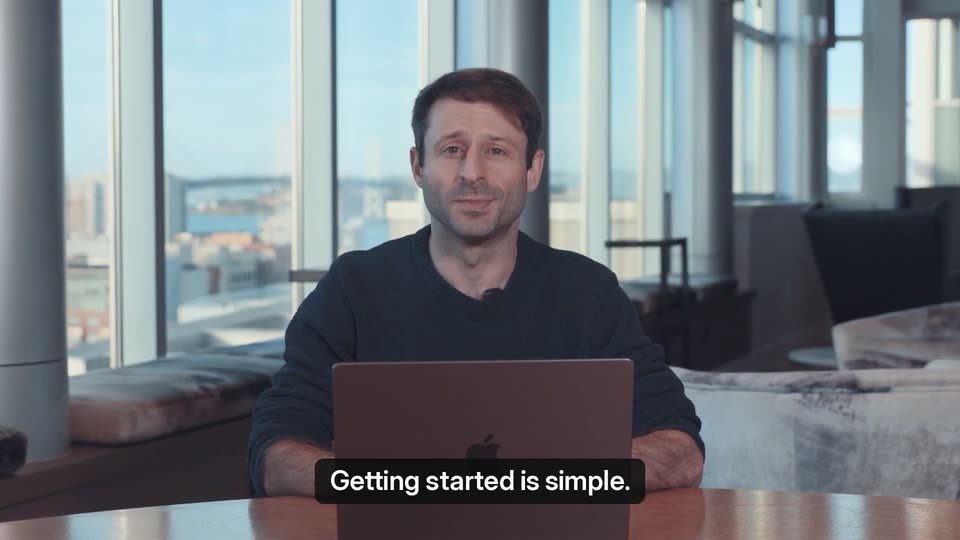
A man in a dark long-sleeve shirt sits at a wooden desk behind a laptop, speaking to the camera in a bright office with floor-to-ceiling windows. A black caption pill at the bottom center carries the line while he talks.
On-screen text: “Getting started is simple.”
Camera: Pan
A dark terminal window fills the frame over a blurred person. The CLI output scrolls as the agent runs setup commands, and a bold white caption at the bottom swaps from one line to the next in sync with the voiceover.
On-screen text: “Getting started is simple.”, “Just paste a prompt into your local agent,”
Camera: Static
A dark terminal window fills the frame as lines of commands and output scroll upward, new entries appearing at the bottom. A white caption on a black pill at the lower edge reads: Just paste a prompt into your local agent
On-screen text: “Just paste a prompt into your local agent,”
Camera: Static
A dark boxes.dev window lists a setup checklist that fills with green checkmarks one by one while the camera orbits the interface in 3D perspective, then settles flat; an Open setup thread button appears. White subtitles swap along the bottom edge.
On-screen text: “Just paste a prompt into your local agent,”, “and it'll port your development environment”, “to the cloud — dependencies and all.”
Techniques: 3D mockup, UI zoom
Camera: Pull out
A man in a dark sweater sits at a table with a laptop before floor-to-ceiling windows. A dark task panel slides in from the right; rows highlight and green progress bars fill. A bottom caption swaps between two lines.
On-screen text: “Then you can run as many agents as you need,”, “all in parallel.”
Camera: Pull out
A man in a dark sweater sits at a desk with a laptop in a sunlit office. A dark task-list panel floats on the right, its rows scrolling up with green progress bars, while the caption sits at the bottom of frame.
On-screen text: “all in parallel.”
Camera: Static
A man in a denim shirt sits at a table in a sunlit office, speaking to camera. Floating bug-report cards drift in around him at varying depths, and a dark task panel slides up along the bottom edge as the caption changes.
On-screen text: “Let's say you wake up to 40 new bug reports”, “after a big launch.”
Techniques: Parallax
Camera: Pull out
A blurred presenter sits in a bright office while white issue cards float in 3D around him and a dark 'Launch bugs' window tilts in front. The window fills with a bug list as a top caption replaces the bottom one.
On-screen text: “after a big launch.”, “You can assign all 40 tasks to separate agents,”
Techniques: 3D mockup, Parallax
Camera: Static
A dark task list sits over a blurred copy of itself, then the view tightens on the rows. A cursor clicks the select-all checkbox, a dropdown opens at right, and the cursor lands on boxes.dev. A black caption banner holds the headline at top.
On-screen text: “You can assign all 40 tasks to separate agents,”
Techniques: UI zoom, Cursor demo
Camera: Push in
A dark browser window with a glowing border sharpens from a dim state. It holds two panes side by side: a chat on the left showing a task message and a reply, and a checkout page on the right with plan details and an order summary.
On-screen text: “You can assign all 40 tasks to separate agents,”, “each with its own copy of your dev environment.”
Techniques: Split screen
Camera: Static
A dark IDE window and a browser showing a checkout page sit side by side. The browser slides off to the right while the IDE zooms in to fill the frame. A bottom caption reads 'each with its own copy of your dev environment.'
On-screen text: “each with its own copy of your dev environment.”
Techniques: Split screen, UI zoom
Camera: Push in
Two tilted interface panels sit in a dark 3D space: a chat log on the left and a Larkspur checkout on the right. The camera pans right and pushes in on the order summary card, which scales up to reveal the $0.01 total.
On-screen text: “Each agent will repro its bug, fix it,”, “and make sure the fix works in your real app.”
Techniques: 3D mockup, Parallax, UI zoom
Camera: Pull out
Two glowing UI panels float on a dark void: a code-editor chat on the left listing edited files, and a browser checkout page on the right with an order summary and a green discount row. The panels drift slowly apart while a bottom caption reads the fix line.
On-screen text: “and make sure the fix works in your real app.”
Camera: Static
A dark IDE window fills the frame, split into an agent chat left and a checkout page right. The chat scrolls up to reveal new steps while the checkout total holds at $0.00. A white subtitle sits on a black bar at the bottom.
On-screen text: “and make sure the fix works in your real app.”
Camera: Static
A dark app window tilted in 3D perspective shows a code editor beside a checkout page, ringed by a glowing purple border. A black caption bar at the bottom carries the line, and the whole frame fades out.
On-screen text: “and make sure the fix works in your real app.”
Techniques: 3D mockup
Camera: Pull out
The shot opens blurred and sharpens on a man at a laptop in a bright office; a network of labeled agent icons fades in around him, linked by white lines with pulsing green dots, and a green robot icon pops in above his head.
On-screen text: “Plus agents can message each other to coordinate,”, “and a supervisor agent can keep you updated”
Techniques: Particles
Camera: Pull out
A man sits at a desk with a laptop, overlaid by a network of task icons; the background blurs as a larkspur chat window slides in, showing a Coordinator message.
On-screen text: “and a supervisor agent can keep you updated”, “on their progress.”
Camera: Pull out
A dark chat window for the Coordinator sits on a black background. The interface zooms in, reframing onto the launch-bug update message, as a bottom caption switches from “on their progress.” to “And best of all, you can close your laptop.”
On-screen text: “on their progress.”, “And best of all, you can close your laptop.”
Techniques: UI zoom
Camera: Pull out
Two men sit on a bench before a floor-to-ceiling window with a city skyline behind. A laptop on a small stand between them. The man on the right lifts the lid and closes the laptop. White subtitles at the bottom read the line.
On-screen text: “And best of all, you can close your laptop.”, “Your agents will keep working,”
Camera: Static
Two founders sit on a couch before a floor-to-ceiling window with a city skyline. The shot blurs as a 3D phone mockup with a two-card message list slides in front, while a caption holds at the bottom.
On-screen text: “Your agents will keep working,”
Techniques: 3D mockup
Camera: Pull out
A tilted smartphone in 3D perspective holds a dark lock screen with a large clock behind two stacked notification cards that slide into place. The phone rotates slightly while a white subtitle caption sits on a black bar at the bottom.
On-screen text: “and you can pick up where you left off,”
Techniques: 3D mockup
Camera: Pull out
A tilted smartphone in 3D perspective rotates gently against a dark background with a purple glow at the base. Its screen shows a dark chat thread where a code agent explains a refund email fix. A black caption at the bottom reads right from your phone.
On-screen text: “right from your phone.”
Techniques: 3D mockup
Camera: Pull out
Two men sit side by side before a floor-to-ceiling window with a city skyline behind them, facing the camera with faint smiles. A black caption bar with white text reads the line at the bottom. The shot is locked-off and static.
On-screen text: “The future of coding is in the cloud.”
Camera: Static
On a black field, the boxes.dev wordmark and stacked-squares icon resolve from a soft blur into sharp focus while scaling up. 'Get started for free' sits below, then 'Backed by Y Combinator' with the orange YC mark fades in above.
On-screen text: “The future of coding is in the cloud.”, “boxes.dev”, “Get started for free”, “Backed by Y Combinator”
Camera: Static