0:38
Explore
Google DeepMind - SIMA 2 is our most capable AI agent for virtual 3D worlds. 👾🌐 Powere
SIMA 2 · Nov 2025 · 1:36 · AI-annotated
- Length
- 1:36
- Scenes
- 51 · 1.9 s avg
- Product on screen
- 0:05
- Features shown
- 4
- Call to action
- 1:33 · 97%
- Voiceover
- Yes
00:00:00 / 01:36:09
SIMA 2’s 1:36 launch film runs 51 scenes, about 1.9 s each. The product shows up at 0:05 and 4 features are revealed. The call to action lands at 1:33 (97% in), over a voiceover. A capabilities reel for the SIMA 2 agent: a fast montage of rounded gameplay cards opens, the name lands on a centered title, then each voiceover claim (multi-step tasks, multimodal prompts, self-play learning, cross-world transfer) is paired with a short in-game demo and a typed reasoning card, closing on a real-world robot and a bare URL. The signature moves are the sliding rounded-corner cards over a blurred dark field, the radial-blur whip transitions, and the white type-on captions with a 1
Footage neededEstimated needs: 8 capture groups — your screens or recordings · 1 official logo — reused across the film · 4 filmed passages — shoot, supply or replace · 1 graphic passage — draw or supply · 22 3D passages — build or supply
Is this your launch? to your site or press kit.
More like this
0:51
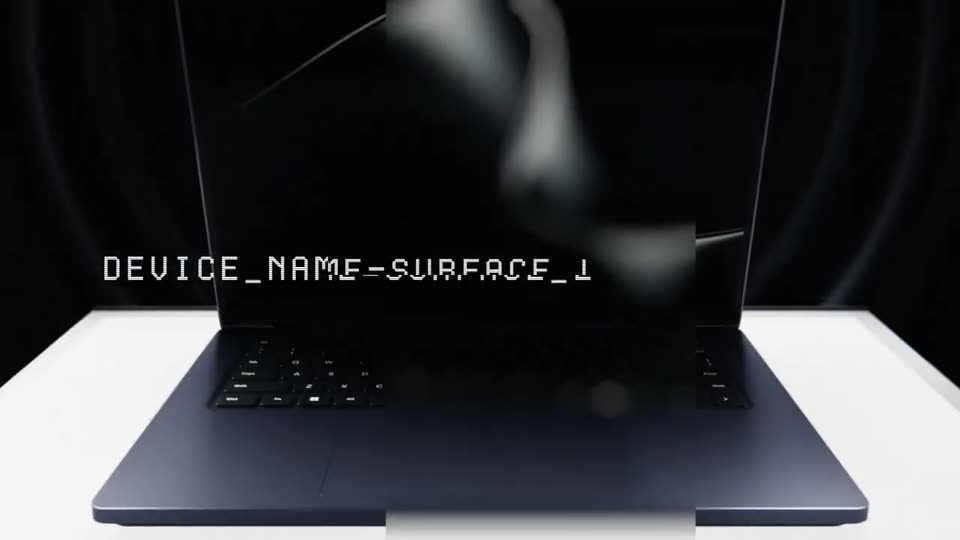
Microsoft Surface - Introducing Surface Laptop Ultra. Built for world makers. Designed f
Microsoft Surface · Jun 2026
1:24


Stoa - The market behind AI hardware
Stoa · Fintech · Jul 2026
Google DeepMind - SIMA 2 is our most capable AI agent for virtual 3D worlds. 👾🌐 Powere, scene by scene
· 51 scenes as text
01 · Hook · 0:00–0:00
A third-person camera follows a suited astronaut running across a grassy alien plain toward a red-and-white wrecked ship under a pale green sky. The footage settles into a rounded-corner frame while the corner HUD text slides and scales.
Techniques: Masking
Camera: Pull out
02 · Hook · 0:00–0:01
A rounded-rectangle window frames third-person gameplay: a suited figure runs across a green alien field toward a red and white ship, a quest panel at the right. The window slides left over a blurred dark background as a second window enters from the right edge.
Camera: Pull out
03 · Hook · 0:01–0:02
Two rounded game screens sit side by side over a blurred dark blue backdrop and drift slowly left. The left panel shows a character sprinting toward a red and green ship on a green field; the right shows a dark industrial ramp. In-game HUD text updates in place.
Techniques: Split screen
Camera: Pan
04 · Hook · 0:02–0:03
Two rounded-corner gameplay clips sit side by side on a dark blue field and drift left at different speeds. The left clip shows a red propeller ship on a green alien plain; the right clip, a first-person view of a space-station dock, scales up as the left clip exits frame.
Techniques: Split screen
Camera: Pan
05 · Hook · 0:03–0:05
A rounded screen frame floats over a blurred woman's face, showing first-person footage of a red-and-white space station. The frame then splits into two side-by-side panels as a robotic hand reaches into a sunlit suburban street.
Techniques: Masking, Split screen
Camera: Pan
06 · Product intro · 0:05–0:06
Two rounded panels on a dark blue background show virtual-world footage side by side. The left holds a red and white train with a player list and hotbar; the right shows a barn yard where a red creature with a rider gallops in. The panels resize mid-scene.
Techniques: Split screen
Camera: Pan
07 · Product intro · 0:06–0:09
A 3D-rendered farm yard plays inside a rounded video card on a dark blue field, a blurred echo of the same frame drifting behind it. A goat walks down the dirt path as the card scales up, then a radial blur whips the scene out.
Techniques: Parallax, Speed ramp
Camera: Push in
08 · Product intro · 0:09–0:10
A rounded card holds gameplay footage of an armored character on an alien green plain, with game HUD in the corners. The card zooms into focus while the white title SIMA 2 sharpens in the center and a tagline sits below, against a dark blurred backdrop.
On-screen text: “SIMA 2”, “An agent that plays and reasons in virtual worlds”
Techniques: UI zoom, Kinetic type
Camera: Push in
09 · Product intro · 0:10–0:12
A third-person camera drifts forward behind an astronaut figure walking across a green alien landscape dotted with floating rock islands. A large white title and a smaller subtitle stay centered over the in-game HUD.
On-screen text: “SIMA 2”, “An agent that plays and reasons in virtual worlds”
Camera: Static
10 · Product intro · 0:12–0:14
A 3D alien world with a green sky and floating rocks drifts behind a centered white title. An astronaut with a glowing red backpack ring stands at the lower left, while the game HUD frames the corners. The camera tilts up slowly.
On-screen text: “SIMA 2”, “An agent that plays and reasons in virtual worlds”
Camera: Static
11 · Demo · 0:14–0:16
A figure in a green coat stands on a grassy ridge, seen from behind, as the camera slowly pushes in toward floating rock spires and a waterfall pouring down between them, with misty green hills beyond.
On-screen text: “Genie”
Camera: Static
12 · Demo · 0:16–0:17
Locked-off gameplay of Space Engineers: a red-suited astronaut drills an ice deposit in a gray cave, sending sparks flying, while the HUD shows a pickup prompt and a drill panel; a game-name label sits in the top right.
On-screen text: “Space Engineers”, “Genie”
Camera: Static
13 · Demo · 0:17–0:19
A 3D monarch butterfly flutters low over a dirt path through a sunlit meadow of purple, yellow and red flowers. The camera tracks forward, following the butterfly as it banks right and hovers near the grass.
On-screen text: “Genie”
Techniques: Parallax
Camera: Push in
14 · Feature reveal · 0:19–0:21
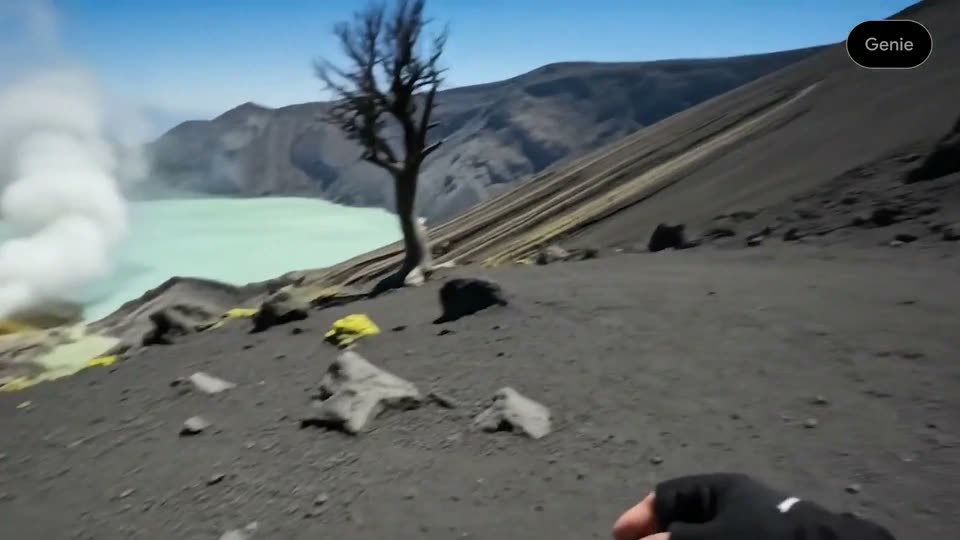
A first-person view walks a rendered volcanic ridge toward a turquoise crater lake, steam rising from its edge. A bare dead tree stands right. The hiker's gloved hands and gray-trousered legs frame the bottom as the view pans right, then eases back left.
On-screen text: “Genie”
Techniques: Parallax
Camera: Pan
15 · Feature reveal · 0:21–0:23
First-person Minecraft view: the player holds a pickaxe and breaks a dirt block, exposing gray stone, while the crosshair stays centered and the MineDojo badge sits in the top-right corner.
On-screen text: “Genie”, “MineDojo”
Camera: Push in
16 · Feature reveal · 0:23–0:24
A third-person game view follows an astronaut across a green alien plain toward a large rock and pond. The camera drifts behind the character while a dialogue line types out at the bottom and the HUD shows a health bar, location tag, and a repair quest.
On-screen text: “MineDojo”
Camera: Static
17 · Feature reveal · 0:24–0:26
A starship repair menu over a blurred green backdrop; a cursor glides across the technology grid and selects the damaged Pulse Engine, opening its repair panel, while a red and white ship rests on the right.
On-screen text: “SIMA 2: Okay, the on-screen instruction is to repair the Pulse Engine. I'll start by accessing the starship's inventory.”, “SIMA 2: I've”
Techniques: Cursor demo
Camera: Static
18 · Feature reveal · 0:26–0:27
The No Man's Sky starship repair menu fills the frame over a blurred green landscape. The Pulse Engine panel holds the left side while the Radiant Pillar info panel on the right fades out. A bold white caption types out at the lower left.
On-screen text: “SIMA 2: I've opened the starshi”
Techniques: Kinetic type
Camera: Static
19 · Feature reveal · 0:27–0:29
A green-tinted 3D starship engine sits in a dim landscape, its damaged panel marked by an orange icon and a thin connector line. A repair tooltip pops in beside the part while a subtitle bar at the bottom narrates the inventory check.
On-screen text: “SIMA 2: I've opened the starship inventory. I see the damaged Pulse Engine. Now I'll check what's needed to fix it.”
Techniques: 3D mockup
Camera: Static
20 · Feature reveal · 0:29–0:31
A static 3D game view of a damaged spaceship engine with a repair diagram of two icons linked by lines over it. A task panel reads at top right and a caption box at the bottom states the AI will check the repair needs.
On-screen text: “SIMA 2: I've opened the starship inventory. I see the damaged Pulse Engine. Now I'll check what's needed to fix it.”
Camera: Static
21 · Feature reveal · 0:31–0:33
On a black field, the white headline wipes in from the left with a soft glow, then four line icons (chat, mic, image, file) fade in in a row beneath it. The bloom eases off, leaving flat white glyphs.
On-screen text: “Multimodal Prompting”
Techniques: Masking
Camera: Static
22 · Feature reveal · 0:33–0:39
A green-suited astronaut stands on a grassy alien hill, facing a smoking wrecked ship. A red line sketch of a winged craft is drawn progressively across the sky above the hill. A dark caption bar at the bottom types out the user prompt. The frame stays locked.
On-screen text: “No Man's Sky”, “User: Find the object drawn in the sketch and jump on top of it.”, “Multimodal Prompting”
Camera: Static
23 · Feature reveal · 0:39–0:43
A white glowing rounded-rectangle border frames a centered text block on a black background. A bold label sits above a sentence that types out line by line, each character brightening from dim gray to white as it completes. The frame stays locked-off.
On-screen text: “SIMA 2:”, “Okay, I see the crashed ship.”, “I'll head towards it and jump”, “on top of it.”
Techniques: Kinetic type
Camera: Static
24 · Feature reveal · 0:43–0:45
A spacesuited figure stands on a red spaceship wreathed in fire and sparks over a green alien field as the camera orbits them. White caption lines of the AI's speech appear at the bottom.
On-screen text: “SIMA 2:”, “Okay, I see the crashed ship.”, “I'll head towards it and jump on top of it.”
Camera: Static
25 · Feature reveal · 0:45–0:48
A gray koala avatar with a backpack walks away from the camera down a suburban sidewalk lined with colorful houses. A round minimap sits in the lower left and a dark chat bar shows dialogue at the bottom. The camera follows behind at a steady pace.
On-screen text: “Wobbly Life”
Camera: Static
26 · Feature reveal · 0:48–0:52
A glowing white rounded rectangle is centered on a black background. A bold white heading appears, then a regular-weight paragraph types out line by line with a blinking cursor, settling on the full reasoning text.
On-screen text: “SIMA 2 Reasoning: The user wants me to go to the 'tomato house'. Based on the description 'ripe tomato', I identify the red house down the street.”
Techniques: Kinetic type
Camera: Static
27 · Feature reveal · 0:52–0:56
A gray koala figure with a backpack walks away from the camera down a suburban sidewalk, then steps onto the lawn as the camera tracks forward behind it. A circular minimap and time readout sit in the lower left corner.
On-screen text: “Wobbly Life”
Camera: Push in
28 · Feature reveal · 0:56–0:56
A low-poly 3D mining camp on cracked earth. A fast camera sweep eases past brass pipes, a blue machine and a green ore crystal, then settles on a tall blue panel. A gold-ore tooltip holds bottom left, a Hydroneer tag top right.
On-screen text: “Wobbly Life”
Camera: Push in
29 · Feature reveal · 0:56–0:57
A 3D cave forge shows smelting machines with flickering fire and rising orange sparks. A blue cursor dot hovers over the cracked ground. The camera zooms into one smelter, outlined in orange, while a green gem rests beside it and a Gold Ore tooltip sits in the lower left.
Techniques: Particles, UI zoom
Camera: Push in
30 · Feature reveal · 0:57–1:00
A low-poly crucible outlined in orange sits in a dark cave as small gold cubes drift and fall into its open top. A white cursor dot hovers over it while the camera tilts down to look into the vessel.
On-screen text: “Hydroneer”
Techniques: Particles
Camera: Push in
31 · Feature reveal · 1:00–1:03
A 3D simulation room holds scattered wooden peg blocks around a vertical blue laser beam. The view shifts around the set as green X markers and curved pink-to-green paths pop up over the blocks. A dark caption bar at the bottom fills in with a user instruction.
On-screen text: “User: That's not a cube put it down and pick up the cube”
Techniques: Parallax
Camera: Pull out
32 · Feature reveal · 1:03–1:04
3D room with blue walls and shelves; a tilted brown block pyramid hovers center, marked by green dots, a purple path and floating green X boxes, a blue beam dropping to floor grids. A dark bottom caption bar shows a user instruction as the pyramid and markers shift.
On-screen text: “Research Environment”, “User: That's not a cube put it down and pick up the cube”, “SIMA 2: You're right, my mistake. I'll put this pyramid down and find”
Camera: Static
33 · Feature reveal · 1:04–1:07
A 3D rendered lab environment with blue shelving and mannequins. A wooden pyramid sits center frame with a vertical blue beam through it; green plus and red X markers appear on its faces as the camera orbits. A subtitle box at the bottom shows the agent's line.
On-screen text: “Research Environment”, “SIMA 2: You're right, my mistake. I'll put this pyramid down and find a cube.”
Camera: Push in
34 · Feature reveal · 1:07–1:09
A clay-textured 3D village of rounded houses with green and blue roofs. A gray raccoon carrying a box on its back walks away along a pebble path, the camera tracking from behind as it rounds a corner past a cat figure in a doorway.
On-screen text: “Research Environment”, “SIMA 2: You're right, my mistake. I'll put this pyramid down and find”, “a cube.”
Camera: Push in
35 · Feature reveal · 1:09–1:11
In a clay-style village, a small brown cat with a backpack climbs a green shingled roof. The camera rises from a low front view to a high rear view, following the cat as it reaches the peak while other orange houses and blue roofs sit blurred in the background.
Camera: Push in
36 · Feature reveal · 1:11–1:12
In a low-poly 3D town, a yellow blocky character in a cowboy hat walks away down a grassy lane between green and blue houses, white picket fence on the left. The camera follows, then the character turns to face the lens and smiles. A minimap sits in the lower left.
Camera: Push in
37 · Feature reveal · 1:12–1:14
A dark goat with a crest runs forward across a sunlit farm yard while the camera tracks it from behind and above, sliding past a white fence and a tire into the open dirt between red barns.
On-screen text: “Wobbly Life”, “3:30pm”
Camera: Push in
38 · Feature reveal · 1:14–1:16
A suited character in a white and blue suit lifts off a red and white starship on a green alien ridge; the camera tilts up and back to follow them over the hill. A burning beacon and horned creatures sit on the slope under a green sky.
On-screen text: “No Man's Sky”
Camera: Push in
39 · Feature reveal · 1:16–1:18
A 3D coral reef in blue water, with orange, purple and pink bubble-like corals, glides forward and tilts down toward a pale sandy seabed. A small black pill badge reading Genie sits in the top right corner.
On-screen text: “Genie”
Techniques: Parallax
Camera: Push in
40 · Feature reveal · 1:18–1:20
First-person view of two black-gloved hands reaching forward and closing around a floating cluster of orange spheres above a pale blue seabed. Purple bubble coral and dark rock frame the background as the camera pushes in.
On-screen text: “Genie”
Techniques: Parallax
Camera: Push in
41 · Feature reveal · 1:20–1:21
A red spacecraft hovers in a dark rocky cave, framed by the game HUD panels. The drill strikes the rock and a burst of orange sparks flares at the contact point.
Techniques: Particles
Camera: Static
42 · Demo · 1:21–1:22
A first-person view of a rocky desert in Satisfactory. A robotic arm in the right hand swings up toward a pale rock formation. A center prompt reads 'Press and hold E to pick up Limestone. (Impure)', and a distant character stands at the top.
Camera: Static
43 · Demo · 1:22–1:23
A first-person Minecraft view holds steady as a pickaxe swings into a dirt block, cracking it until it breaks apart. The health and hunger bars and a selected pickaxe sit in the bottom hotbar, with a MineDojo badge fixed in the top right.
On-screen text: “MineDojo”
Camera: Static
44 · Demo · 1:23–1:24
A full game screen holds a third-person view of a character swinging a pickaxe at a copper node in a mossy forest, with the hotbar, minimap and control bar pinned to the edges. The strike throws off a burst of sparks and floating damage numbers.
On-screen text: “MineDojo”
Techniques: Particles
Camera: Static
45 · Demo · 1:24–1:25
A third-person forest game screen. A bearded character in brown armor chops a grey stone clump at center, a hit counter and red health bar popping above it. The HUD frames the shot with a top compass, side control lists, and a bottom item hotbar.
Camera: Static
46 · Demo · 1:25–1:25
A person with a red backpack walks away along a lit cave path, following a glowing blue ring on the ground. The camera tracks behind them through the dark cavern toward illuminated rock formations, with a small Genie badge in the top right corner.
On-screen text: “Genie”
Camera: Static
47 · Demo · 1:25–1:27
A person with a backpack faces a grand station hall with a large arched clock window. The shot is masked into a rounded rectangle that shrinks then grows, a second card slides in from the right, and a Genie pill sits top right.
On-screen text: “Genie”
Techniques: Masking, Split screen
Camera: Pull out
48 · Demo · 1:27–1:29
Two rounded-rectangle frames slide horizontally across a black background. The left frame shows a person walking through a grand stone station hall beneath a large clock, the right frame shows a top-down view of a dark bag on a white table. A small numeral 1 is revealed.
On-screen text: “1”
Camera: Pan
49 · Demo · 1:29–1:31
A dark carousel of rounded video cards slides left, each showing a black robotic hand sorting folded clothes, ending on a close-up of the hand gripping a tan garment on a table.
On-screen text: “1”
Camera: Pan
50 · Demo · 1:31–1:33
A dark stage holds a row of rounded photo cards. The centered card shows a desk where a tan jacket lifts onto a metal stand in front of a white device. The view zooms in, then blurs as the carousel scrolls to the next card.
Techniques: UI zoom
Camera: Push in
51 · CTA · 1:33–1:36
A black frame holds a centered white URL that fades in from a dim glow to full brightness, then settles and holds. The text stays static in the middle of the screen.
On-screen text: “deepmind.google/sima”
Camera: Static