
0:14
Explore
Praxim for Word Demo
Praxim · Sep 2025 · 1:10 · Full motion · AI-annotated
- Length
- 1:10
- Scenes
- 8 · 8.9 s avg
- Product on screen
- 0:00
- Features shown
- 4
- Voiceover
- No
- Views
- 558 on YouTube
as of November 23, 2026
00:00:00 / 01:10:59
- Length
- 1:10
- Scenes
- 8 · 8.9 s avg
- Product on screen
- 0:00
- Features shown
- 4
- Voiceover
- No
- Views
- 558 on YouTube
as of November 23, 2026
Praxim’s 1:10 launch film runs 8 scenes, about 8.9 s each. The product is on screen from the first frame and 4 features are revealed. There is no explicit call to action. A screen-recording feature tour for a Word add-in, built as a chain of captioned demos where each beat zooms into the prompt box, types a request, and pulls back to show the document transform. The signature move is the zoom-in/zoom-out on the input field plus red-and-green tracked-change diffs, with bold top-right captions naming each capability.
No filming indicatedEstimated needs: 4 capture groups — your screens or recordings
Is this your launch? to your site or press kit.
More like this


Praxim for Word Demo, scene by scene
· 8 scenes as text
01 · Feature reveal · 0:00–0:21
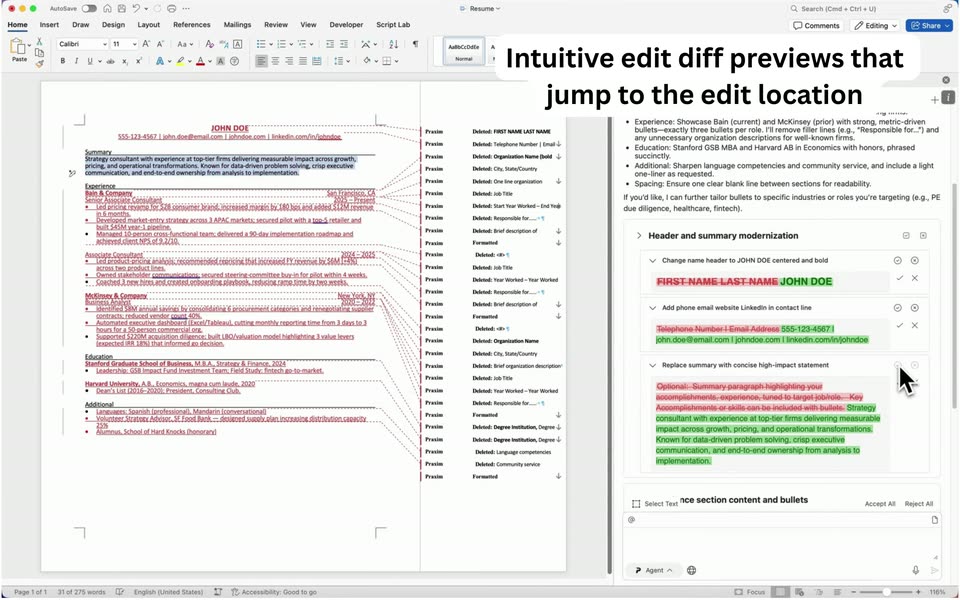
A Word window pairs a resume template with an AI agent panel. The view zooms in as a cursor taps the mic and a prompt fills the box. The agent searches the web, then tracked changes fill the document. The cursor accepts each diff preview, rewriting the resume.
On-screen text: “Prompt with your voice”, “Search the web”, “Praxm Agent edits your entire document with one prompt”, “Intuitive edit diff previews that jump to the edit location”
Techniques: UI zoom, Cursor demo
Camera: Pull out
02 · Feature reveal · 0:21–0:27
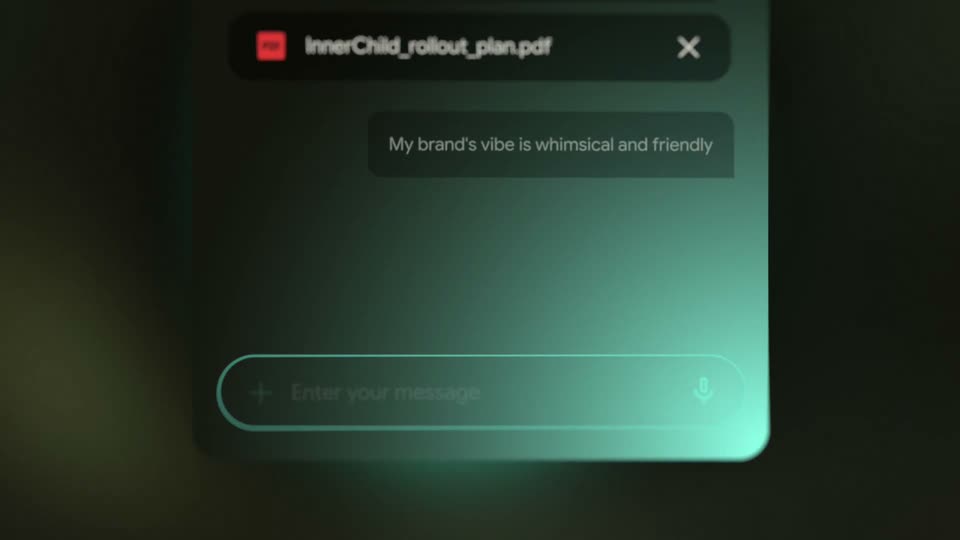
A Word document with a form sits beside the Praxim panel. The view zooms into the input box as a cursor types a prompt and attaches a file, then a Files dialog opens and lists the profile document. The caption holds in the top right throughout.
On-screen text: “Edit with information from files”
Techniques: UI zoom, Cursor demo
Camera: Pull out
03 · Feature reveal · 0:27–0:28
A Word window shows a blank personal information form on the left and a Poxim for Word side panel on the right filled with a profile paragraph. A mouse cursor hovers and drifts down the panel text.
Techniques: Cursor demo
Camera: Static
04 · Feature reveal · 0:28–0:34
A Word form sits beside the Praxim AI panel. A cursor clicks Done in a file dialog, the panel shows a spinner then a step checklist, the form fills with red tracked-change values, and a comparison view appears before the cursor rests on Accept All.
Techniques: Cursor demo
Camera: Static
05 · Feature reveal · 0:34–0:43
A Word window shows a form beside an AI sidebar; the view zooms to the prompt box where a cursor types a reformat request, then pulls back as the form reflows into a numbered list with tracked changes. Cuts to a blank page.
On-screen text: “Reformat documents with one prompt”, “Generate formatted docs from scratch”
Techniques: UI zoom, Cursor demo
Camera: Pull out
06 · Feature reveal · 0:43–0:55
A Word window splits the frame: empty page left, AI panel right. The view zooms into the prompt box while a cursor types a request. The panel ticks off steps and loads source cards as the page fills with a formatted report and scrolls. A cursor clicks Accept All.
On-screen text: “Generate formatted docs from scratch”
Techniques: Split screen, UI zoom, Cursor demo
Camera: Static
07 · Feature reveal · 0:55–1:00
A Word window fills with a generated Amazon Q2 2025 financial report, scrolling down through summary, tables and references. On the right, an AI sidebar shows the processed prompt and source cards, then a selected-text preview. A cursor clicks a button at the end.
On-screen text: “Generate formatted docs from scratch”
Techniques: Cursor demo
Camera: Static
08 · Feature reveal · 1:00–1:10
A Word document with financial tables sits left of a Praxm sidebar. A cursor clicks a prompt, the sidebar streams a suggested edit preview with green and red diff rows, then the consolidated table is inserted into the document and the page scrolls down.
Techniques: Split screen, Cursor demo
Camera: Static