1:00

Ramp - 98% of companies don't have a procurement team. The ones that do are
Ramp · Finance · Apr 2026
Pixley AI’s 0:50 launch film runs 19 scenes, about 2.7 s each. The product shows up at 0:07 and 3 features are revealed. The call to action lands at 0:46 (92% in), over a voiceover. The video alternates cinematic 3D vignettes with locked-off tablet mockups floating on flat lavender fields, and each feature is announced by a centered rounded headline that eases from blur into focus before a cursor-driven UI tour. Pacing holds a steady mid-tempo of about one cut per second, and the signature move is the tilted tablet whose screen resolves a simple sketch into a generated 3D animation.
Is this your launch? to your site or press kit.
Ramp · Finance · Apr 2026
Google · AI · Jan 2026
Fathom · Apr 2026
Films whose music sounds like this one, voice left out
Apple · Modern electronic
DJI · Electronic, Rock
Liveblocks · Electronic
A 3D-rendered toddler in a blue sweater lies on a sunlit bedroom carpet, coloring a large sheet with a crayon. Sparkles rise and a white rabbit and a yellow duckling pop out of the drawing as the child looks up and smiles.
On-screen text: “Veo”
Techniques: Particles
Camera: Static
A purple gradient card holds “Introducing Pixley” beside a cartoon panda with a pencil and palette, and “Backed by Y Combinator” at the bottom. The panda slides off, the card fades to lavender, and a tablet in 3D perspective reveals the app's library view.
On-screen text: “Introducing”, “Pixley”, “Backed by”, “Y”, “Combinator”
Techniques: 3D mockup
Camera: Static
A tilted tablet floats on a flat lavender background, its screen showing a library view with two show cards and a small blue cursor; the device keeps a locked-off 3D angle while the title text holds still.
On-screen text: “Introducing”, “Pixley”, “Backed by”, “Combinator”
Techniques: 3D mockup
Camera: Static
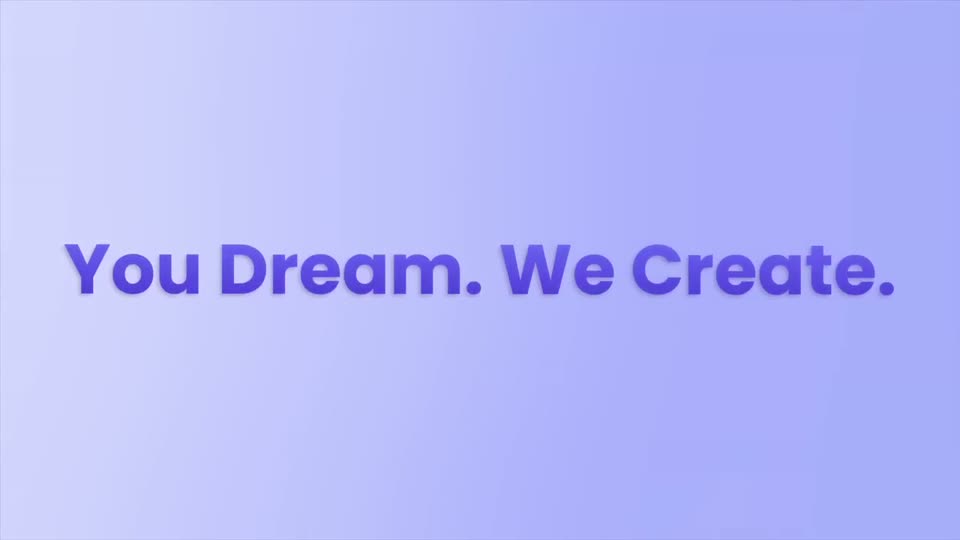
A flat lavender field holds a single line of bold purple text, centered and locked in place for the entire clip. No motion or other elements; the line simply sits mid-frame.
On-screen text: “You Dream. We Create.”
Camera: Static
A tilted tablet floats on a lavender background. Its screen shows the Character Lab, where a cursor sketches a rabbit on the canvas, taps Animate, and a 3D rabbit appears in the Result panel. The tablet fades out as the gray title Custom Episodes settles in.
On-screen text: “You Dream. We Create.”, “Custom Episodes”
Techniques: 3D mockup, Cursor demo
Camera: Static
A bold indigo headline reading Custom Episodes sits centered on a pale lavender gradient. The type eases from a soft blur into crisp focus over the first half second, then holds still on a locked-off frame.
On-screen text: “Custom Episodes”
Techniques: Kinetic type
Camera: Static
A tablet mockup on a lavender backdrop holds the app's library view, which crossfades into the Create Story screen as two character cards settle in; a cursor drifts across the interface.
Techniques: Cursor demo
Camera: Static
A tablet in 3D perspective on a lavender backdrop shows a story-creation screen with two character cards, a green turtle and a peach blob. Green checkmarks pop onto both cards as a cursor glides down to the Continue button.
Techniques: 3D mockup, Cursor demo
Camera: Static
A tablet mockup floats on a lavender background, angled in 3D. Its screen shows a story-creation form: a cursor taps the Magical Adventure card, activating the Continue button, then the view switches to a theme picker where the cursor taps Create Story, which dims with a spinner.
Techniques: 3D mockup, Cursor demo
Camera: Static
A tablet tilted in 3D perspective on a lavender background shows a video app: a bear banner, an episode list, and a blue Add button. A blue cursor hovers over the episode thumbnail.
Techniques: 3D mockup, Cursor demo
Camera: Static
A tablet mockup on a lavender field plays a 3D cartoon of a teddy bear beside an easel. The dimmed screen brightens as the video starts, then the frame zooms into the bear's face and the drawing. A rainbow glint runs along the top edge of the device.
Techniques: 3D mockup, Light sweep, UI zoom
Camera: Push in
A tablet on a lavender field plays a 3D cartoon of an orange bear setting a blue block on foam mats in grass. The view zooms into the screen, then cuts to a plain lavender field where the headline wipes in from the left.
On-screen text: “Explore the Storyverse”
Techniques: UI zoom, Masking
Camera: Push in
A bold purple headline on a pale lavender field holds, then a tablet mockup tilts into view in 3D perspective showing the Storyverse screen with a rocket illustration and a cursor.
On-screen text: “Explore the Storyverse”
Techniques: 3D mockup
Camera: Static
A tablet mockup floats in 3D perspective on a lavender field, showing the Storyverse app. A cartoon rocket streaks through pastel clouds above the title Rocky's Colorful Adventure Club; below, a Browse All row holds two show cards and an upgrade banner. The frame holds still.
Techniques: 3D mockup
Camera: Static
A tablet in 3D perspective on a lavender field shows the app switching from a rocket hero banner to a dark episode panel. The title slides in as a cursor hovers the first episode row.
Techniques: 3D mockup, Cursor demo
Camera: Static
A tilted tablet mockup floats on a pale lavender gradient, its screen showing a streaming app page for an animated tiger show with rainbow artwork. A white arrow cursor glides leftward across the episode row, hovering the play thumbnail.
Techniques: 3D mockup, Cursor demo
Camera: Static
A tablet in 3D on a flat lavender field shows a paused video of a cartoon tiger in a rainbow playground. A cursor glides to the center play button and taps it; the tiger begins to move and the player switches to a pause icon.
On-screen text: “Dive deep into the adventures of Tigey and his friends!”
Techniques: 3D mockup, Cursor demo
Camera: Static
On a pale lavender gradient, the bold indigo word “Your” holds center while “shows” fades in beside it, then cross-morphs into “stories” as the first word dissolves.
On-screen text: “Your shows”, “Your stories”
Techniques: Kinetic type, Morph
Camera: Static
A cartoon panda holding a pencil and palette fades in at center on a pale background, with the URL and an App Store badge below, holds, then fades out.
On-screen text: “Your stories”, “pixleyai.com”, “Download on the”, “App Store”
Camera: Static