1:38

Lilac Launch -- Ensuring GPU Availability!
Lilac · B2B · Aug 2025
Pitch · Jan 2021 · 1:33 · Full motion · AI-annotated
Pitch’s 1:33 launch film runs 25 scenes, about 3.7 s each. The product is on screen from the first frame and 3 features are revealed. The call to action lands at 1:17 (84% in), over a voiceover. The video opens on a glossy 3D logo card, then tours three features (Workspaces, Templates, Collaboration) through flat UI demos separated by circle-wipe transitions, and closes with a CTA and a static logo. Its look pairs a playful 3D intro with clean flat product shots on a blue-violet gradient, driven by bold rounded type and smooth camera moves.
Is this your launch? to your site or press kit.
Lilac · B2B · Aug 2025
Rivian · Oct 2026
Lovable · Developer tools · Sep 2026
Films whose music sounds like this one, voice left out
Pinokio · Modern electronic
Figma · Upbeat electronic
Akai Professional · Electronic
A frosted glass card with the white Pitch wordmark sits centered on a blue gradient, resolving from blur into focus as glossy 3D shapes, a curved tube, a stand, a plus button and a check disc float into frame around its edges.
On-screen text: “Pitch”
Camera: Static
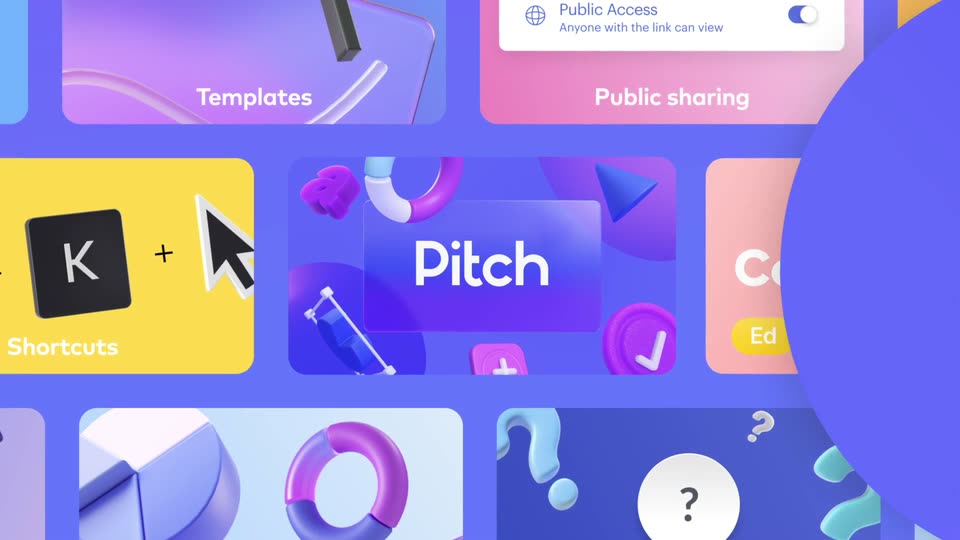
A 3D grid of rounded feature cards floats on a blue gradient. The shot opens tight on the white Pitch wordmark tile, then pulls back to reveal surrounding tiles for Shortcuts, Templates and Public sharing, each with small 3D icons.
Techniques: 3D mockup, UI zoom
Camera: Pull out
A 3D grid of pastel feature tiles drifts slowly rightward across a blue field, each card holding a label and a glossy 3D object: a cursor, a black key, a donut chart and question marks.
Camera: Static
A bento grid of colorful feature tiles (Templates, Shortcuts, Pitch, Collaboration) fills the frame on a blue field. A large purple circle wipes in from the right edge and swallows the grid, opening to reveal the white word Workspaces.
On-screen text: “Templates”, “Public sharing”, “Shortcuts”, “Collaboration”, “Workspaces”
Techniques: Masking
Camera: Static
The word Workspaces scales up at the center of a blue-purple gradient, then a 3D-tilted window of the workspace dashboard slides into view, showing a sidebar and presentation cards.
On-screen text: “Workspaces”
Techniques: Kinetic type, 3D mockup
Camera: Push in
The SpaceWork dashboard window flattens from a 3D tilt on a purple gradient, then the camera zooms into the left sidebar. A cursor moves down the scrolling folder list. The scene ends on a purple card where “Team” slides in from the right.
On-screen text: “Team”
Techniques: 3D mockup, UI zoom, Cursor demo
Camera: Push in
The word Templates in white bold sans scales up on a purple gradient, then a flat product window slides in from the right showing the SpaceWork dashboard. A cursor clicks Create presentation and the view switches to a grid of template thumbnails.
On-screen text: “Templates”
Techniques: Kinetic type, Cursor demo
Camera: Static
A flat browser window on a purple gradient shows a presentation template grid. The cursor glides down to the blue Status Report card, which lifts with a shadow and reveals a Preview chip and slide count, then the cursor clicks it.
Techniques: Cursor demo
Camera: Push in
A presentation editor window zooms into a blue title slide, then a cursor opens a text-style dropdown at the bottom and hovers over the white style option.
Techniques: UI zoom, Cursor demo
Camera: Push in
A blue presentation slide reading STATUS REPORT fills the frame behind an open style dropdown. A cursor lifts from the bottom toolbar into the menu and hovers over the theme entries.
Techniques: Cursor demo
Camera: Push in
A zoomed-in view of a presentation slide with a style picker popup and a cursor on a menu item, then the frame pulls back to reveal the full app window with side panels and toolbars on a purple gradient.
Techniques: Cursor demo, UI zoom
Camera: Pull out
A presentation editor displays a Status Report slide over a faded Q3 20 backdrop. A style dropdown is open at the bottom; a cursor hovers over the White option, then moves down to the Templates button.
Techniques: Cursor demo
Camera: Static
A presentation app window scales up into place over a purple gradient, revealing a grid of status report slide templates. A cursor moves to the Templates button on the bottom toolbar.
Techniques: Cursor demo
Camera: Push in
A white template panel shows the Gallery templates tab active. A cursor moves down the left column while the grid of slide thumbnails scrolls up, passing Light, Dark, Startup, Code, Creative Brief and Conference Talk cards.
Techniques: Cursor demo
Camera: Push in
A template gallery panel shows a grid of slide template thumbnails under two tabs. A cursor hovers over the first thumbnail, then a large blue circle sweeps in from the right edge and covers the panel.
Techniques: Cursor demo, Masking
Camera: Static
A white bold headline holds centered on a blue-to-purple gradient. At the end it slides left as a white UI sidebar with icons and labels wipes in from the right on a curved edge.
On-screen text: “Collaboration”
Techniques: Masking
Camera: Static
A presentation editor displays a team slide with four labeled portraits. The view zooms into the right panel, where a cursor clicks the Workflow icon, opens a status menu, and selects In progress, turning the icon orange.
Techniques: UI zoom, Cursor demo
Camera: Push in
A close-up of a design tool canvas showing team member photos. The cursor clicks the Workflow button in the right rail, an assign dropdown opens, the cursor picks a teammate so the button shows their avatar, then moves down to Comments.
Techniques: Cursor demo
Camera: Static
A comments panel sits over a canvas of two portrait photos. A cursor clicks the Comments tab, then Reply; a box opens and the cursor types 'Sure thing @Tara Tran' via an @mention dropdown, posts it, and the view pulls back.
Techniques: Cursor demo, UI zoom
Camera: Static
A presentation app window floats in 3D perspective on a purple-blue gradient, then flattens and zooms into a blue slide where a pink title types in around three circular video avatars.
Techniques: 3D mockup, Kinetic type, UI zoom
Camera: Pull out
A close-up of a blue slide with large pink “Team Meeting” text, flanked by comment chips and circular video avatars, pulls back to reveal the full editor window with side toolbars, then a comment label with a typing indicator appears.
Techniques: UI zoom
Camera: Pull out
A presentation window slides onto a purple gradient, the blue slide showing Team Meeting in pink with two circular video avatars. Green and blue comment bubbles appear beside the avatars, a cursor selects the date line, then the bubbles clear and the date centers on the slide.
Techniques: Cursor demo
Camera: Static
A flat product window for a presentation app sits on a purple gradient, showing a dashboard with template and recent-file cards. The camera zooms in toward the left sidebar as a cursor moves from the top corner down to the private folders list.
Techniques: UI zoom, Cursor demo
Camera: Push in
A tilted 3D view of the Pitch app window flattens to face-on; the cursor moves from the sidebar folder to a presentation card, then to the Help icon in the corner, where a tooltip appears as the camera zooms in on the cards and back out.
Techniques: 3D mockup, Cursor demo, UI zoom
Camera: Pull out
A flat violet field holds the white Pitch wordmark, centered. The mark reveals itself over the first second, starting from a small fragment at the left, then holds static for the rest of the clip on a locked-off frame.
Techniques: Masking
Camera: Static