
1:01
Explore
Introducing OpenHack v2
OpenHack · Nov 2026 · 0:38 · Full motion · AI-annotated
- Length
- 0:38
- Scenes
- 11 · 3.5 s avg
- Product on screen
- 0:00
- Features shown
- 5
- Call to action
- 0:33 · 88%
- Voiceover
- No
- Views
- 6 on YouTube
as of November 23, 2026
00:00:00 / 00:38:13
- Length
- 0:38
- Scenes
- 11 · 3.5 s avg
- Product on screen
- 0:00
- Features shown
- 5
- Call to action
- 0:33 · 88%
- Voiceover
- No
- Views
- 6 on YouTube
as of November 23, 2026
OpenHack’s 0:38 launch film runs 11 scenes, about 3.5 s each. The product is on screen from the first frame and 5 features are revealed. The call to action lands at 0:33 (88% in). A launch video that bookends a cursor-driven onboarding walkthrough with centered gold title cards on a near-black gradient, each step announced by a white headline in the top left. Signature moves are blur-to-focus resolves, crossfades between form steps, a 3D-tilted browser mockup, and a warm sunset photo bleeding in at the frame edges.
No filming indicatedEstimated needs: 5 capture groups — your screens or recordings · 1 3D passage — build or supply
Is this your launch? to your site or press kit.
More like this



Similar soundtrack
Films whose music sounds like this one, voice left out
0:34
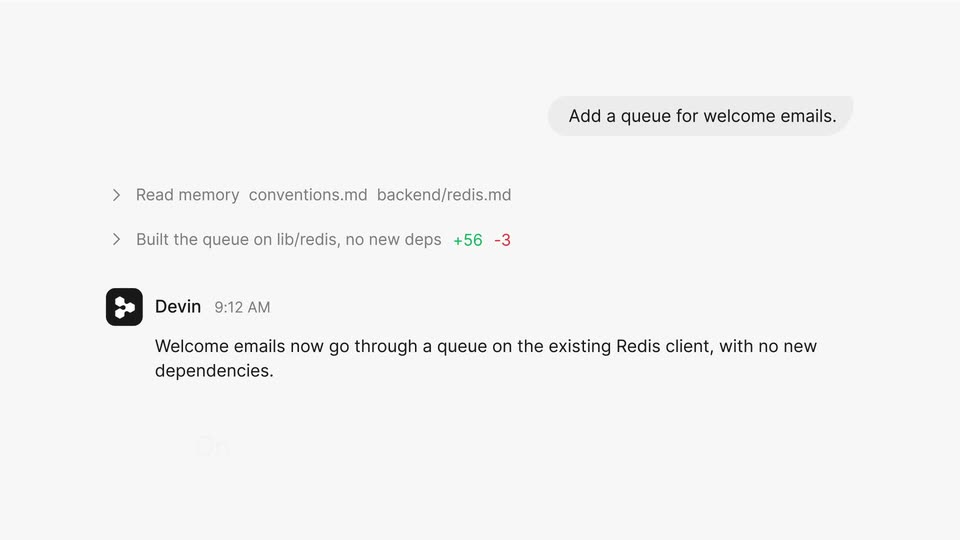

Cognition - Introducing Dreaming: Across sessions, Devin builds a memory graph of
Cognition · Lo-fi hip-hop
3:26
ProxySoul - Introducing Empryo for iPhone, iPad and Apple Watch. Your coding age
Empryo · Lo-fi hip-hop, chillwave
0:31
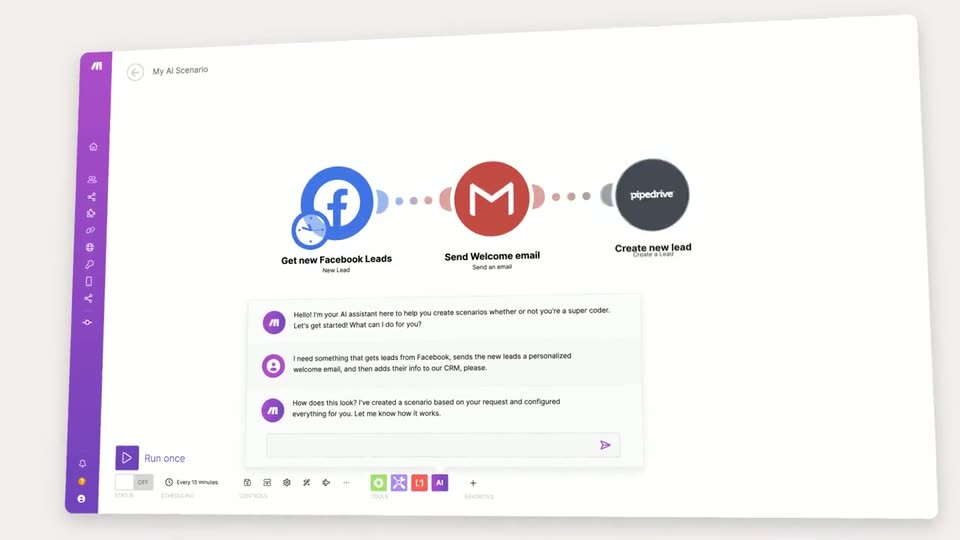

Make - Make's AI era is coming. Discover how soon, you’ll be able to transfo
Make · Lo-fi hip-hop
Introducing OpenHack v2, scene by scene
· 11 scenes as text
01 · Product intro · 0:00–0:04
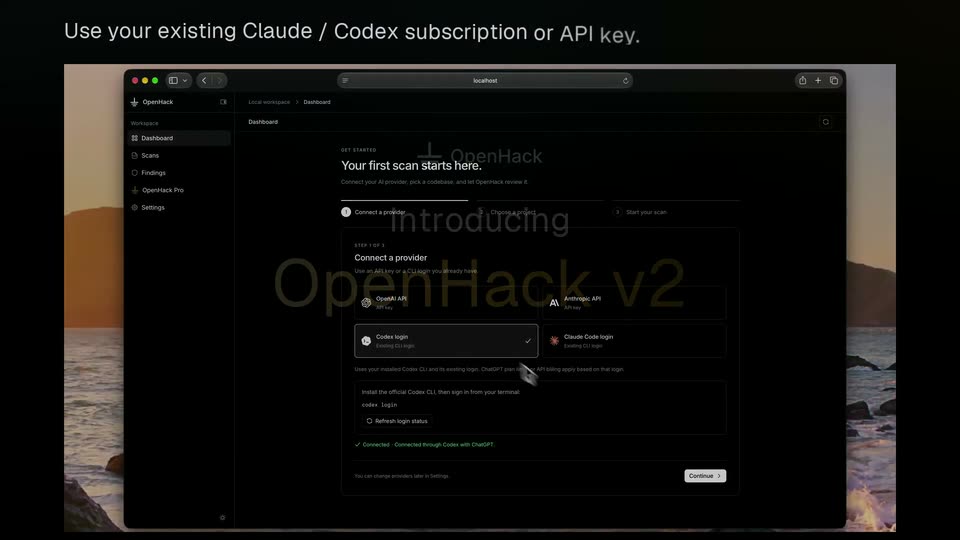
Dark gradient title card: the OpenHack logo sits above white 'Introducing' and large gold 'OpenHack v2', fading in. The gold line scales up and blurs out, revealing a flat browser mockup of the dashboard under a gray headline.
On-screen text: “Introducing”, “OpenHack v2”, “Use your existing Claude”
Techniques: Kinetic type
Camera: Static
02 · Feature reveal · 0:04–0:04
A dark browser window with the OpenHack dashboard sits over a sunset landscape photo. A centered white 'Introducing' line and gold 'OpenHack v2' headline scale and fade out, while a white caption fades in across the top.
On-screen text: “Introducing”, “OpenHack v2”, “Use your existing Claude / Codex subscription or API key.”
Techniques: Kinetic type
Camera: Static
03 · Feature reveal · 0:04–0:09
The scene opens on a dark dashboard inside a browser window over a coastline photo, then zooms into the provider-connection step. A cursor selects the OpenAI, Anthropic and Codex login cards in turn, updating the panel below, and clicks Continue.
On-screen text: “Use your existing Claude / Codex subscription or API key.”
Techniques: UI zoom, Cursor demo
Camera: Push in
04 · Feature reveal · 0:09–0:10
A dark onboarding screen shows a three-step setup form. A hand cursor clicks Continue, and the panel crossfades from the Connect a provider step to the Choose a project step. A white headline above the panel updates to match. A thin sunset coastline photo runs down the right edge.
On-screen text: “Use your existing Claude / Codex subscription or API key.”, “Choose your project”
Techniques: Cursor demo
Camera: Static
05 · Feature reveal · 0:10–0:14
A dark onboarding screen shows step two of a setup flow. A white cursor clicks Browse, a macOS folder picker opens, the cursor highlights a folder and presses Choose, then the selected path fills the input field.
On-screen text: “Choose your project.”
Techniques: Cursor demo
Camera: Static
06 · Feature reveal · 0:14–0:20
A dark web app in a browser window over a beach wallpaper. A cursor clicks Continue, the setup form advances to a scan summary, then the cursor starts the scan and a project list with severity badges appears. White headlines swap at the top left.
On-screen text: “Choose your project.”, “Start scanning with the v2 harness.”, “Explore findings and evidence.”
Techniques: Cursor demo
Camera: Pan
07 · Feature reveal · 0:20–0:21
A white headline holds top left as a dark scans table pulls from blur into sharp focus, its rows and columns resolving into place. A hand cursor hovers over one of the project rows.
On-screen text: “Explore findings and evidence.”
Techniques: Cursor demo
Camera: Static
08 · Feature reveal · 0:21–0:26
A dark security dashboard shows a findings list on the left and a detail panel on the right. A cursor clicks a critical finding, the right panel updates to its description and code evidence, then scrolls down through fix and validation sections.
On-screen text: “Explore findings and evidence.”
Techniques: Cursor demo
Camera: Static
09 · Feature reveal · 0:26–0:32
A 3D-tilted browser mockup of the OpenHack findings page floats over a beach photo. The top-left headline swaps to “Review findings across your project.” while the cursor clicks through list items and the detail panel updates, ending in a motion-blurred exit.
On-screen text: “Explore findings and evidence.”, “Review findings across your project.”
Techniques: 3D mockup, Cursor demo
Camera: Pull out
10 · Feature reveal · 0:32–0:33
A browser window on a mountain desktop wallpaper shows the OpenHack Findings page, with a white headline above it. The left findings list and the right detail panel update and settle on the checkout totals entry.
On-screen text: “Review findings across your project.”
Camera: Static
11 · CTA · 0:33–0:38
Centered end card on a dark gradient background. A gold 'OpenHack v2.' headline scales in, then a white 'Free & Open Source.' line and a URL with a thin underline fade in below, with the small white OpenHack logo above.
On-screen text: “OpenHack v2.”, “Free & Open Source.”, “https://openhack.com”
Techniques: Kinetic type
Camera: Static