1:15


screenpipe (YC S26) | Record how you work and turn that into agents
Screenpipe · Jul 2026
Empryo · Oct 2026 · 3:26 · AI-annotated
Empryo’s 3:26 launch film runs 47 scenes, about 4.4 s each. The product shows up at 0:06 and 19 features are revealed, with social proof. The call to action lands at 3:20 (97% in). The video is built as a chain of short feature sections, each opened by a corner title lockup and demoed with floating device mockups, pill callouts, and radiating lines from the engine badge. Its signature moves are the blinking microbe mascot, the per-section color shift of the nebula backdrop, and the steady cascade of benchmark bars and timing pills.
Is this your launch? to your site or press kit.
Screenpipe · Jul 2026
LottieFiles · Nov 2026
A dark starfield with purple nebulae frames an angled iPhone mockup, its lock screen showing a task notification. On the left, “You left your desk.” fades in, then “Empryo kept working.” The card gains a pink glow as the camera pushes into the phone, revealing the chat.
On-screen text: “You left your desk.”, “Empryo kept working.”, “proxysoul.com”, “empryo.com”, “@Empryo_ai”, “Discord”
Techniques: Kinetic type, 3D mockup, UI zoom
Camera: Static
A flat phone mockup on the right and a bold white headline on the left sit beside a small glowing cartoon microbe in the center. The phone and headline fade out while the microbe scales up to fill the frame, leaving it centered over a dark nebula background.
On-screen text: “You left your desk. Empryo kept working.”, “proxysoul.com”, “empryo.com”, “@Empryo_ai”, “Discord”
Techniques: 3D mockup
Camera: Static
On a dark purple nebula field, a small eye icon blinks above the title Empryo 3.9.0-beta in white and pink. A gray line Now on iPhone, iPad and Apple Watch. fades in beneath. Corner URLs and handles sit at the bottom.
On-screen text: “Empryo 3.9.0-beta”, “proxysoul.com”, “empryo.com”, “@Empryo_ai”, “Discord”, “Now on iPhone, iPad and Apple Watch.”
Camera: Static
A dark starfield with a magenta nebula glow on the right holds a centered lockup: a small teal-and-magenta circular icon beside the bold white text. The whole lockup brightens as it fades in, while gray URLs and social handles sit along the bottom edge.
On-screen text: “Now on iPhone, iPad and Apple Watch.”, “proxysoul.com”, “empryo.com”, “@Empryo_ai”, “Discord”
Camera: Static
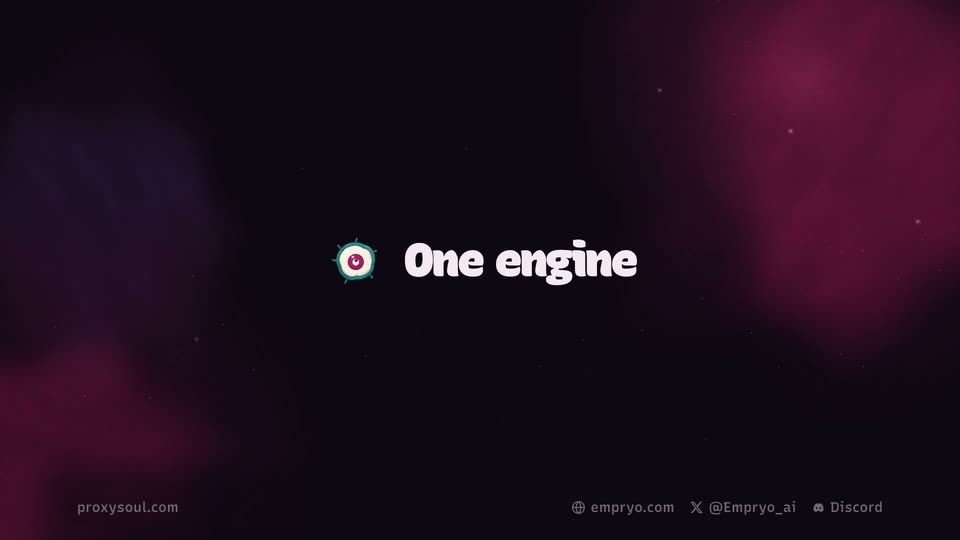
A dark space field with purple and magenta nebula clouds and faint stars. The 'One engine' lockup, a small teal-ringed icon beside white rounded type, sits centered, then shrinks and slides to the top-left corner before fading out. The caption 'Now on iPhone, iPad and Apple Watch.' holds still on the empty background.
On-screen text: “One engine”, “proxysoul.com”, “empryo.com”, “@Empryo_ai”, “Discord”, “Now on iPhone, iPad and Apple Watch.”
Techniques: Kinetic type
Camera: Static
A 3D IDE window with code and a pink node graph fades and collapses into a small floating engine badge on the right. The headline types in on the left while three status pills stack up one by one beneath the badge.
On-screen text: “proxysoul.com”, “empryo.com”, “X @Empryo_ai”, “Discord”, “Edited phone-bridge.ts”, “Close the window.”, “The work keeps going.”, “Running tests”, “4 pass, 0 fail”
Techniques: 3D mockup, Morph, Kinetic type
Camera: Pull out
On a dark nebula field, a pink creature badge radiates lines to a row of labeled device mockups under a white headline, ending in a dashed Android placeholder. Dots travel the lines, the iPhone and desktop windows pulse pink, then the frame fades to the sign-off text.
On-screen text: “One engine”, “proxysoul.com”, “empryo.com”, “X @Empryo_ai”, “Discord”, “One engine behind every screen.”, “Desktop app”, “Terminal”, “Headless in CI”, “iPad, iPhone, Watch, Android next, Start a chat on the iPhone. Your computer already has it. Empryo on your phone, Beta on Discord”
Techniques: Particles
Camera: Static
A dark starfield with teal nebula streaks fills the frame. A terminal window showing the Empryo logo and a code panel materializes on the left while a phone mockup fades in on the right, both floating over the dark backdrop.
On-screen text: “Empryo on your phone”, “proxysoul.com”, “empryo.com”, “@Empryo_ai”, “Discord”
Techniques: 3D mockup
Camera: Static
A dark water-textured backdrop holds a flat desktop terminal on the left showing the Empryo eye logo and a pairing QR code, while a 3D phone on the right cycles through its pairing screens, ending on a connected state. A large caption sits below the terminal.
On-screen text: “Empryo on your phone”, “Type /remote, then scan.”, “proxy soul.com”, “empryo.com”, “@Empryo_ai”, “Discord”
Techniques: 3D mockup
Camera: Static
A flat laptop window on the left shows a QR pairing screen and a /remote terminal line; a 3D phone on the right swaps its screen from a connected-to-MacBook card to a chat view. A white headline with a cyan accent sits below the laptop on a dark teal background.
On-screen text: “Empryo on your phone”, “Type /remote, then scan.”, “proxysoul.com”, “empryo.com”, “@Empryo_ai”, “Discord”
Techniques: 3D mockup
Camera: Static
A dark nebula backdrop frames a tilted Mac terminal window on the left and a phone mockup on the right. Cyan, green and pink lines draw in between them, labeled Same Wi-Fi, Tailscale and Quick link with a lock badge, as captions fade in, then the frame fades to black.
On-screen text: “Empryo on your phone”, “proxyoul.com”, “empryo.com”, “@Empryo_ai”, “Discord”, “From anywhere.”, “Same Wi-Fi”, “Tailscale”, “Quick link”, “End-to-end encrypted”
Techniques: 3D mockup
Camera: Static
A dark starry sky fills the frame. Left side: the label “Empryo on your phone” above the fading-in headline “No window needed.” and a pill badge. Right side: a tilted iPhone mockup crossfades from a chat view to a device task list.
On-screen text: “Empryo on your phone”, “No window needed.”, “Runs with every window closed”, “proxyoul.com”, “empryo.com”, “@Empryo_ai”, “Discord”
Techniques: 3D mockup
Camera: Static
A dark cloudy backdrop carries the headline No window needed. and two pill callouts on the left. A phone mockup on the right displays the Empryo app, while a desktop app window slides in at the bottom left as the phone drifts leftward.
On-screen text: “Empryo on your phone”, “No window needed.”, “Runs with every window closed”, “Opens the desktop app”, “proxyoul.com”, “empryo.com”, “@Empryo_ai”, “Discord”
Camera: Pull out
A dark starfield background holds a left headline with a caption pill, a desktop code-editor window at bottom left, and a tilted smartphone mockup of the Empryo app on the right. The composition drifts slowly, then all elements fade to black, leaving only the corner labels.
On-screen text: “Empryo on your phone”, “No window needed.”, “Runs with every window closed”, “proxysoul.com”, “empryo.com”, “@Empryo_ai”, “Discord”
Techniques: 3D mockup
Camera: Static
A tilted phone mockup on a dark starfield shows a projects list beside a white headline. Cyan outlines mark rows as pill callouts, “Switch between them” and “Starts in the background”, point in, then the screen crossfades to a connect view with a smiling mascot.
On-screen text: “Empryo on your phone”, “Every project, one tap away.”, “proxysoul.com”, “empryo.com”, “@Empryo_ai”, “Discord”, “Switch between them”, “Starts in the background”
Techniques: 3D mockup
Camera: Static
A dark teal nebula with scattered stars fills the frame. A phone mockup in 3D perspective fades in on the right, its screen showing an AI chat thread. 'Empryo on your phone' sits top left, with website and social handles along the bottom.
On-screen text: “Empryo on your phone”, “proxysoul.com”, “empryo.com”, “@Empryo_ai”, “Discord”
Techniques: 3D mockup
Camera: Static
A dark starfield frames a flat phone mockup on the right running the Empryo chat. The headline 'Steer it while it works.' fades in, then a callout 'Steer now, or queue next' points to the input. The keyboard types 'Run the tests too' and the chat scrolls to log it.
On-screen text: “Empryo on your phone”, “Steer it while it works.”, “proxyoul.com”, “empryo.com”, “@Empryo_ai”, “Discord”, “Steer now, or queue next”
Techniques: Kinetic type
Camera: Static
A tilted phone mockup on the right runs a chat app with a model picker and an on-screen keyboard whose keys flash, while a large gray headline on the left swaps between two taglines over a dark starfield.
On-screen text: “Empryo on your phone”, “Steer it while it works.”, “Any model, any effort.”, “proxysoul.com”, “empryo.com”, “@Empryo_ai”, “Discord”
Techniques: 3D mockup
Camera: Static
On a dark starfield, a tilted phone mockup sits right of a large white headline. The screen cycles from a chat to a model picker, where the Routing tab lights up and a caption points to it, then to a task list with a keyboard.
On-screen text: “Empyro on your phone”, “Any model, any effort.”, “proxysoul.com”, “empyro.com”, “@Empyro_ai”, “Discord”, “Each agent, its own model”
Techniques: 3D mockup
Camera: Static
A dark starfield background holds a left-aligned white headline that crossfades from “Any model, any effort.” to “Pick how it works.” while a phone mockup on the right switches from a chat view with keyboard to a list of work modes.
On-screen text: “Empryo on your phone”, “Any model, any effort.”, “proxysoul.com”, “empryo.com”, “@Empryo_ai”, “Discord”, “Pick how it works.”
Techniques: 3D mockup, Kinetic type
Camera: Static
A locked-off dark starfield frames a phone interface on the right, showing chat and mode settings. A white headline sits left, and a pill callout points to the highlighted Architect row.
On-screen text: “Empryo on your phone”, “Pick how it works.”, “Plan, Architect or Socratic”, “proxy soul.com”, “empro.com”, “@Empryo_ai”, “Discord”
Camera: Static
A dark space backdrop with faint teal nebula streaks holds a smartphone in 3D perspective on the right, its chat screen brightening from dim to full. On the left, the white headline “Answer from anywhere.” scales in with a glow, while small URL labels sit along the bottom edge.
On-screen text: “Empryo on your phone”, “Answer from anywhere.”, “proxysoul.com”, “empryo.com”, “@Empryo_ai”, “Discord”
Techniques: 3D mockup, Kinetic type
Camera: Static
An iPhone mockup on a dark starfield shows the Empryo chat; a bold headline, Answer from anywhere., sits left. The screen scrolls to a permission prompt as callouts label the Allow and Other rows, then a small Apple Watch mockup slides in.
On-screen text: “Empryo on your phone”, “Answer from anywhere.”, “proxyoul.com”, “empryo.com”, “@Empryo_ai”, “Discord”, “Allow or deny”, “Or say what to do”, “Apple Watch”
Techniques: 3D mockup
Camera: Static
A dark field of teal light streaks and faint stars. The white headline “The workbench comes along.” fades in word by word at center with a soft blur, while a dim phone mockup of the Plans screen fades in on the left.
On-screen text: “Empryo on your phone”, “proxysoul.com”, “empryo.com”, “X @Empryo_ai”, “Discord”, “The workbench comes along.”
Techniques: Kinetic type
Camera: Static
White headline “The workbench comes along.” sits over a dark teal gradient. Four phone mockups fade in in a row, labeled Plans, Live runs, Subagents, Duck mode. The camera zooms onto the middle Live runs screen as its flowchart nodes light up in sequence, while the outer phones dim.
On-screen text: “Empyro on your phone”, “The workbench comes along.”, “Plans”, “Live runs”, “Subagents”, “Duck mode”, “proxysoul.com”, “empyro.com”, “X @Empyro_ai”, “Discord”
Techniques: Split screen, UI zoom
Camera: Push in
A dark starry nebula background holds a dim phone mockup on the right that brightens to reveal a Schedules screen, while a large white headline fades in line by line on the left.
On-screen text: “Empryo on your phone”, “proxysoul.com”, “empryo.com”, “X @Empryo_ai”, “Discord”, “Schedule it from your phone.”
Techniques: Kinetic type, 3D mockup
Camera: Static
A floating iPhone mockup on a dark starfield shows the Schedules screen. A cyan ring highlights the frequency toggles as Cron is selected, with a callout line pointing to it, then to a scheduled task. A done notification slides in at the top, then the phone and headline fade out.
On-screen text: “Empyro on your phone”, “Schedule it from your phone.”, “proxysoul.com”, “empyro.com”, “@Empyro_ai”, “Discord”, “Or your own cron”, “Runs on your computer”
Techniques: 3D mockup
Camera: Static
On a dark teal background, four device mockups fade in left to right: iPhone lock screen, iPhone home screen, a StandBy card, and an Apple Watch, each labeled below. A pink glow outlines the lock-screen alert and a badge pops over the StandBy card before a fade to black.
On-screen text: “Empryo on your phone”, “Know when it needs you.”, “proxyoul.com”, “empryo.com”, “@Empryo_ai”, “Discord”, “Lock Screen”, “Dynamic Island”, “StandBy”, “Apple Watch”
Camera: Static
A front-facing tablet mockup of the Empryo interface sits on the right against a dark starfield, showing its two-column chat and worktree view. A pill-shaped callout points to the New chat button, then the device fades into a terminal window.
On-screen text: “Empryo on your phone”, “iPad too.”, “proxysoul.com”, “empryo.com”, “@Empryo_ai”, “Discord”, “Chats and worktrees, side by side”
Camera: Static
A terminal card on the left types a command, then fills with a chat thread and input line. Right, the headline “Back at your desk?” and subline “empryo phone picks up the chat.” fade in. The scene ends on a fade to black.
On-screen text: “Empryo on your phone”, “proxysoul.com”, “empyro.com”, “@Empryo_ai”, “Discord”, “Back at your desk?”, “empryo phone picks up the chat.”
Techniques: Kinetic type
Camera: Static
A dark starfield with a brown circular planet fills the frame. A pink-and-teal logo and the white title “Worktrees in tabs” start large at center, then scale down and drift to the top-left corner to form a header.
On-screen text: “Worktrees in tabs”, “proxysoul.com”, “empryo.com”, “@Empryo_ai”, “Discord”
Techniques: Kinetic type
Camera: Static
Under the title Worktrees in tabs, the editor window zooms in as a dropdown offers to move the tab to a new worktree. A badge then shows Moving this tab with a progress bar, updating to empyio / fix-login, beneath the caption Move a tab into a worktree.
On-screen text: “Worktrees in tabs”, “Move a tab into a worktree.”, “proxyoul.com”, “empyio.com”, “X @Empyio_ai”, “Discord”
Techniques: UI zoom
Camera: Static
A dark IDE window with a drifting dot cloud slides right as two branch circles, main and fix-login, slide left to meet it. A small ring marker hops down onto the window, then the frame fades to black.
On-screen text: “Worktrees in tabs”, “3 files came along”, “main”, “fix-login / your tab”, “emryo / fix-login”, “Move a tab into a worktree.”, “Chat and changes come along.”, “proxysoul.com”, “emryo.com”, “X @Emryo_ai”
Techniques: Particles
Camera: Pull out
On a dark textured background, a teal-and-magenta logo on the left sprouts three orange lines that connect to task cards fading in on the right, each showing a branch name and status. A white rounded headline sits above and a gray caption with an orange command appears below.
On-screen text: “Worktrees in tabs”, “proxyoul.com”, “empryo.com”, “@Empryo_ai”, “Discord”, “Agents get their own worktrees.”, “In the terminal too: /worktree”
Camera: Static
A dark diagram compares two grids labeled main and new worktree under the headline Ready in seconds. An orange line draws between them, the right grid fills, and timing bars extend to show 97.8 s versus 13.5 s.
On-screen text: “Worktrees in tabs”, “Ready in seconds.”, “main”, “proxyoul.com”, “empyro.com”, “X @Empyro_ai”, “Discord”, “new worktree”, “copies the map”, “reads 4 files, not 7,551”
Camera: Static
Green particles drift on black as the Faster mark slides from center to the top-left corner. A Before and after list of benchmark rows cascades in, each pairing a long gray bar with a shorter green bar that fills to its value.
On-screen text: “Faster”, “proxysoul.com”, “empryo.com”, “X @Empryo_ai”, “Discord”, “Before and after.”, “Shorter bars win.”, “Switch back to a big chat, desktop app”, “1.29 s”, “68 ms', 'Layout passes while an answer streams', '100%', '72%', 'Enter to spinner, terminal', '104 ms', '53 ms', 'Open a big chat from the phone', '2.0 s', '0.4”
Techniques: Kinetic type, Particles
Camera: Static
A dark starfield holds a grid of rounded cells on the right while white headlines fade in on the left. Pill labels Hunt, Reproduce, Fix, Guard light up in sequence as dots in the grid shift color and thin ellipses circle the blue clusters.
On-screen text: “proxyoul.com”, “empryo.com”, “@Empryo_ai”, “Discord”, “An immune system”, “Empryo got an immune system.”, “Bugs found and squashed.”, “Every fix ships a guard, so it can't come back.”, “It keeps hunting. More to come.”
Techniques: Kinetic type
Camera: Static
A dark slide pairs a left column of white text with a right grid diagram of three ovals and a spiked C badge, topped by Hunt, Reproduce, Fix, Guard labels. The slide fades to black, leaving only the footer links on the textured background.
On-screen text: “An immune system”, “Empryo got an immune system.”, “Hunt”, “Reproduce”, “Fix”, “Guard”, “Bugs found and squashed.”, “Every fix ships a guard, so it can't come back.”, “It keeps hunting. More to come.”, “proxysoul.com', 'empryo.com', 'X @Empryo_ai', 'Discord”
Camera: Static
Left: 'An immune system' tag, large 'Built with SoulStack.' headline, a URL and a '/soulstack is built in' pill fade in over a dark starfield. Right: a flat Triage window dims as a callout 'Approve, reject or already fixed' points to its decision sidebar, then everything fades to black.
On-screen text: “An immune system”, “Built with SoulStack.”, “proxysoul.com”, “empryo.com”, “@Empryo_ai”, “Discord”, “soulstack.proxysoul.com”, “/soulstack is built in”, “Approve, reject or already fixed”
Camera: Static
A dark purple nebula fills the frame while a small eye logo and the headline fade in at center, then slide up and shrink to the top-left corner. A row of URLs and social handles stays pinned along the bottom edge.
On-screen text: “proxysoul.com”, “emprio.com”, “@Empryo_ai”, “Discord”, “No more workarounds”
Techniques: Kinetic type
Camera: Static
On a dark purple gradient, a 'No more workarounds' header tops two columns. The macOS column types a terminal command, then a pink line strikes it through and 'Signed and notarized by Apple.' fades in. The Windows column reveals a Microsoft Store card and a shield badge.
On-screen text: “No more workarounds”, “macOS”, “proxysoul.com”, “empyro.com”, “X @Empryo_ai”, “Discord”, “Signed and notarized by Apple.”, “Opens like any other app.”, “Windows”, “Microsoft Store certified”
Techniques: Kinetic type, Split screen
Camera: Static
A small circular emblem, white disc with a magenta core and dotted teal ring, sits left of the white headline And more on a dark purple nebula field. Both brighten and scale into place as the frame holds still, with gray URLs and handles pinned to the bottom corners.
On-screen text: “And more”, “proxysoul.com”, “empryo.com”, “@Empryo_ai”, “Discord”
Techniques: Kinetic type
Camera: Static
A dark field with soft purple glows and faint stars holds a small spiky circular icon beside the white label “And more”. The pair scales down and slides to the top-left corner while static URLs and social handles sit along the bottom edge.
On-screen text: “And more”, “proxysoul.com”, “empryo.com”, “@Empryo_ai”, “Discord”
Techniques: Kinetic type
Camera: Static
A dark starfield backdrop holds a 3D-tilted browser window on the right, playing the Empyro terminal-guide demo. On the left, white rounded-sans headlines fade in line by line, then a gray sub-line. Footer URLs sit at the bottom; the scene fades to black.
On-screen text: “And more”, “A terminal guide you can play.”, “23 lessons. Press the keys, or let them play.”, “And clearer docs: the phone app, worktrees, every command and setting.”, “proxysoul.com”, “empyio.com”, “@Empyio_ai”, “Discord”
Techniques: Kinetic type, 3D mockup
Camera: Static
A dark purple screen shows a two-column bulleted list of features under the header And more. Each line fades in one at a time, left to right, top to bottom, filling the frame over five seconds. Small purple dots serve as bullets; footer URLs sit along the bottom edge.
On-screen text: “And more”, “Hands-free voice everywhere”, “SoulStack built in”, “Cursor and Devin with real prices”, “An hour of prompt cache”, “No step limit by default”, “The Genome survives app updates”, “Steer headless runs with /steer”, “WSL repos in the Windows app”, “Guided tour of the desktop app”
Techniques: Kinetic type
Camera: Static
A dark end card shows “Thank you.” with a pink brush underline. A wavy pink ribbon draws left to right, and seven sponsor avatars with names pop in beneath it as a small badge travels the line; a caption and a sponsors URL fade in at the end.
On-screen text: “proxysoul.com”, “empyro.com”, “@Empyro_ai”, “Discord”, “Thank you.”, “Every sponsor keeps Empyro going.”, “LLM Gateway”, “Ismail Ghalou”, “One-time”, “Butterfly3ffect”, “Monthly”, “Levi”, “Monthly”, “Praneeth Merugu”, “Monthly”, “LiIro”, “Monthly”, “Nermin B.”, “One-time”, “window92”, “One-time” — wait, I need”
Camera: Static
A soft pink gradient end card. A small teal spiky creature with a white face blinks between an open eye and a happy closed face above the title. The title fades in, then three link pills and two caption lines drop in below it.
On-screen text: “Empryo 3.9.0-beta”, “empryo.com”, “@Empryo_ai”, “discord.gg/fX4H7GYSMJ”, “iPhone, iPad and Apple Watch beta on Discord. Android is next.”, “Music: Shibuya Sky by Dust Diggers & Hicks”, “proxyoul.com”
Techniques: Kinetic type
Camera: Static