
0:20
Explore
You can just launch Sites | ChatGPT Work
OpenAI · Aug 2026 · 0:28 · Full motion · AI-annotated
- Length
- 0:28
- Scenes
- 15 · 1.9 s avg
- Product on screen
- 0:00
- Features shown
- 1
- Voiceover
- No
- Views
- 99K on YouTube
as of November 27, 2026
00:00:00 / 00:28:19
- Length
- 0:28
- Scenes
- 15 · 1.9 s avg
- Product on screen
- 0:00
- Features shown
- 1
- Voiceover
- No
- Views
- 99K on YouTube
as of November 27, 2026
OpenAI’s 0:28 launch film runs 15 scenes, about 1.9 s each. The product is on screen from the first frame and 1 feature is revealed. There is no explicit call to action. A three-act loop on a flat off-white stage: a logo-and-tagline intro, a single prompt-to-page demo, then a brand lockup and logo outro. Signature moves are horizontal text slides, push-in zooms on UI cards, and a small center dot that resolves into the knot logo.
No filming indicatedEstimated needs: 3 capture groups — your screens or recordings · 1 official logo — reused across the film · 1 3D passage — build or supply
Is this your launch? to your site or press kit.
More like this

1:28

Customer Support Software Demo | Help Scout x MotionCue
Help Scout · Oct 2026
0:39
Dhruv - Today, I'm launching V2 of with a completely reimagined UI and a few
Designeer · Oct 2026
Similar soundtrack
Films whose music sounds like this one, voice left out
2:09

Genspark - 🚀 Introducing Genspark AI Workspace 3.0: Your First AI Employee We'v
Genspark · Upbeat electronic, funk, and disco
3:06

Introducing the new iPhone Duo
Apple · Modern electronic, upbeat
0:34
Dylan Babbs - Bot traffic passed human traffic on the web back in June, and most AI
Profound · Corporate electronic
You can just launch Sites | ChatGPT Work, scene by scene
· 15 scenes as text
01 · Product intro · 0:00–0:03
A black swirl logo sits centered on white, then the line builds word by word in bold black sans, with launch in green and Sites in blue plus a small blue icon, the line sliding left as it grows. The line fades and a pill toggle labeled Chat and Work appears with Chat selected.
On-screen text: “You can just stay”, “You can just launch Sites”
Techniques: Kinetic type
Camera: Static
02 · Product intro · 0:03–0:04
A flat pill toggle sits centered on a white field, split into a left “Chat” cell and a right “Work” cell. A white rounded indicator with a circular knob slides from the left cell to the right, switching the active state, while both labels stay locked in place.
Camera: Static
03 · Feature reveal · 0:04–0:05
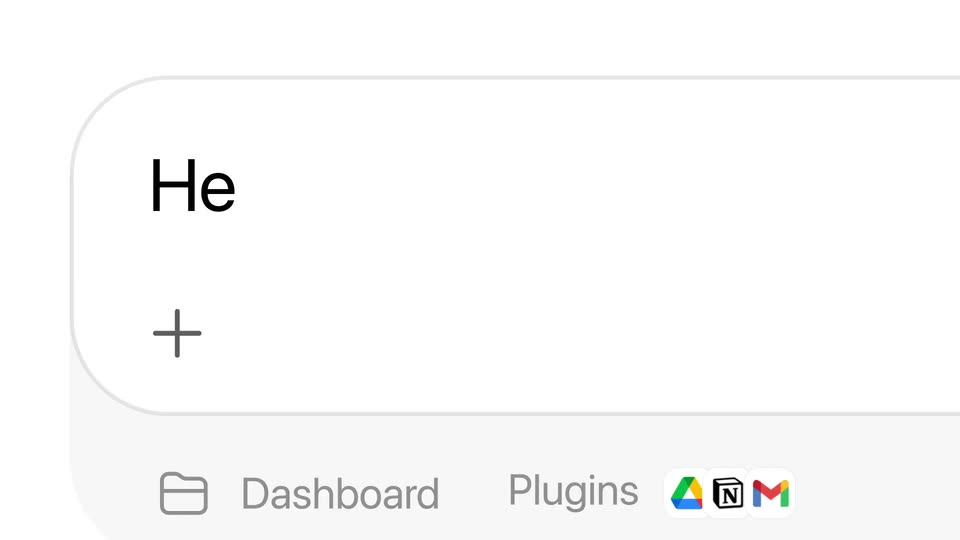
A rounded white input bar with a model label and a dark send button hovers above a row of dashboard shortcuts. The view pushes in on the bar as the letters H and e type into the empty field.
Techniques: UI zoom
Camera: Static
04 · Feature reveal · 0:05–0:07
A white rounded card with a thin border drifts left across the frame, carrying a single line of black text and a small plus icon at its lower left. The text scrolls steadily from right to left, revealing the full phrase in one continuous horizontal slide.
On-screen text: “Help me save my team's sanity”
Techniques: Kinetic type
Camera: Static
05 · Feature reveal · 0:07–0:08
A white card bounded by two thin gray rules. A large black sans headline scrolls left, reading “save my team's Sanity Build a shareable,” while a smaller gray line “5.6 Sol Medium” and a microphone outline slide in from the right.
On-screen text: “save my team's Sanity”, “5.6 Sol Medium”, “Build a shareable”
Techniques: Kinetic type
Camera: Pan
06 · Feature reveal · 0:08–0:09
A close-up of a search bar showing “shareable” beside the blue Sites logo zooms out to reveal the full interface: a prompt box reading “Help me save my team’s sanity. Build” above a row of app icons including Dashboard, Plugins, Drive, Notion and Gmail.
Techniques: UI zoom
Camera: Pan
07 · Feature reveal · 0:09–0:13
A tight crop on a prompt input field zooms out to reveal the full rounded box, with a blue Sites chip inline. The typed prompt finishes with 'source of truth.' in gray, then the box shrinks and fades out on white.
Techniques: UI zoom
Camera: Pull out
08 · Feature reveal · 0:13–0:16
A small yellow dot sits centered on white, then the word Thinking slides in on the left. It gives way to Working for 30s at the top while a longer line, Done, here's a structured, shareable Google Sites page you can use as the single, scales in below.
On-screen text: “Thinking”, “Working for 30s”, “Done — here's a structured, shareable Google Sites page you can use as the single”
Techniques: Kinetic type
Camera: Static
09 · Feature reveal · 0:16–0:17
A close-up of an assistant view on a light background. A gray status line ticks from 3s to 30s, a black body line types out a second sentence, and a gray Thinking line slides in with a folder icon.
Techniques: Kinetic type
Camera: Pull out
10 · Feature reveal · 0:17–0:21
A white screen holds the agent's status lines and a result message while a browser window slides up from the bottom to fill the frame. The message scrolls away, a cursor clicks the purple “Launch board” heading to select it, and a properties panel slides in from the right.
Techniques: Cursor demo
Camera: Pull out
11 · Other · 0:21–0:22
On a white background, bold black text assembles word by word on the left as a 3D cluster of a laptop, tablet and phone, a purple globe and a pink campaign card slides in on the right.
On-screen text: “You can just launch Sites”
Techniques: Kinetic type, 3D mockup
Camera: Static
12 · Other · 0:22–0:24
On a white field, the black headline holds left of center while the blue Sites logo grows out of a small product card and slides in to its right, settling into a centered lockup. The shot holds on the empty white frame, then cuts to a multi-element layout.
On-screen text: “You can just launch Sites”
Techniques: Kinetic type
Camera: Static
13 · Other · 0:24–0:25
White stage with six product UI cards and two icons drifting outward from the center at different speeds. In the middle, the black wordmark ChatGPT holds still while the word Work fades in beside it in red.
Techniques: Parallax
Camera: Pull out
14 · Outro · 0:25–0:27
A small dark dot at the center of a white field expands and resolves into a black line-drawn interlocking knot logo, scaling to about 40% of the frame height. The camera stays locked off throughout the reveal.
Techniques: Morph
Camera: Static
15 · Outro · 0:27–0:28
A black outline knot logo, built from rounded lobes around a hexagonal core, sits centered on a plain off-white field. The mark holds completely still with no animation across the short clip.
Camera: Static