0:46
Software Mansion - We just launched Velonos! It’s a desktop app for anyone using AI wit
Software Mansion · Nov 2026
Notion’s 3:13 launch film runs 36 scenes, about 5.4 s each. The product is on screen from the first frame and 3 features are revealed. The call to action lands at 3:07 (97% in), over a voiceover. The video is built as a lesson: a short brand bumper, a presenter promise, then three feature segments (Team Spaces, connecting information, databases and templates) where flat UI screens and locked-off talking-head shots alternate, closing on a URL card and the logo. Its style is defined by static, evenly lit presenter shots cut to flat product mockups, with the cursor driving sidebar navigation and cross-dissolves bridging person and screen.
Is this your launch? to your site or press kit.
Software Mansion · Nov 2026
Anthropic · AI · Oct 2026
ElevenLabs · AI · Sep 2023
Films whose music sounds like this one, voice left out
Google · Corporate Tech / Ambient Electronic
Duolingo · Latin dance, corporate announcement
Cerebellum Labs · Electronic
On a plain light gray background, a small outlined cube bearing the letter N rotates and fills from gray to black at center. The bold black wordmark Notion Academy then appears to its right, settling into a centered lockup.
On-screen text: “Notion Academy”
Camera: Static
The black Notion cube mark and the wordmark Notion Academy sit centered on a plain off-white background. The lockup holds a locked-off frame, then the whole mark fades toward the background as the scene ends.
Camera: Static
A blonde woman in a beige cardigan sits at a light wooden table with an open laptop and a blue mug, speaking to camera in a sunlit loft office with a white sofa and staircase behind her. A lower-third caption with her name and title appears at the bottom left.
On-screen text: “Lexie Barnhorn”, “Influencer Marketing”
Camera: Static
A blonde woman in a beige sweater sits at a laptop in a bright living room, talking and smiling. The frame stays locked off; a large letter D scales in near the end.
On-screen text: “D”
Techniques: Kinetic type
Camera: Static
A blonde woman in a beige cardigan sits at a wooden table with an open laptop and a blue mug, speaking to the camera. A bright loft with a white sofa, patterned rug and staircase fills the background. The shot stays static.
Camera: Static
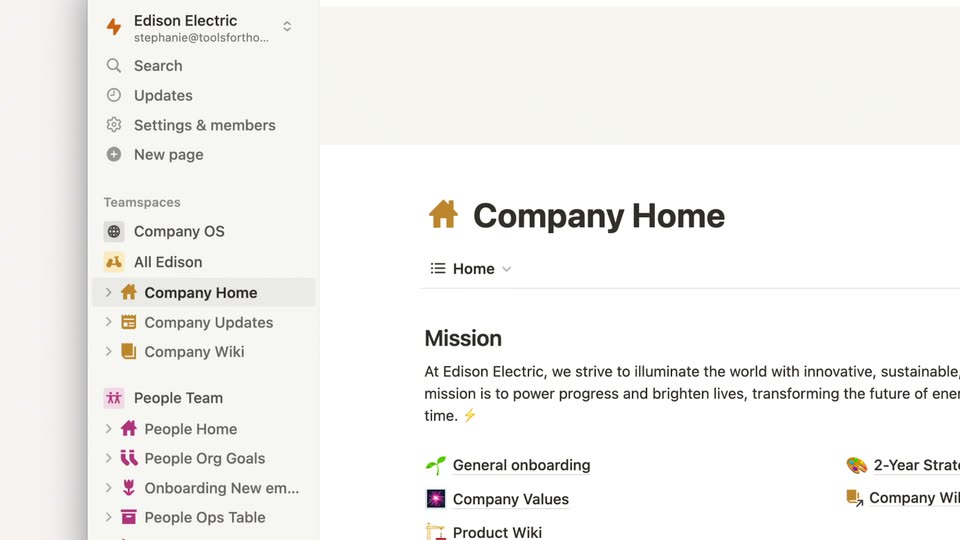
A Notion workspace window on a light gray background shows a left sidebar and a Company Home page. The camera zooms in on the sidebar, which lists navigation links and a Teamspaces section with nested pages.
Techniques: UI zoom
Camera: Push in
A woman in a beige cardigan sits at a wooden table facing the camera, speaking, with an open laptop and a blue mug in front of her. The bright office lounge behind her holds a white sofa, a rug and a staircase. She nods and smiles as she talks.
Camera: Static
A blonde woman in a beige cardigan sits behind a laptop in a sunlit living room, speaking and smiling toward an off-camera person. The shot is a static medium close-up; she nods and shifts her expression as she talks, with a window, lamp and sofa blurred behind her.
On-screen text: “D”
Camera: Static
A static product interface shows a dimmed workspace with a left navigation sidebar and a centered Company OS dialog on the Members tab. The dialog lists permission rows and two team owner entries beneath a blue Add members button. No motion occurs.
Camera: Static
A blonde woman in a beige sweater talks while seated at a laptop in a sunlit room, framed medium close. The scene cuts to a flat product screen showing a Marketing Home page with a left navigation sidebar.
Camera: Static
A flat Notion-style window shows a Marketing Home page beside a sidebar of team spaces. A cursor clicks the Company OS node, expanding a nested list that scrolls, then collapses it back.
Techniques: Cursor demo
Camera: Static
A flat product window displays a wiki home page with a left navigation sidebar. A cursor travels down the sidebar, hovering over Teamspaces entries; each hover reveals a row of action icons beside the item.
Techniques: Cursor demo
Camera: Static
A Notion workspace screen shows a Docs page with a left sidebar of teamspaces. A cursor hovers over the highlighted Docs entry under Company OS. The document list on the right, with emoji icons and colored tags, stays still.
Techniques: Cursor demo
Camera: Static
A desktop app window shows a sidebar and a document list. A cursor clicks the Meetings item, and the main panel switches from a Docs list to a Meetings list with colored tags.
Techniques: Cursor demo
Camera: Static
A Notion-style window shows the Meetings page with a list of dated entries. The cursor slides down the left sidebar to Q&A, and the main panel switches to a list of questions with status tags.
Techniques: Cursor demo
Camera: Static
A workspace app window displays a Q&A table of questions with status tags. The cursor travels up the left sidebar, which scrolls to reveal a Teams section listing All Edison, Company Home, Company Updates and Company Wiki.
Techniques: Cursor demo
Camera: Static
A Notion-style workspace page titled Company Updates fills the frame, with a left sidebar and a database table on the right under a light-trail banner. A cursor glides down the sidebar, hovering over Teamspaces items as rows reveal plus and menu icons.
Techniques: Cursor demo
Camera: Static
A light Notion-style window shows a Teams table with a row per department. A cursor travels down the left sidebar, scrolling the list of team spaces until it rests on Marketing Org Goals.
Techniques: Cursor demo
Camera: Static
A flat project-management interface fills the frame on a light gray background. A cursor rests on the Projects item in the left sidebar while the March 2023 timeline view stays static in the main panel.
Techniques: Cursor demo
Camera: Static
A flat wiki window sits on a light gray backdrop, showing a sidebar of page links beside a main page titled PMM Team Wiki. A cursor glides down the sidebar, hovering over Sprints and Marketing FAQs to reveal plus and menu icons, while the page content stays static.
Techniques: Cursor demo
Camera: Static
A desktop window sits centered on a pale gray background, showing a Notion page titled Social Media Calendar with a November 2022 grid and a left sidebar of workspace items. A mouse cursor rests near the bottom of the sidebar; the frame holds still.
Camera: Static
A Notion page in a browser window crossfades in from a calendar view, showing the course landing page with a red link icon, heading and intro text. The frame holds, then dissolves to a woman in a white blazer at a desk in a bright office.
Camera: Static
A blonde woman in a beige cardigan sits at a wooden table facing the camera, talking. An open laptop with its lid to the camera and a blue mug sit on the table. Behind her, a bright room with large windows, a gray sofa and a patterned rug.
Camera: Static
A browser window shows a meeting page titled Thought Partners Campaign | France kickoff with property fields. A cursor opens the empty Docs field, types in a search popup, and links two pages, which fill the field as the popup fades out.
Techniques: Cursor demo
Camera: Static
A blonde woman in a beige cardigan sits at a wooden table, speaking to camera. A closed laptop and blue mug sit in front of her. Behind her, a bright loft with large windows, a gray sofa and a patterned rug. The camera holds a static medium shot.
Camera: Static
A woman in a beige cardigan sits at a wooden table with a laptop and blue mug, speaking to camera in a sunlit loft office. The image then washes out to white as a row of vertical bars wipes across the bottom edge.
Camera: Static
A workspace app window sits centered on a light gray field, its main page resolving from a vertical blur into a crisp Company home view with a team-space sidebar and three link columns. The view holds static, then a cursor slides into the sidebar beside the Meetings row.
Techniques: Masking, Cursor demo
Camera: Pan
A flat product window shows a workspace with a left sidebar and a Meetings page listing dated entries. A cursor hovers over the Docs item in the sidebar while the view stays static.
Techniques: Cursor demo
Camera: Static
A flat browser window mockup of a Notion-style workspace sits on a plain background. A cursor glides up the left sidebar, pausing on Docs and Company home, while the main panel lists documents with colored category tags.
Techniques: Cursor demo
Camera: Static
A Notion-style wiki window sits centered on a light gray backdrop. The left sidebar scrolls down to its bottom, where the cursor hovers over the Templates item and a black tooltip appears beside it. The main Company home panel, with its three-column link list, stays still.
Techniques: Cursor demo
Camera: Static
A flat Notion window shows a Templates list scrolling on the left while the cursor selects People Directory. The right panel swaps to that template, then an Add to a teamspace dropdown opens over the Get template button.
Techniques: Cursor demo
Camera: Static
A workspace interface shows a People Directory grid of profile cards. The cursor expands the sidebar, clicks the New teamspace button, and a dialog opens. The cursor types a name, selects an icon, fills the description, and clicks Create, revealing an invite dialog.
Techniques: Cursor demo
Camera: Static
A Notion-style Teamspace Home page, with a left sidebar and a yellow welcome callout, fills the frame, then cross-dissolves into a blonde woman seated at a desk with a laptop and blue mug.
Camera: Static
A blonde woman in a beige cardigan sits at a wooden table, speaking to camera behind a laptop with its lid closed and a blue mug beside it. The bright loft office, gray sofa and large windows stay soft in the background. The medium shot is static throughout.
Camera: Static
A light gray frame holds the centered black line “Learn more at Notion.so/help”, then cuts to the Notion logo, icon plus wordmark, centered on the same plain background.
On-screen text: “Learn more at Notion.so/help”
Camera: Static
The Notion logo, a black notebook icon with a serif N, sits beside the black Notion wordmark, centered on a plain cream background. The frame is locked off and static with no motion.
Camera: Static