1:46

Third Chair Product Demo
Third Chair · B2B · May 2025
MyUnisoft’s 0:30 launch film runs 15 scenes, about 2.0 s each. The product is on screen from the first frame. The call to action lands at 0:26 (87% in), over a voiceover. The video is built as a short promise card followed by a continuous interface walkthrough from accepted quote to paid invoice. Its style is flat, light, and steady, using centered headlines, white UI panels, teal circular wipes, and status-color changes to mark each step.
Is this your launch? to your site or press kit.
Third Chair · B2B · May 2025
Google · AI · Jun 2014
DJI · Hardware · Jun 2014
Films whose music sounds like this one, voice left out
OS3 · Upbeat, modern electronic music with a steady mid-tempo beat.
Taste Labs · Upbeat electronic
Boxes.dev · Modern electronic
On a light gray field with a thin blue wavy line and a corner logo, the centered headline fades from pale gray to dark navy. It then blurs out as a teal line fades in beneath it. Locked-off frame.
On-screen text: “Votre devis est accepté.”, “La facture suit.”
Camera: Static
A plain light gray card holds the centered teal headline La facture suit. with the black MyUnisoft logo in the top right corner and a thin teal wavy line near the bottom. The frame stays static throughout.
On-screen text: “La facture suit.”
Camera: Static
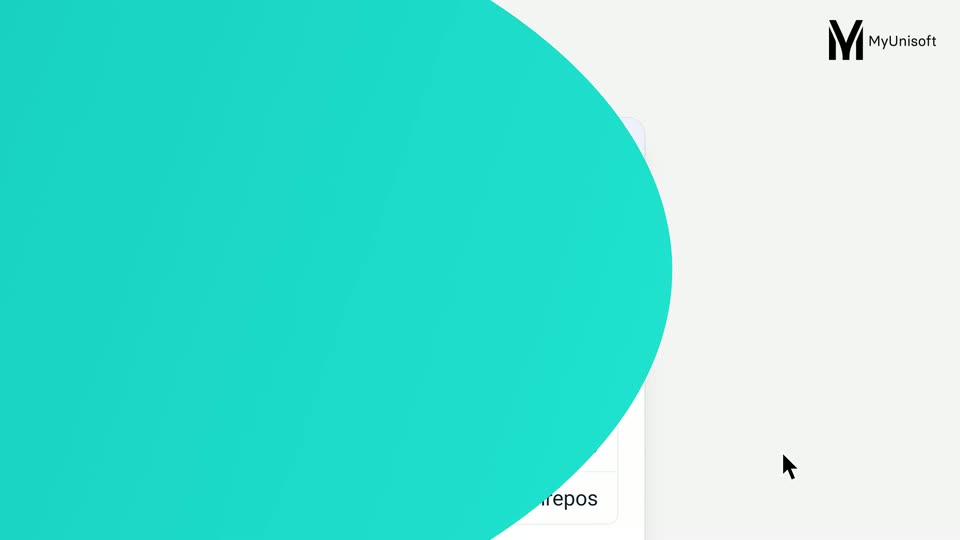
A centered teal headline sits on a pale background above a thin wavy line. A large teal circle expands from the right edge, wiping across the frame to reveal the white invoice screen with amounts, dates and an En cours status field, plus a cursor.
On-screen text: “La facture suit.”
Techniques: Masking
Camera: Static
A quote card shows a cursor opening the status dropdown and selecting Accepté. The header tints green, a success toast slides in, and the view pulls back to reveal the Convertir en facture button.
Techniques: Cursor demo, UI zoom
Camera: Pull out
A teal circle expands from the right, masking over the invoice card, then a blue Convertir en facture button with a refresh icon pops into the center of the teal field and fades out. The MyUnisoft mark stays locked in the top-right corner.
Techniques: Masking
Camera: Static
A centered indigo button with a refresh icon and white text 'Convertir en facture' sits on a pale gray field, a black cursor resting at its lower right edge. The MyUnisoft logo marks the top right corner. The frame holds locked and still.
Techniques: Cursor demo
Camera: Static
A white invoice card on a light gray background fills in: the customer and supplier blocks appear, then two line items with amounts, the totals, and a purple 'Créer la facture' button at the bottom right. The view scrolls down to follow the content.
Techniques: UI zoom
Camera: Pull out
A flat invoice screen with a green success banner at the top and a cursor resting on the purple button at the bottom right. A green circle wipes in from the left edge, covering the whole frame by the end.
Techniques: Cursor demo, Masking
Camera: Static
A light email form card scrolls up, bringing a purple send button into full view at the bottom, as a white cursor glides in to hover over it. A teal circle sits at the left edge and the MyUnisoft logo stays fixed top right.
Techniques: Cursor demo
Camera: Pan
A white email form with a purple send button and a cursor on it sits on a light gray field, a green success toast below. The form drifts left and fades as a payment detail card with a euro amount slides in on the right.
Techniques: Cursor demo
Camera: Pan
A cursor clicks the purple Ajouter un paiement button on an invoice card. The header tints green, the status badge switches to Payée, the payment box turns green with a check, a new line item slides in, and a success toast drops from the top right.
Techniques: Cursor demo
Camera: Static
A teal organic shape wipes in from the right, covering the payment confirmation card and leaving only the MyUnisoft logo on a light gray field. The frame stays locked off.
Techniques: Masking
Camera: Static
A light gray frame holds the centered dark headline “Du devis au paiement.” It fades in from a soft blur, holds steady, then fades out. The MyUnisoft logo sits static in the top right corner.
On-screen text: “Du devis au paiement.”
Camera: Static
A dark rounded button labeled “Démarrer maintenant” with a teal arrow sits centered on a light gray field, the MyUnisoft mark in the top right. A cursor drifts down-right as the button fills from charcoal to teal.
Techniques: Cursor demo
Camera: Static
A teal color field with a curved left edge slides off to the right, revealing the teal MyUnisoft M mark and wordmark centered on a light gray background. A small French caption sits below the logo at the end.
On-screen text: “Démarrer maintenant”
Techniques: Masking
Camera: Static