1:25
Gary Wu - Introducing Instaplay: Make or Play Anything The world is burning tr
Instaplay AI · Aug 2026
Third Chair · May 2025 · 1:46 · AI-annotated
Third Chair’s 1:46 launch film runs 18 scenes, about 5.9 s each. The product shows up at 0:05. There is no explicit call to action; a voiceover carries the film. The video bookends a long screen recording walkthrough with a short talking head intro and outro, following one case from a Gmail notification to a scheduled outreach. Its signature moves are slow push ins and zoom throughs between inbox levels, all held on a blue orange pixel grid backdrop.
Is this your launch? to your site or press kit.
Instaplay AI · Aug 2026
Anthropic · AI · Oct 2025
Anthropic · AI · Oct 2025
Films whose music sounds like this one, voice left out
Tinfoil · Electronic
Rippling · Modern corporate electronic
DJI · Modern electronic
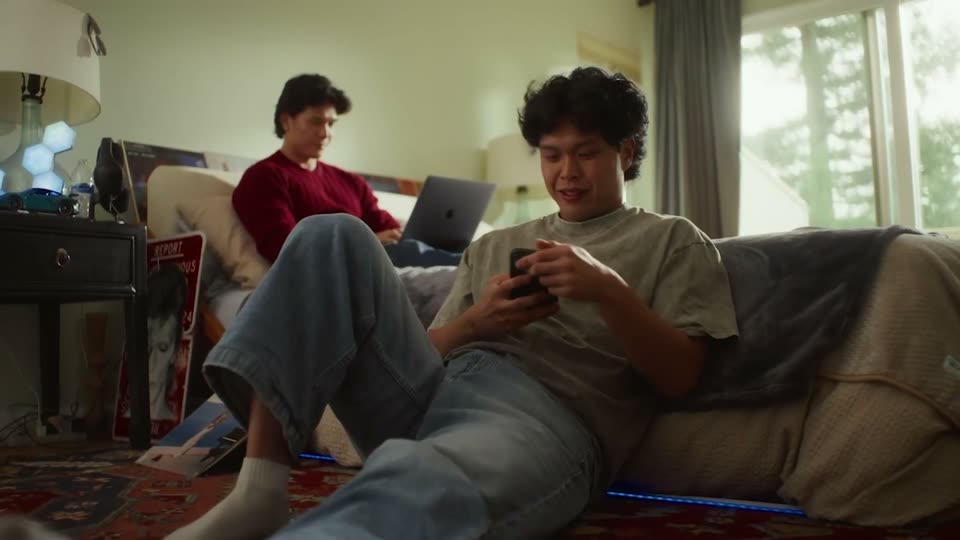
A man in a gray t-shirt sits in a home office, talking to the camera and gesturing with his hands. Album covers hang on the wall behind him. A white caption sits at the bottom of the frame while the shot slowly pushes in.
On-screen text: “Make something people want.”
Camera: Push in
A laptop on a marble table shows a blue and orange pixel-grid wallpaper. The white headline scales up at the center of the screen as the final words appear, then a horizontal band of the same texture wipes across and covers the text.
On-screen text: “Augment your legal team with...”, “4X4”
Techniques: Kinetic type, Masking
Camera: Push in
A pixelated teal and orange grid fills the frame as three vertical bars, two white and one blue, grow and gain serifs into a monogram. Below it, the serif wordmark Third Chair fades in letter by letter, Third in italic. The camera is locked off.
On-screen text: “JIC”, “Third Chair”
Techniques: Kinetic type
Camera: Static
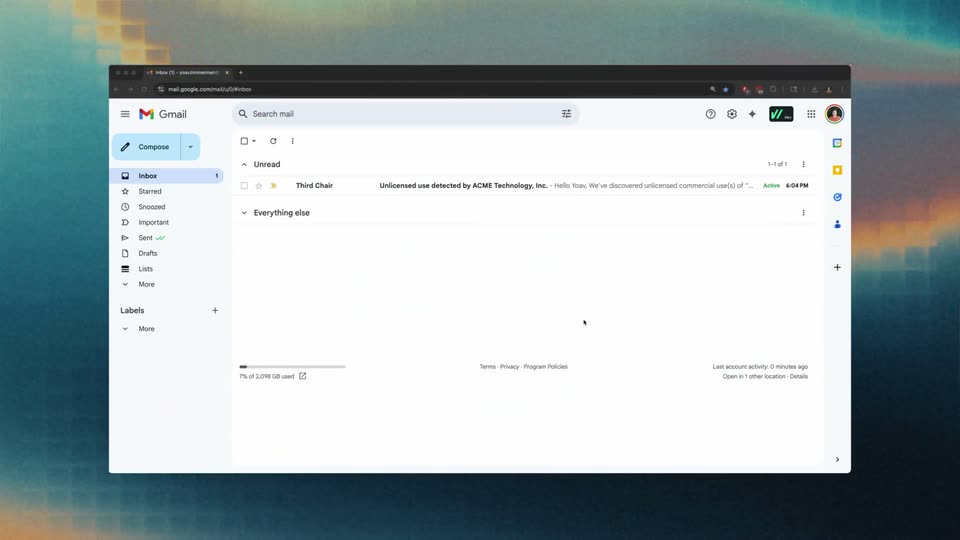
A Gmail inbox in a browser window sits over a pixelated blue-orange background. The camera pushes in on the top of the interface, ending on the search bar and one unread email from Third Chair. A cursor moves near the subject line.
Techniques: UI zoom
Camera: Push in
A cursor opens a Third Chair email in Gmail over a blurred gradient background. The interface zooms into the message, highlighting unlicensed commercial use(s) and $10,000 - $50,000 in blue, then scrolls to reply buttons and opens a compose pane.
Techniques: Cursor demo, UI zoom
Camera: Push in
In a Gmail compose close-up, the line 'hmmmm didn't we license this a few years back?' is typed, the cursor clicks Send, and the frame zooms out to the full inbox. A 'Message sent' toast appears, and the cursor clicks Monitor reply.
Techniques: Cursor demo, UI zoom
Camera: Pull out
A Gmail inbox in a browser window over a blurred gradient background. An email row with a PDF attachment loads into the Unread section, then the view zooms in on that row as a cursor hovers over it.
Techniques: UI zoom, Cursor demo
Camera: Push in
A flat email card floats on a blurred gradient backdrop. The thread opens into a full message listing a matched licensing contract with term and cost, then scrolls to a PDF attachment where a Fill & Sign tooltip and three reply chips appear.
Techniques: UI zoom
Camera: Pan
A dimmed Gmail window holding a PDF license contract brightens over a soft blue and orange gradient. The Fill & Sign button slides in at the top right while the frame stays locked.
Camera: Static
A browser window on a blue desktop shows a PDF titled Regina Gardener ACME Sync License Contract, displaying the synchronization license terms on a centered white page. The view holds still on the term list while a Fill and Sign button sits at the top right.
Camera: Static
A Gmail email in a browser window on a blurred desktop; the view zooms into the body, highlights and red-boxes 'license has expired, but the post is still live', then scrolls up to the sender and down to a trowel image and a $10,000 to $50,000 estimate.
Techniques: UI zoom, Cursor demo
Camera: Push in
A dark browser window on a blurred desktop shows a white claim card with content details, a video player, and a file list. The frame holds, then zooms into the top of the card on the Begin Outreach and To Investigate buttons.
Techniques: UI zoom
Camera: Push in
A browser window shows the Watchdog compose flow on Step 2, with three sequence cards on the left and an email editor on the right. A cursor clicks Sequence 2 and 3 as the body text swaps, then the view zooms in and the screen advances to a Step 3 recipients page with gray loading bars.
Techniques: Cursor demo, UI zoom
Camera: Push in
A flat white recipient-picker panel sits on a blurred orange-teal backdrop. A cursor glides to the legal filter chip and clicks it, swapping the contact list to two legal names. The panel then scales up and dissolves out.
Techniques: Cursor demo
Camera: Static
A Scheduling Outreach dialog sits over a dimmed Compose screen. The email sequence card cycles through three dates and follow-up labels while the progress bar fills from 12% to 88%. A diagonal wipe then reveals a man speaking in a room.
Techniques: Masking
Camera: Static
A man in a gray t-shirt sits in a home office and speaks to the camera, gesturing with both hands as the frame slowly pushes in on him. A white diagonal wipe enters from the top-left corner to close the shot.
On-screen text: “[URGENT] Unlicensed use of Original audio by ACME”
Techniques: Masking
Camera: Push in
A white curved shape wipes across a man in a gray shirt seated in a poster-lined room, expanding to fill the frame and leaving a small black square, a light-blue square, and a dark corner triangle.
Techniques: Masking
Camera: Static
On a plain white field, a logo mark of two black and one teal vertical bars with square caps assembles in the center, then the wordmark Third Chair fades in beneath it and holds.
On-screen text: “Third Chair”
Camera: Static