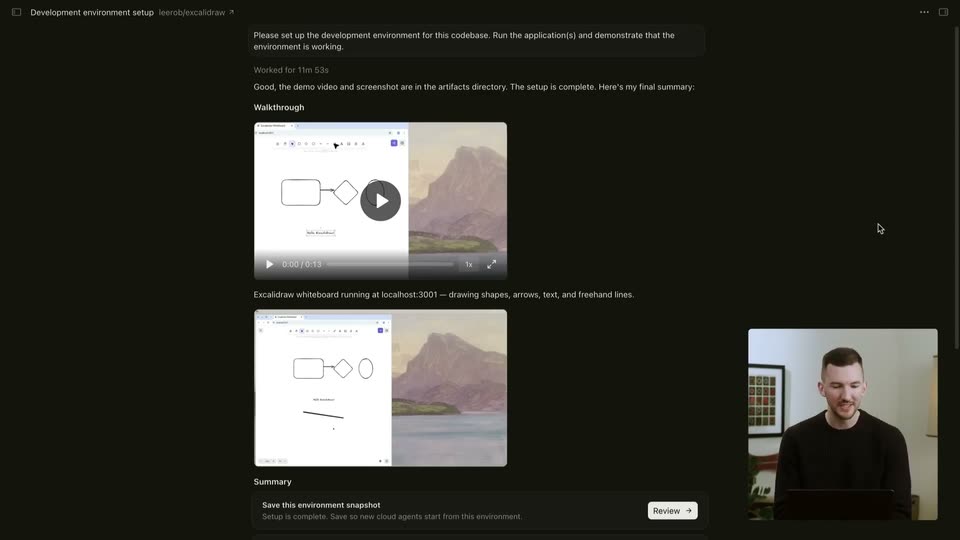
3:45
Replicas V1 Demo
Replicas · B2B · Mar 2026
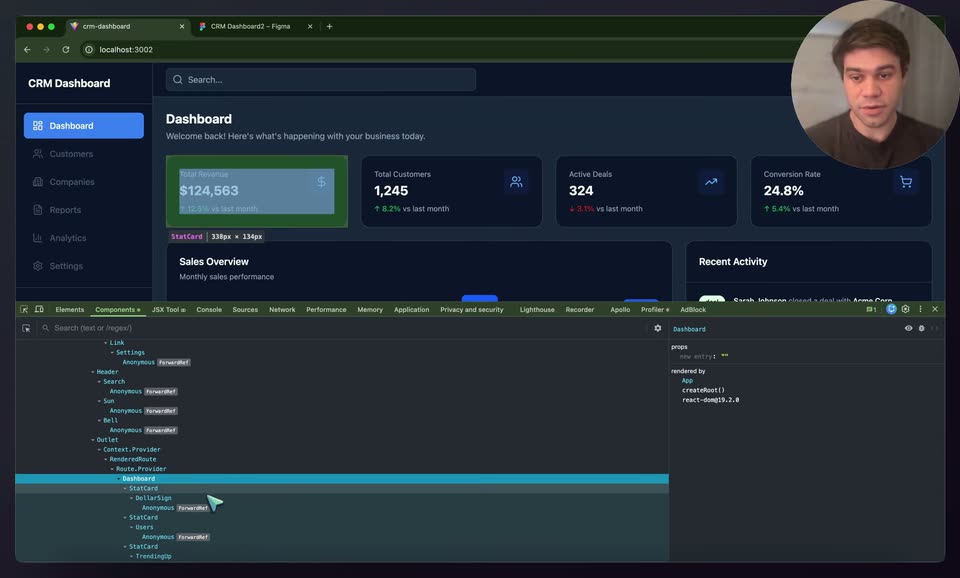
Coasts’s 3:51 launch film runs 51 scenes, about 4.5 s each. The product is on screen from the first frame and 3 features are revealed. The call to action lands at 3:42 (96% in), over a voiceover. The video is a single-take screen-recording tutorial: a static webcam circle sits top-right over a split view of a dark dashboard and a code editor, with the host's face cut in only at the open and close. Pacing is steady and explanatory, built from slow cursor moves, zoom-ins on highlighted code lines and dissolve transitions between the live app, the Figma mockup and the editor, with red annotation arrows marking each task.
Is this your launch? to your site or press kit.
Replicas · B2B · Mar 2026
Cursor · Developer tools · Feb 2026
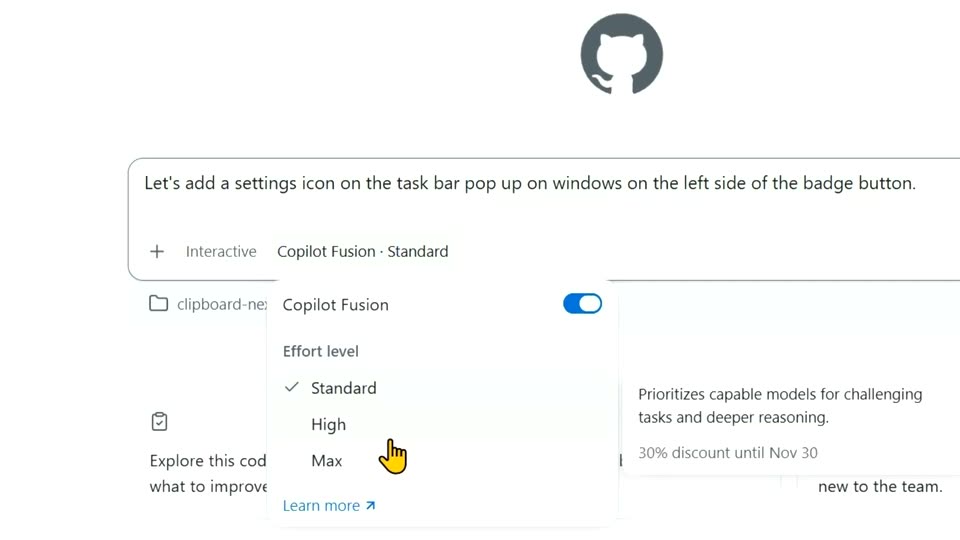
GitHub · Developer tools · Nov 2026
A man in a black t-shirt sits centered in a home office, speaking to the camera. A whiteboard with faint writing stands behind him on the left, a gray curtain fills the right. The framing stays static as he talks, glancing down near the end.
Camera: Static
A dark CRM dashboard fills a browser window, with a circular webcam of a presenter in the top right corner. The cursor glides across the screen, hovering over bar chart columns to pop value tooltips, then over the page heading and a sidebar item.
Techniques: Cursor demo
Camera: Static
A Figma canvas shows a dark CRM dashboard mockup with red annotation arrows and a blue label, while a circular webcam of a man sits in the top right. The view zooms in on the dashboard, enlarging the red notes.
On-screen text: “Change to Sales Dashboard”, “Change to Line Chart”, “Make inactive Nav Links Lighter”
Techniques: UI zoom
Camera: Static
A Figma screen shows a dark CRM dashboard mockup with sidebar, revenue cards and a line chart, marked by red arrows and labels. A circular webcam of a presenter sits top right. The canvas reframes to the sidebar as the cursor hovers over the nav links.
On-screen text: “Change to Sales Dashboard”, “Change to Linear”, “Make inactive Nav Links Lighter”
Techniques: UI zoom, Cursor demo
Camera: Static
A Figma screen recording shows a dark CRM dashboard with a sales line chart, stat cards, and a customers table; red arrows mark the nav links and cards. The canvas zooms out to frame the full layout, with the presenter's webcam bubble in the top right.
Techniques: Cursor demo, UI zoom
Camera: Static
A Figma canvas displays a dark CRM dashboard with a blue line chart and stat cards; a red arrow points at the chart and a cursor glides over it. A circular webcam of the presenter sits top right, and the left panel hides to widen the chart.
Techniques: Cursor demo
Camera: Static
A dark CRM dashboard fills the frame with four stat cards, a blue monthly bar chart and an activity feed. A circular webcam of a man sits top right while a cursor drifts across the page, pausing near the heading and welcome line.
Techniques: Cursor demo
Camera: Static
A screen recording shows a dark CRM dashboard in a browser with DevTools docked below. The cursor clicks the Elements tab and expands the HTML document tree, while a circular webcam of the presenter stays fixed in the top-right corner.
Techniques: Cursor demo
Camera: Static
A dark CRM dashboard fills a browser window with developer tools open beneath it. A cursor hovers over the welcome line, popping an element inspector tooltip, while a circular webcam of the presenter sits in the top right corner.
Techniques: Cursor demo
Camera: Static
A browser shows a dark CRM dashboard with a developer tools panel docked below. A cursor hovers the page title, a tooltip lists the element's classes, then the cursor drops to the matching h1 line in the code. A circular webcam of a presenter sits top right.
Techniques: Cursor demo
Camera: Static
A browser window shows a dark CRM dashboard with developer tools open below it. A circular webcam of a presenter sits in the top right corner. A cursor hovers over the header, then an element is selected in the DOM tree, casting a blue highlight over the top section.
Techniques: Cursor demo
Camera: Static
A dark CRM dashboard fills the top of a browser window while Chrome DevTools open below. A cursor hovers over stat cards and the page heading, highlighting each as the React component tree updates. A circular webcam feed of the presenter sits in the top right corner.
Techniques: Cursor demo
Camera: Static
A screen recording of a browser shows a CRM dashboard with a dark sidebar and stat cards, while the developer tools panel below highlights React component nodes as a cursor clicks through them. A circular webcam feed of a presenter sits in the top right corner.
Techniques: Cursor demo
Camera: Static
A screen recording shows a dark CRM dashboard with four stat cards above a React DevTools panel listing the component tree, the Dashboard node highlighted in blue. A circular webcam feed of a man sits in the top right corner. The frame holds steady.
Camera: Static
A dark CRM dashboard fills the top of a browser window above an open developer tools panel, its component tree and React inspector visible. A circular webcam of a man is pinned in the top right corner while a cursor hovers over the inspector text.
Techniques: Cursor demo
Camera: Static
A dark CRM dashboard fills the top of the frame with four stat cards, while a React component tree and console sit below in a devtools panel. A circular webcam of the presenter hovers in the top right corner as the cursor drifts in the console.
Camera: Static
A browser window shows a CRM dashboard above an open Chrome DevTools panel, where the React component tree is expanded and the Dashboard node is highlighted in blue. A circular webcam of a man speaking floats in the top right corner while a cursor drifts across the elements pane.
Techniques: Cursor demo
Camera: Static
A browser window shows a CRM dashboard above an open DevTools panel. A cursor moves down the component tree, and each hovered node highlights its matching area in the dashboard with a blue overlay and a pixel-size label. A circular webcam of the presenter sits top-right.
Techniques: Cursor demo
Camera: Static
A screen capture shows a dark CRM dashboard in a browser, with developer tools open below it. The cursor moves across the JSX Tool tab and hovers over the component tree. A circular webcam feed of the presenter sits in the top right corner.
Techniques: Cursor demo
Camera: Static
A screen capture of a dark CRM dashboard with DevTools open below, a circular webcam of a man in the top right. The cursor moves into the DevTools toolbar, a tooltip pops up, and the Header row lights up in cyan.
Techniques: Cursor demo
Camera: Static
A dark CRM dashboard sits in a browser above an open code inspector, with a face cam circle top right. A cursor hovers the heading, a tooltip pops up, then the view zooms into the editor where the matching JSX line glows pink before zooming back out.
Techniques: Cursor demo, UI zoom
Camera: Push in
A dashboard app and a code editor fill the frame, stacked top and bottom. A green cursor hovers across the stat cards as dark tooltips naming the components follow it. A small circular webcam of a presenter sits in the top right corner.
Techniques: Cursor demo
Camera: Static
A dark dashboard with a code editor docked below fills the screen. A cursor hovers over the page title and a stat card as a tooltip lists the component stack and the matching code line highlights. A circular webcam of the presenter sits in the top right corner.
Techniques: Cursor demo
Camera: Static
A screen recording of a dashboard app with a component inspector overlay and a code editor below. A cursor hovers over rows, highlighting them in pink, while the selected component's code updates. A developer's face appears in a circular inset at the top right.
Techniques: Cursor demo
Camera: Static
A dark dashboard app fills the top half with its component tree panel open over the page, a green cursor hovering near the title. Below, a code editor shows the matching JSX with highlighted lines, and the presenter sits in a webcam circle at top right.
Techniques: Cursor demo
Camera: Static
A component-tree overlay fades out over a dark CRM dashboard, then a cursor hovers the pink-highlighted heading line in the code panel below. A circular webcam feed of a presenter stays in the top right corner.
Techniques: Cursor demo
Camera: Pull out
A browser window shows a dark CRM dashboard with stat cards, while a code editor panel below highlights a line of code as a cursor hovers over it. A small circular webcam of the presenter sits in the top right corner.
Techniques: Cursor demo
Camera: Static
A dark CRM dashboard occupies the top of the screen above an open code inspector. A cursor hovers over the inspector, then the frame blurs and pushes in on the highlighted code lines.
Techniques: Cursor demo, UI zoom
Camera: Push in
A dark code editor displays a React file as a teal arrow cursor hovers over a line, then types to change the heading to Sales Dashboard. A small circular webcam of a man talking sits in the top right corner.
Techniques: Cursor demo
Camera: Pull out
A browser window shows a dark CRM sales dashboard above a code editor pane with a file tree and an open Dashboard.tsx file. A circular webcam bubble of the presenter sits in the top right corner. A cursor hovers over the code lines while the layout stays static.
Techniques: Split screen, Cursor demo
Camera: Pull out
A Figma canvas zooms out from a dark CRM dashboard to reveal red annotation arrows, then zooms back in on the left sidebar as the cursor hovers over the nav links. A circular webcam of the presenter stays in the top-right corner.
Techniques: UI zoom, Cursor demo
Camera: Pull out
A screen capture shows a dark CRM dashboard above a code editor panel, with a circular webcam of the presenter in the top right. The bottom panel switches from a file tree to a component inspector with highlighted JSX lines, while the cursor moves across it.
Techniques: Cursor demo
Camera: Static
A screen capture of a dark CRM dashboard in a browser above an open DevTools panel, with a circular face-cam in the top right. A cursor hovers the App node, raising a tooltip, then clicks the Reports link; the dashboard and code view switch to the Reports page.
Techniques: Cursor demo
Camera: Static
A browser screen recording shows a CRM sales dashboard above a code inspector panel. A green cursor hovers over the sidebar list while a tooltip prompts to select the NavLink component. A circular webcam of the presenter sits in the top right corner.
Techniques: Cursor demo
Camera: Static
A screen recording stacks a dark CRM sales dashboard over a code editor, with a circular webcam feed in the top right. The cursor hovers across highlighted JSX lines, then the editor switches to a file view as the speaker narrates.
Techniques: Split screen, Cursor demo
Camera: Static
Figma displays a dark CRM dashboard with a sidebar and a sales line chart; red annotation arrows point to the nav links and the title. A circular webcam of a man occupies the top right, and a teal cursor rests on the canvas.
Techniques: Cursor demo
Camera: Static
A screen recording splits the frame between a dark CRM dashboard in a browser and a code editor below. The view zooms into the Sidebar code, then back out as the cursor hovers the dashboard nav and opens a component inspector panel, ending on a zoom into the bar chart.
Techniques: UI zoom, Cursor demo
Camera: Static
A screen recording stacks a CRM dashboard over a code editor with React DevTools, plus a small circular webcam of a man in the corner. A cursor moves onto the bar chart, a tooltip pops up, and the component tree and code panel update.
Techniques: Cursor demo
Camera: Static
A dark CRM dashboard with a blue bar chart fills the top of a locked-off screen, an open DevTools code panel below it. A cursor hovers over the chart, popping a tooltip that names the selected element. A circular webcam of a presenter sits in the top right corner.
Techniques: Cursor demo
Camera: Static
A screen recording shows a CRM dashboard above a developer code panel. A cursor moves through the highlighted code, hovers a bar chart bar to pop a value tooltip, then a green outline selects the chart. A circular webcam of a man talking sits in the top-right corner.
Techniques: Cursor demo
Camera: Static
A Figma window shows a dark CRM dashboard mockup with red handwritten notes and arrows pointing to the sidebar and the line chart. The cursor drags a selection box around the Sales Overview chart while a circular webcam of the presenter sits in the top right corner.
Techniques: Cursor demo
Camera: Static
A split screen pairs a CRM dashboard with a blue bar chart over a code editor, with a small webcam feed top right. The view zooms into the editor as a cursor types a prompt, then a plan box appears over blurred code.
Techniques: UI zoom, Cursor demo
Camera: Push in
A screen recording of a CRM dashboard with an AI code panel below; the panel builds a plan, then the view zooms into the green and red code diff as the cursor moves to the Apply edits button. A presenter's webcam sits in the top-right corner.
Techniques: UI zoom, Cursor demo
Camera: Push in
A screen recording shows a CRM dashboard on top with a blue line chart and a code editor below, while a small circular webcam of a presenter sits in the top-right corner. The view settles from a brief dissolve, and the presenter notes the chart's y-axis is off.
Camera: Pull out
A screen recording shows a code editor with a CRM dashboard line-chart preview above it and a developer's webcam in the corner. The view zooms into the editor as a prompt is typed into the AI input box at the bottom.
Techniques: UI zoom
Camera: Push in
A CRM dashboard with a blue line chart sits above an AI code editor. The editor types a plan, then a green-highlighted diff appears. The cursor clicks Apply edits, and the view zooms into the chart, now starting at zero. A circular webcam of the presenter is top right.
Techniques: Cursor demo, UI zoom
Camera: Push in
A CRM dashboard with a sales line chart and a JSX code editor share a split browser window, with a circular webcam of a presenter in the corner. A cursor moves to the top right and clicks, swapping the side panel to a Pinned Elements list.
Techniques: Cursor demo
Camera: Pull out
A dark CRM dashboard fills the browser window, a circular webcam of the presenter pinned to the top right. The page scrolls up from the customer table to the stat cards, then the cursor drifts to the sidebar and onto the line chart.
Techniques: Cursor demo
Camera: Static
A Figma canvas displays a dark CRM dashboard mockup with red annotation arrows and labels marking the title and chart. The viewport zooms out to reveal the left layers panel and a white margin. A circular webcam of the presenter stays in the top right corner.
Techniques: UI zoom
Camera: Static
A dark CRM dashboard fills a browser window: sidebar navigation, four stat cards, a monthly revenue line chart and a recent activity feed. A circular webcam of a man talking is pinned in the top right corner. The mouse cursor drifts slightly over the chart while the frame stays locked off.
On-screen text: “Typography”, “Nav Links Lighter”
Camera: Static
A man in a dark t-shirt faces the camera in a home office, a whiteboard and gray curtain blurred behind him. He speaks directly to the viewer, nodding and shifting slightly as he delivers closing remarks, with soft even lighting and a static medium close-up framing.
Camera: Static