1:05

Onlook - The Open-Source Cursor for Designers
Onlook · B2B · Feb 2025
Miro’s 0:38 launch film runs 11 scenes, about 3.5 s each. The product is on screen from the first frame. There is no explicit call to action; a voiceover carries the film. The video is built as a dark-canvas montage: a word-by-word headline and the Assist menu open the piece, then a rapid cut-through of generated artifacts (mind map, chat answer, sticky notes, presentation) linked by zooms and shape-mask wipes. Signature moves are the frosted-glass highlight bar, named cursors, and octagonal or lens mask reveals held against a near-black background.
Is this your launch? to your site or press kit.
Onlook · B2B · Feb 2025
Rive · Design · Dec 2024
Films whose music sounds like this one, voice left out
beehiiv · Upbeat electronic, four-on-the-floor beat
Posthog · Upbeat electronic
Gigi · Electronic dance music, rock, and pop
On a dark background, the white headline builds word by word at center. A purple cursor trails down to a blue Assist button in the corner, and the word innovation lifts up and to the right as the line reflows.
On-screen text: “Introducing AI for innovation”
Techniques: Kinetic type, Cursor demo
Camera: Static
A light Miro Assist menu card sits on a dark background while a frosted-glass bar slides down the list, lighting up Generate image, Add sticky notes, then Expand with ideas in blue. A cursor tagged Anna appears at the right edge as the panel scrolls.
On-screen text: “Introducing Al for innovation”
Camera: Pan
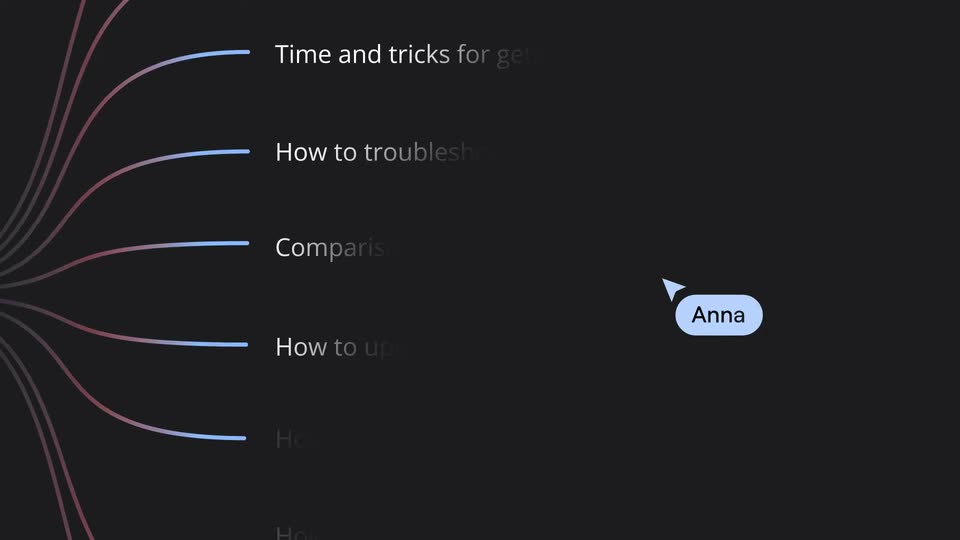
On a dark field, thin pink and blue curves branch out from the left edge like a mind map. White topic lines fade in along each curve and drift upward, while a light blue chat bubble reading Anna with a cursor arrow slides to the right.
Techniques: Masking
Camera: Pull out
The view zooms out from a close-up of a Miro whiteboard to reveal a full mind map of how-to video topics. A cursor tagged Anne moves across the nodes while a yellow cartoon mascot labeled Connor appears on the right.
Techniques: UI zoom, Cursor demo
Camera: Pull out
A grid of black text tiles on a white board sits beside a rendered e-bike. The board slides back and blurs as a blue-glowing chat card slides forward; its message types out, then the card shrinks into a small bubble at the lower right.
Techniques: 3D mockup, Parallax, Kinetic type
Camera: Pull out
A dark close-up of a curved metal frame with a wheel fills the left half, while a white chat panel on the right scrolls an AI answer listing three concerns. A new prompt types into the reply box, then a dropdown menu opens and a cursor selects Sticky notes.
Techniques: Cursor demo
Camera: Push in
A Miro whiteboard opens on one dark sticky note, then pulls back to reveal a full board of dark and yellow notes, photos and paragraphs, with a named cursor appearing at the bottom right.
Techniques: UI zoom
Camera: Pull out
Over a blurred whiteboard of sticky notes, a chat input box types the prompt 'Generate a presentation with top 5 pieces of feedback.' A dropdown of output options opens, the cursor clicks 'Presentation,' and the label above the box switches from 'Chat reply' to 'Presentation.'
Techniques: Cursor demo
Camera: Static
A Miro presentation board floats in 3D over a dark grid while three named cursors move across its two text-and-image cards. The view zooms onto the right card, then the board is revealed through an expanding octagonal mask.
Techniques: 3D mockup, Cursor demo, UI zoom, Masking
Camera: Static
A vertical lens-shaped mask on a black field reveals a car steering wheel beside a white text panel, then pinches shut into a small diamond and disappears.
Techniques: Masking
Camera: Static
On a near-black background, a yellow rounded diamond morphs into the Miro squircle icon while the word Assist sits beside it. The word then crossfades to lowercase miro, and the lockup holds centered as the sign-off.
On-screen text: “Assist”, “miro”
Techniques: Morph, Kinetic type
Camera: Static